
README file from
GithubRuined Library
NOTICE: Generated using Claude AI
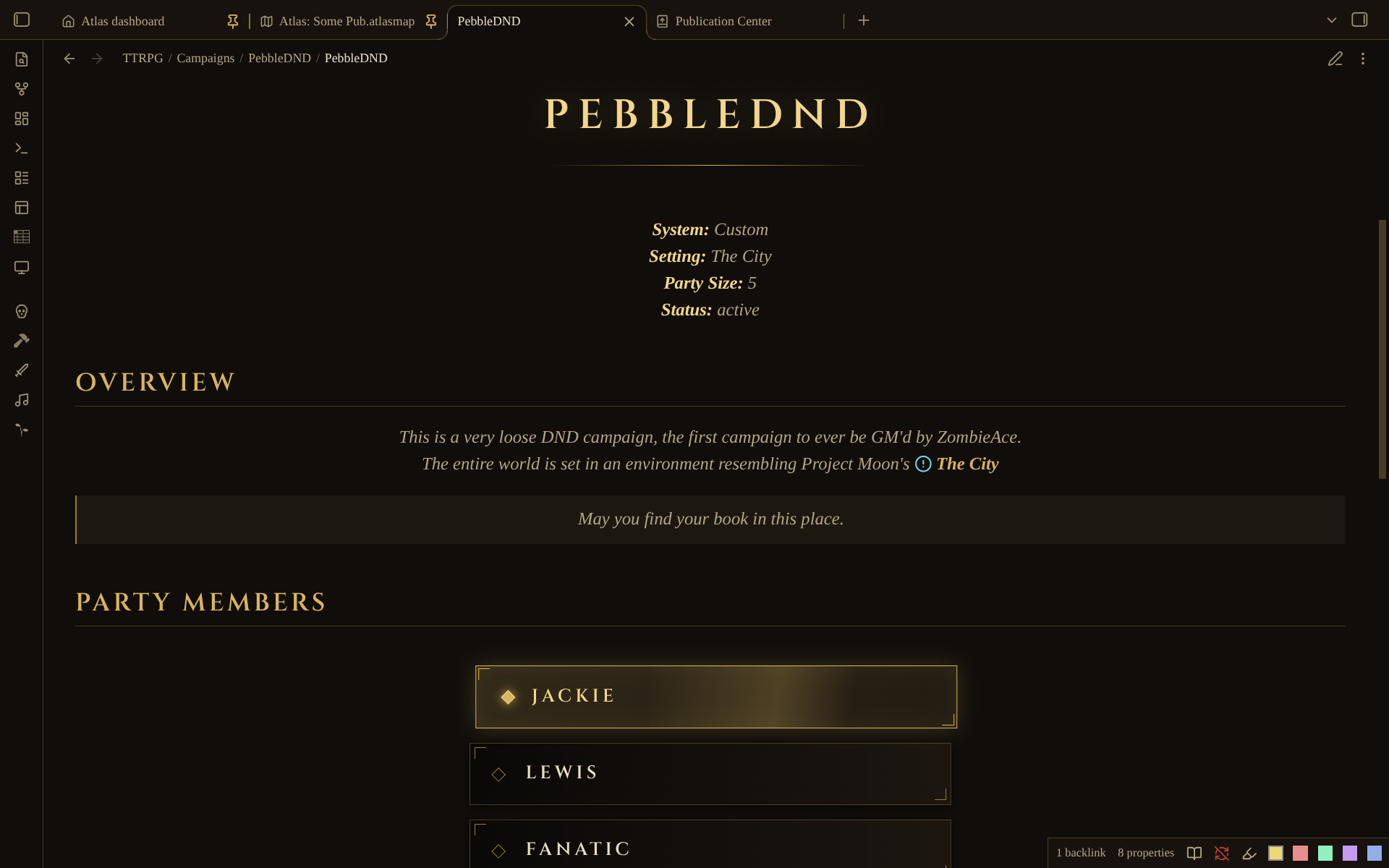
An unofficial, fan-made theme for Obsidian and Digital Garden, in the spirit of Library of Ruina: near-black warm paper, parchment text, thin gold rules, framed panels, and main-menu-style buttons for a home page. It uses no game art, logo or fonts, and is not affiliated with Project Moon.
It comes in a dark theme (the intended look) and a light theme.
<image src=https://raw.githubusercontent.com/ZombieAce/Obsidian-Library-of-Ruina-Theme/refs/heads/master/img/preview1.png> <image src=https://raw.githubusercontent.com/ZombieAce/Obsidian-Library-of-Ruina-Theme/refs/heads/master/img/preview2.png> <image src=https://raw.githubusercontent.com/ZombieAce/Obsidian-Library-of-Ruina-Theme/refs/heads/master/img/preview3.png>


Obsidian
Copy theme.css and manifest.json into <your vault>/.obsidian/themes/Ruined Library/, then choose
it under Settings → Appearance → Themes.
The menu buttons
Make your home note a list of links and add one line of frontmatter:
---
cssclasses: ruina-menu
---
# The Archive

*Welcome, guest. Choose a floor.*

- [[Campaign Log]]
- [[The Party]]
- [[Bestiary]]
Each list item becomes a button: corner brackets, a diamond marker, and a gold glow that sweeps across
and slides the button in on hover. It works from the keyboard (Tab shows a focus outline), shrinks to
phone width, and turns its motion off for visitors who ask their device for reduced motion.
example/Home.md is a starting point.
On Digital Garden, the class reaches the page through a setting: in the plugin's settings,
under the frontmatter keys, CSS classes defaults to dg-content-classes. Either write
dg-content-classes: ruina-menu in the note, or change that setting to cssclasses so the same line
works in Obsidian and on the site. Then run Set as Garden Home Page on the note and publish.
Variants, added beside ruina-menu (for example cssclasses: [ruina-menu, ruina-menu-row]):
ruina-menu-row: buttons side by side, wrapping to fit.ruina-menu-left: the stack aligned to the left instead of centred.
Retuning the colours
The palette is a short list of --ruina-* variables at the top of theme.css, one set for dark and one
for light. Change a value there and the whole theme follows. If you can compare against the game, the
ones to adjust first are --ruina-gold, --ruina-ink-1 (page) and --ruina-text.
Fonts
Headings use Cinzel if it is installed on the reader's device, otherwise Optima, Palatino or Georgia; body text uses Palatino or Georgia. The theme makes no font requests, so nothing is sent to a font service. Install Cinzel (SIL OFL) on your own devices for the intended headings; visitors to your garden see the fallback unless you add the font to the site.
Atlas statblocks
If you also use the Atlas Statblocks garden plugin, its cards are drawn from the same theme variables and are framed to match.
License
MIT. See LICENSE.