
README file from
GithubObsidian + Cinderpaper Theme
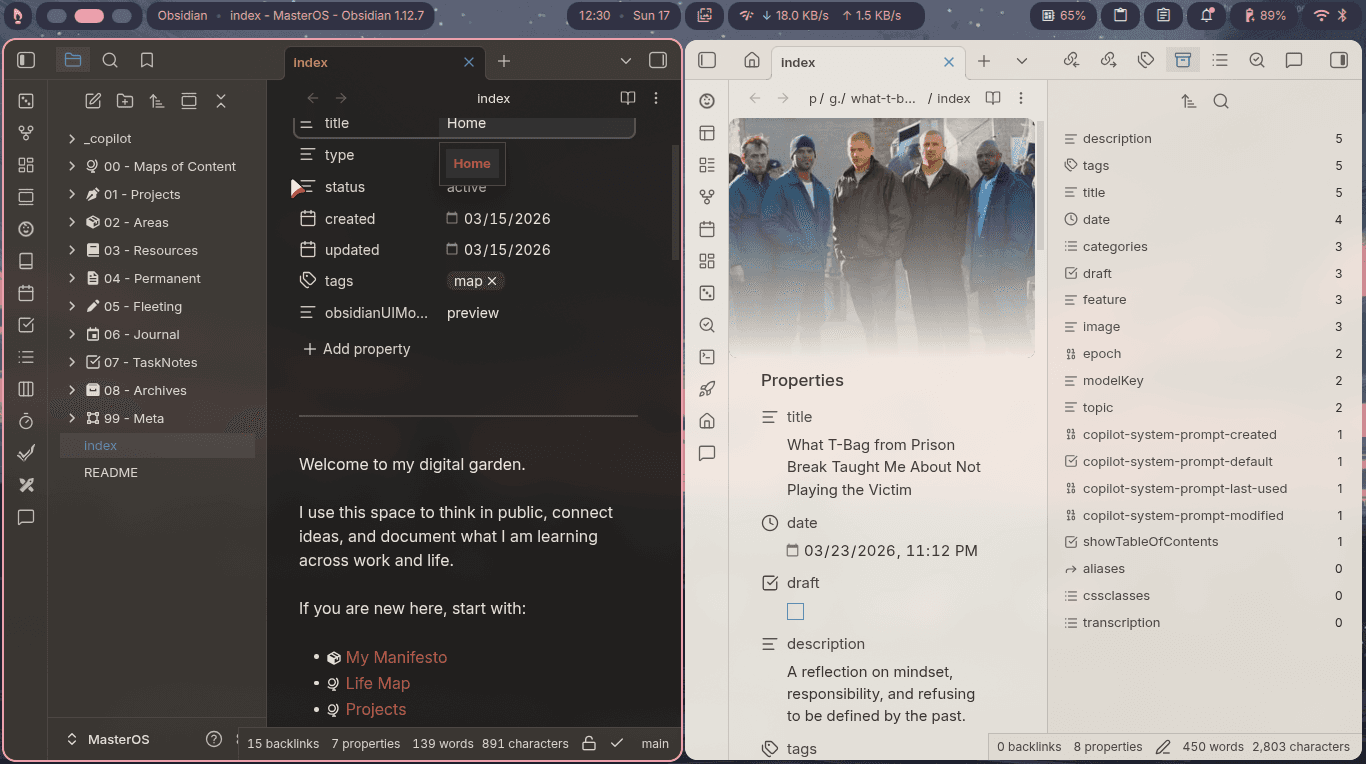
This is a custom Obsidian theme, curated from the Nord template and inspired by the Cinderpaper theme. It aims to provide a clean, minimalist design while maintaining readability and usability.
Screenshots
Light Mode

Dark Mode

Installation
- Download the latest release from the Releases page.
- Extract the downloaded ZIP file.
- Copy the extracted folder to your Obsidian vault's
.obsidian/themesdirectory. - In Obsidian, go to Settings > Appearance > Themes and select "Cinderpaper" from the list.
Customization
You can customize the theme by editing the theme.css file in the theme folder. Here are some common customizations you can make:
- Change the accent color by modifying the
--accentvariable. - Adjust the font sizes by modifying the
--font-size-base,--font-size-heading, and--font-size-smallvariables. - Change the font family by modifying the
--font-heading-themeand--font-interface-themevariables.
Attribution
This theme reuses and modifies CSS from Obsidian Nord:
- Source: https://github.com/insanum/obsidian_nord
- Upstream license: MIT
- What was reused: base theme CSS structure and variables from the upstream theme
- What was changed: variable palette, naming, and additional style customizations for Cinderpaper
This theme is also visually inspired by Cinderpaper.
Contributing
Contributions are welcome! If you have any suggestions or improvements, please feel free to open an issue or submit a pull request.
License
This project is licensed under the MIT License. See the LICENSE file for details.