
README file from
GithubLick
Minimalist Obsidian theme, inspired by Apple and minimalist design principles. Designed to feel native on mac and iOS, and beyond.
I originally designed this for myself as I wasn't completely happy with the themes available. Since I've made it and maintain it for me, I thought someone else might also be interested.
Design
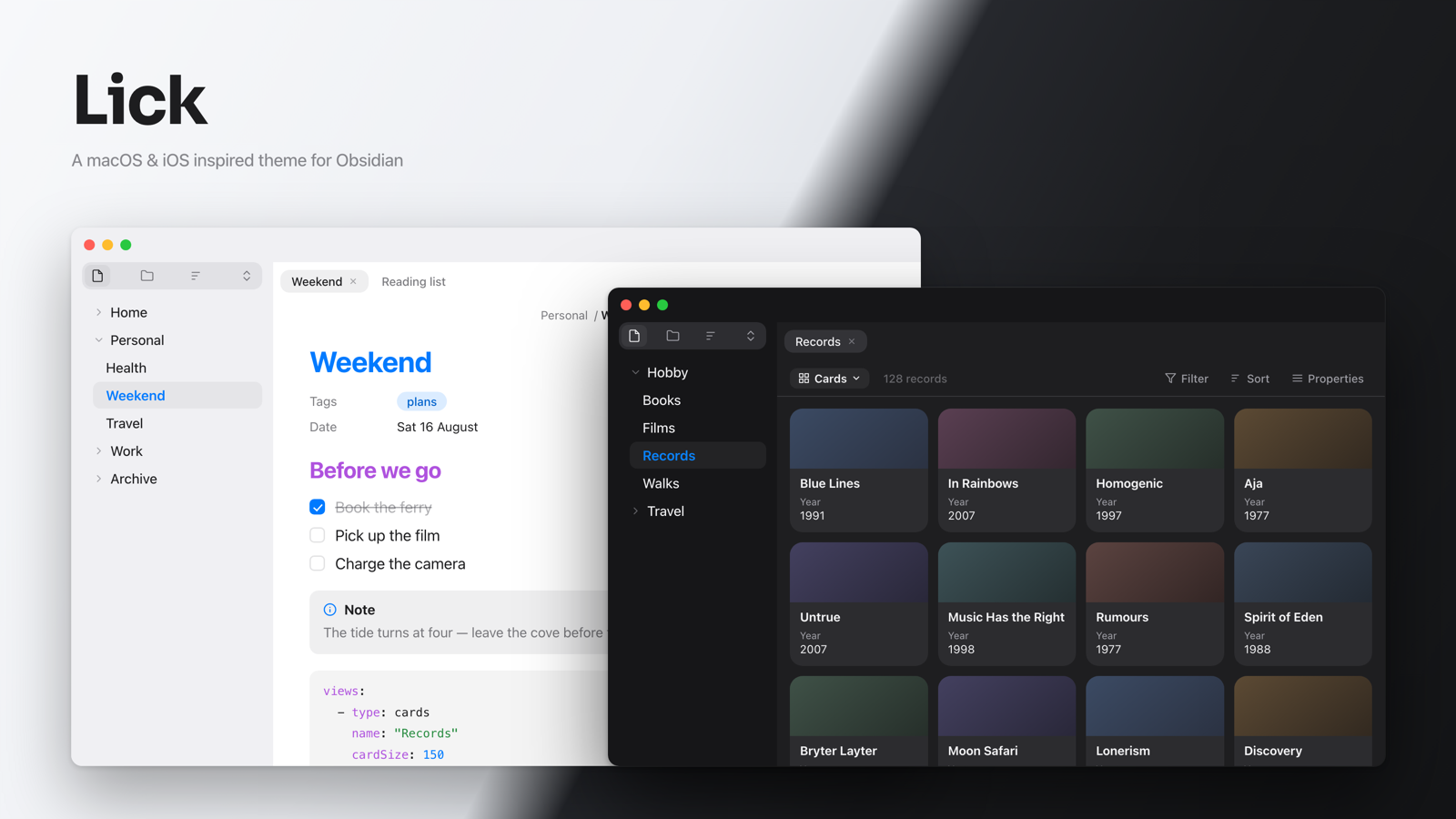
No heavy shading, no hard borders, no gimmicks. Just negative space, beautiful fonts, and customisable options.
Lick borrows from Apple's system colour palette and takes its structure from the default Mac apps so that it fits in nicely and doesn't become too distracting from your notes.
- Full light and dark, both designed from the ground up rather than inverted
- Genuine translucency, the ribbon and sidebars blur what's behind them while the note itself stays opaque and readable
- Continuous chrome on macOS — titlebar, tab strip and ribbon blend as one surface, with Safari-style floating tabs
- Built for iOS and iPadOS, not just scaled down: a floating nav bar, a collapsing editor toolbar, and drawer chrome that matches the platform
- Styled throughout — editor typography, headings, checkboxes, callouts, tables, properties, menus, modals, Canvas and Bases
- Follows your accent colour from Settings → Appearance
Install
From Obsidian — Settings → Appearance → Themes → Manage, search for Lick, install and apply.
Manually — download manifest.json and theme.css from the
latest release into
YourVault/.obsidian/themes/Lick/, then pick Lick under Settings → Appearance.
For the full effect, turn on Settings → Appearance → Translucent window. Lick keeps the translucency on the ribbon and sidebars.
Flavours
Four palettes, switched in Style Settings:
| Flavour | |
|---|---|
| Default | Apple's system palette |
| Things | Takes its cue from the beautiful Things app |
| Graphite | Inspired by the default theme in the Bear app, and uses a dark sidebar in light mode |
| Catppuccin | The official Latte and Mocha palettes |
Options
Lick's options need the Style Settings plugin. Install it, then open Settings → Style Settings → Lick. The theme works without it, you just get the defaults.
| Option | Choices |
|---|---|
| Flavour | Default · Things · Graphite · Catppuccin |
| Font | System · Inter · Sora |
| Coloured headings | On · Monochrome |
| Heading indicator | None · Dot · Border |
| Checkbox style | Rectangle (macOS) · Circular (Reminders) |
| True OLED black on mobile | Off · On |
Inter ships with Obsidian and needs no install. Sora has to be installed on your device (or pulled via a custom CSS), and falls back to the system font if it isn't available.
Compatibility
Requires Obsidian 1.5.0 or later.
Credits
- Designed by myself, with lots of support from Claude.
- The Catppuccin flavour uses the official Catppuccin Latte and Mocha palettes.
- The Things and Graphite flavours are original palettes inspired by the look of Things and Bear. They are approximations, and this theme is not affiliated with or endorsed by Cultured Code or Shiny Frog.
- Apple, macOS, iPadOS and iOS are trademarks of Apple Inc. Lick is an independent theme and is not affiliated with or endorsed by Apple.
License
MIT © Brendan Clarke