
README file from
GithubFolio and Rag
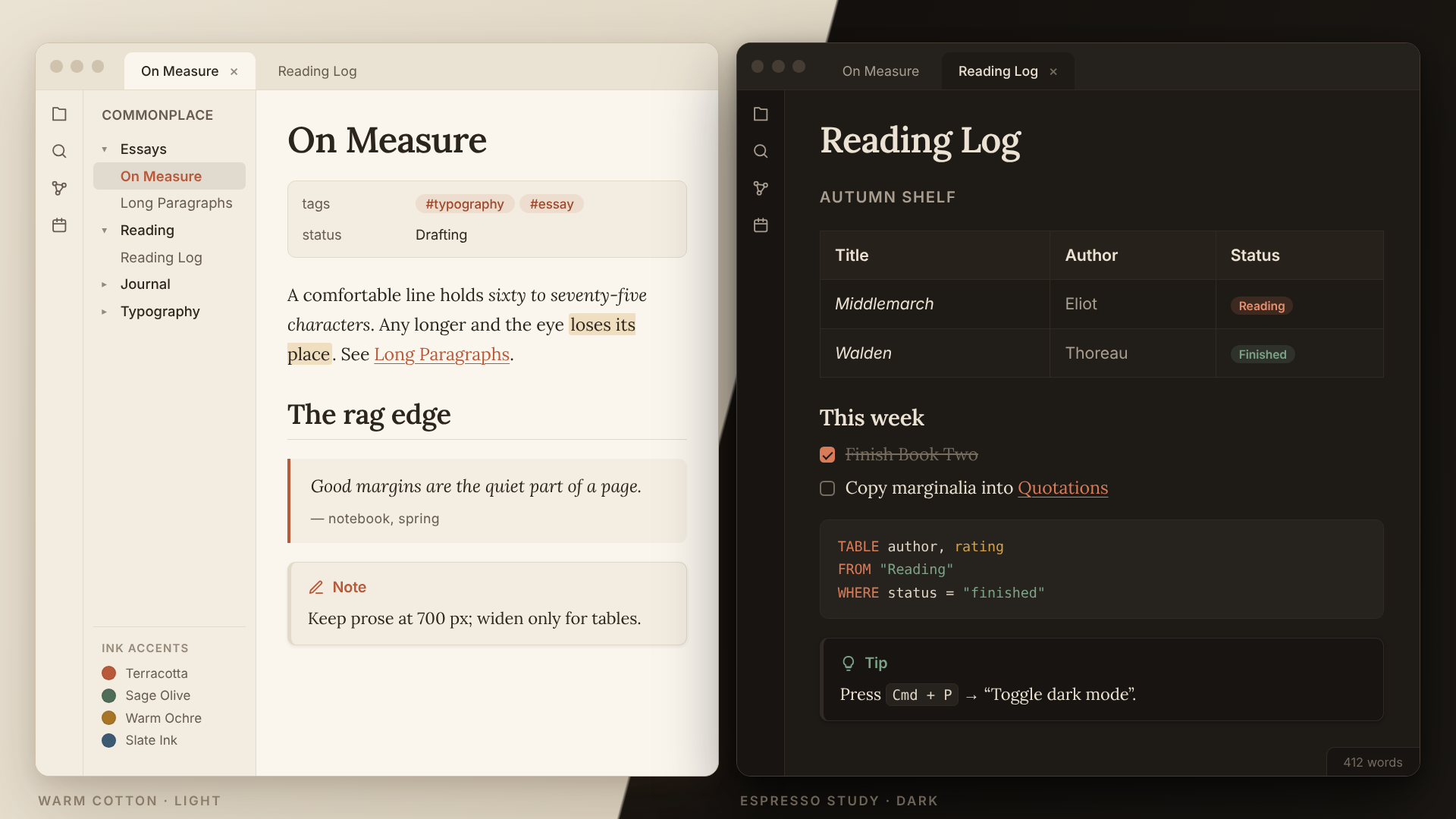
A warm, tactile, paper-inspired theme for Obsidian, designed for long-form writing, literary note-taking, and calm reading sessions.
Features
- Tactile Paper Palettes:
- Light Mode: Warm Cotton (
#FAF6EE) default with an optional Sunlit Vellum (#F5EDE0) stock. - Dark Mode: Warm Espresso (
#1E1B17) low-glare study palette.
- Light Mode: Warm Cotton (
- Editorial Typography: Optical serif headings and body text paired with clean geometric UI sans-serifs.
- Style Settings Support: Customize paper stocks, ink accent swatches (Terracotta, Sage Olive, Warm Ochre, Slate Ink, or custom hex), font pairings, reading width, line height, and the subtle paper grain texture directly inside Obsidian via the Style Settings community plugin.
Recommended Fonts
To comply with Obsidian's offline-first policy, Folio & Rag does not fetch external fonts over the network. For the intended editorial look, download and install any of the supported font families locally on your device:
- Primary Pairing: Newsreader + Plus Jakarta Sans
- Alternative Pairings: Literata + Inter, or Lora
If none of these are installed, the theme falls back gracefully to native system serifs (Iowan Old Style, Palatino, Georgia).
Installation
- Open Settings → Appearance → Themes in Obsidian.
- Click Manage, search for Folio and Rag, and click Install and use.
- (Optional) Install the Style Settings community plugin to switch paper stocks, ink accents, and font pairings.
License
MIT License — see LICENSE for details.