
README file from
GithubInk Journal
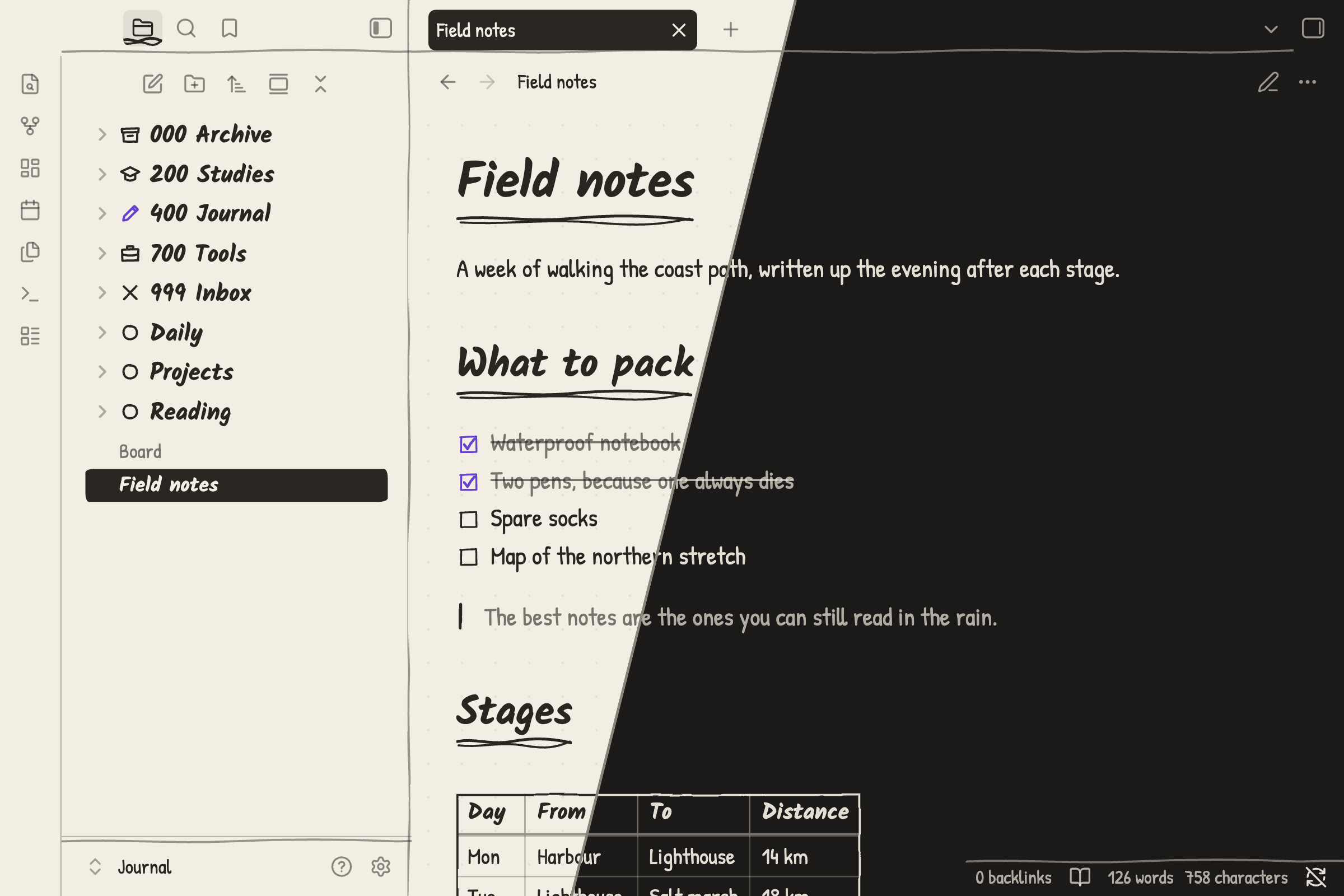
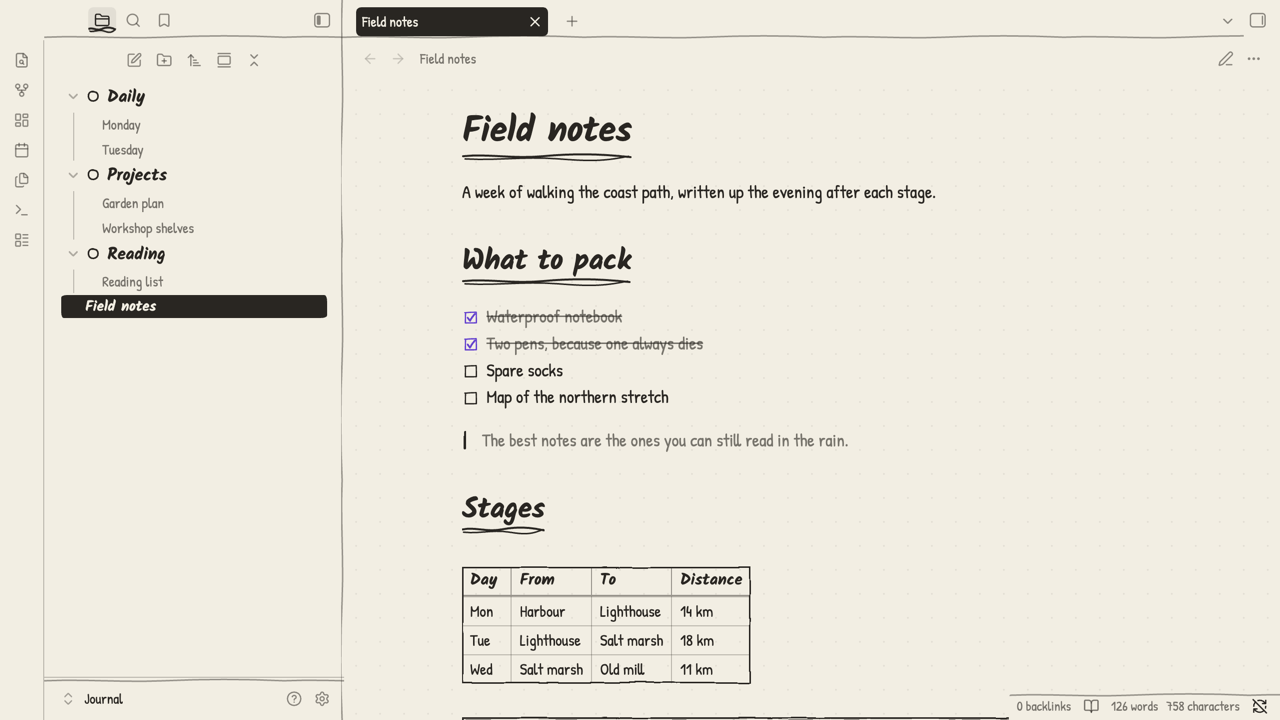
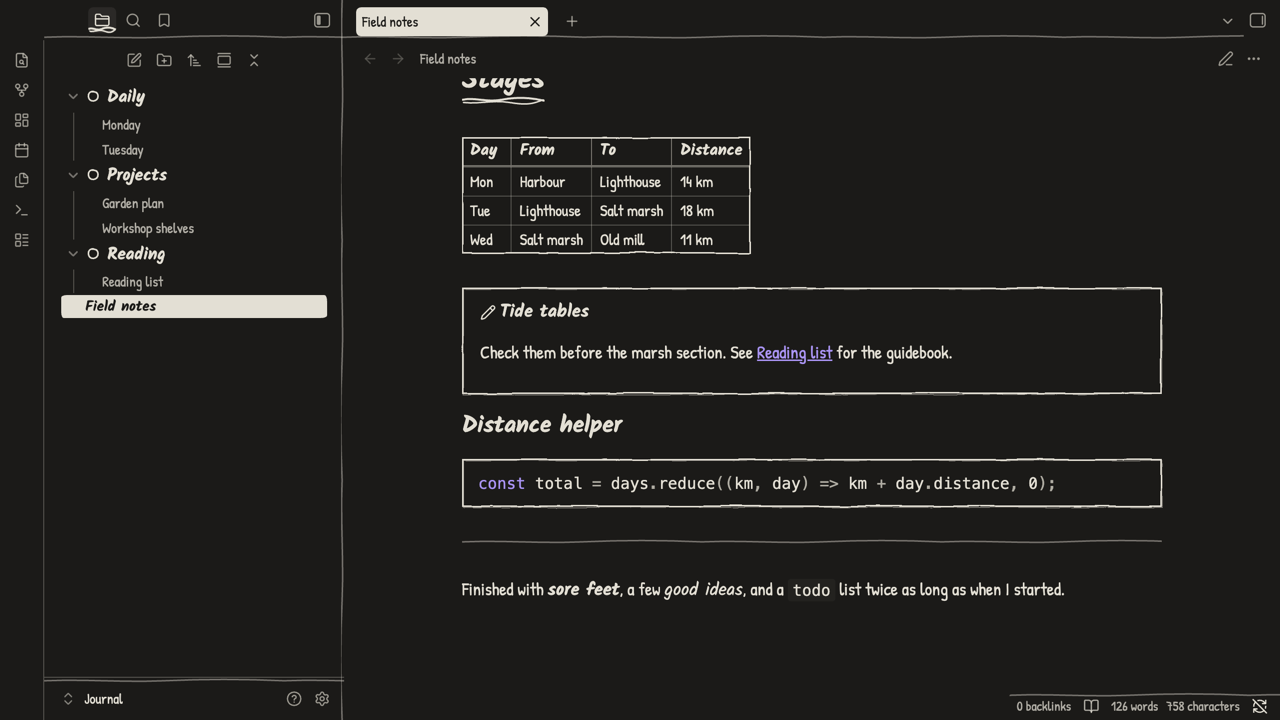
A pen-on-paper theme for Obsidian: handwriting fonts, wobbly ink outlines and scribbled heading rules, in light and dark. Two values, ink and paper, plus one pen colour for what's active or done.
Install
From Obsidian: Settings → Appearance → Themes → Manage, search for Ink Journal, then Install and use.
By hand: download manifest.json and theme.css from the latest release into <vault>/.obsidian/themes/Ink Journal/, then pick Ink Journal under Settings → Appearance → Themes.
Leave the text, interface and monospace font settings empty, because they override the theme's handwriting fonts.
Plugin support
The theme also styles many community plugins, including Dataview, Tasks, Kanban, Calendar, Excalidraw, Notebook Navigator and Make.md. Plugins it doesn't cover keep working and use the theme's colours where they rely on Obsidian's variables.
Note helpers
cssclasses: dashboardlays a note out as outlined cards.cssclasses: dailycentres headings and, combined with a weekday class such asmonday, adds a tally mark.- Top-level folders with a numbered prefix (
000,200to900in hundreds,999) get their own hand-drawn glyph in the file list.
Build from source
theme.css is generated, so edit the parts instead:
| File | Contents |
|---|---|
theme.src.css |
tokens (--jr-*), editor and core UI |
plugins-nav.css |
workspace, navigation and toolbar plugins |
plugins-content.css |
note content and view plugins |
snippets.css |
note helpers |
fonts.css |
embedded fonts |
./build.sh                                # writes theme.css
JOURNAL_VAULT=/path/to/vault ./build.sh   # also installs into that vault
License
The theme is under the MIT License. It embeds Kalam and Patrick Hand, both under the SIL Open Font License 1.1.