
There are 6 new plugins, 2 new themes and 75 plugin updates during the week 2026-02-01 to 2026-02-07.
Six fresh plugins and two new themes dropped this week alongside 75 updates but before we dive in, a quick note. I relocated internationally and it took six months to settle down, so I've been handling these roundups in batches whenever I could grab time. Going forward these weekly posts return to their regular schedule.
This week's highlights include Nova, an AI writing assistant that edits directly in your notes without chat windows, and GLSL Viewer for running fragment shaders with Shadertoy compatibility. The Memories plugin turns your media files into interactive galleries while Dictionary Lexicon brings Wordnet-powered definitions with spaced repetition flashcards. Let's explore what's new.
⭐ New Plugins
The Nova plugin brings AI-powered writing assistance directly into your editor with a privacy first approach. Select text and transform it in place through right click commands - improve clarity, fix grammar or challenge your arguments to find logical gaps. Smart fill uses `<!-- nova: instruction -->` placeholders throughout documents letting you generate multiple sections at once with streaming output. Chat with cursor awareness writes content exactly where your cursor sits. The plugin supports local AI (Ollama, LM Studio) for complete privacy or cloud providers (Claude, OpenAI, Gemini) using your own API keys - Nova never sees your content.
2. GLSL Viewer
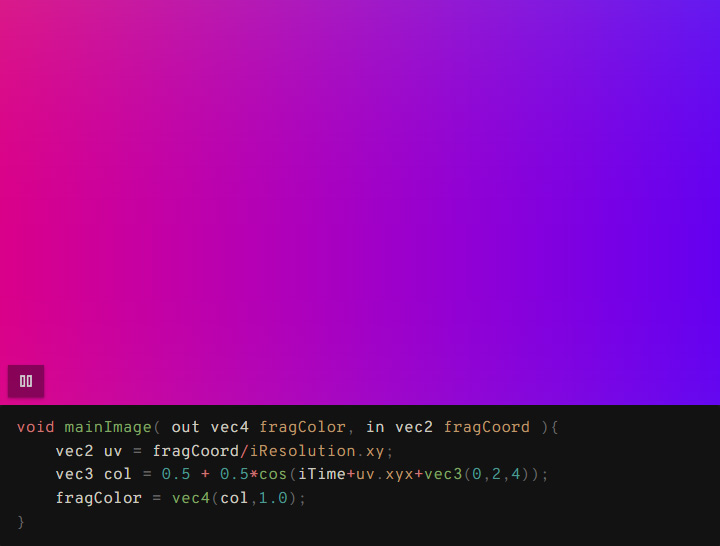
The GLSL Viewer plugin lets you preview and run GLSL fragment shaders directly within your notes. It offers Shadertoy compatible syntax, making it easy to port existing shader code. Load custom textures from your vault using iChannel0-3 channels, with support for texture shortcuts and a visual browser for quick selection. Templates help you build complex shaders with minimal code - just define the template once and reuse it. Configure aspect ratio, autoplay behavior and code visibility through simple comment directives. Thumbnails generate automatically for shaders that don't autoplay. The plugin works alongside syntax highlighters without conflicts and provides all standard Shadertoy uniforms like iTime, iResolution and iMouse for interactive animations.
The Memories plugin transforms media files into interactive galleries directly inside your notes. It supports images, videos and audio with a responsive grid layout that adapts to any screen size. You get two display modes: full galleries showing everything or compact views with limited items. The lightbox feature is robust - zoom into images with panning, navigate using keyboard shortcuts or mouse wheel and enable auto-slideshow with customizable intervals. Random mode shuffles through your collection. Upload and delete files right from the gallery interface. It handles multiple folder paths simultaneously with recursive search, letting you pull media from different locations or even display everything in your vault. Lazy loading and thumbnail caching keep performance smooth for large collections.

The Handlebars Dynamic Template plugin lets you use Handlebars templating syntax to create dynamic content blocks within your notes. You write templates with placeholders and variables, then insert them using code blocks with the `hb` language identifier. Pass data as key value pairs inside the code block and the plugin renders the final output by replacing placeholders with your provided values. Supports all standard Handlebars features like loops, conditionals and nested data structures. Templates are stored as markdown files in your vault, making them easy to reuse across different notes.
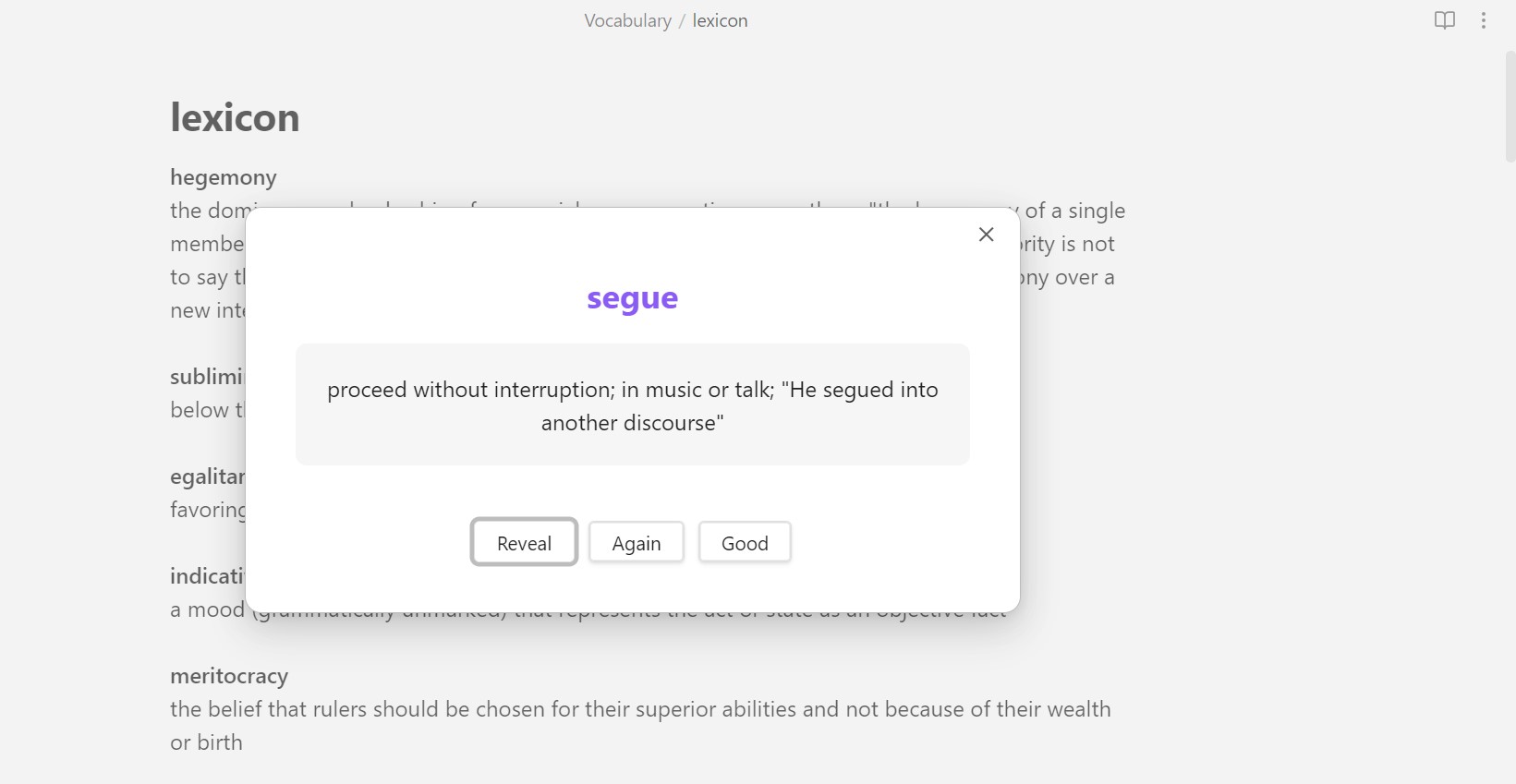
The Dictionary Lexicon plugin brings comprehensive dictionary functionality with vocabulary building tools. It uses the Wordnet dictionary dataset to provide detailed word definitions that you can search and insert into your notes. Save words to a dedicated vocabulary file for reference. The flashcard system uses spaced repetition to help you review saved vocabulary periodically. You can look up words through multiple methods: ribbon icon, command palette, context menu or even auto detection of the word under your cursor. Templates let you customize how definitions appear when inserted. The plugin downloads a dictionary file from an external source during initial setup, which gets cached locally for offline use afterward.
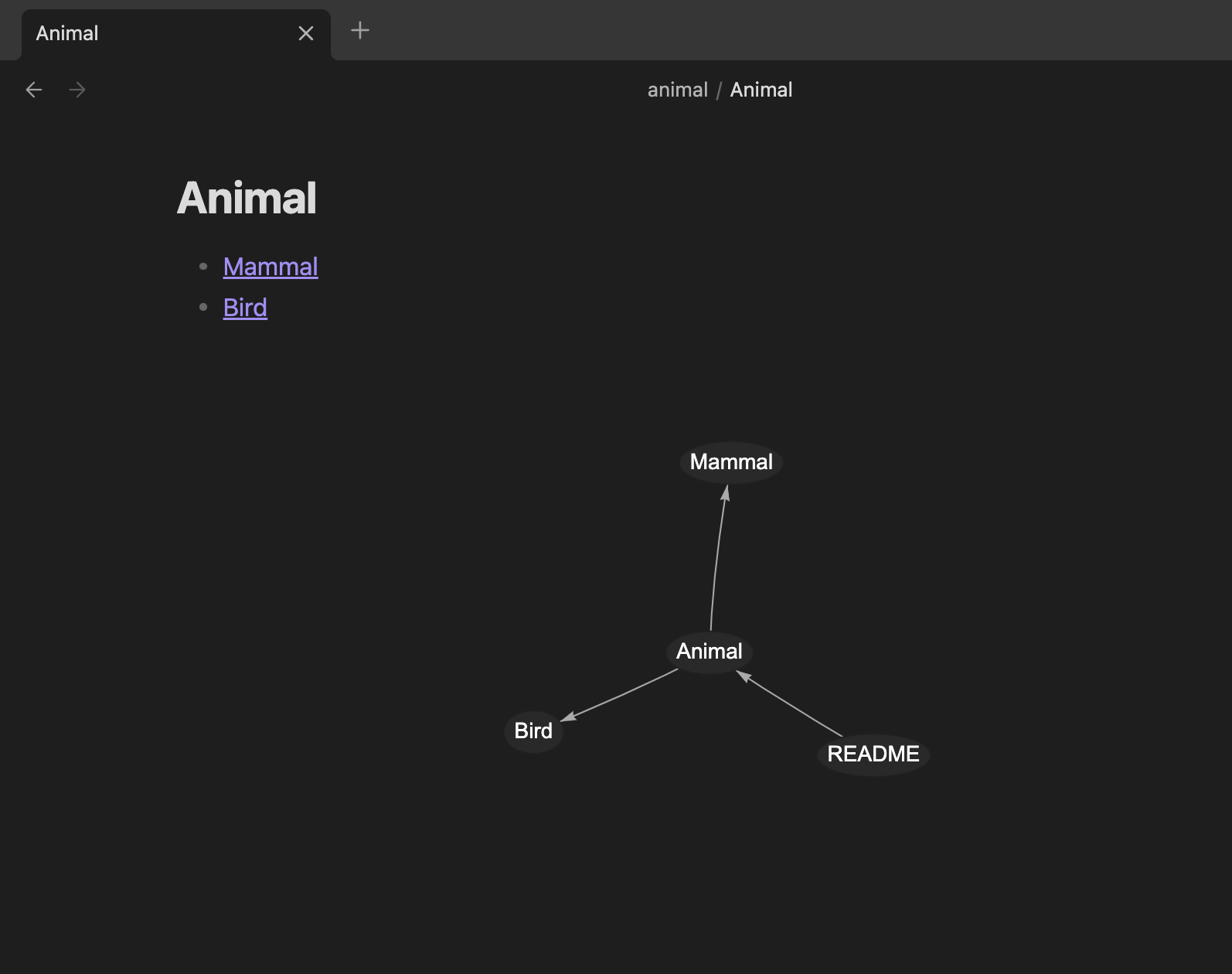
The Inline Local Graph plugin displays a custom local graph at the bottom of each note, making use of otherwise unused space. It visualizes both links and backlinks in a clear, no nonsense format without distracting visual effects. The graph is built using the vis-network.js library and focuses on practical navigation rather than flashy aesthetics. Once enabled, it automatically appears in every note, helping you see connections at a glance.
🔁 Plugin Updates
We got 75 plugin updates in the last one week's time. You can see all the plugin updates on Obsidian Plugin Stats webapp.
Notable Updates
- Task Board - v1.9.0 - Changelog/Discussion
- Task Notes - v4.3.1 - Changelog
🫡 Plugins Removed
- Meeting notes - Repository deleted.
🎨 New Themes
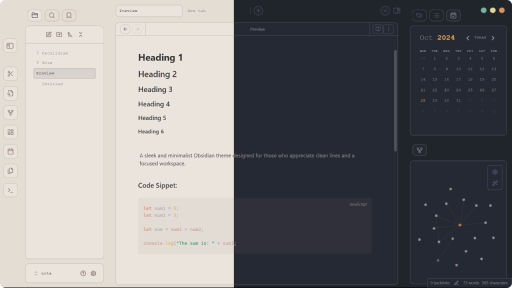
🫡 Themes Removed
- OverCast - Repository deleted.