
README file from
GithubObsidian Code Files
Plugin for ObsidianMD to show and edit code files along other notes.
The plugin adds a code editor view to Obsidian. The code editor uses the powerful Monaco Editor, which also powers VS Code.
🚀 New Feature: The plugin now also supports editing individual code blocks from Markdown files in an embedded Monaco Editor instance. Read below.
Caveat: This plugin currently relies on hosted dependencies and thus needs an internet connection. Read below for more information.
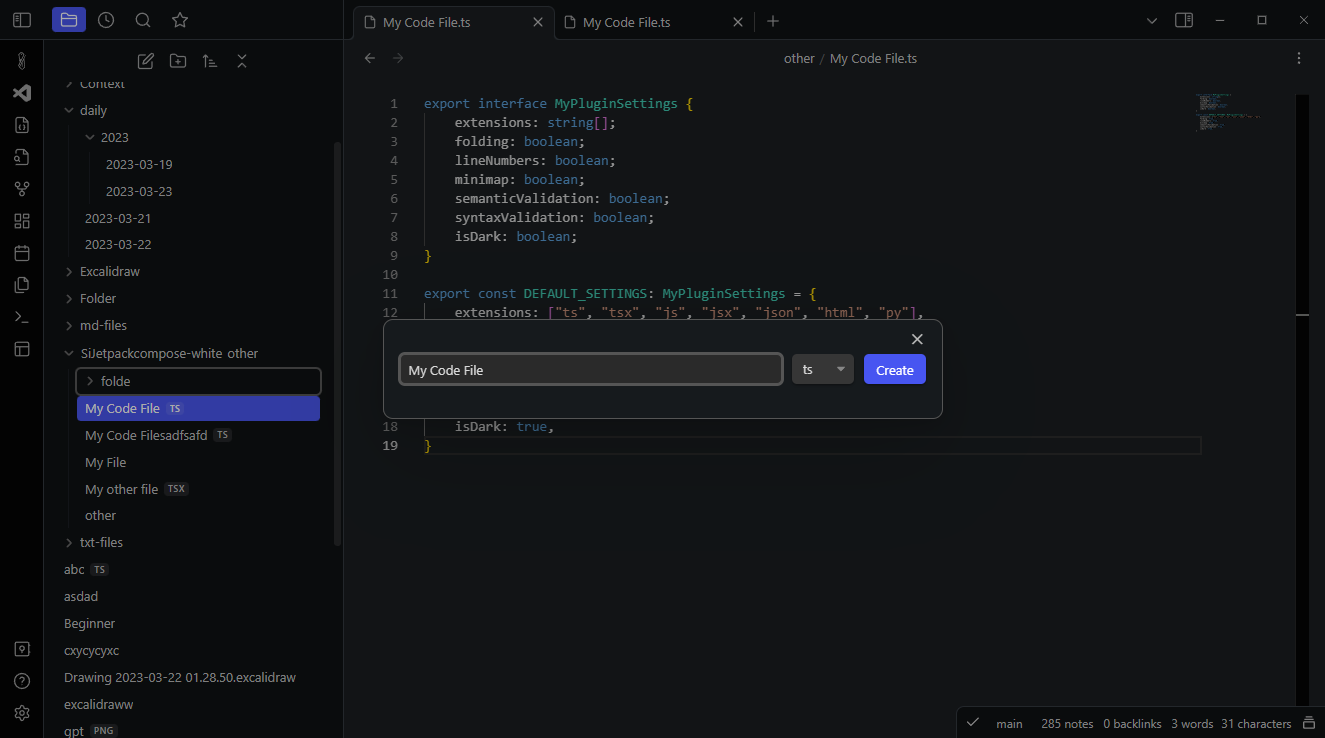
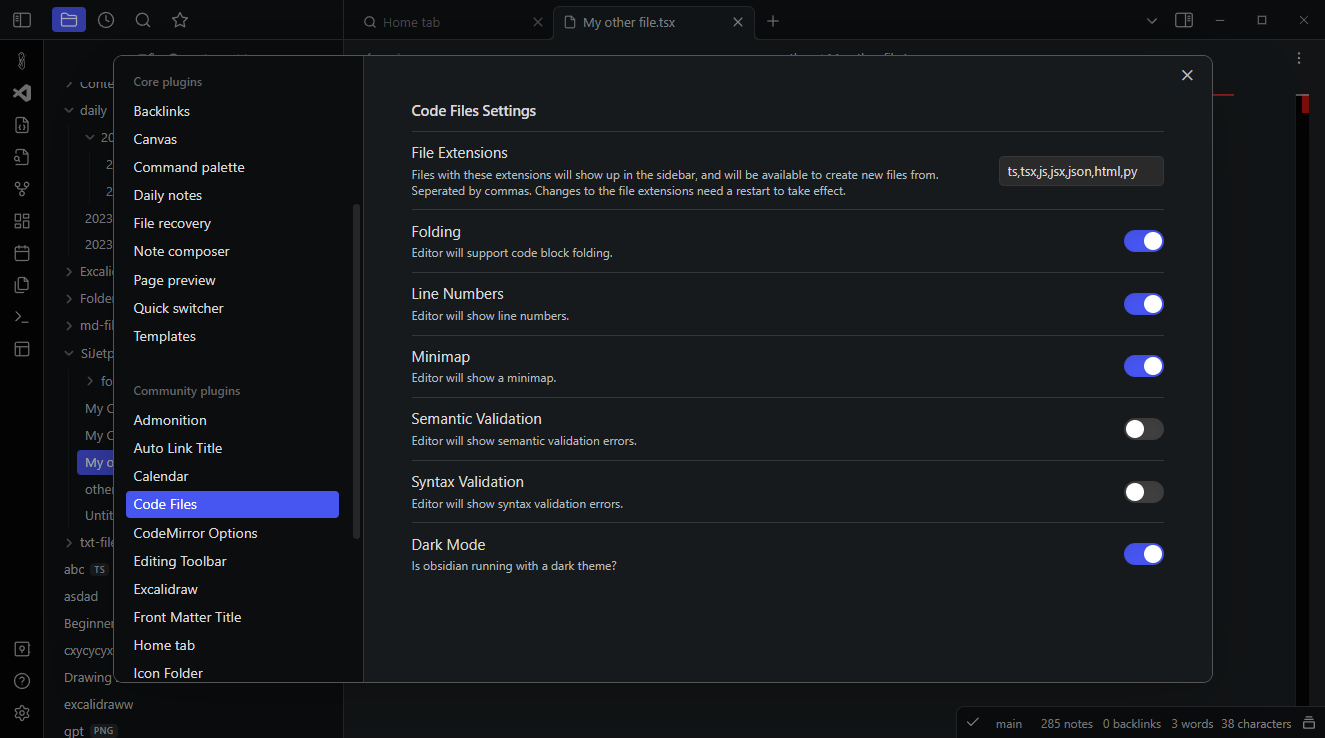
In the plugin settings, you can configure for which file extensions the editor will be available as default editor. You can also create new code files, either by right clicking on a folder in the side pane and clicking on "Create Code File", search for "Create new Code File" in the command palette or by using the "Create Code File" button in the ribbon.
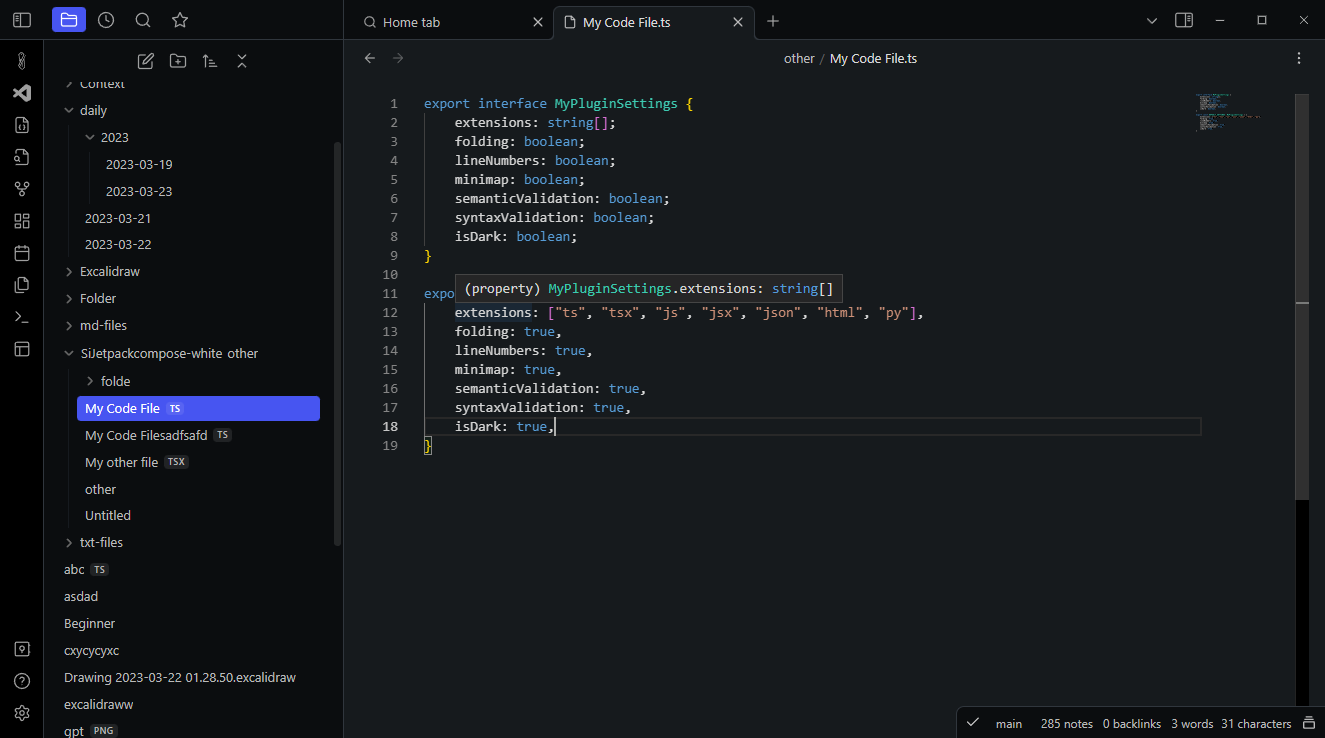
New feature: Themes
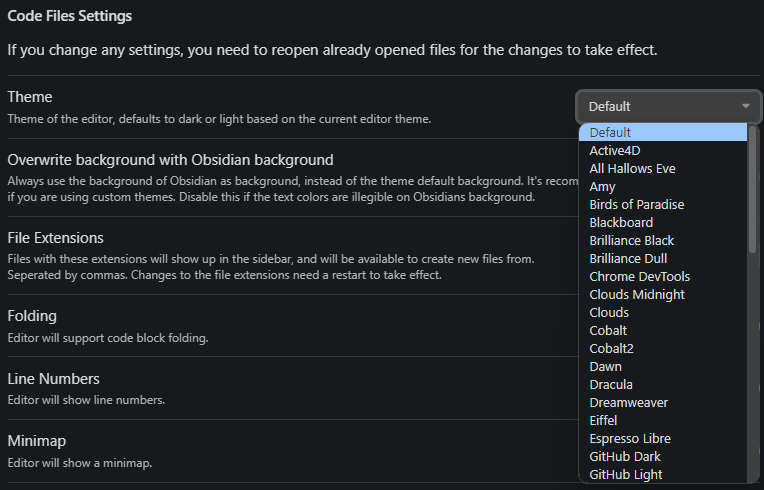
Besides the default themes that ship with VSCode, the plugin also supports a long list of custom well-established themes to choose from.
Code Block Editing
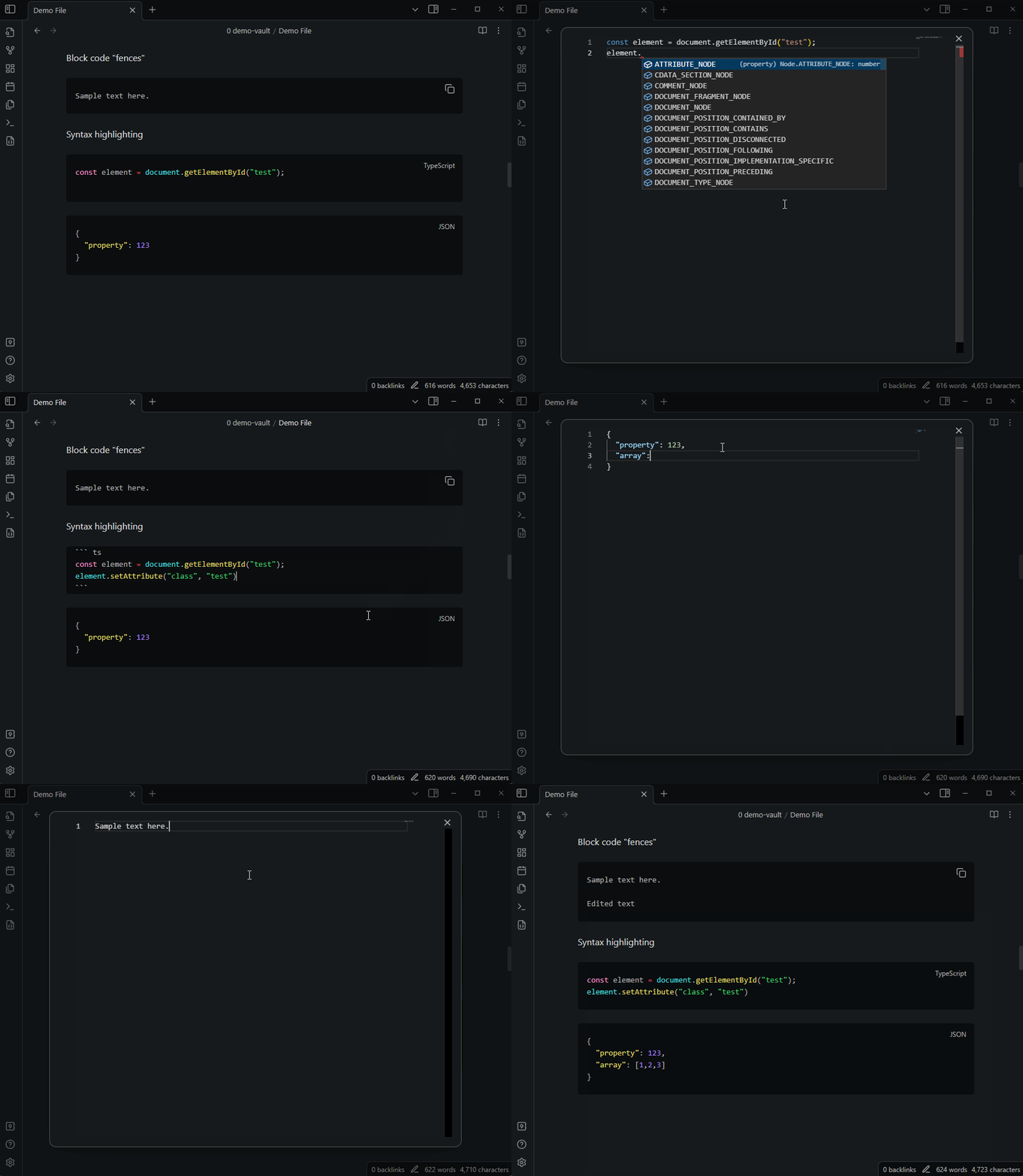
The plugin also supports editing individual code blocks from any Markdown document in the editor. You can either invoke the command palette and search for "Open Current Code Block in Monaco Editor", or right click on any code block and click on "Edit Code Block in Monaco Editor".
This will open a new modal with a Monaco Editor instance in which you can edit the code block, which will automatically sync back to the block in your document when you close the modal.
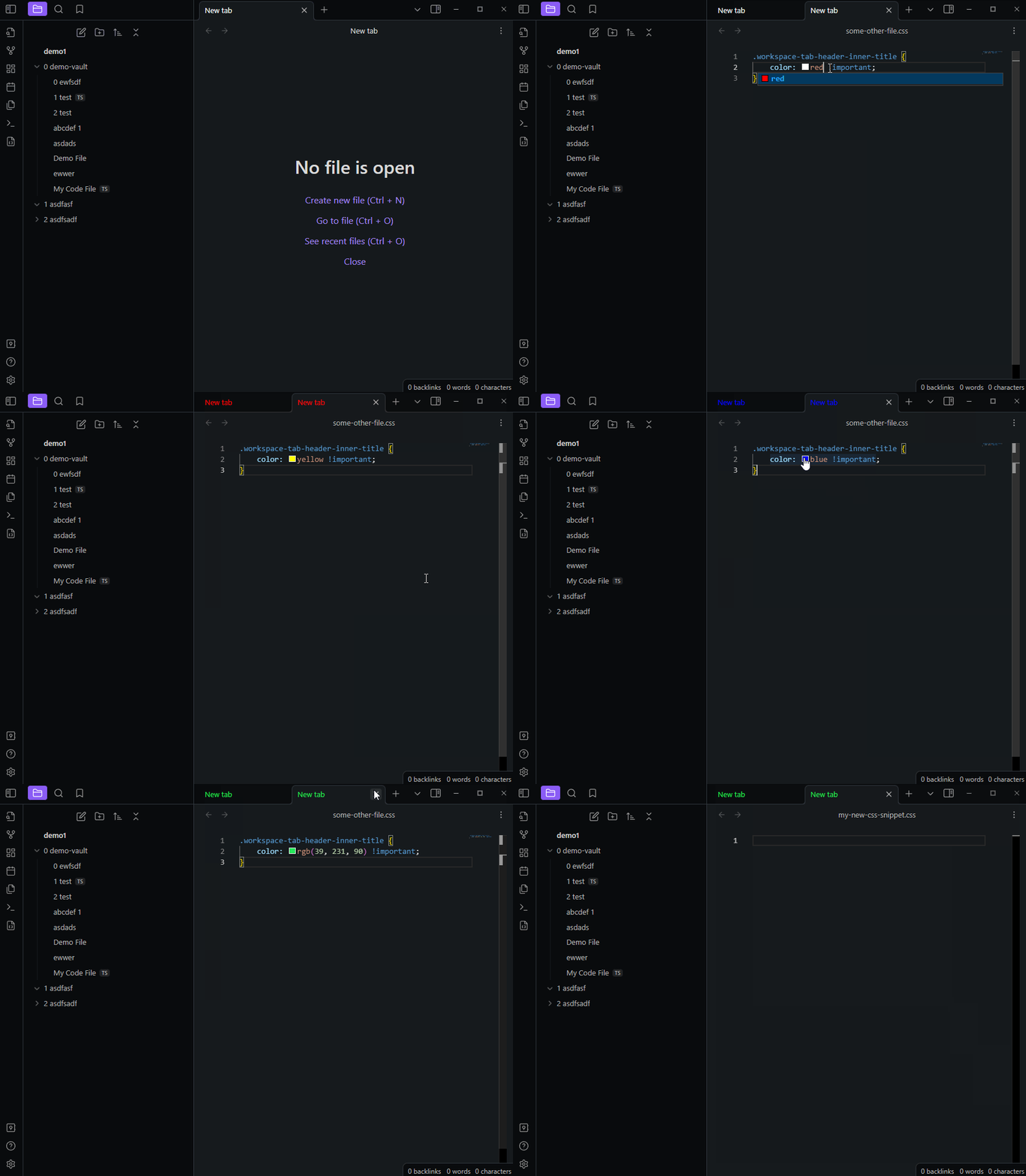
Editing CSS Snippets
Search for the command "Edit CSS Snippet" to search CSS Snippets that exist in your Obsidian vault and edit them in the Monaco Editor.
More Screenshots
Caveat: Online dependency
Due to the complicated nature of bundling the Monaco Editor, the plugin currently relies on a hosted version of the editor. This means that the plugin needs an internet connection to work, and has a dependency on the hosted editor, which is currently available on https://embeddable-monaco.lukasbach.com.
I hope to remove this dependency in the future, but this was the easiest way to get the plugin to work for now.