
README file from
GithubBorozdov Vial
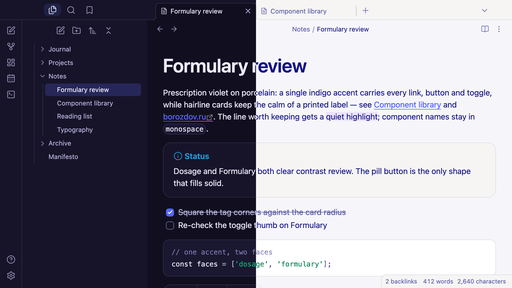
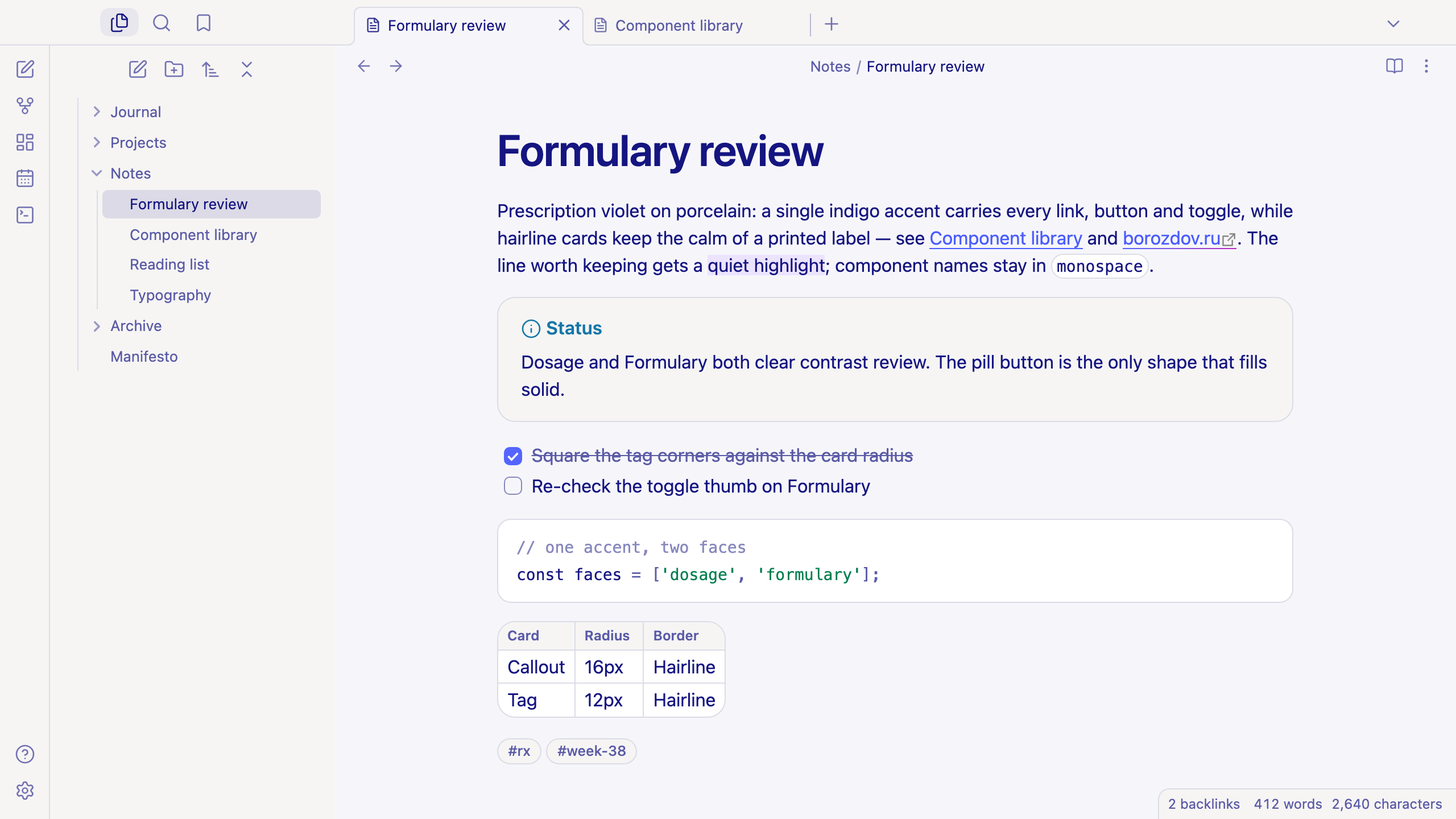
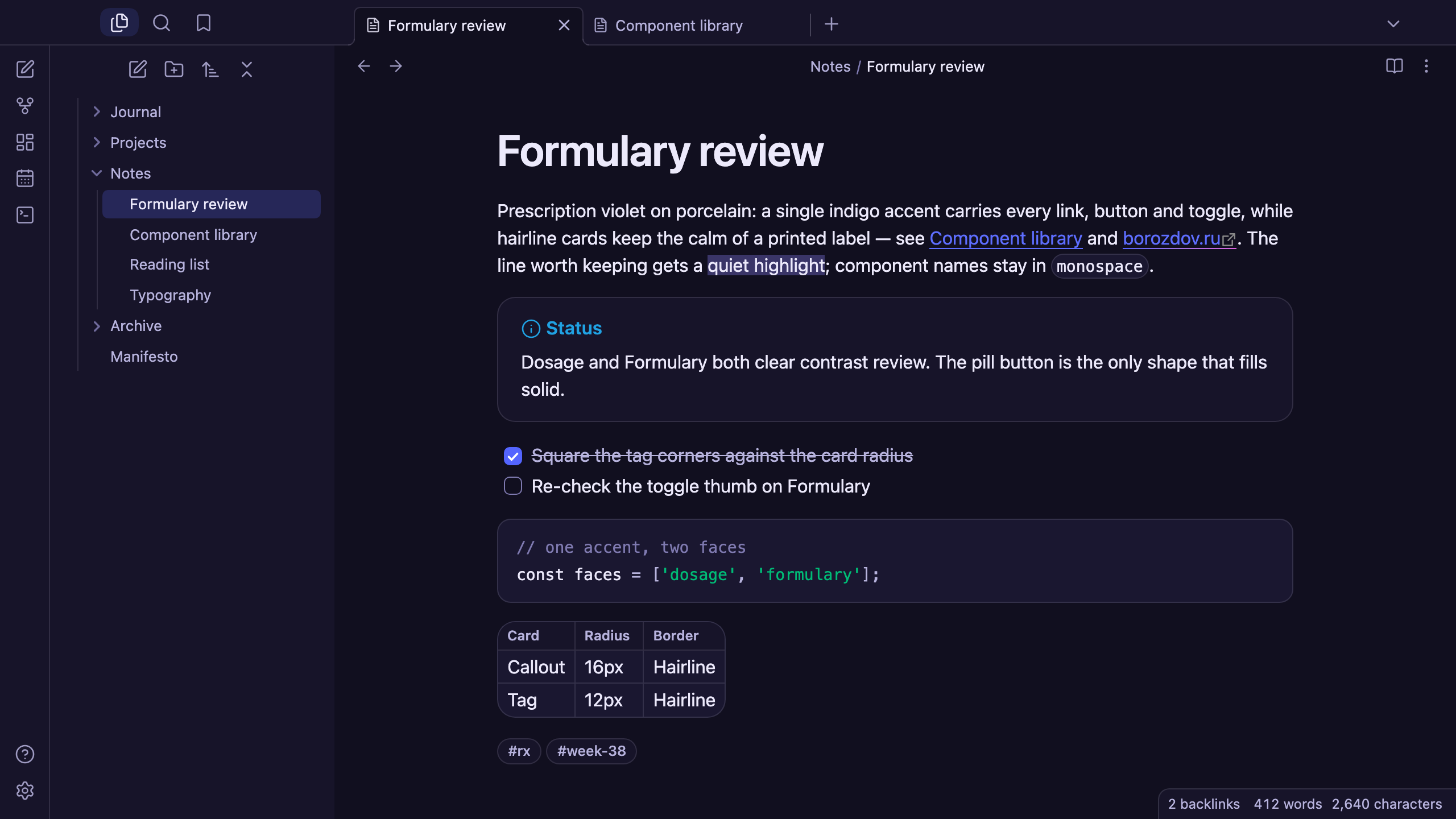
A theme from the Borozdov collection. Two faces — light Dosage, prescription violet on porcelain, and dark Formulary, the same violet lit up on an ink-well page. Hairline-edged cards, clinical calm, and a single indigo accent.
Principles
- One indigo accent. Links, the filled button, the checked box, the toggle and the caret all share a single violet — the theme never reaches for a second accent colour.
- Prescription violet on porcelain. Dosage sets running text and headings in a deep indigo ink rather than black, the way a label reads calm authority instead of shouting it.
- A hairline builds every card. Callouts, code panes, tables and popovers are the same card: a warm fill and a 1px hairline rim at 16px corners, never a shadow.
- The one gradient, once. A violet-to-lilac-to-blush sweep — the collection's single moment of multi-colour — lives only in the external-link underline, nowhere else.
- Developer-native type. The platform's own sans at 400 for text and 600 for headings; no embedded font, no load, no flash of unstyled text.
Features
- Light and dark modes, following Settings → Appearance → Base color scheme
- Callouts, code blocks, tables and popovers drawn as the same hairline-rimmed card
- Tags and property pills that fill solid indigo under the pointer
- Quiet editing: no focus ring around the note, its title or form fields while you type; property names read as labels, not boxed fields
- A toggle thumb tuned per face so it never disappears against its own track
- Text colours meet WCAG contrast on both faces
- The phone layout keeps the same colours and shapes
- No embedded fonts, so the theme stays around 13 KB
- No
!important: every rule can be overridden with a CSS snippet
Installation
From the community directory: Settings → Appearance → Themes → Manage, search for Borozdov Vial, then Install and use.
By hand: download manifest.json and theme.css from the
latest release into
<vault>/.obsidian/themes/Borozdov Vial/, then choose Borozdov Vial under
Settings → Appearance → Themes.
License
MIT — see LICENSE.
По-русски. Тема из коллекции Borozdov. Два лика: светлый «Dosage» — рецептурный фиолетовый на фарфоре, и тёмный «Formulary» — тот же фиолетовый, зажжённый на странице цвета чернил. Карточки на тонкой линии, клиническое спокойствие и единственный индиговый акцент. Шрифты не встроены. Устанавливается из каталога: Настройки → Оформление → Темы → Настроить → Borozdov Vial → Установить и применить.