
README file from
GithubBorozdov Terrarium
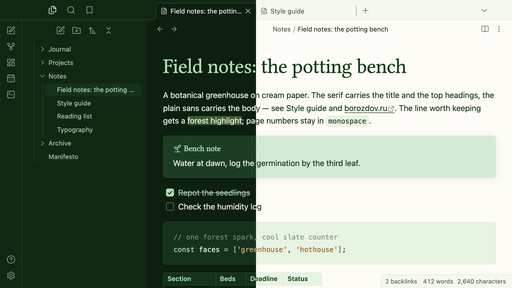
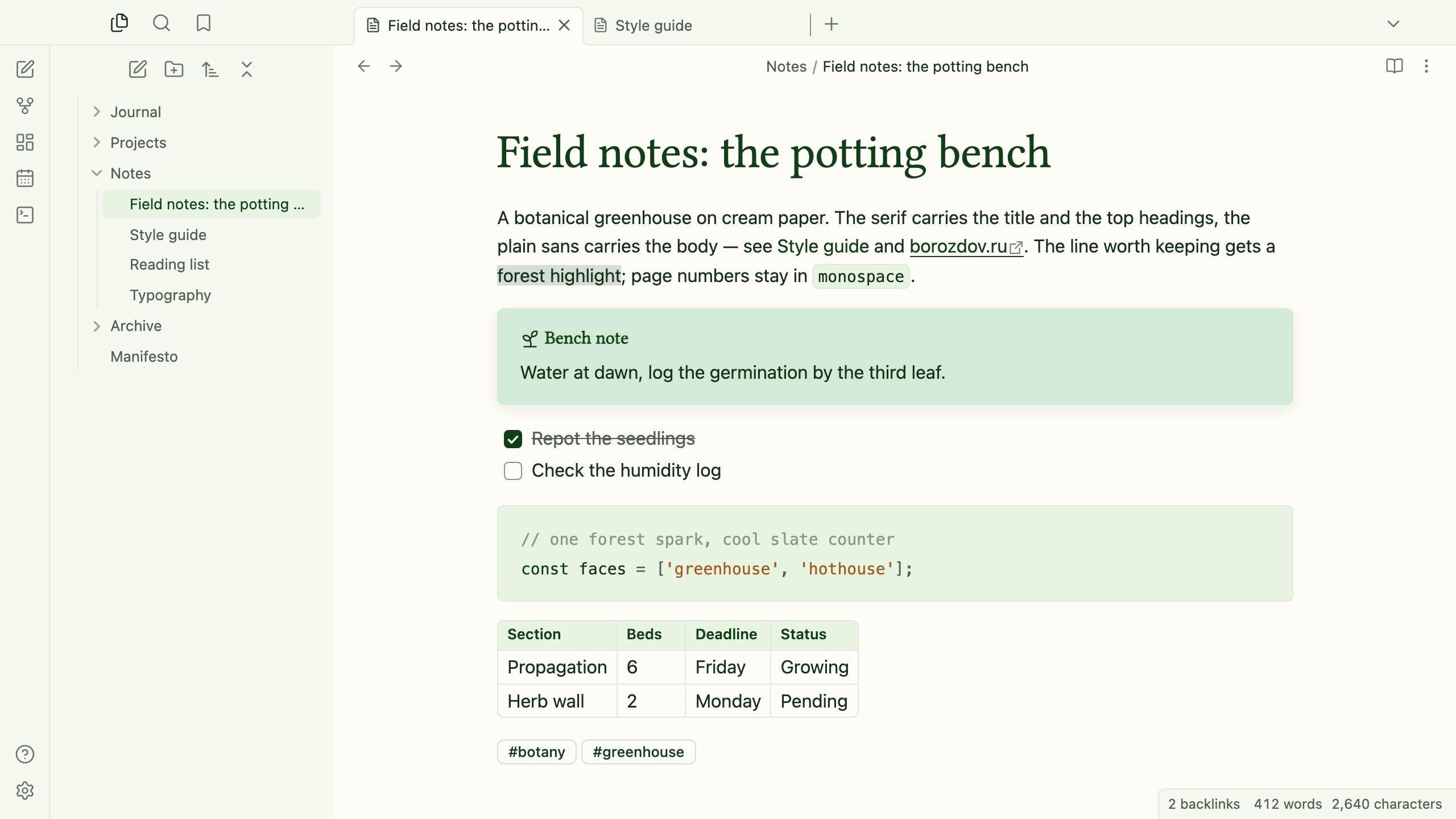
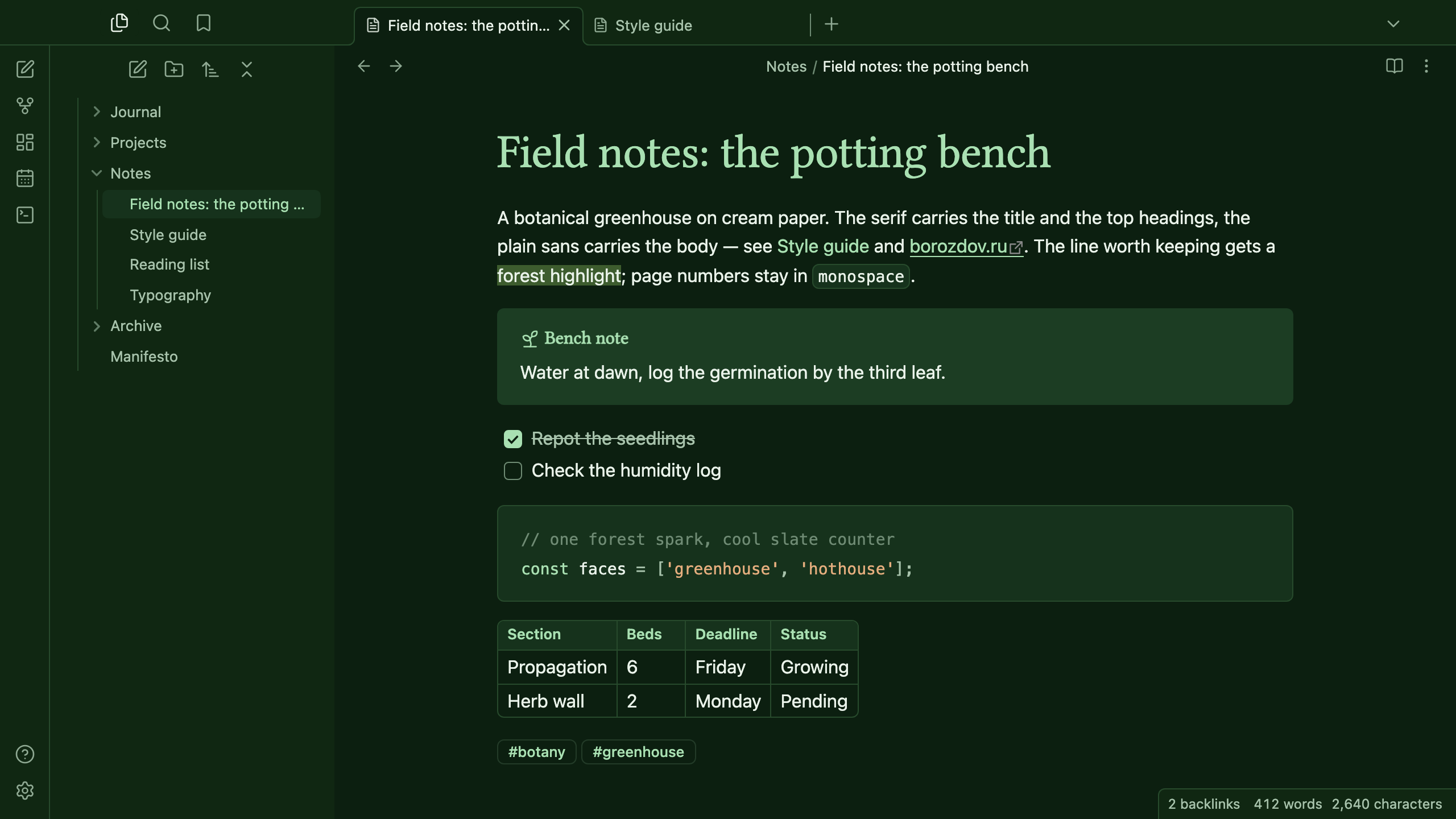
A theme from the Borozdov collection. Two faces — light Greenhouse, a botanical greenhouse on cream paper, and dark Hothouse, the same glasshouse after the lamps go out. Linux Libertine, a classical serif, carries the title and the top two headings; the platform's own sans carries the rest. Forest-ink green is the one warm accent, and a cool slate blue is the one counter-tone, kept out of the green wash entirely.
Principles
- A label, not a headline. Linux Libertine — upright, classical — sets the title and the top two heading levels; h3 down to the smallest heading, and all body text, stay in the platform's own sans. h5 and h6 drop to small tracked capitals, like a seed-packet footnote.
- Forest ink, one warm accent. Deep green carries links, the caret, tag outlines and the filled button. It never appears twice in the same shade — a lighter forest takes every hover state, so the resting colour stays calm.
- Slate blue, one cool counter-tone. Every other theme in this vein leans entirely on green; Terrarium keeps a desaturated blue-gray in reserve for the blockquote rule and a slice of the code palette, so the page reads as a greenhouse with a window onto the sky, not a single wash of foliage.
- Cream paper, layered like potting soil. The canvas is warm cream, panels step up through keylime and mint, and corners round a soft 6px — a glass jar, not a terminal window. Greenhouse panels lift very slightly, the way light through a glass roof would; Hothouse drops the lift, because after dark there is nothing to cast one.
- A potting-bench table. Tables draw their own hairline frame and inner grid, ruled like a bench log rather than boxed like a spreadsheet.
Features
- Light and dark modes, following Settings → Appearance → Base color scheme
- Callouts as flat keylime cards with soft 6px corners; the plain note tinted with a deeper mint wash
- Blockquotes in the embedded serif, a size up, behind a slate-blue rule
- Tables ruled like a bench log, with a keylime header and a hairline frame, no doubled edge
- Tags as thin forest outlines, never filled
- Quiet editing: no focus ring around the note, its title or form fields while you type; property names read as labels, not boxed fields
- Text colours meet WCAG contrast on both faces
- The phone layout keeps the same colours and shapes
- No
!important: every rule can be overridden with a CSS snippet
Installation
From the community directory: Settings → Appearance → Themes → Manage, search for Borozdov Terrarium, then Install and use.
By hand: download manifest.json and theme.css from the
latest release
into <vault>/.obsidian/themes/Borozdov Terrarium/, then choose Borozdov Terrarium under
Settings → Appearance → Themes.
Font
Linux Libertine is embedded in theme.css as base64 WOFF2 under the SIL Open Font License
1.1 — see fonts/OFL.txt. It is a Latin and Cyrillic subset of the
original release by Philipp H. Poll, kept under its own name: the font's source and license
declare no Reserved Font Name, so no renaming was needed. One weight, for the title and the
top two heading levels only.
License
MIT — see LICENSE.
По-русски. Тема из коллекции Borozdov. Два лика: светлый «Greenhouse» — ботаническая оранжерея на кремовой бумаге, и тёмный «Hothouse» — та же теплица после того, как погасли лампы. Классическая антиква Linux Libertine несёт заголовок и два верхних уровня подзаголовков, рубленый шрифт платформы — всё остальное. Дёрн-зелёный — единственный тёплый акцент, приглушённый серо-голубой — единственный холодный противовес. Устанавливается из каталога: Настройки → Оформление → Темы → Настроить → Borozdov Terrarium → Установить и применить.