
README file from
GithubSunset Drive
A neon-noir theme for Obsidian. It has a dark Midnight mode, a light Ocean Drive mode and a three-second "trailer cut" intro every time you open the app.
Install
In Obsidian, open Settings → Appearance → Themes → Manage, search for Sunset Drive and choose Install and use.
What you get
-
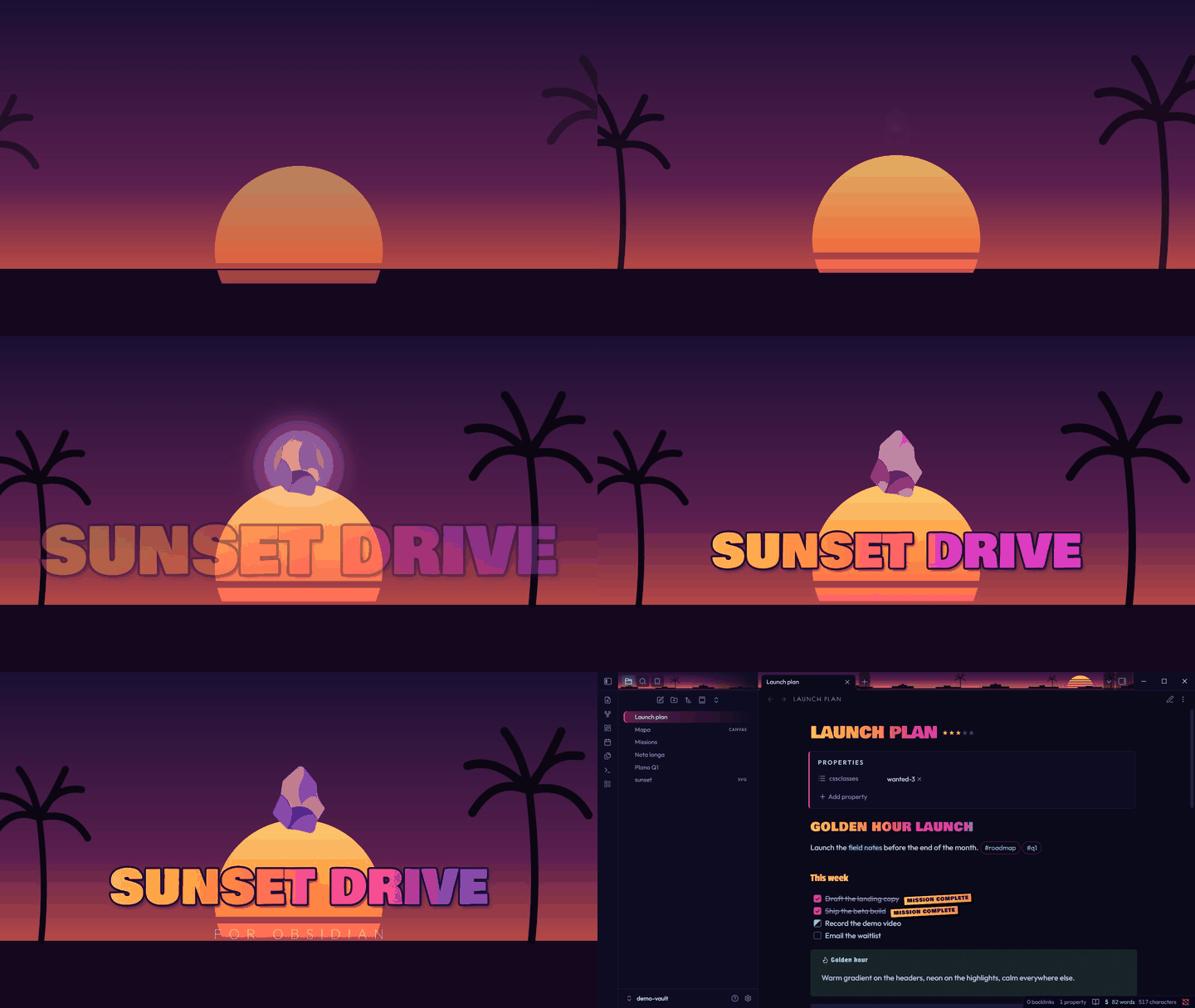
Trailer-cut intro. The sky opens, a striped sun rises, palms slide in, then the Obsidian logo and the theme title land. The whole thing lasts about three seconds and you can click through it. It never plays on mobile, in pop-out windows, or when your system asks for reduced motion.
-
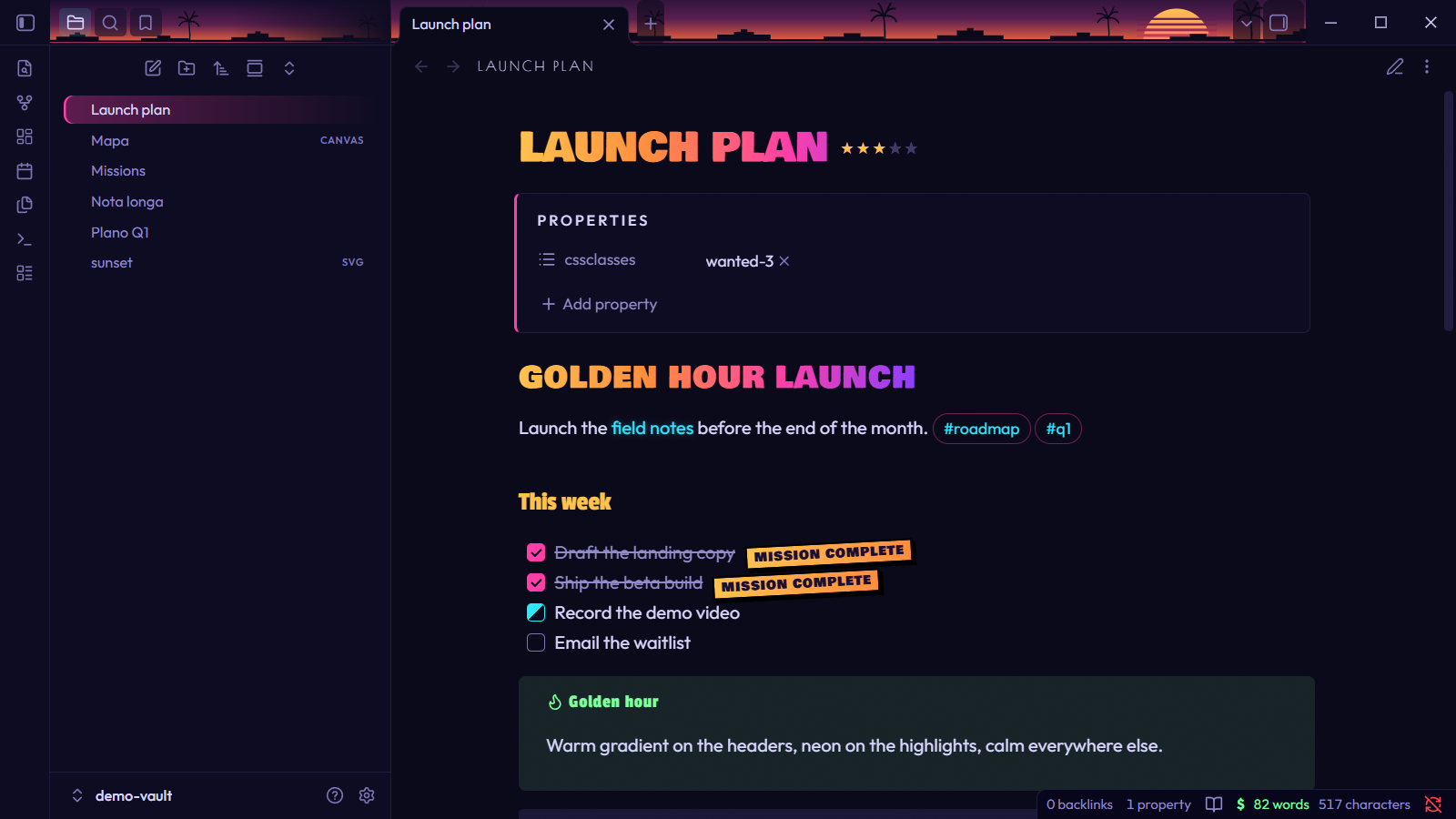
Midnight (dark). A near-black base with neon pink accents, cyan links and gold headings. Every H1 carries a golden-hour gradient.
-
Ocean Drive (light). A cream base with flamingo pink and pool turquoise. Every text colour pair meets WCAG contrast.
-
Game touches.
- Photo frames: images in your notes get a tilted white frame. Add
noframeto an image's alt text to skip it, e.g.![[photo.png|noframe]]. - Mission complete: finished tasks get a stamped "MISSION COMPLETE" seal ("MISSÃO CUMPRIDA" when Obsidian runs in Portuguese).
- HUD: the word count reads like a cash counter (
$ 412 words), and any note can carry a wanted level: addcssclasses: wanted-3(1 to 5) and stars appear after its title. - Skyline: a sunset strip behind the tab bar, plus a loading-screen scene on empty tabs.
- Film grain: a subtle grain over the note you are reading.
- Photo frames: images in your notes get a tilted white frame. Add
-
Task states you can tell apart. In progress
[/]shows a half-filled cyan box and cancelled[-]is struck through; neither gets the seal. -
Your font stays yours. The theme ships its own fonts, but any font you choose in Settings → Appearance still wins.
Turning things off
Every touch is on by default and works without any plugin. To switch individual touches off, install the Style Settings plugin and open Settings → Style Settings → Sunset Drive:
| Setting | What it hides |
|---|---|
| Turn off the opening intro | the intro |
| Turn off photo frames on images | the tilted frames |
| Turn off the "mission complete" seal on done tasks | the task seal |
| Turn off the HUD ($ on the word count, wanted stars on notes) | the $ and the stars |
| Turn off the sunset skyline and empty-tab scene | the tab-bar strip and the empty-tab scene |
| Turn off dossier styling on properties and callouts | properties as a case file, callouts as a briefing |
| Turn off film grain | the grain |
Support
Sunset Drive is free. If it made your vault a better place to work, you can buy me a coffee on Ko-fi.
Building from source
The theme is written as modules in src/ and assets in assets/. build.mjs concatenates the modules and inlines every font and image as a data: URL, so the theme never loads anything from the network.
npm test                  # build theme.css + static checks
node test/runtime.mjs all # checks inside a running Obsidian (see the file header)
Credits and licences
-
Theme code: MIT, see
LICENSE. -
Embedded fonts, all under the SIL Open Font License 1.1 (
fonts/OFL.txt):- Bowlby One SC, copyright (c) 2011 Vernon Adams;
- Passion One, copyright (c) 2011 Fontstage;
- Poiret One, copyright 2011 The Poiret One Project Authors;
- Outfit, copyright 2021 The Outfit Project Authors.
The embedded copies are subsetted, so they are Modified Versions under the licence. They are renamed
SD Display,SD Heading,SD LabelandSD Bodyand do not use any Reserved Font Name. -
The Obsidian logo shown in the intro is the official, unmodified logo of Obsidian. It is used to identify the app the theme is for. Sunset Drive is an independent community theme, not affiliated with Obsidian.