
README file from
GithubBorozdov Riverstone
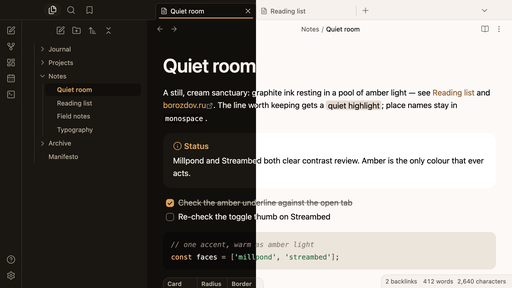
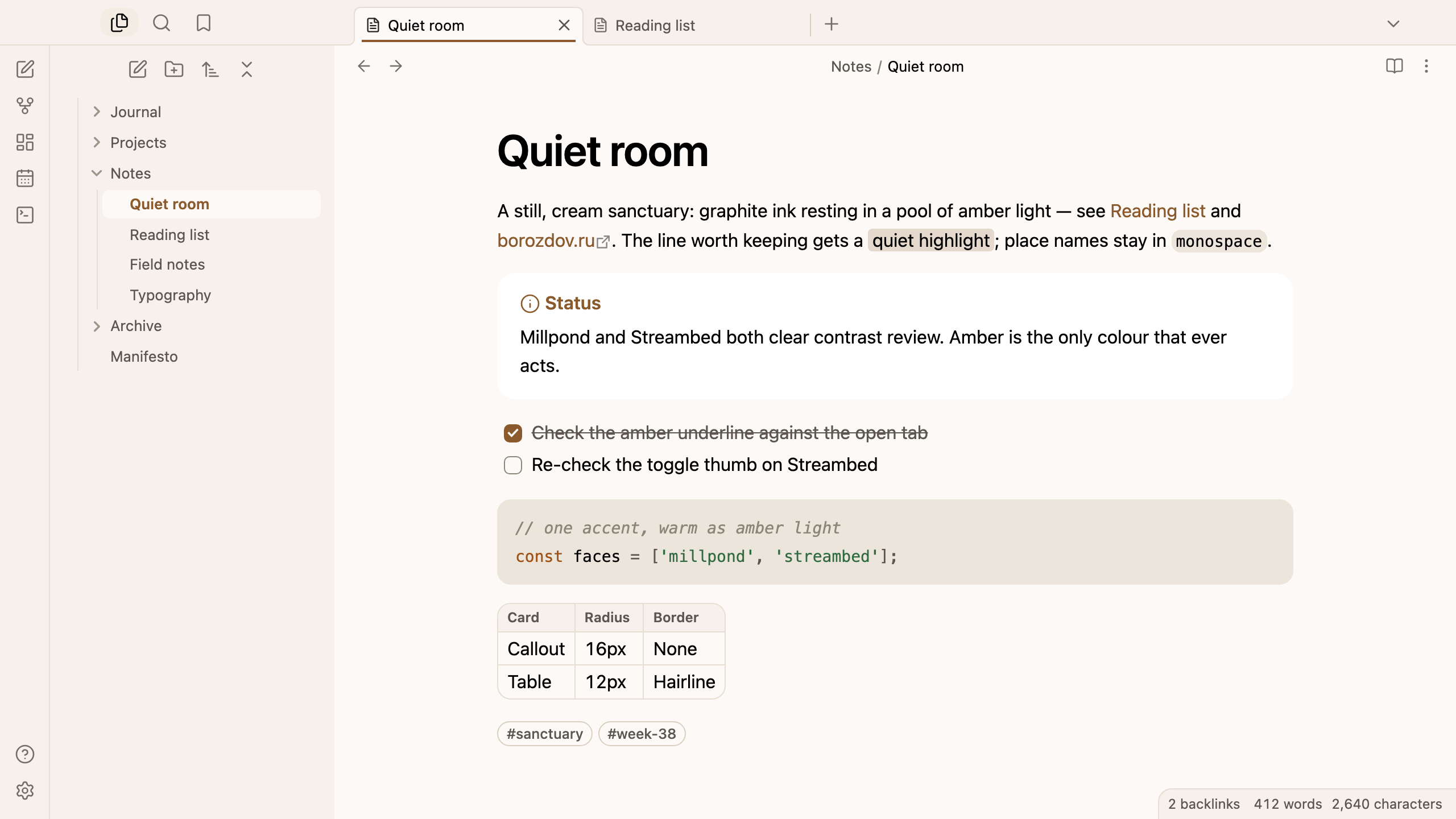
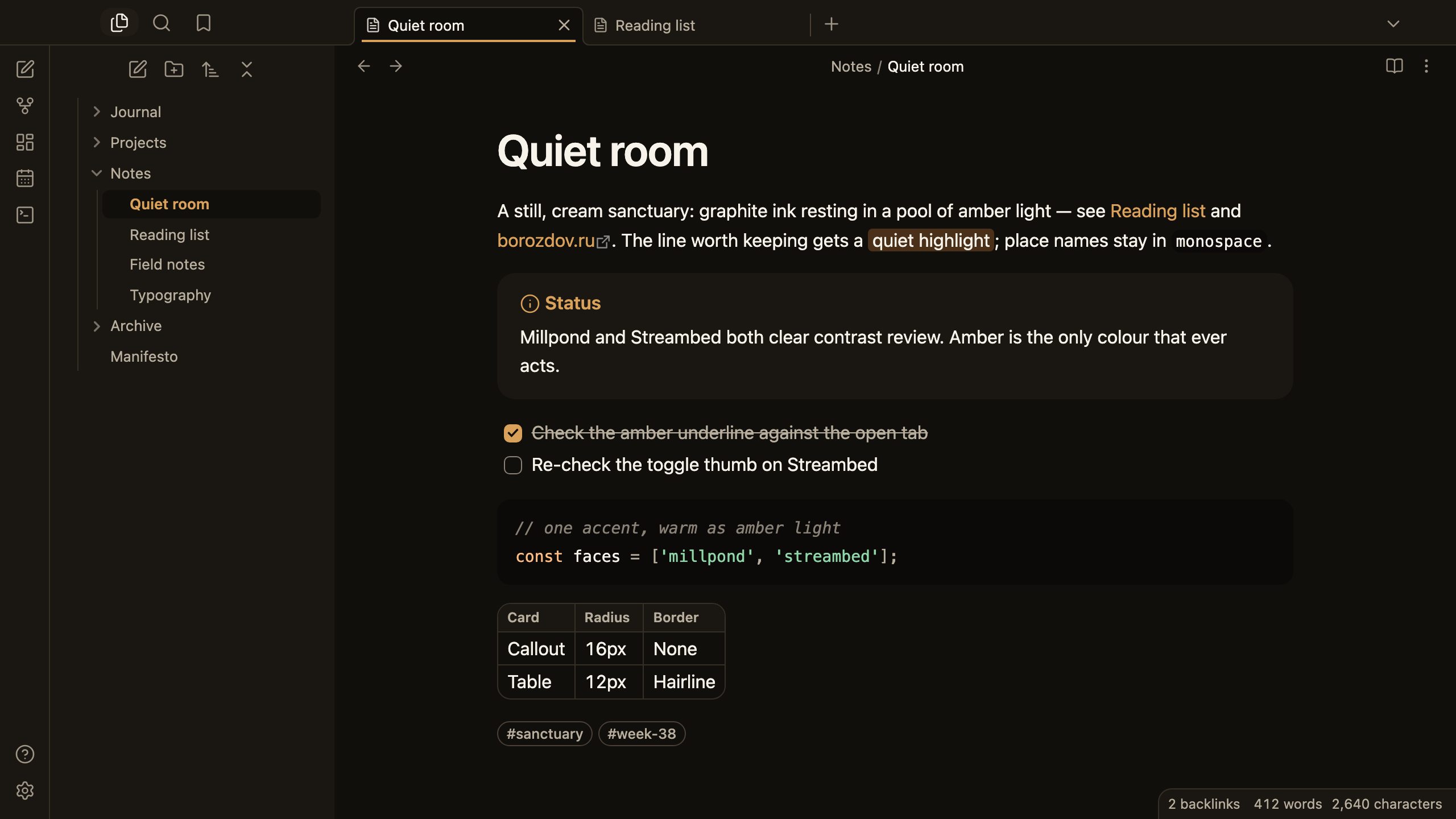
A theme from the Borozdov collection. Two faces — light Millpond, a still cream sanctuary where graphite ink rests in a pool of amber light, and dark Streambed, the same room after the light drains to the bottom of the water. One warm accent — amber — carries every link, toggle and checked box; nothing else in the chrome takes a hue.
Principles
- One warm accent. Amber is the only colour that acts — the link, the toggle, the checked box, the open tab's underline — the light pooling around an otherwise graphite interface.
- A still, cream sanctuary. Millpond's linen canvas and bone-white cards read as an unhurried room; Streambed keeps the same proportions after dark, warm charcoal standing in for the water.
- Cards, not shadows. Callouts, embeds and code panes lift off the canvas by tone alone — Millpond needs a hairline rim to read the edge, Streambed's darker card is enough on its own.
- Whisper-quiet elevation. Only floating panels — the settings modal, a popover, a suggestion list — take a shadow, and it stays close to imperceptible, never dramatic.
- Developer-native type. The platform's own sans at 400 for text and 600 for headings; no embedded font, no load, no flash of unstyled text.
Features
- Light and dark modes, following Settings → Appearance → Base color scheme
- Callouts, embeds, code blocks and tables drawn as quiet tonal cards, tables framed by a single hairline
- Tags and property pills stay transparent until the pointer lands, then take the amber accent
- Quiet editing: no focus ring around the note, its title or form fields while you type; property names read as labels, not boxed fields
- A toggle thumb tuned per face so it never disappears against its own track
- Text colours meet WCAG contrast on both faces
- The phone layout keeps the same colours and shapes
- No embedded fonts, so the theme stays under 15 KB and there's no flash of unstyled text
- No
!important: every rule can be overridden with a CSS snippet
Installation
From the community directory: Settings → Appearance → Themes → Manage, search for Borozdov Riverstone, then Install and use.
By hand: download manifest.json and theme.css from the
latest release
into <vault>/.obsidian/themes/Borozdov Riverstone/, then choose Borozdov Riverstone under
Settings → Appearance → Themes.
License
MIT — see LICENSE.
По-русски. Тема из коллекции Borozdov. Два лика: светлый «Millpond» — тихое кремовое святилище, где графитовые чернила отдыхают в лужице янтарного света, и тёмный «Streambed» — та же комната после того, как свет ушёл на дно воды. Единственный тёплый акцент — янтарь — несёт на себе ссылки, переключатель и отмеченную галочку. Шрифты не встроены. Устанавливается из каталога: Настройки → Оформление → Темы → Настроить → Borozdov Riverstone → Установить и применить.