
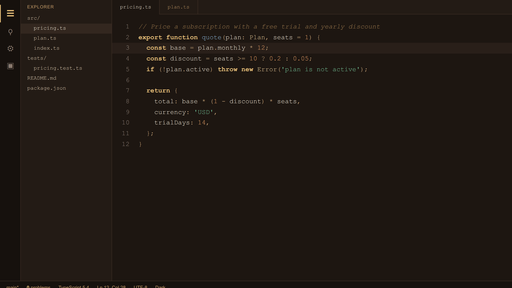
README file from
GithubReadyStack Warm Dark
Warm, low-glare dark. Amber on paper-dark; comments recede, keywords lead.
Install
From Obsidian — Settings → Appearance → Themes → Manage → search ReadyStack Warm Dark.
Manually — download theme.css from the latest release and drop it into
<your vault>/.obsidian/themes/warm-dark/.
What is tuned
Every colour below is generated from one contrast ladder, not picked by eye:
| element | value |
|---|---|
| editor background | #16110D |
| body text | #F0E7DB |
| accent | #E4BE79 |
| code string | #78C49B |
| comment / faint | #966F40 |
Headings, links, code, tags, tables, the graph view, scrollbars and the titlebar all read from the same ladder, so nothing clashes when you switch panes.
The full set
This is one of 12 themes built from the same rules — 8 dark, 4 light — with matching VS Code editor themes so your notes and your code look like one desk.
Get all 12: https://launchcrateperfect.gumroad.com/l/bwzzz
Free tools
Calculators, templates and spreadsheets: https://getreadystack.com
License
MIT