
README file from
GithubZocean
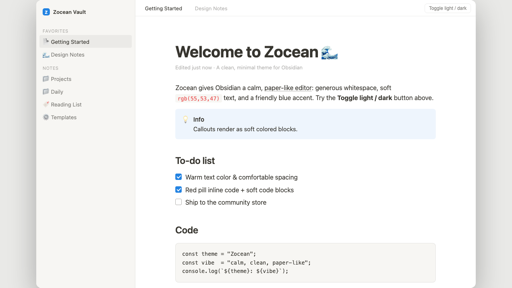
A calm, paper-like Obsidian theme: generous whitespace, soft rgb(55,53,47)
text, a friendly blue accent, subtle borders, and tidy callouts, code blocks,
tables, checkboxes, and headings.
Supports light and dark modes.
Install (manual, before store approval)
- Download
theme.cssandmanifest.json. - In your vault, create
.obsidian/themes/Zocean/and drop both files in. - Settings → Appearance → Themes → Zocean.
Install (from the community store, after approval)
Settings → Appearance → Manage → Browse → search "Zocean" → Install and use.
Features
- A comfortable 708px centered reading column
- Inter / system font stack with subtle letter-spacing
- Red "pill" inline code, soft-gray code blocks
- Soft colored callout blocks
- Clean to-do checkboxes with accent fill
- Quiet sidebar, tabs, and scrollbars
License
MIT © maniarasan.s