
README file from
GithubSeashell
Deep blue. Warm shell tones. A quieter workspace.
A dark-only theme for Obsidian, built around warm typography, layered surfaces, and precise cyan and amber accents.
Dark mode · CSS only · Local fonts · MIT licensed
✦ Design language
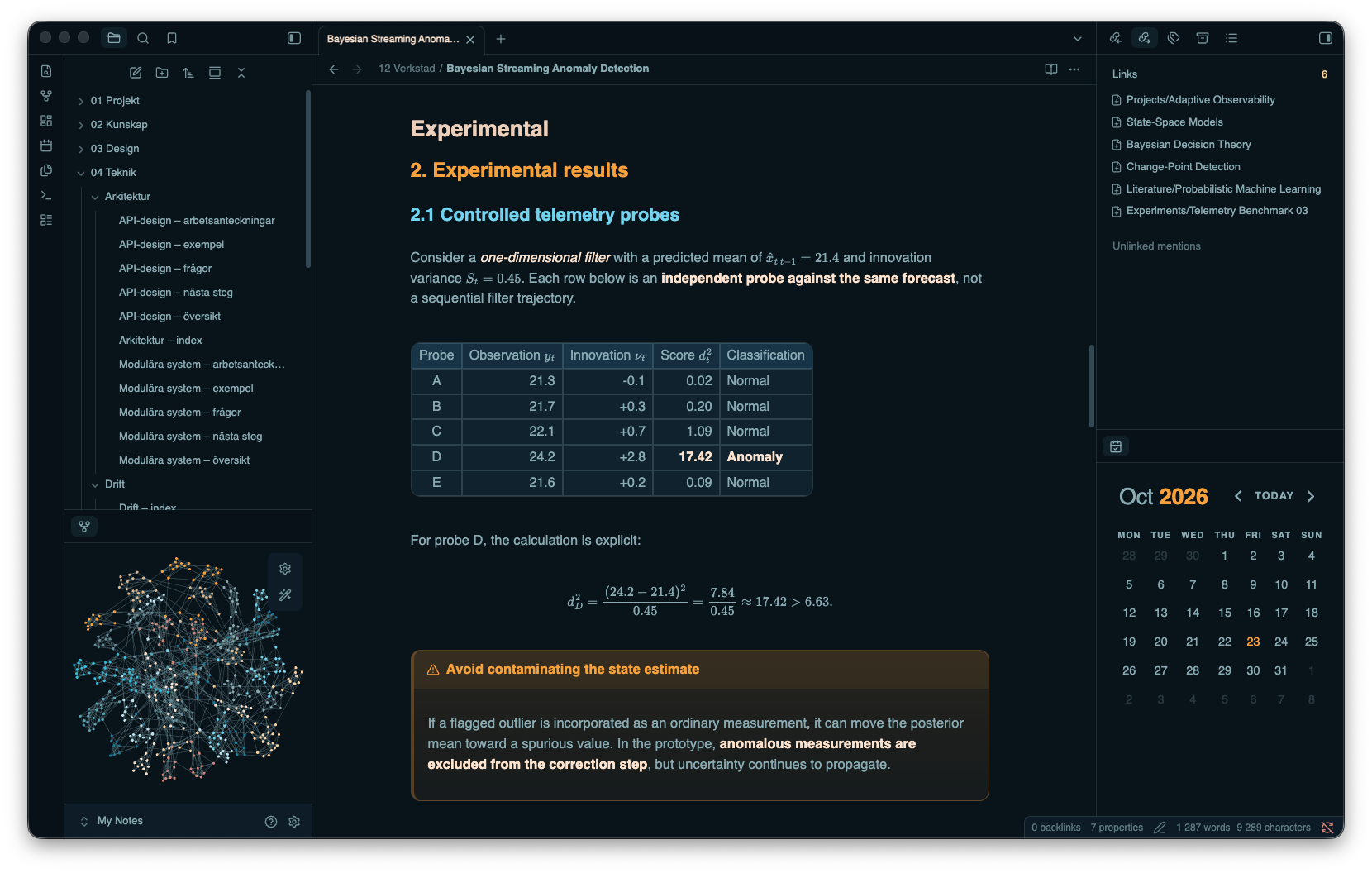
Seashell gives notes and navigation a consistent visual rhythm. A blue-black foundation anchors the workspace; warm text and distinct heading colors establish hierarchy. Subtle borders, rounded controls, and restrained highlights define surfaces without overwhelming the content.
| Foundation | Shell | Cyan | Amber | Selection |
|---|---|---|---|---|
#08131a |
#deb88d |
#1abcdd |
#fba02f |
#1e4862 |
- Connected surfaces — coordinated styling for the editor, reading view, navigation, search, and settings.
- Structured content — dedicated treatments for headings, tables, blockquotes, callouts, and code blocks.
- Adaptive layout — spacing and title adjustments for narrow windows.
- Self-contained styling — local font stacks with system fallbacks; no remote fonts or assets.
Installation
Requires Obsidian 1.14.4 or later.
- Create a
Seashellfolder inside your vault’s.obsidian/themes/directory. - Copy
theme.cssandmanifest.jsoninto it. - In Settings → Appearance, select Seashell and set Base color scheme to Dark.
Seashell supports dark mode only. The screenshot shows the intended appearance; installed fonts and enabled plugins may affect rendering.
Theme structure
All styling lives in theme.css, with no build step or runtime JavaScript. Shared palette tokens and semantic Obsidian variables define the foundation; numbered sections organize component styles, typography overrides, and narrow-window adjustments.
Feedback & license
When reporting a visual issue, include your Obsidian version, operating system, affected view, and a screenshot using non-sensitive content.
Released under the MIT License.