
README file from
GithubOneNote Style
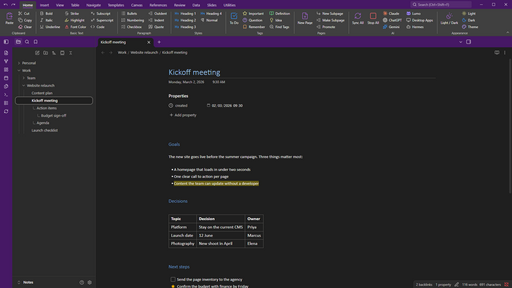
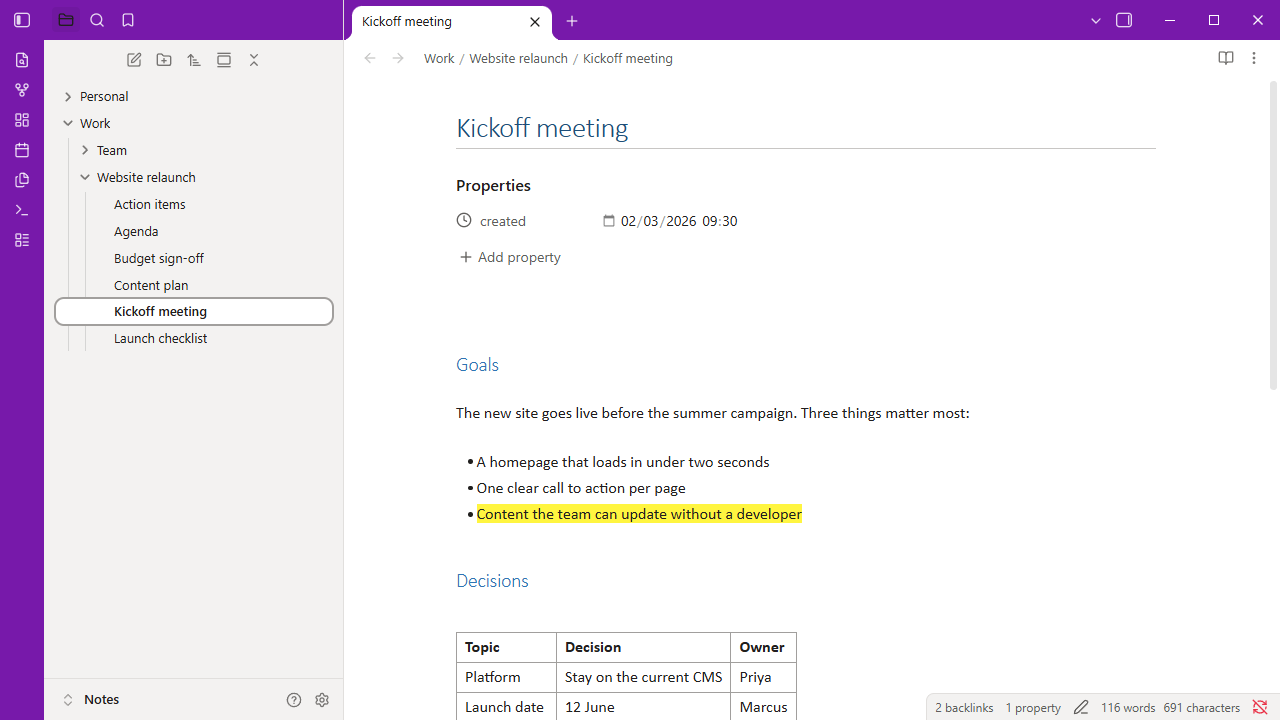
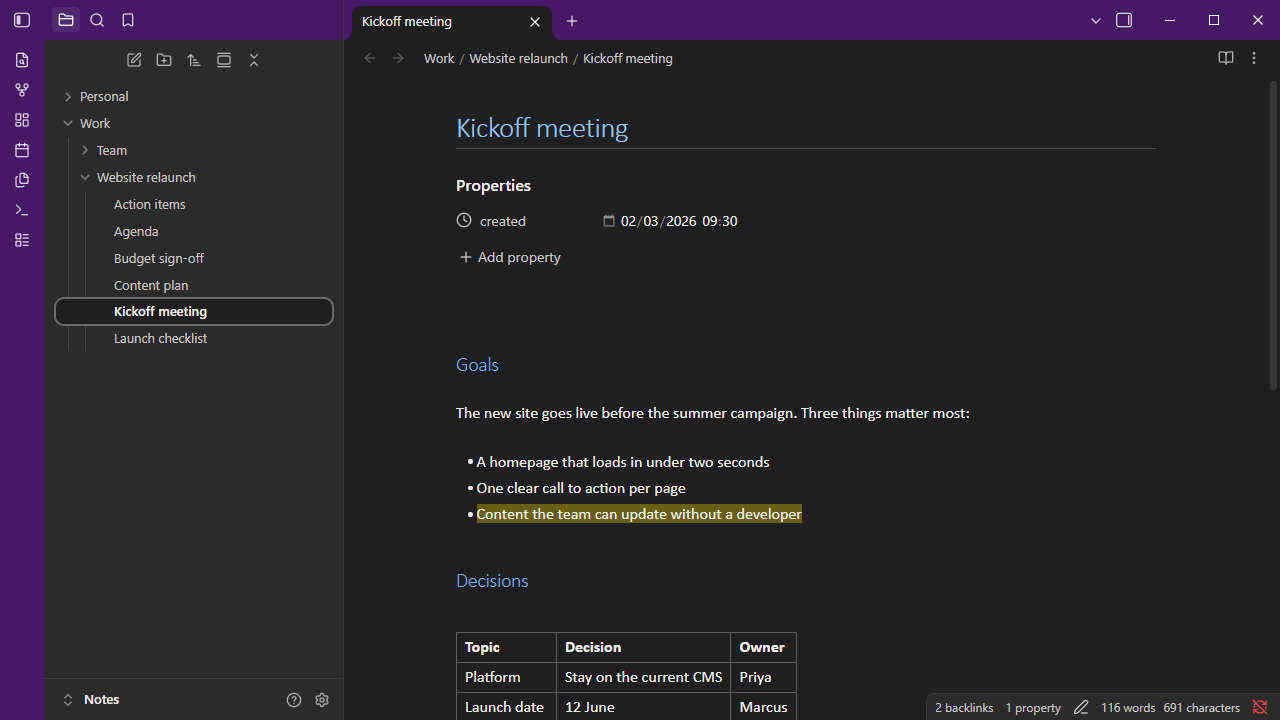
The look you already know, in your Obsidian vault. OneNote Style gives Obsidian the look of OneNote - a purple title row, white pages, light grey panes, Calibri text and OneNote's blue heading styles - so your notes feel at home from the first minute. Pick it under Appearance and you're done. Light and dark modes come along too.
Part of the Sundowna Second Brain Suite - an easy, low-friction second brain in Obsidian, in the spirit of Karpathy's LLM wiki. The other pieces: AI ChatBridge (all your AI chats in your vault) and OneNote Style (the ribbon you already know).
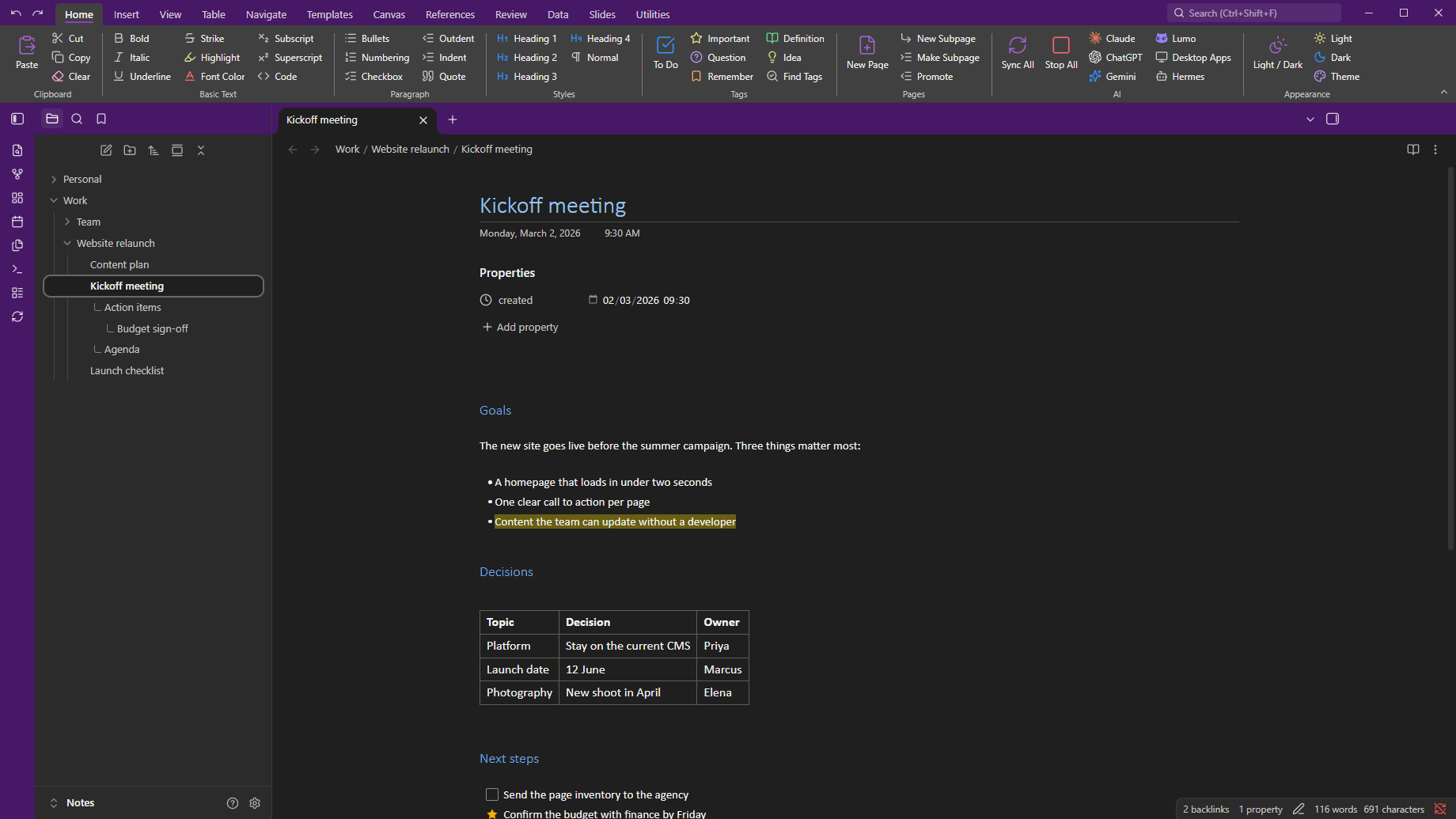
With the OneNote Style plugin's ribbon. The theme colours the ribbon's tab row like the title row.
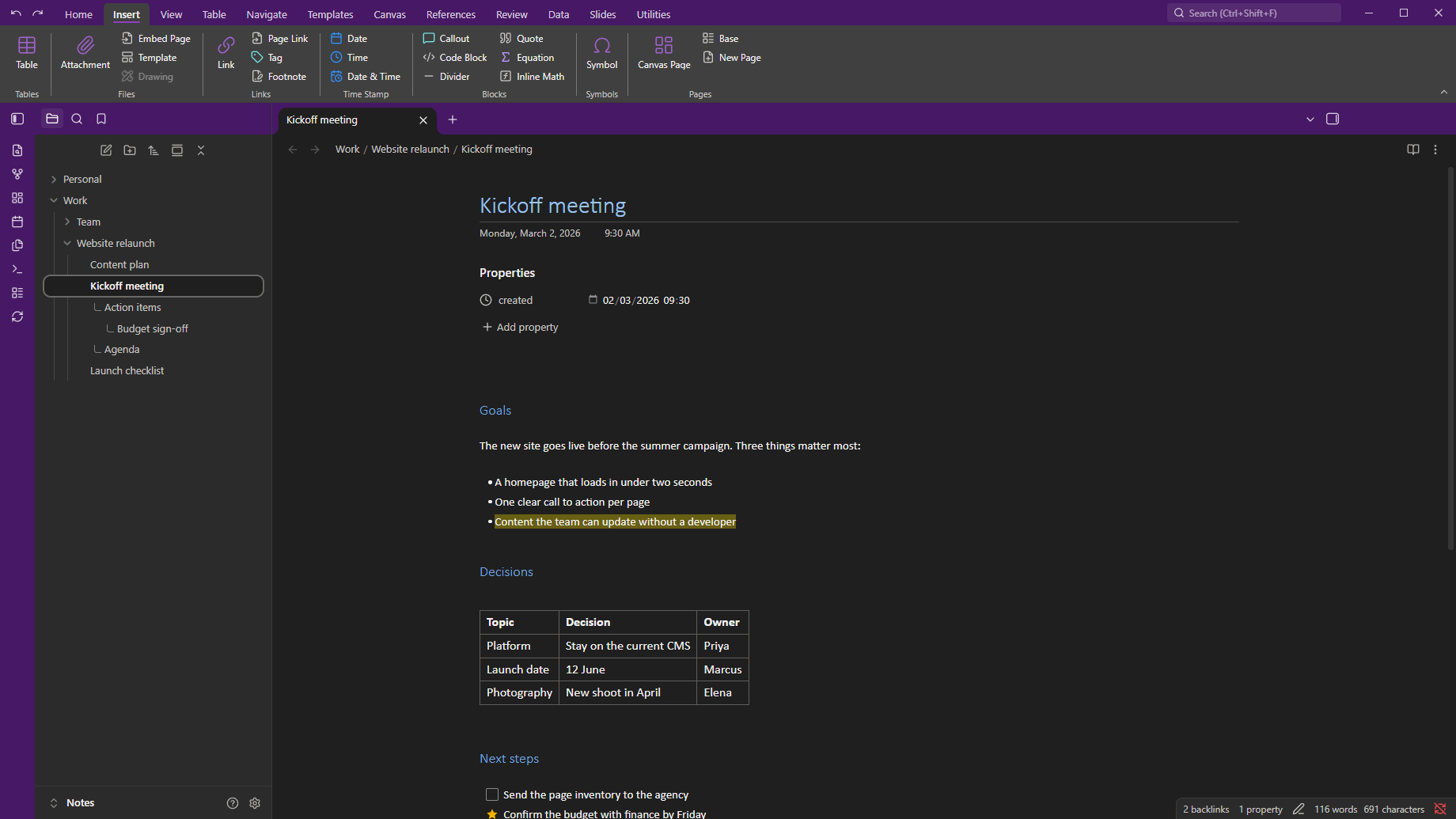
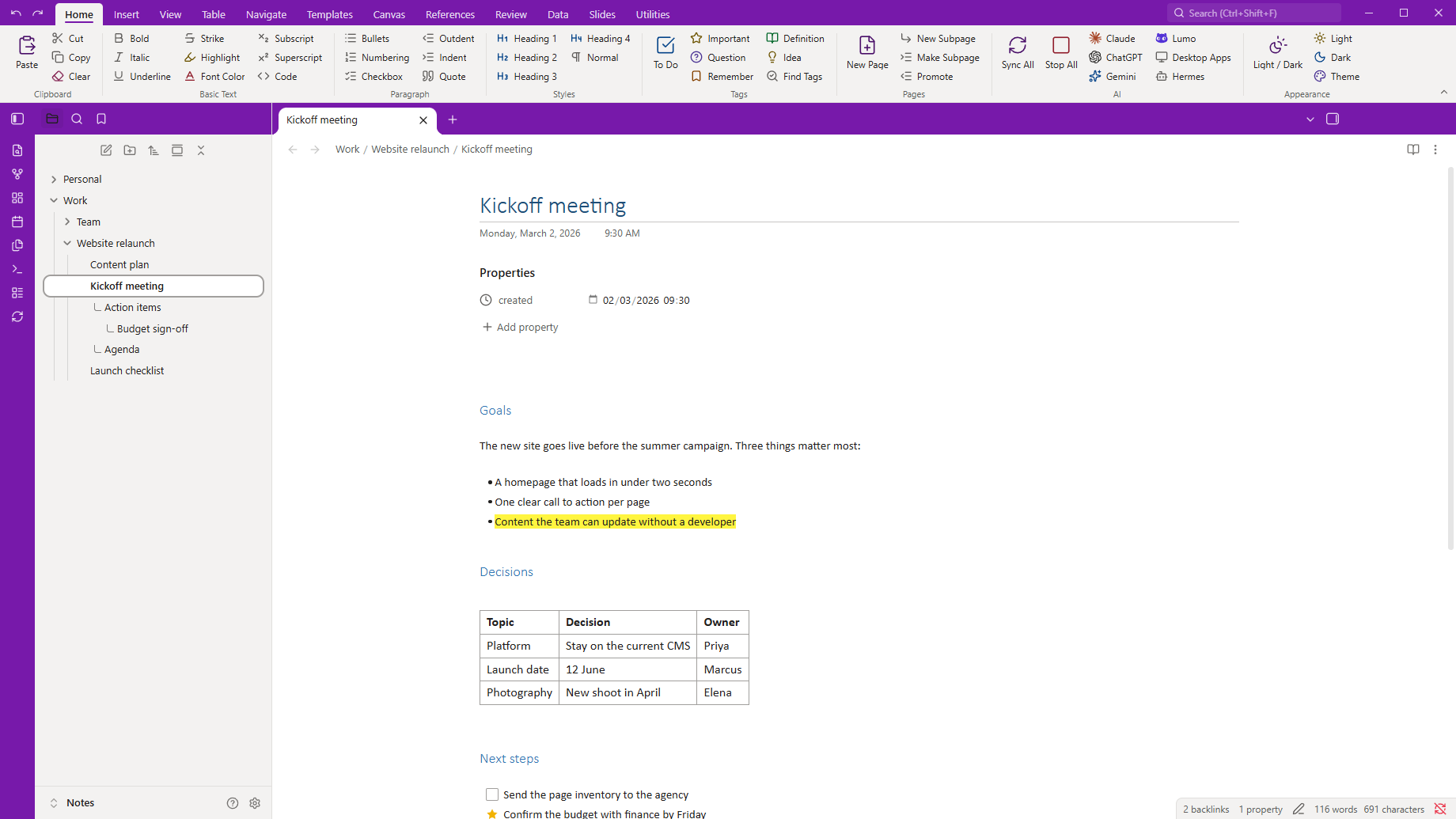
The theme on its own.
What it looks like
- Purple title row. The tab row along the top and the icon strip on the left are OneNote purple, with white icons. The open tab is white and joins the page below it.
- Pages like OneNote pages. White background, Calibri text and a Calibri Light page title with a thin rule under it.
- OneNote's heading styles. Heading 1 to 6 use the sizes and blues of OneNote's built-in styles. Quotes are grey italic, as in OneNote.
- Familiar details.
- Bright yellow highlighter.
- Office-blue links.
- Square to-do boxes.
- Grey table borders.
- The open note in the file list looks like the selected page in OneNote's page list.
- Dark mode. Charcoal panes with a deep purple title row. Headings and links use lighter tints so they stay readable.
Options
With the Style Settings plugin installed, go to Settings → Style Settings → OneNote Style:
| Option | What it does |
|---|---|
| Title row and icon strip | Purple (default), slate grey like OneNote for Windows, or neutral grey. |
| Grey side panes | Mid-grey sidebars like OneNote for Windows (light mode). |
| Plain headings | Headings in the normal text colour instead of OneNote blue. |
| Use Obsidian's fonts | Turns off Calibri and Segoe UI. |
Your accent colour and fonts under Settings → Appearance still apply on top of the theme.
Part of the Sundowna Second Brain Suite
This is one of three pieces of the Sundowna Second Brain Suite (SSBS). Together they turn Obsidian into a second brain that feels like home: your knowledge in plain Markdown that you own, with tools that work like the ones you already use.
| Piece | Kind | What it does | Get it |
|---|---|---|---|
| AI ChatBridge | Plugin | Brings your chats from Claude, ChatGPT, Gemini and others into the vault as Markdown | Obsidian community |
| OneNote Style | Plugin | The ribbon you already know: Office-style tabs, groups and buttons for any command, plus note tags, subpages and editing without Markdown syntax. Its AI group runs AI ChatBridge's sync commands with one click | Obsidian community |
| OneNote Style theme (you are here) | Theme | OneNote's look: white pages, Calibri, OneNote's heading styles, light and dark | Obsidian community |
Each works on its own. Together they are low friction from the first minute.
Fonts
The theme uses Calibri for notes and Segoe UI for the interface. Both come with Windows and Microsoft Office. Carlito is a free font with the same measurements as Calibri. On a computer without these fonts, Obsidian's default fonts are used. The theme loads nothing from the internet.
Install
From Obsidian: Settings → Appearance → Themes → Manage, search for OneNote Style, then Install and use. Or open the OneNote Style theme on the Obsidian community site.
By hand:
- Create the folder
<your vault>/.obsidian/themes/OneNote Style/. - Copy
theme.cssandmanifest.jsonfrom the latest release into it. - Choose OneNote Style under Settings → Appearance → Themes.
Customise
Every colour is a CSS variable. To change one, add a CSS snippet. For example, to make the title row Word blue:
.theme-light { --one-chrome: #2b579a; }
| Variable | Used for |
|---|---|
--one-chrome |
Title row and icon strip |
--one-chrome-text, --one-chrome-muted |
Icons and tab titles on the title row |
--h1-color … --h6-color |
Heading colours |
License
MIT.
OneNote, Calibri and Segoe UI are trademarks of Microsoft. This theme isn't made by or affiliated with Microsoft, and it doesn't include any Microsoft fonts or artwork.