
README file from
GithubMakan · ماکان
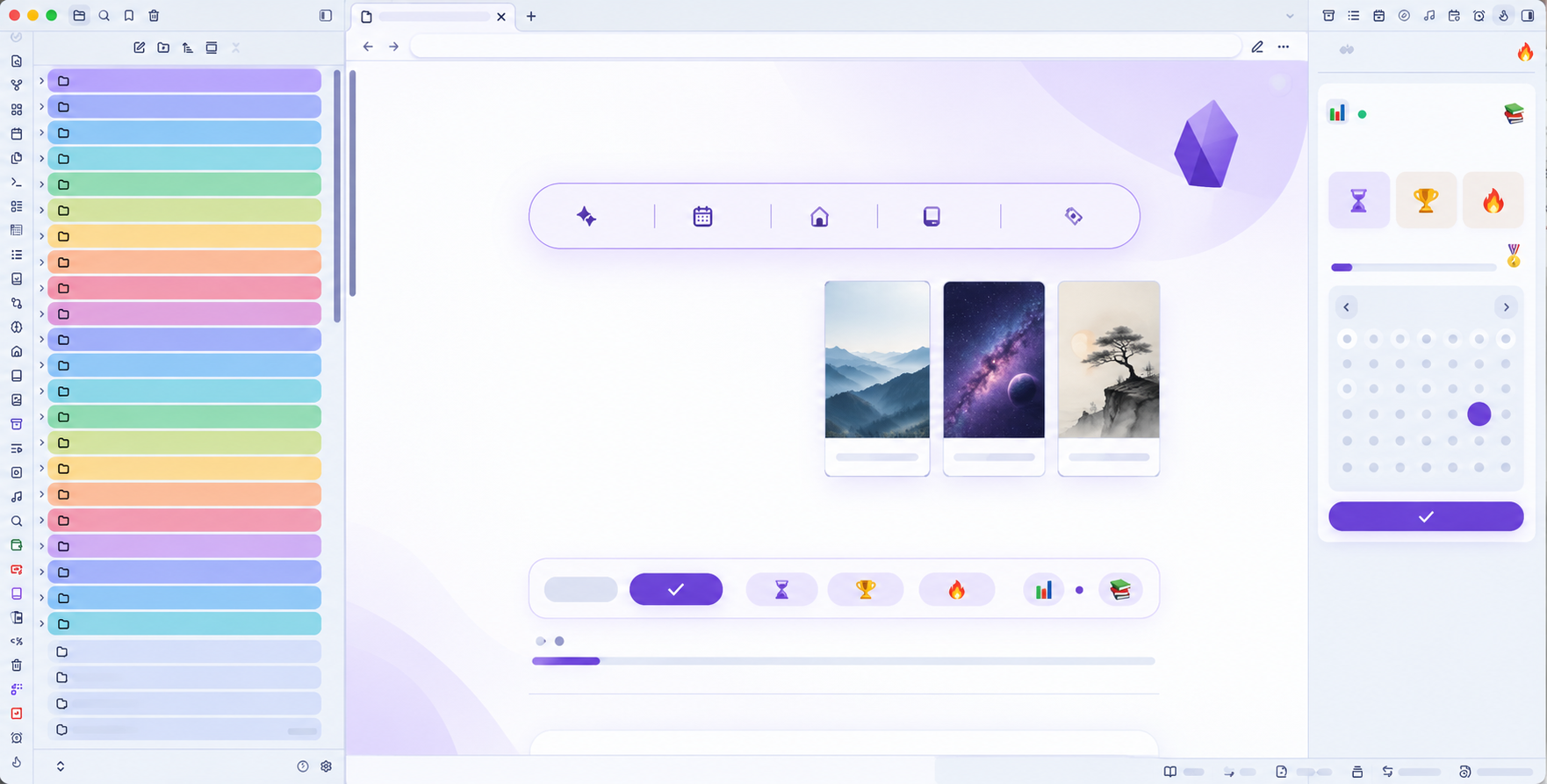
A bilingual Persian/English theme for Obsidian, designed to bring a calm, colorful, and customizable workspace to your vault.
In Memory of Martyr Makan Nasiri and the 168 Martyrs of Minab County, Iran.
به یاد شهید ماکان نصیری و ۱۶۸ شهید شهرستان میناب، ایران
#minab_168
What's new in 1.1.1
- Restored the original folder color palette and nested-folder styling from version 1.0.9.
- Removed the experimental folder palette controls to preserve the theme's original appearance.
- Widened the completed-task highlight in Reading View without moving the checkbox from its original position.
What's new in 1.1.0
- Fixed the completed-task card in Reading View so its checkbox sits inside the purple card without shifting the task text.
What's new in 1.0.6
- Added active-tab colors and file-explorer row-height customization.
- Expanded the Style Settings documentation.
- Updated the dedication to honor Martyr Makan Nasiri and the 168 Martyrs of Minab County, Iran.
Features
- Light and dark mode support
- Six built-in color palettes: Ocean, Mint, Lavender, Rose, Amber, and Slate
- Extensive customization through the Style Settings plugin
- Custom colors for backgrounds, text, accents, headings, links, tags, code blocks, tables, callouts, and workspace elements
- Independent typography controls for the editor, interface, and code
- Customizable reading width, line height, paragraph spacing, and interface density
- Customizable active tab colors and file explorer row height
- Persian (RTL) and English (LTR) friendly styling
- Animated completed-task feedback in Editing and Reading views
- Reduced-motion accessibility support
- No external assets, scripts, fonts, or network requests
Installation
From this repository
- Download
theme.cssandmanifest.json. - In your vault, open
.obsidian/themes/. - Create a folder named
Makan. - Place both files inside that folder.
- In Obsidian, open Settings → Appearance → Themes and select Makan.
Recommended: Style Settings
Install the Style Settings community plugin to access Makan's full customization panel:
- Open Settings → Community plugins → Browse.
- Search for Style Settings and install it.
- Enable the plugin.
- Open Settings → Style Settings → Makan.
From there, you can customize the theme's colors, typography, headings, tables, callouts, and workspace.
Updates
Download the latest theme.css and manifest.json from this repository and replace the existing files in .obsidian/themes/Makan/.
Credits and remembrance
Makan is dedicated in memory of Martyr Makan Nasiri and the 168 Martyrs of Minab County, Iran.
#minab_168