
README file from
GithubEf Maris Dark
An Obsidian port of ef-maris-dark
from Protesilaos Stavrou's ef-themes for Emacs — "legible dark marine theme
with blue, cyan, and green colors."
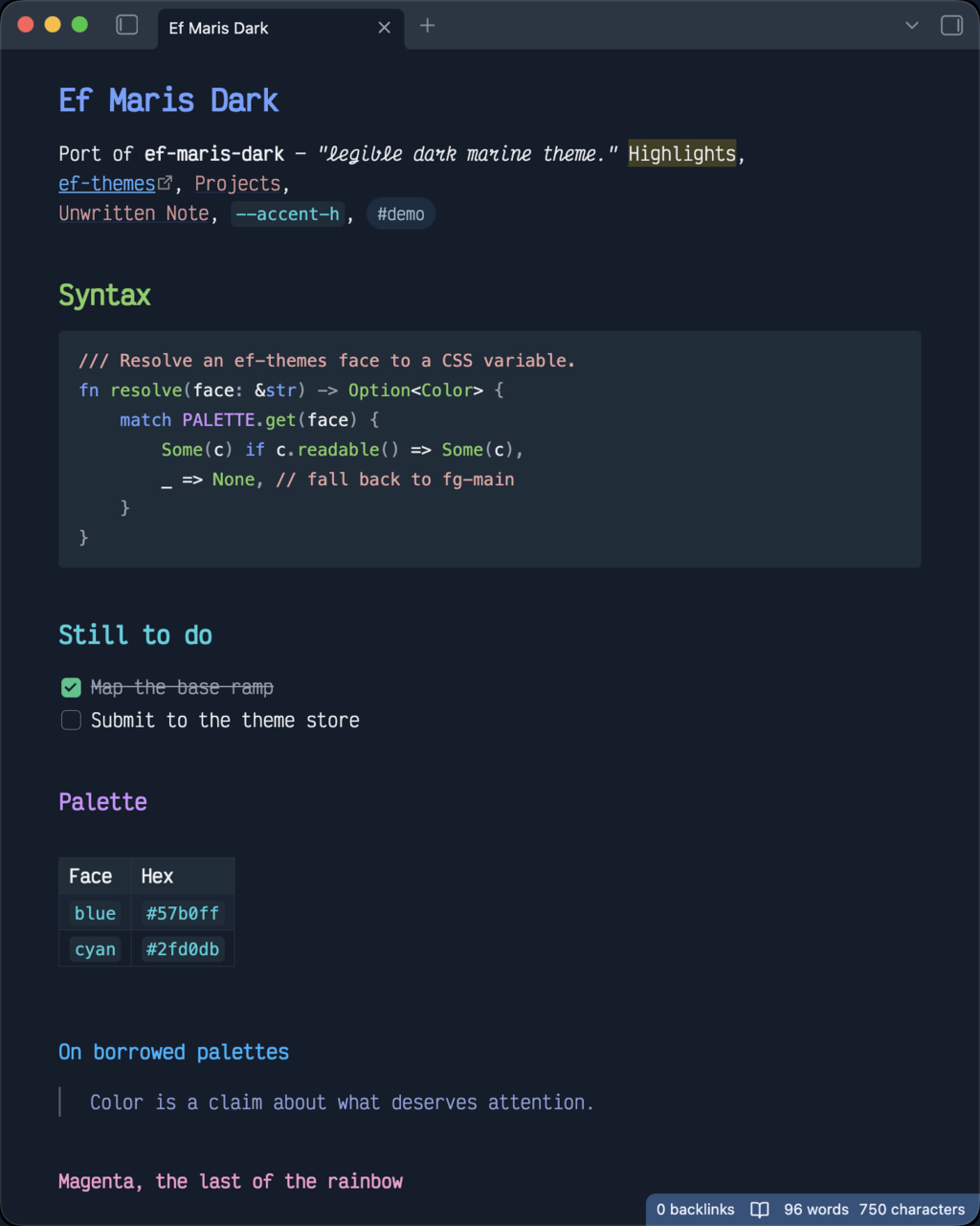
Dark mode only. In light mode Obsidian falls back to its default theme.
What it covers
The port maps the upstream palette onto Obsidian's CSS variables, so the colors carry across editor and UI alike:
- Headings use the ef-themes rainbow mapping (
rainbow-0throughrainbow-6), with the inline title ingreen-cooler. - Syntax highlighting in code blocks follows the upstream faces —
keywordinblue-warmer,stringincyan-cooler,commentinred-faint, and so on. Inline code usesprose-code(cyan). - Editor accents match their Emacs counterparts: the active line is
bg-hl-line, selections arebg-region, search matches arebg-yellow-intense, and the caret iscursor. - Chrome — status bar, tabs, scrollbars, graph view, callouts, tables and properties — is derived from the same ramp.
Every variable is annotated with the upstream face name it came from, so the CSS doubles as a mapping table if you want to port another ef-theme.
Install
From Obsidian: Settings → Appearance → Themes → Manage, then search for "Ef Maris Dark".
Manually: copy theme.css and manifest.json into
<vault>/.obsidian/themes/Ef Maris Dark/, then select the theme under
Settings → Appearance.
A note on the gutter
The theme takes editor gutters (line numbers, and sign columns added by plugins like Vim Motions) out of the layout flow so they don't push note content to the right of the Properties block. This mirrors what the Minimal theme does. It is the one layout rule here; everything else is color.
Credit
The palette is the work of Protesilaos Stavrou and belongs to the ef-themes project, which is licensed GPL-3.0. This port carries the same license. It is not an official ef-themes release, and the upstream authors are not responsible for it.