
README file from
GithubCybertron Shifted
An Obsidian theme inspired by the Cybertron theme and customized with my personal preferences.
Installation
Obsidian Marketplace (Recommended)
- Open the Settings in Obsidian
-
- Navigate to Appearances tab under Options
- Under the Themes section, click on the
Managebutton across from Themes - Search for
Cybertron Shiftedin the Filter text input - Click
Useand then you're done! 🎉
Preview
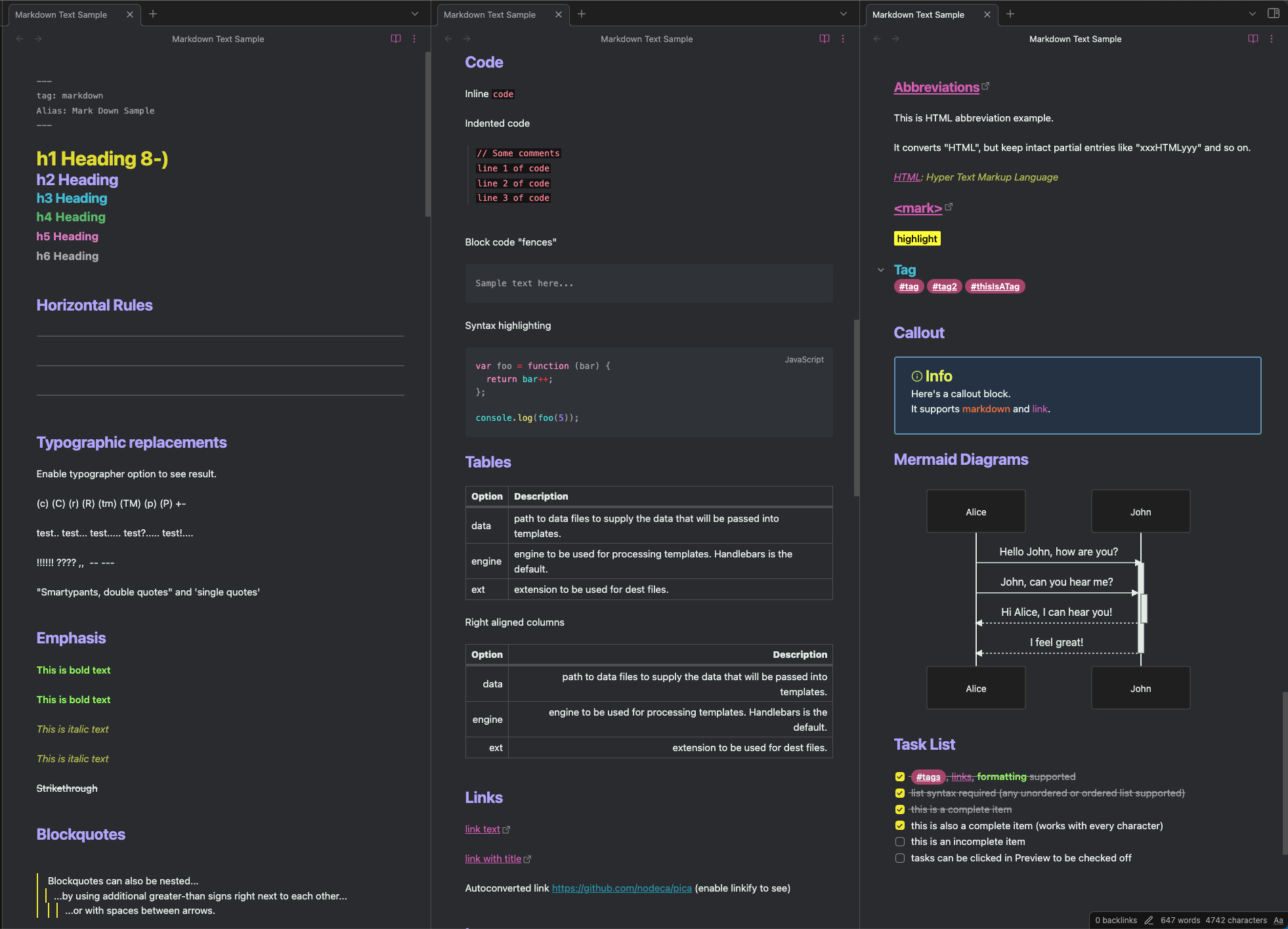
Other themes
You could also check my theme JeAP Glow for Visual Studio Code.
Feedback
If you have any issues and/or suggestions, please submit an issue or raise a PR. I will try my best to address the issue, but hopefully someone can help me.
Credits
This theme is inspired by Cybertron theme. All credits to them.
Support
Please support by being active in the Obsidian Discord community.