
README file from
Github
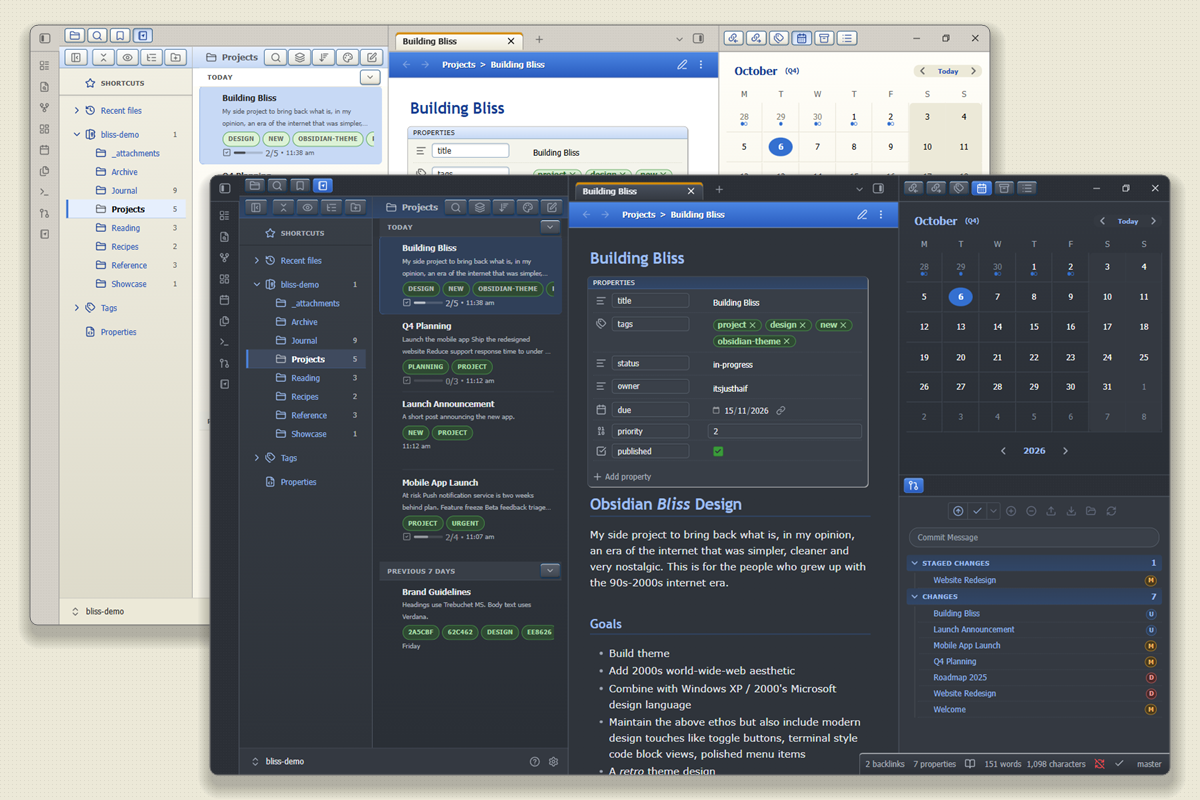
Obsidian, but it's 2001. Bevelled buttons, Luna blues and the gloriously boring look of the early web.
Bliss is a desktop theme for Obsidian that draws inspiration from the early web and classic Windows aesthetics. Glossy blues, soft greens, and a warm beige desktop create a familiar sense of nostalgia, while layouts echo the tidy structure of intranet portals and personal websites from the Y2K era. A slate dark mode is included for after-hours work. Bliss brings together retro charm and modern usability in a contemporary take on early 2000s design.
Inspired by: Fernando Borretti on X, boringpunk-notes-app
Contents
- Contents
- Screenshots
- Installation
- Companion plugins
- Settings
- Plugin support
- Customizing
- Development
- Changelog
- License
- Disclaimer
Screenshots
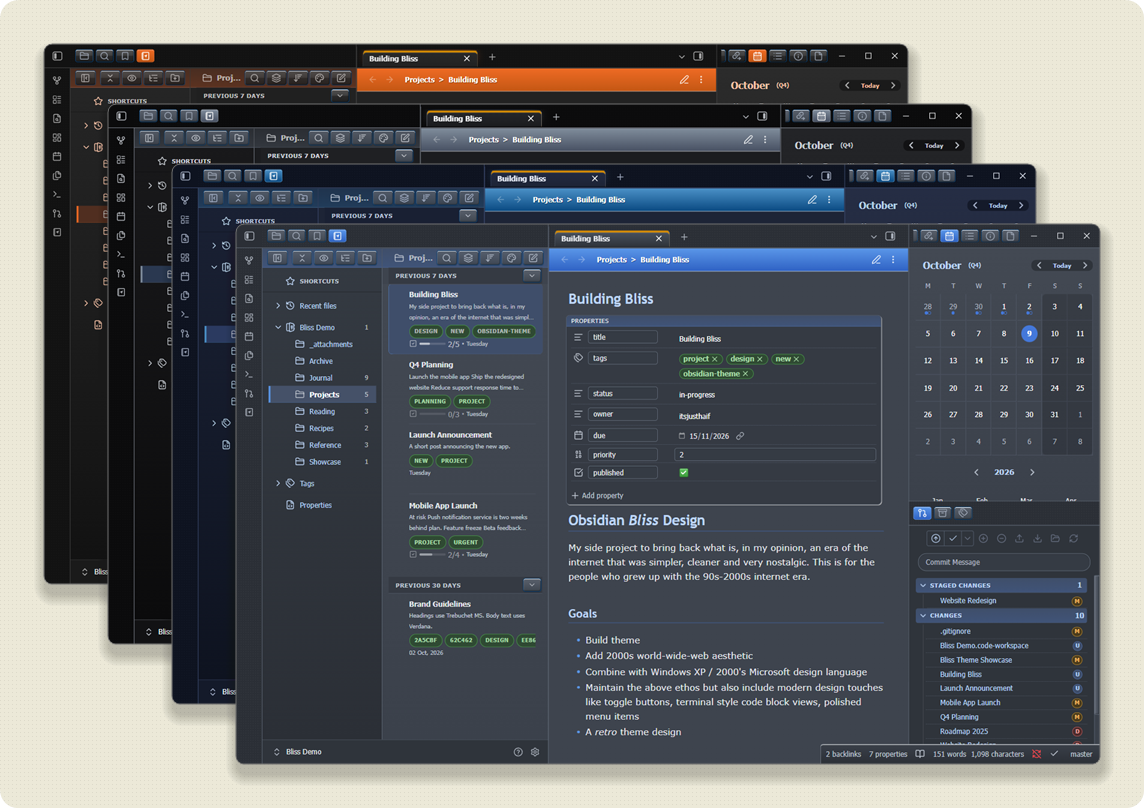
Light and dark modes
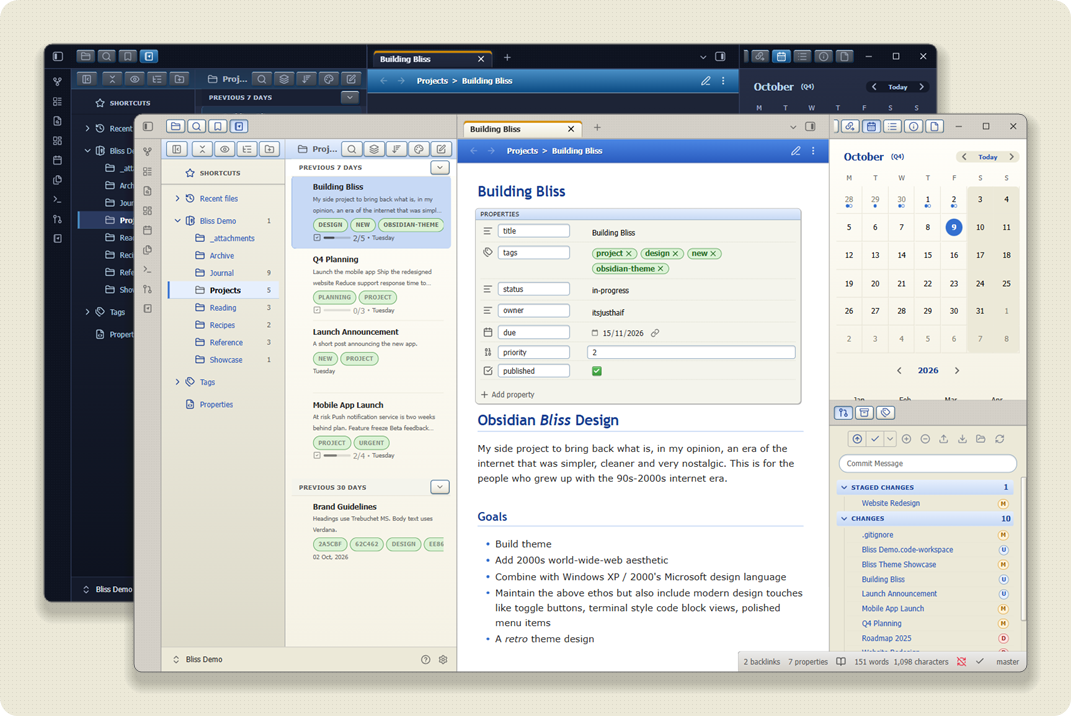
XP accent presets: Luna Blue, Olive Green, Silver, Zune, Embedded (New), plus two bonus Whistler pre-release schemes (Chartreuse Mongoose and Blue Lagoon, from the Mallard style). In dark mode Luna Blue becomes Royale Energy Blue and Silver becomes Royale Noir
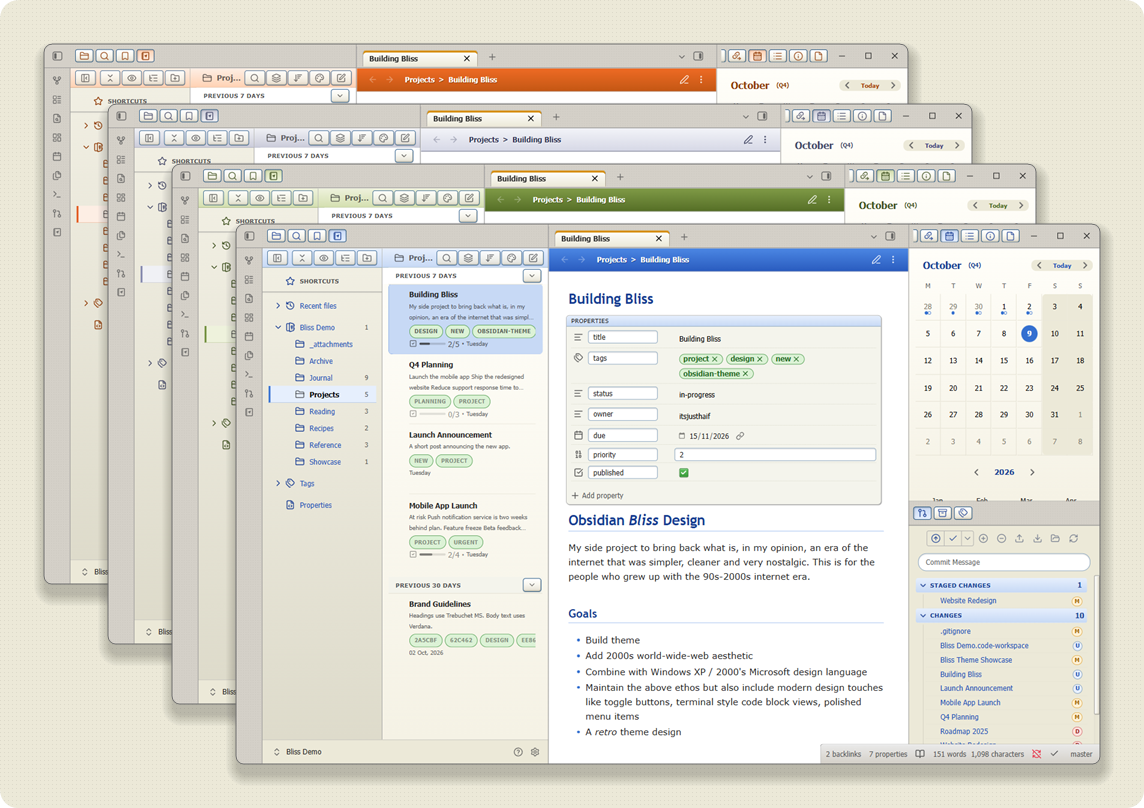
Dark mode with extended dark styles: XP Royale Dark (New), Contrast, Midnight and Slate
Windows XP Mode, on and off
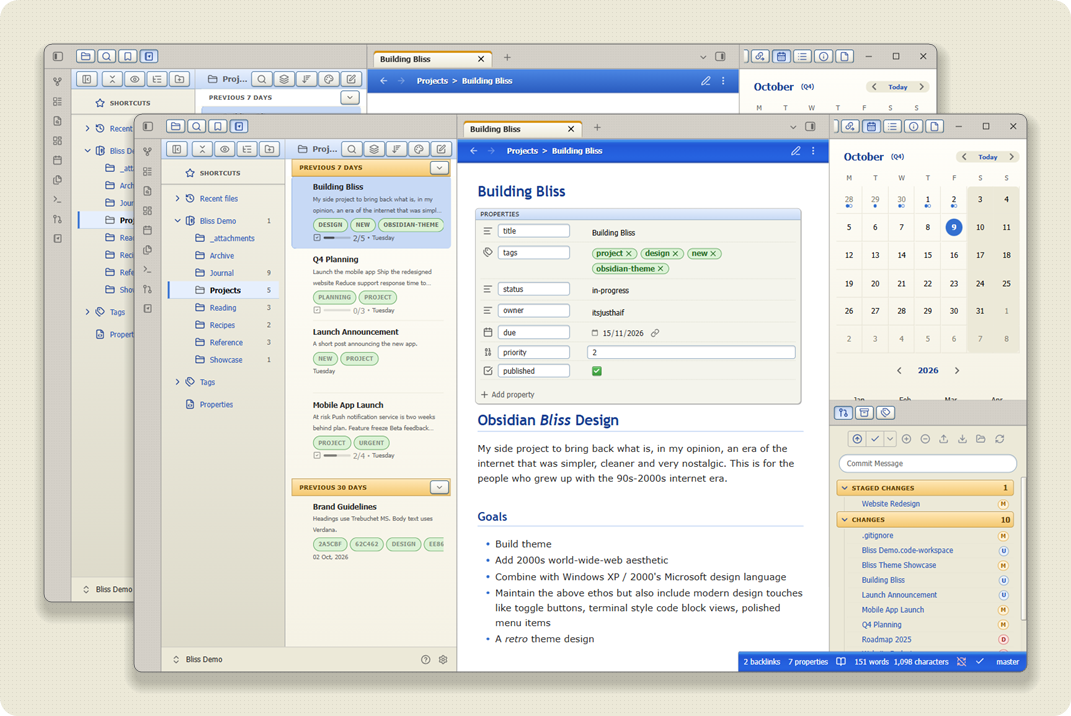
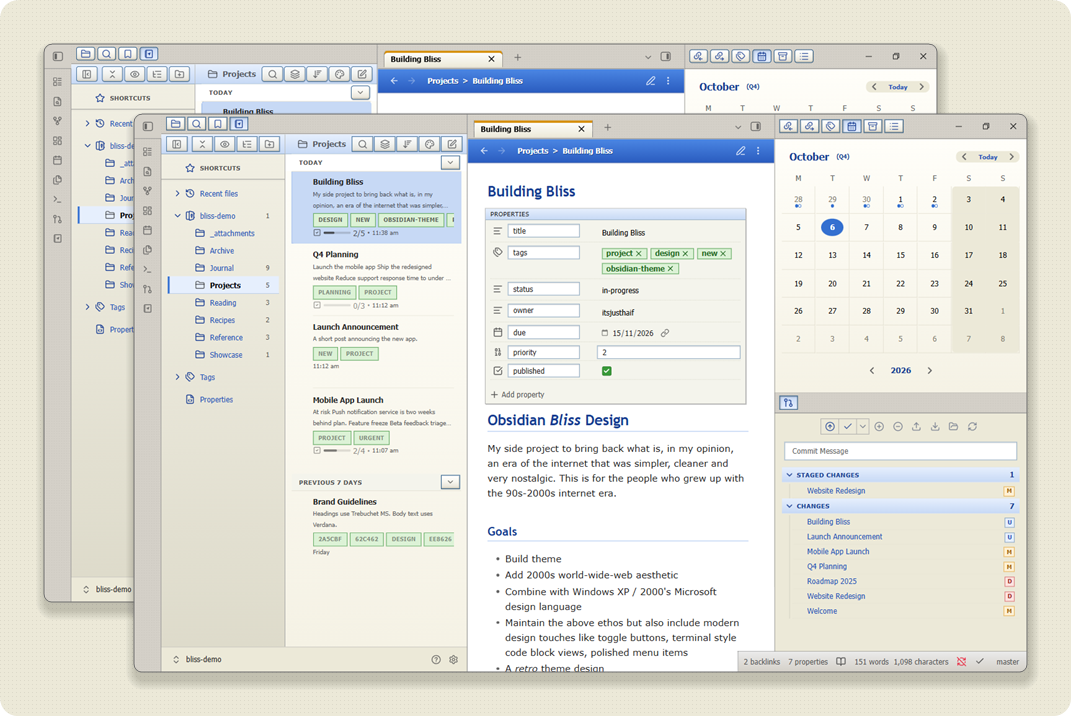
Classic square corners, on and off
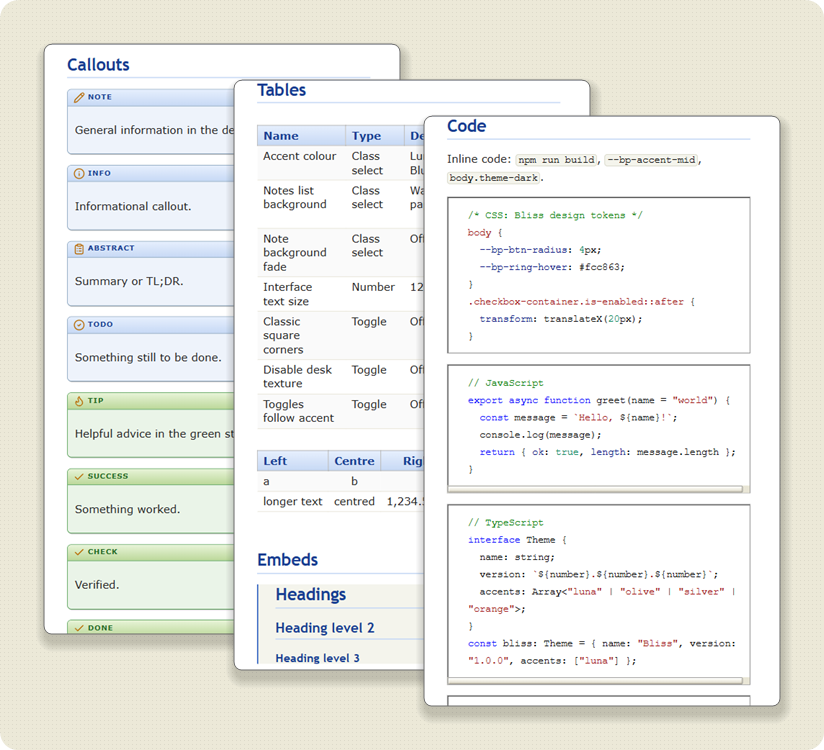
Callouts, tables and classic sunken Luna frame code blocks with VS-style syntax colours
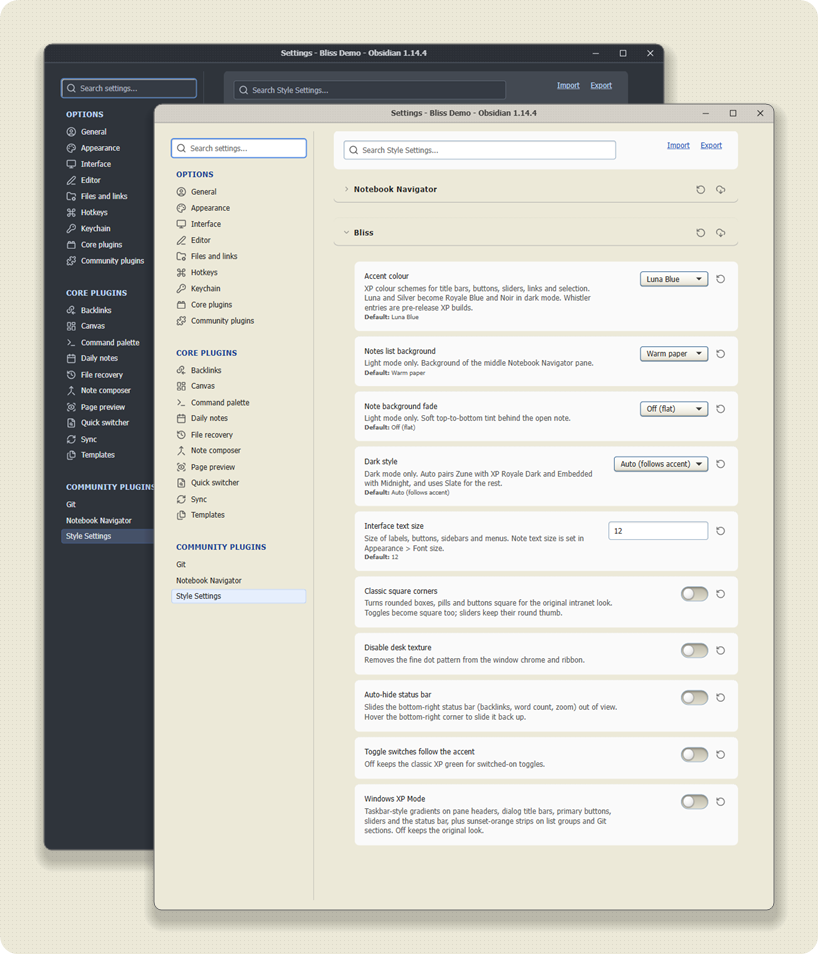
Extended Style Settings
Installation
To install the theme
- Open Obsidian Settings
- Go to
Appearanceand clickManage - Under community themes search for "Bliss" and click
Use
To install manually, download and copy theme.css and manifest.json into <vault>/.obsidian/themes/Bliss/, then select Bliss under Appearance.
Companion plugins
- Style Settings unlocks every option listed below. [Recommended for all users of Bliss]
- Notebook Navigator [Recommended]
Settings
All options live in Style Settings under Bliss.
| Setting | What it does |
|---|---|
| Accent colour | Luna Blue, Olive Green, Silver, Zune, Embedded, Whistler Chartreuse Mongoose, Whistler Blue Lagoon, or your Obsidian accent colour |
| Notes list background | Light mode only: flat, warm paper or cream behind the Notebook Navigator list |
| Note background fade | Light mode only: soft top-to-bottom tint behind the open note |
| Dark style | Dark mode only: Auto (default, pairs Zune with XP Royale Dark and Embedded with Midnight, Slate for the rest), Slate, Midnight (deep blue-black with soft glow), Contrast (near-black with brighter borders, text and focus rings) or XP Royale Dark (neutral charcoal with glossy split-shine buttons) |
| Accents in light and dark | Every accent works in both modes. Luna Blue becomes Royale Energy Blue and Silver becomes Royale Noir in dark mode; Zune and Embedded get their own dark styles through Auto |
| Interface text size | 10 to 14 px for labels, buttons, sidebars and menus |
| Classic square corners | Square boxes, pills and buttons for the original intranet look |
| Disable desk texture | Removes the fine dot pattern from the window chrome and ribbon |
| Auto-hide status bar | Slides the bottom-right status bar out of view; hover the corner to reveal it |
| Toggle switches follow the accent | Off keeps the classic XP green for switched-on toggles |
| Windows XP Mode | Taskbar-style gradients on pane headers, dialog title bars, primary buttons, sliders and the status bar (in the accent colour), plus sunset-orange strips on list date groups and Git sections. Off keeps the original look |
Plugin support
Bliss styles these directly:
- Notebook Navigator, including the calendar
- Obsidian Git
- TaskNotes and Tasks
- Canvas and Graph view, code blocks, properties panel, embedded backlinks and callouts (core Obsidian)
Most other plugins work, but are not themed specifically.
Customizing
To preview every element Bliss styles, copy docs/Bliss Theme Showcase.md into a vault.
Colours, gradients, radii and button states are CSS variables prefixed --bp- at the top of theme.css. Override them in a CSS snippet to change the look without editing the theme.
Development
Contributions are welcome. Fork the repo, branch from dev and open a pull request; only the owner merges and releases. See CONTRIBUTING.md.
| Command | What it does |
|---|---|
npm test |
CSS lint, static performance audit and a check that finished features are still present (also runs in CI) |
npm run release-check |
Verifies manifest, changelog, tag and submission files agree (also runs in CI) |
npm run live |
Contrast, clipping and hit-target audit; needs Obsidian running with --remote-debugging-port=9222 |
npm run parity |
Checks that dark mode has no light surfaces left; needs the same running Obsidian |
npm run perf:live |
Runtime performance comparison; needs the same running Obsidian |
npm run visual |
Screenshot comparison against local baselines (git-ignored); npm run visual:update resets them |
npm run selectors |
Checks the Obsidian classes the theme depends on against the installed Obsidian; --write refreshes docs/internal-selectors.md |
npm run task -- <name> and npm run ship |
Optional helpers for task branches and merging into dev; npm run setup enables the matching git hooks |
Changelog
[1.3.0]
Added
- Small controls: pale-yellow balloon notices and tooltips, XP-style segmented green progress bars, glossy task checkboxes with struck-through done items, blue list bullets and fold arrows, ring hover and pressed state on ribbon buttons, sticky-note highlights and pill footnote markers.
- Style Settings: new accent colour Embedded, sampled from the Windows XP Embedded theme.
- Style Settings: new Dark style option Auto (follows accent), now the default. Zune pairs with XP Royale Dark and Embedded with Midnight; every other accent keeps Slate. Picking a dark style yourself always overrides it.
- Style Settings: new Dark style option XP Royale Dark, a neutral charcoal look with glossy split-shine buttons and tabs after the XP Royale theme.
- Dark mode: Luna Blue now becomes Royale Energy Blue and Silver becomes Royale Noir, so each light accent now has an XP-era dark companion.
- Style Settings: two bonus pre-release accents from Windows XP build 2419 (Whistler) "Mallard" style: Chartreuse Mongoose (green with golden highlights) and Blue Lagoon (teal with purple highlights).
Changed
- Windows XP Nostalgia Mode is now called Windows XP Mode. Saved settings keep working.
- Windows XP Mode now also turns the status bar into a taskbar strip in the chosen accent's colour, with flat items that press in only on click and sync status icons tinted to stay readable.
- The Orange accent is now called Zune and uses the orange sampled from the XP Zune theme. Saved settings keep working.
- The Silver accent is lighter and lavender-tinted, with light Metallic title bars and dark title text in light mode, closer to the XP Metallic theme.
- Notes list background and Note background fade are now light mode only, because they made almost no visible difference in dark. Dark mode always uses its fixed list gradient and a flat note, and the option descriptions say so.
Fixed
- Editing view: the underline below a heading is no longer covered by inline code in that heading.
See CHANGELOG.md for complete release notes.
License
Bliss is licensed under the MIT License. You may modify and redistribute it, but you must keep the copyright and license notice in your CSS file, including any code you extract as a standalone snippet.
Disclaimer
This theme is provided as is and is designed for my personal use of Obsidian on Windows. As such it is not thoroughly tested across all operating systems, use cases and plugins. This theme modifies significant parts of the Obsidian interface, so it may break with future updates. It may also be incompatible with other bits of custom CSS you have.
Made with ❤️ using Claude.