
README file from
GithubBorozdov Hive
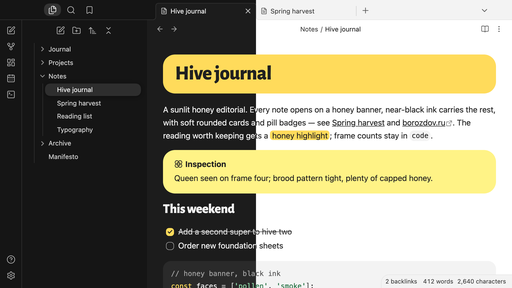
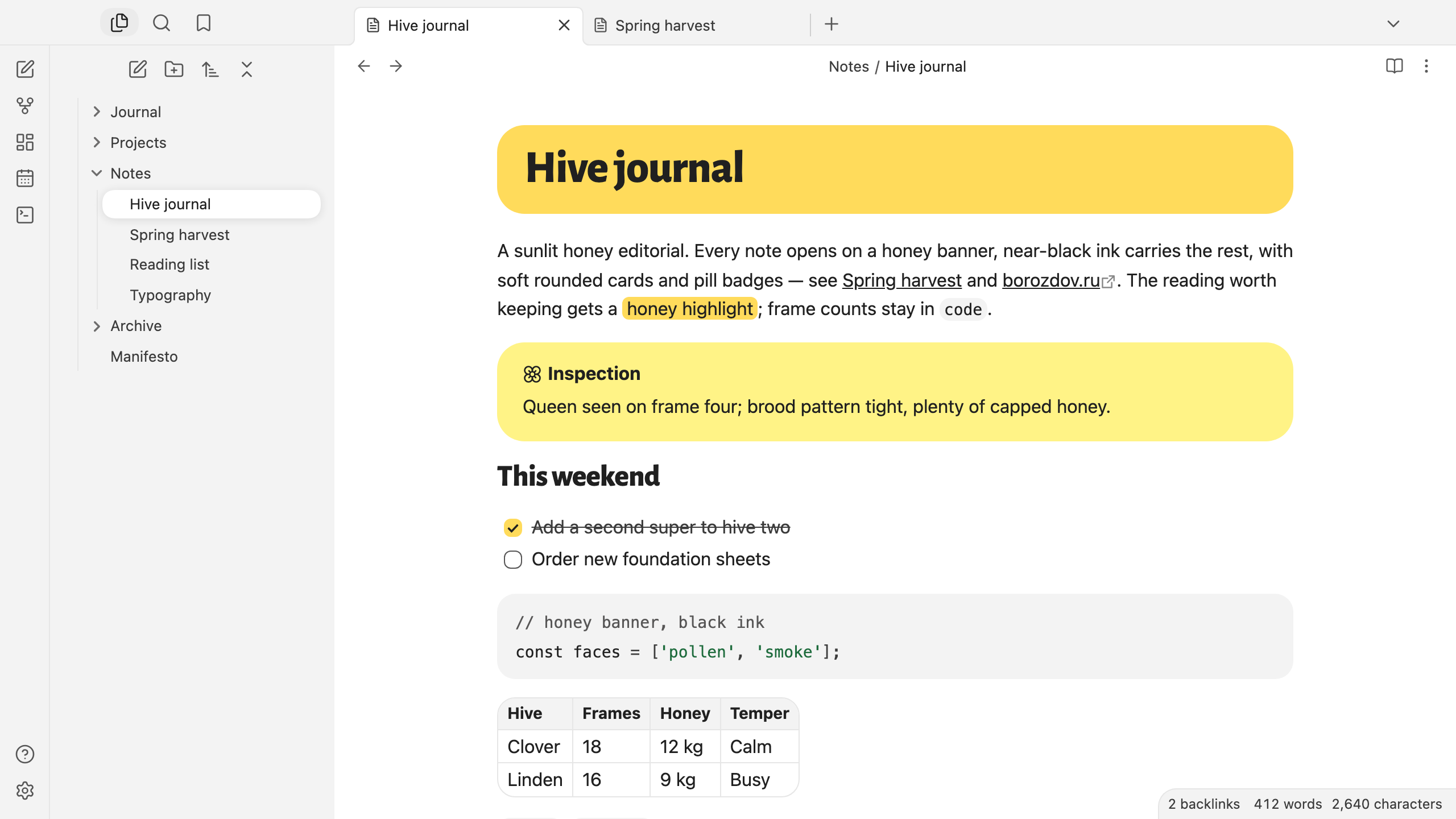
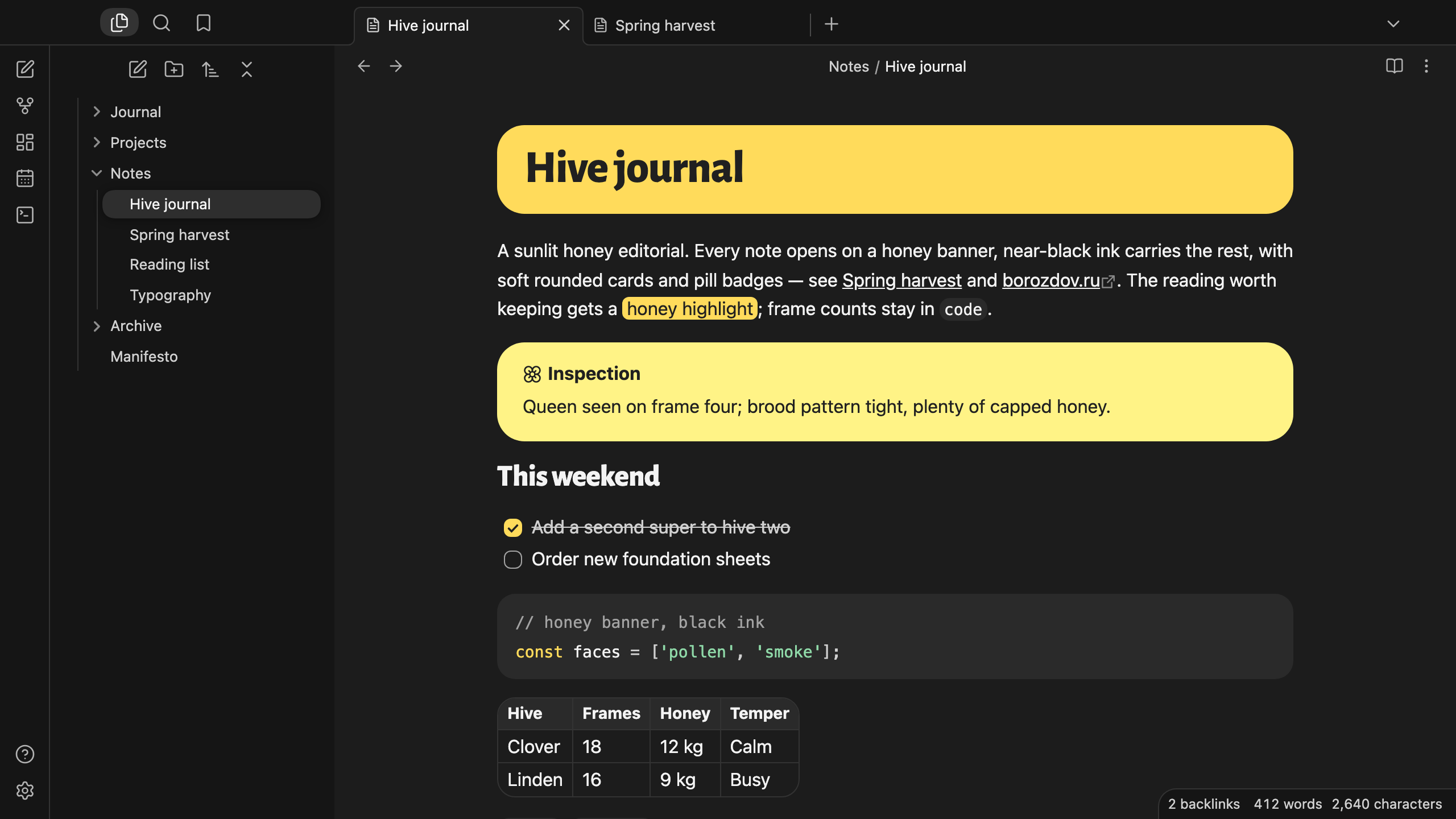
A theme from the Borozdov collection. Two faces — light Pollen, a sunlit honey editorial on white paper, and dark Smoke, the same pages by the beekeeper's smoker. Every note opens on a honey banner, near-black ink carries the rest, soft rounded cards and pill badges.
Principles
- A honey banner. The title of every note sits on a rounded honey block, in near-black, on both faces.
- Black ink and one yellow. Near-black ink carries every word, border and button. Honey is never a button: it is the banner, a checked task, the highlighter and the warning card, with pale pollen for the plain note.
- Callouts without a rainbow. Most callouts are mist cards with an ink title; the plain note is pollen, a warning turns honey and real trouble is an inverted card.
- Nothing sharp. 24px on cards, 16px on buttons and code, pills for tags; the open file is a white pill on the mist panel.
Features
- Light and dark modes, following Settings → Appearance → Base color scheme
- A honey banner behind the title of every note
- Callouts in one yellow and black ink, with an inverted card for trouble
- Tags as mist pills that turn honey under the pointer
- Quiet editing: no focus ring around the note, its title or form fields while you type; property names read as labels, not boxed fields
- Text colours meet WCAG contrast on both faces
- The phone layout keeps the same colours and shapes
- No
!important: every rule can be overridden with a CSS snippet
Installation
From the community directory: Settings → Appearance → Themes → Manage, search for Borozdov Hive, then Install and use.
By hand: download manifest.json and theme.css from the latest
release into
<vault>/.obsidian/themes/Borozdov Hive/, then choose Borozdov Hive under Settings →
Appearance → Themes.
Font
Alegreya Sans ExtraBold (© 2013 The Alegreya Sans Project Authors) is embedded in
theme.css as base64 WOFF2 under the SIL Open Font License 1.1 — see
fonts/OFL.txt. One weight, Latin and Cyrillic, for the title and the two
largest headings only.
License
MIT — see LICENSE.
По-русски. Тема из коллекции Borozdov. Два лика: светлый «Пыльца» — солнечная медовая редакция на белой бумаге, и тёмный «Дым» — те же страницы у пасечного дымаря. Каждая заметка открывается медовой плашкой с заголовком (Alegreya Sans ExtraBold), дальше всё несут почти чёрные чернила, мягкие скруглённые карточки и значки-пилюли. Устанавливается из каталога: Настройки → Оформление → Темы → Настроить → Borozdov Hive → Установить и применить.