
README file from
GithubPanorama
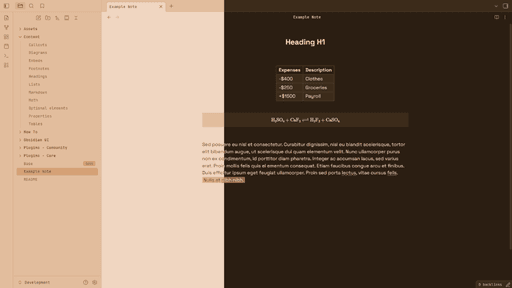
A minimal, yet sophisticated theme with many color palettes to choose from!
Color Palettes
Panorama offers 3 light & 5 dark color palettes! The light palettes are inspired by flowers!
- Cornflower (blue)
- Lavender (purple)
- Marigold (orange)
The dark color palettes are named after landscapes!
- Mountain (blue)
- Meadow (cyan)
- Space (purple)
- Hearth (brown)
- Forest (green)
Additional Toggles
Panorama also adds some settings that can be toggled on / off, depending on the user's preference!
- Accent Highlight (
==text==now uses a color that better fits your current theme) - Bold Folder Titles
- Centered H1 Tags
- Centered Tables
- LaTeX Background
- Overwrite Editor Font (Changes the editor font to "Space Grotesk")
- Overwrite Interface Font (Changes the interface font to "JetBrains Mono")
Installation
This theme currently is not on the obsidian theme market, please resort to the "Manual Installation"
Manual Installation
- Download the "Source code" file in the "Releases" Tab
- Extract it into your ".obsidian/themes" folder
- Install the Style Settings Community Plugin
- Enable the "Panorama" Theme in your settings