
README file from
GithubBorozdov Herbarium
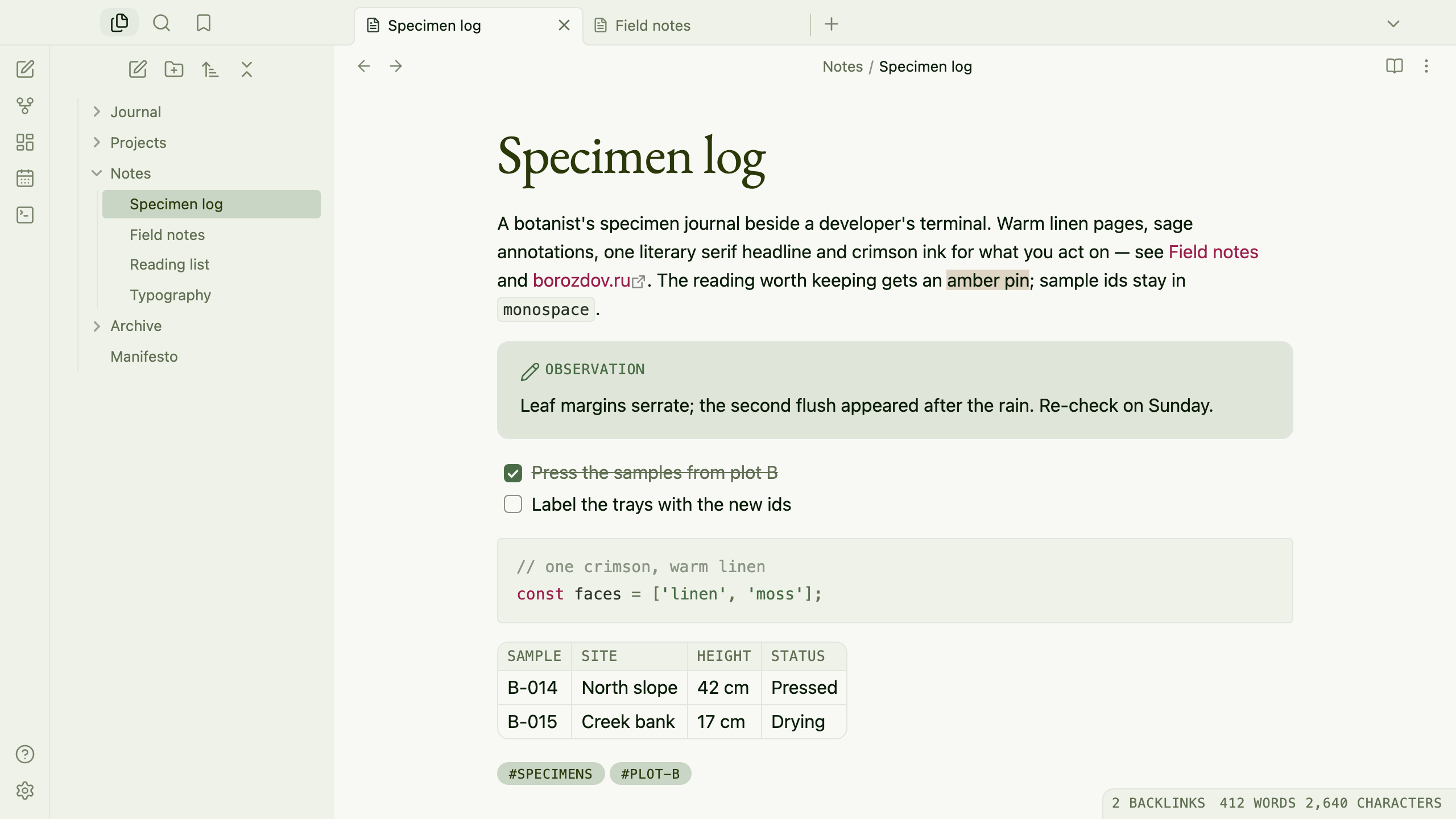
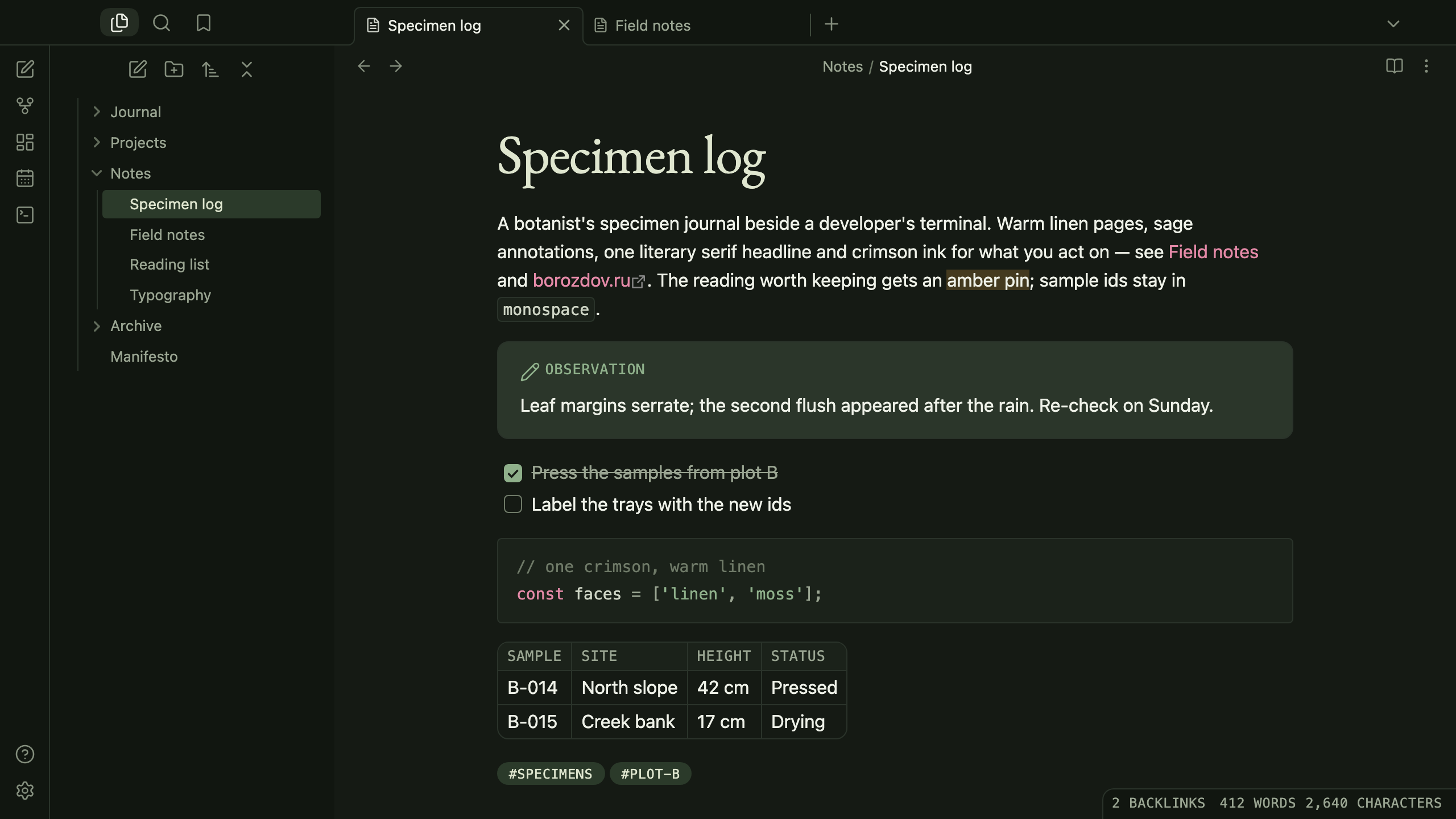
A theme from the Borozdov collection. Two faces — light Linen, a botanist's specimen journal on warm linen, and dark Moss, the same journal under the forest canopy. Sage annotations, one literary serif headline, monospace labels and crimson ink for what you act on.
Principles
- One serif anchor. EB Garamond for the title, the largest heading and pull quotes — the literary opening of every page. Every other heading is the platform's sans, tracked tight.
- Field-note labels. Tags, table headers, callout titles, property names and the status bar are set in a monospace, in capitals, tracked open, like the labels on a pressed specimen.
- Colour used organically. Forest ink carries the text and the main button; sage fills a checked task and a toggle; eucalyptus washes tags and the open file; crimson marks links and the caret; an amber pin is the highlighter.
- Specimen cards. Callouts are light washes of their type's colour over bone, with a hairline edge and 10px corners; nothing casts a shadow.
Features
- Light and dark modes, following Settings → Appearance → Base color scheme
- Pull quotes in the serif, a size up, behind a sage rule
- Tables as linen cards with a bone header band and monospace column labels
- Code blocks as terminal traces on bone with a hairline edge
- Quiet editing: no focus ring around the note, its title or form fields while you type; property names read as labels, not boxed fields
- Text colours meet WCAG contrast on both faces
- The phone layout keeps the same colours and shapes
- No
!important: every rule can be overridden with a CSS snippet
Installation
From the community directory: Settings → Appearance → Themes → Manage, search for Borozdov Herbarium, then Install and use.
By hand: download manifest.json and theme.css from the
latest release into
<vault>/.obsidian/themes/Borozdov Herbarium/, then choose Borozdov Herbarium under
Settings → Appearance → Themes.
Font
EB Garamond Regular (© 2017 The EB Garamond Project Authors) is embedded in theme.css as
base64 WOFF2 under the SIL Open Font License 1.1 — see fonts/OFL.txt.
One weight, Latin and Cyrillic, for the title, the largest heading and pull quotes only.
The monospace is your platform's own.
License
MIT — see LICENSE.
По-русски. Тема из коллекции Borozdov. Два лика: светлый «Лён» — дневник ботаника на тёплом льне, и тёмный «Мох» — тот же дневник под пологом леса. Шалфейные пометки, один литературный заголовок с засечками (EB Garamond), моноширинные ярлыки и малиновые чернила для того, что вы делаете. Устанавливается из каталога: Настройки → Оформление → Темы → Настроить → Borozdov Herbarium → Установить и применить.