
README file from
GithubCybertron 3
A dark theme for Obsidian, based on LYT Mode by Nick Milo, which itself evolved from Cybertron.
What's different from LYT Mode
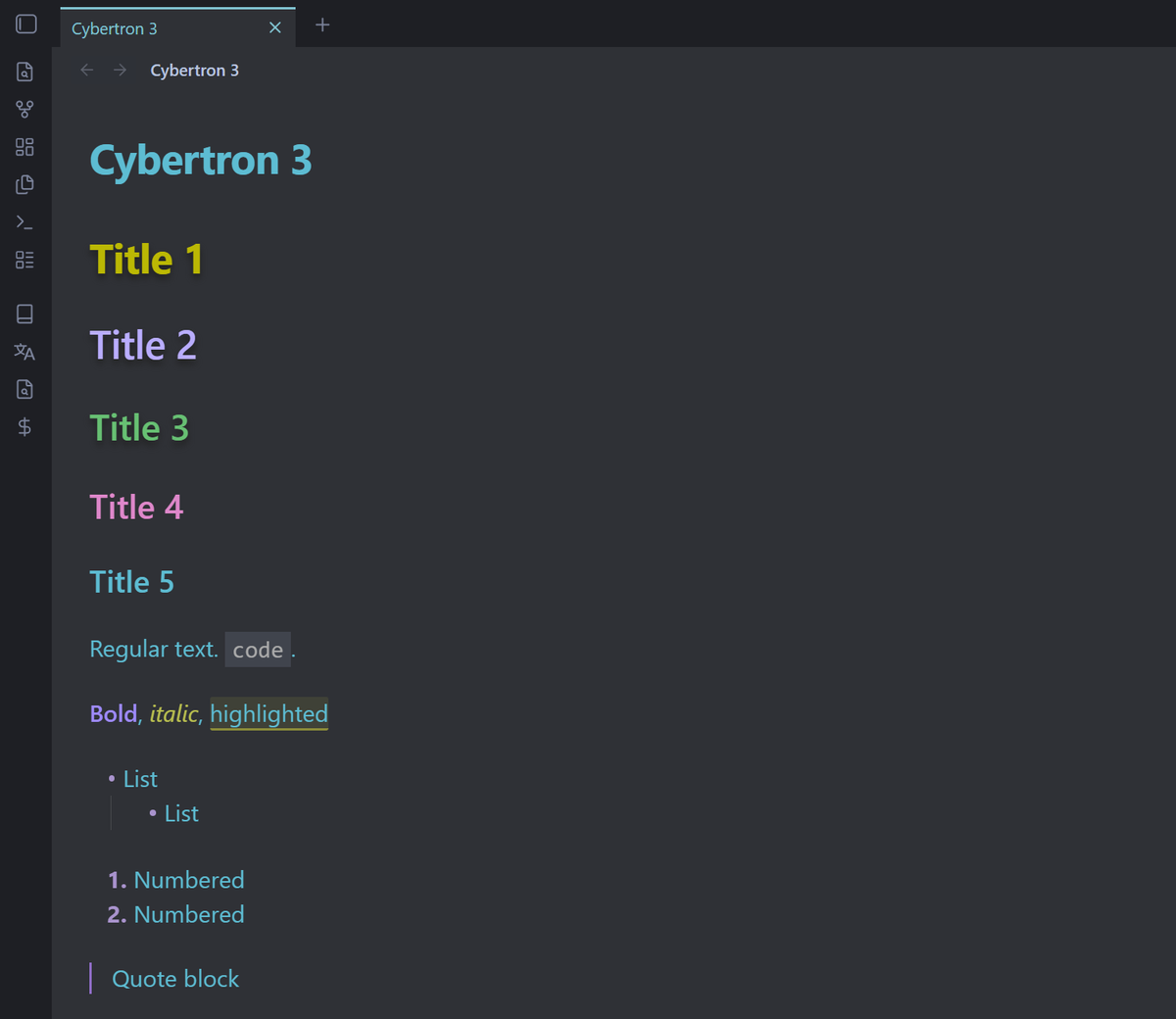
- Softer cyan accent and pink links. External links are italic, with no underline.
- Recolored headings (H1–H6), bold and italic text.
- Tighter line height (1.33 instead of 1.58).
- Code at full text size, on a lighter code-block background.
- A more neutral, less blue main background.
- Cyan highlight for the active tab, and a red window close button on hover.
- Muted grey file and folder names in the file explorer.
Every change is marked with a Custom comment in src/theme.css, with the original value where there was one (for example /* Custom, was 1.58 */).
The theme uses DM Sans and DM Mono when they're installed on your computer. Otherwise it uses your system font. Fonts aren't bundled, which keeps the theme small.
Installation
From the community theme directory
- Open Settings → Appearance.
- Next to Themes, select Manage.
- Search for Cybertron 3, then select Install and use.
Manually
- Download
theme.cssandmanifest.jsonfrom the latest release. - Put them in
<your vault>/.obsidian/themes/Cybertron 3/. - Open Settings → Appearance and choose Cybertron 3 under Themes.
Cybertron 3 is a dark-only theme and needs Obsidian 1.5.8 or later. Under Settings → Appearance → Base color scheme, choose Dark.
Editing the theme
The readable, commented stylesheet is src/theme.css. The theme.css in the repository root is generated from it and minified, so always edit the file in src. To rebuild, install Node.js 22 or later, then run:
npm install
npm run build   # writes theme.css and reports its size
npm run lint    # runs the same CSS checks as Obsidian's automated review
Commit src/theme.css and the rebuilt theme.css together. GitHub checks every push and fails if theme.css is out of date, over 100 KB, or has review issues.
To release a new version, bump version in manifest.json, commit, and publish a GitHub release whose tag matches that version (for example 1.0.3). The release workflow attaches theme.css and manifest.json automatically.
Credits
- Nick Milo, for LYT Mode and Cybertron.
- Boxicons, for the icons (MIT License).
- DM Sans and DM Mono, the theme's preferred fonts (used when installed).