
README file from
GithubBorozdov Cultivar
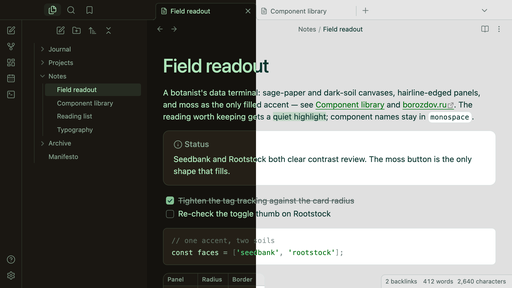
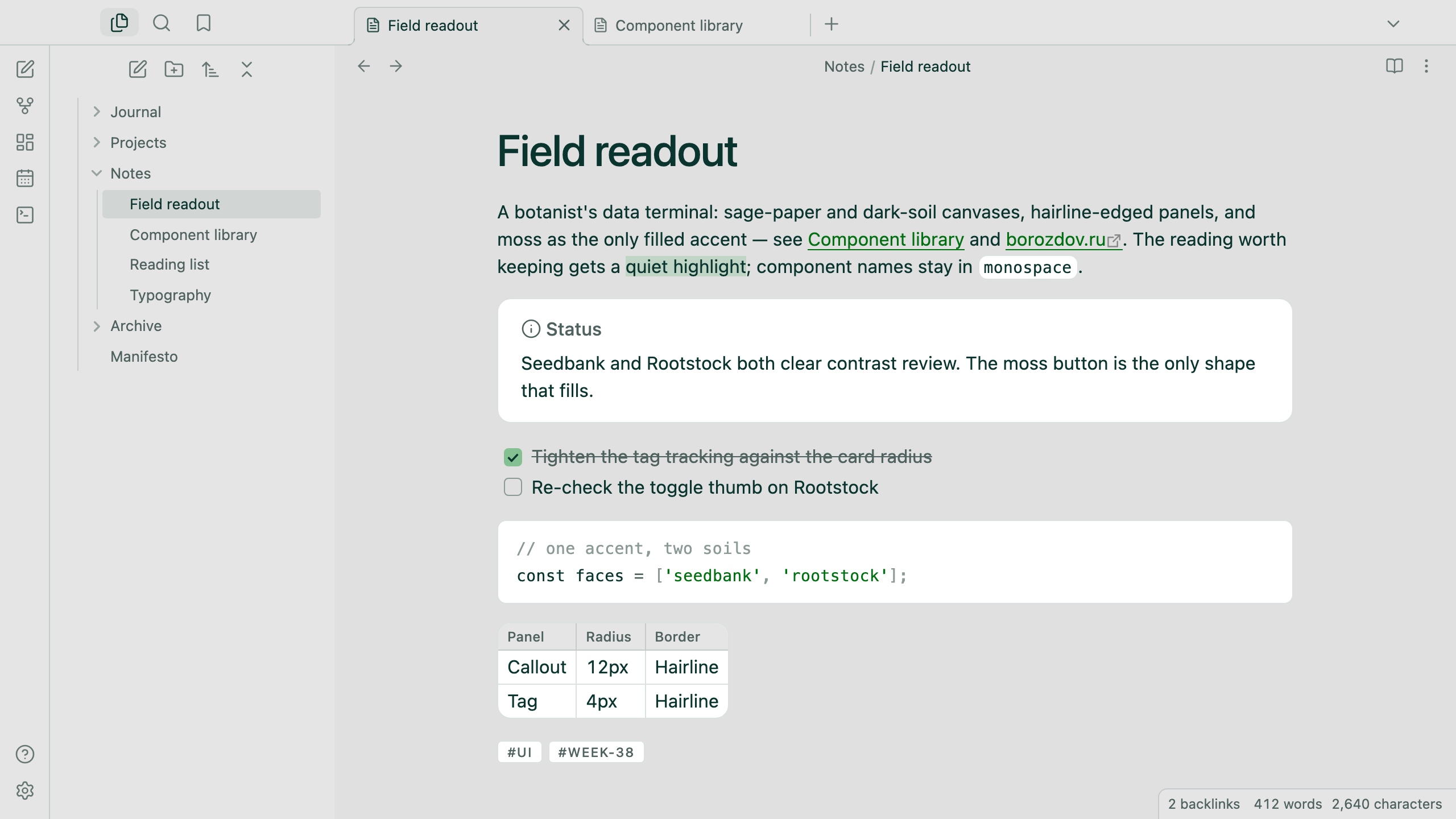
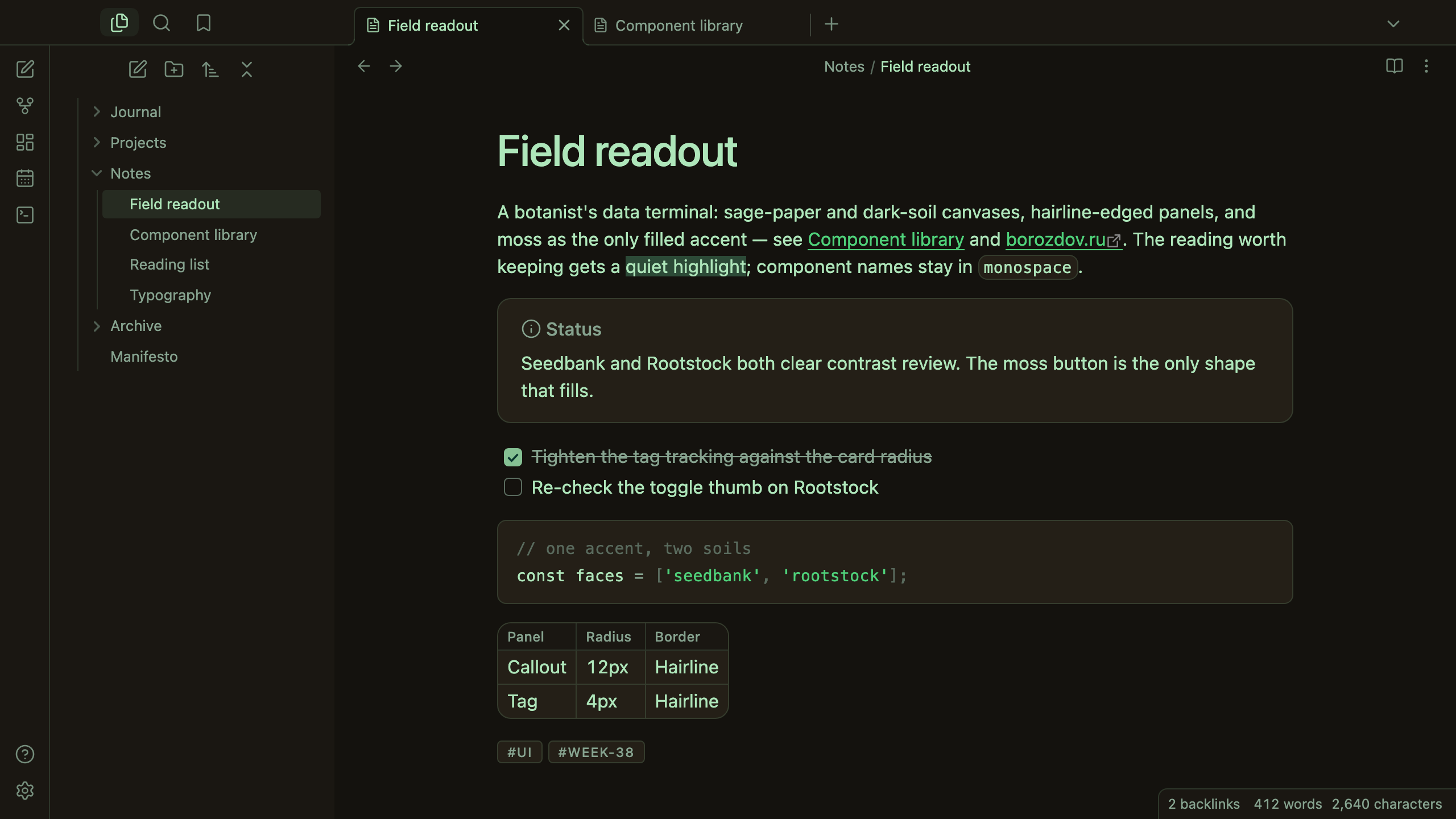
A theme from the Borozdov collection. Two faces — light Seedbank, a sage-paper data canvas with forest-ink readouts, and dark Rootstock, dark soil ground with a living-green readout. A botanist's data terminal: flat instrument cards, hairline rims, and a single moss accent that does all the work.
Principles
- The page is a readout, not a greenhouse. Seedbank keeps its sage-grey canvas edge to edge instead of a white page; Rootstock reads like a terminal set into dark soil. Neither face reaches for glasshouse whites or field-journal cream.
- One filled accent. Moss fills the single primary action per screen — every other button, tag and pill stays outlined or flat. A second chromatic accent never appears.
- Green carries meaning, not decoration. Links, tags and emphasis read in forest or fern green; everything else is ink, muted grey-green or a hairline.
- A hairline builds every card. Callouts, code panes, tables and popovers are the same panel: a lifted fill and a 1px hairline rim at 12px corners, never a shadow.
- Specimen-tag labels. Tags render tight, tracked and uppercase — the closest a system font gets to a stamped instrument label.
Features
- Light and dark modes, following Settings → Appearance → Base color scheme
- Callouts, code blocks, tables and popovers drawn as the same hairline-rimmed panel
- Tags styled as tracked, uppercase specimen labels with a hairline rim
- Quiet editing: no focus ring around the note, its title or form fields while you type; property names read as labels, not boxed fields
- A toggle thumb tuned to read against the moss accent on both faces
- Text colours meet WCAG contrast on both faces
- The phone layout keeps the same colours and shapes
- No embedded fonts: the platform's own sans and monospace stacks carry every readout, so the theme stays around 12 KB
- No
!important: every rule can be overridden with a CSS snippet
Installation
From the community directory: Settings → Appearance → Themes → Manage, search for Borozdov Cultivar, then Install and use.
By hand: download manifest.json and theme.css from the
latest release into
<vault>/.obsidian/themes/Borozdov Cultivar/, then choose Borozdov Cultivar under
Settings → Appearance → Themes.
License
MIT — see LICENSE.
По-русски. Тема из коллекции Borozdov. Два лика: светлый «Seedbank» — данные на шалфейно-серой бумаге с чернильно-лесными показаниями, и тёмный «Rootstock» — тот же терминал, вросший в тёмную почву, с живыми зелёными показаниями. Плоские карточки на тонкой линии и мох как единственный закрашенный акцент. Шрифты не встроены. Устанавливается из каталога: Настройки → Оформление → Темы → Настроить → Borozdov Cultivar → Установить и применить.