
README file from
GithubCockpit Glass
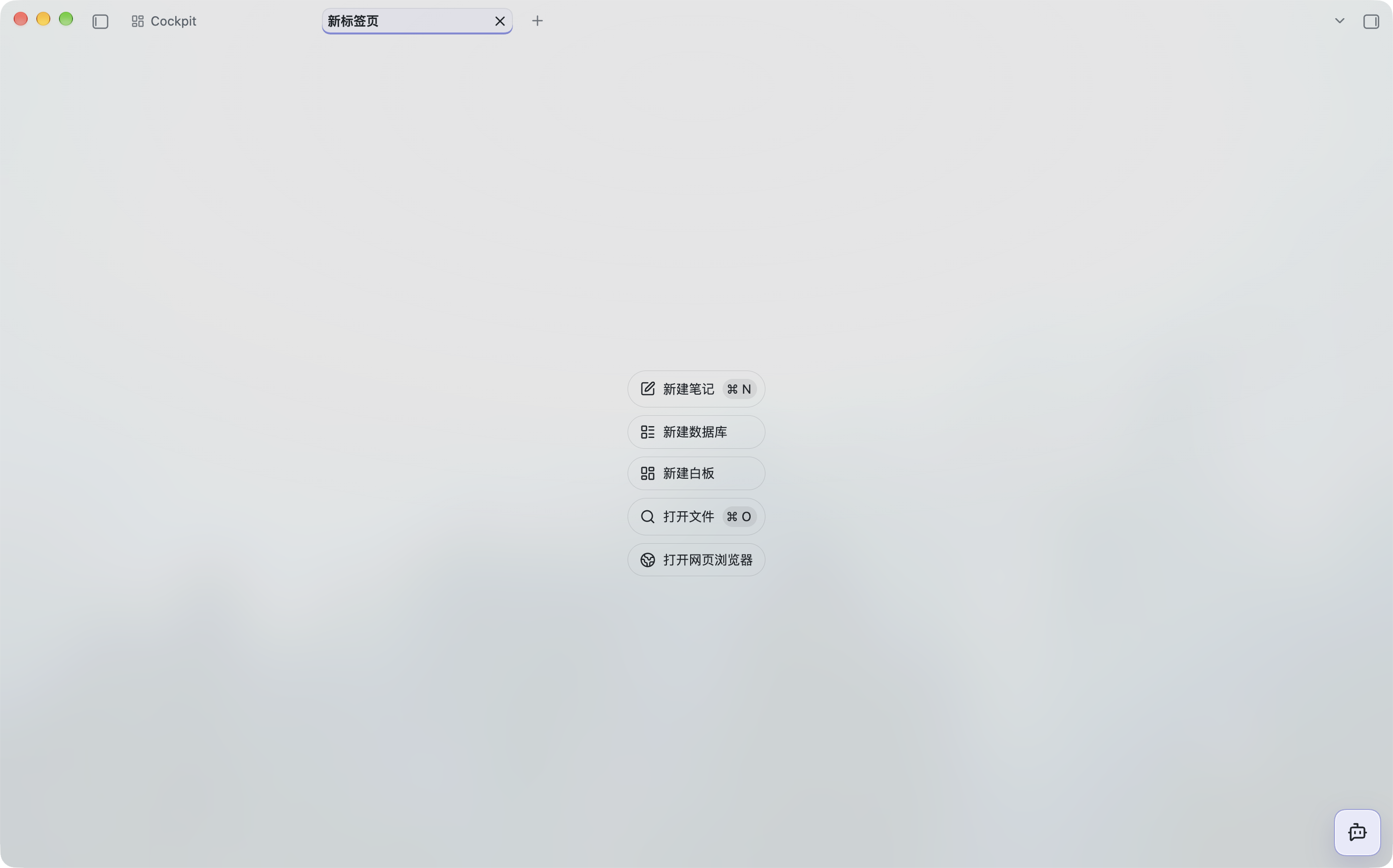
A standalone light and dark theme with a frosted navigation rail, subtle controls and clear reading surfaces. It follows your accent color and needs no plugins, remote assets or network requests.
中文说明 · Download · Architecture · Audit
Version 1.3.2, for app version 1.14.0+. The theme previously shipped as 1.2.0 inside Cockpit Dashboard. Community directory review is pending; GitHub releases can be installed manually.
Screenshots
Light mode
Dark mode
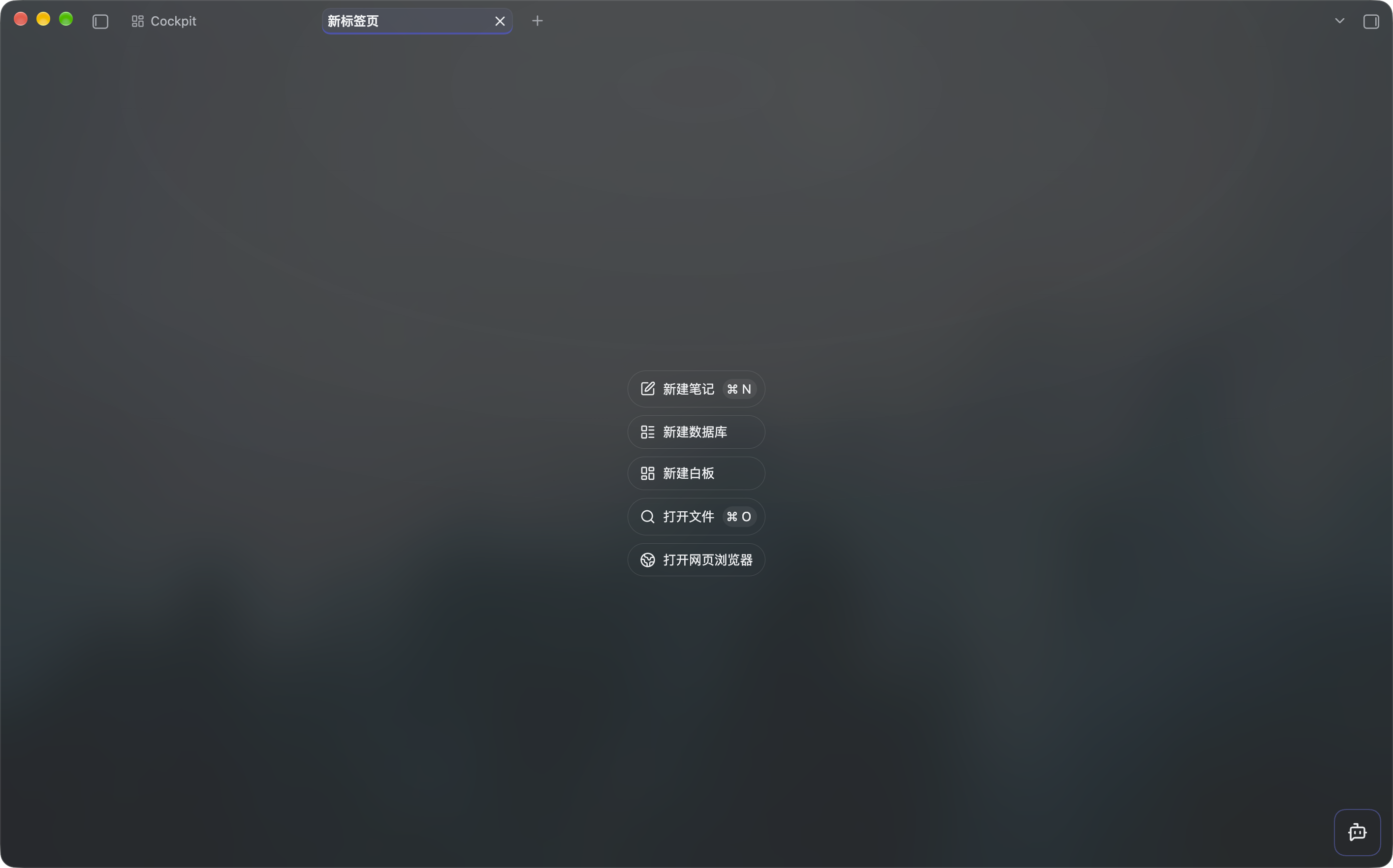
Screenshots show the actual macOS interface before the 1.3.2 note-transparency and divider changes. The Cockpit tab and AI shortcut are provided by the optional Cockpit Dashboard plugin; the theme works independently.
Install
Download the ZIP from Releases, then place its Cockpit Glass folder inside your vault configuration directory's themes/ folder (normally .obsidian/themes/). Alternatively, copy the release's two individual files, theme.css and manifest.json, into themes/Cockpit Glass/.
Select Cockpit Glass in Settings → Appearance → Themes. No Node.js, build step or plugin is needed for end users.
On macOS, Translucent window is optional. Notes share the native window glass in reading and editing modes; dialogs and search palettes retain solid surfaces. Pane dividers stay faint until hovered or dragged. Other platforms, fullscreen and detached settings use solid fallbacks; CSS cannot provide native desktop wallpaper blur there. Windows/Linux and mobile visual acceptance are still pending. To uninstall, choose another theme and remove this theme's folder; no user data is stored by the theme.
Maintain and deploy
This is a source project, with generated installation files:
src/*.css → build.js → theme.css + dist/
                              ├── theme.css
                              ├── manifest.json
                              ├── Cockpit-Glass-1.3.2.zip
                              └── SHA256SUMS.txt
Edit the modules under src/; their cascade order is declared in theme.config.json. Root theme.css is generated and committed for the community directory. Never edit it directly. The project is self-contained and does not build from the plugin repository.
Requires Node.js 22+ and npm for development:
npm ci
npm test
npm run release:check
One-command deployment on macOS/Linux installs missing build dependencies, builds, validates, backs up the installed theme, then copies only the two runtime files:
bash deploy.sh --vault /path/to/vault
Use --config-dir custom-config for a vault with a different configuration directory. To reuse a local default, copy deploy.local.example.json to deploy.local.json and set themeDir to your theme folder; then run bash deploy.sh without arguments. The local file is ignored by Git. COCKPIT_THEME_DIR also works.
On Windows, run npm ci once, then npm run deploy -- --vault C:/path/to/vault; the Node deployment implementation is shared across platforms. Backups live under the installed theme's .cockpit-backups/. Existing newer themes, another theme's files and concurrent deployments are refused. Theme preferences and unrelated files are preserved. See architecture for recovery and locking details.
Verify interactions
node scripts/extract-host-css.mjs /path/to/host.asar
npx playwright install chromium
npm run test:ui
Local host CSS and synthetic screenshots stay in ignored output/. They are not community-store screenshots. Tooling tests exercise backup, rollback, locks, external edits and release packaging; browser tests use a synthetic DOM with the local host stylesheet. Real-device acceptance is recorded separately in the audit.
npm run release:check validates the GitHub release package. npm run community:check checks the screenshot selected by communityScreenshot in theme.config.json. The selected screenshot must also exist in the commit tagged for the release. See publishing instructions.
Support

If Cockpit Glass is useful to you, you can support its ongoing development and maintenance on Afdian. Thank you for your support!
MIT License. Original attribution is preserved in LICENSE. Cockpit Dashboard remains optional; its bundled installer can retain its older offline snapshot without replacing a newer installed theme.