
README file from
GithubBorozdov Cathode
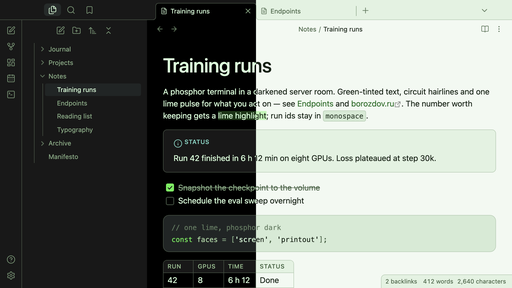
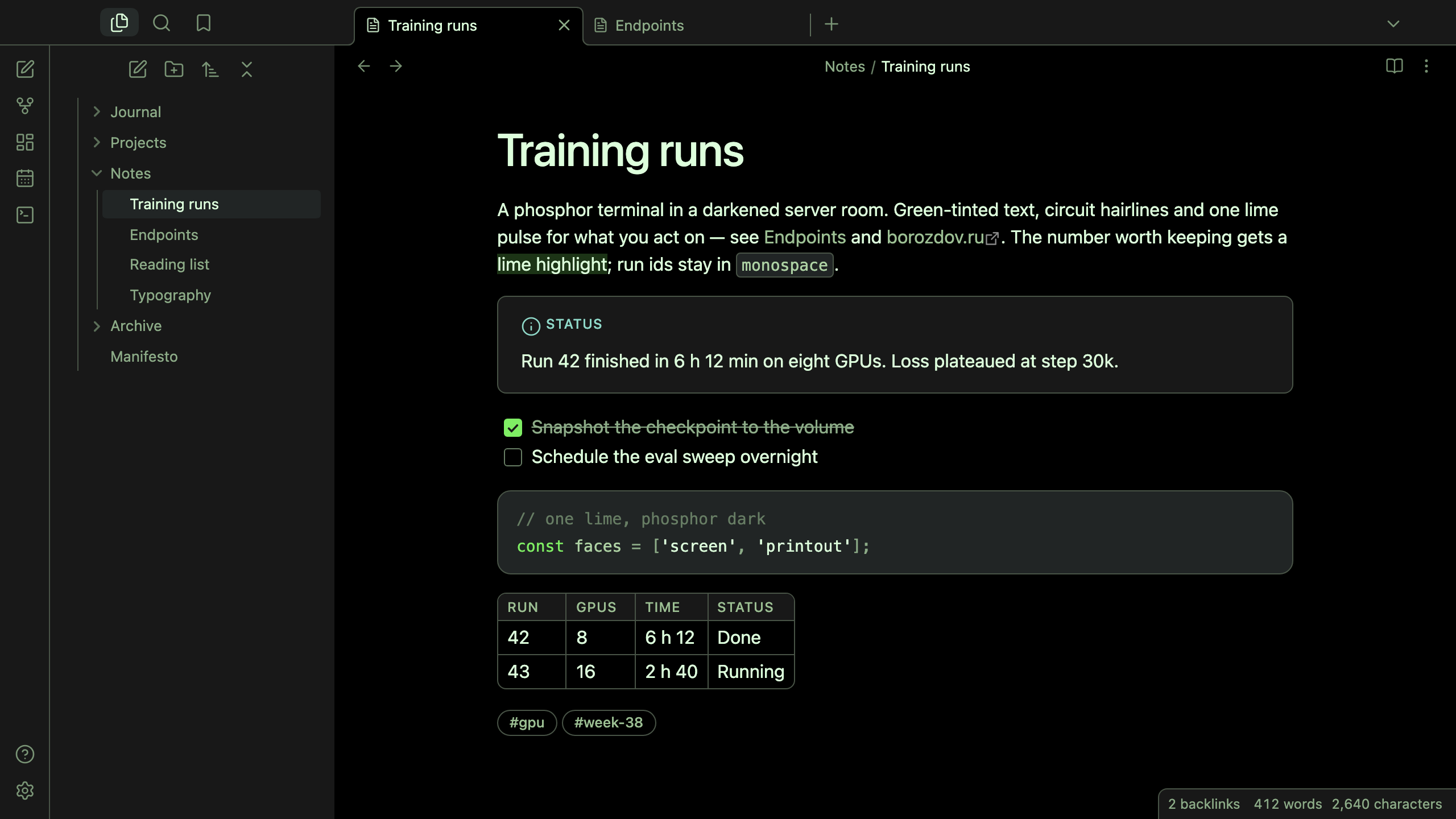
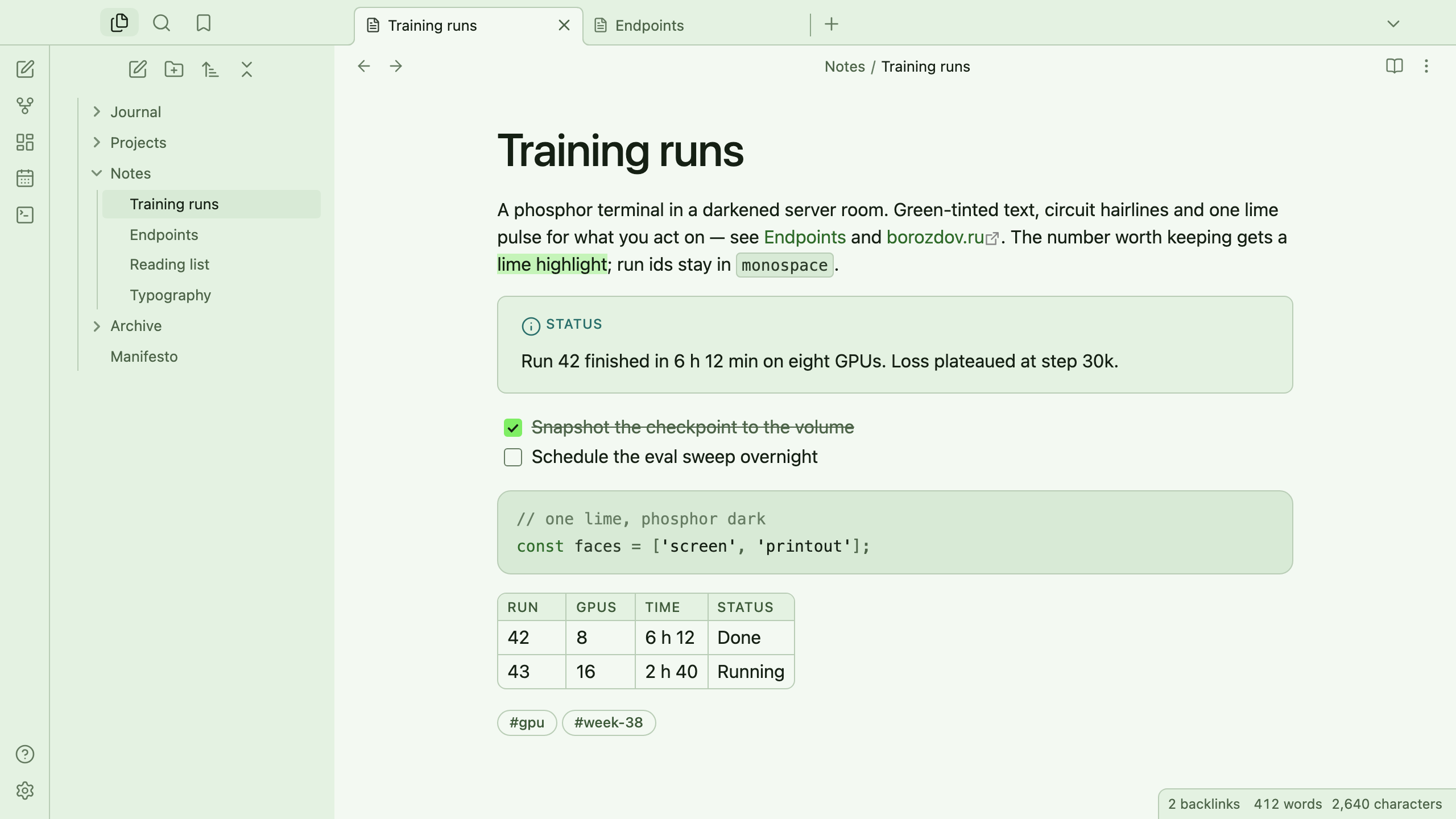
A theme from the Borozdov collection. Two faces — dark Screen, a phosphor terminal in a darkened server room, and light Printout, the same output on mint-frost paper. Green-tinted text, circuit hairlines and one lime pulse for what you act on.
Principles
- Everything is phosphor. The text is a pale green-white, muted text is sage, the hairlines are circuit green — the whole screen glows one hue, the way a monochrome terminal did.
- One LED. Vivid lime behaves like a status light: the main button, a checked task, a toggle, the caret, an active tag. It is never a text colour; links are moss on the screen and deep fern on paper.
- Ground, carbon, circuit. Surfaces step from the void to ground iron to carbon; callouts, code windows and panels are defined by a circuit hairline. No blue, no purple, no shadows.
- Developer-native type. The platform's own sans, 400 for the text and 500 for headings that tighten as they grow; eyebrow labels in small tracked capitals.
Features
- Dark and light modes, following Settings → Appearance → Base color scheme
- Callouts as workload cards with a moss eyebrow in the type's colour
- Code blocks as code windows with a circuit hairline
- Tags and property values as ghost pills that light up lime under the pointer
- Quiet editing: no focus ring around the note, its title or form fields while you type; property names read as labels, not boxed fields
- Text colours meet WCAG contrast on both faces
- The phone layout keeps the same colours and shapes
- No embedded fonts, so the theme stays around 12 KB
- No
!important: every rule can be overridden with a CSS snippet
Installation
From the community directory: Settings → Appearance → Themes → Manage, search for Borozdov Cathode, then Install and use.
By hand: download manifest.json and theme.css from the
latest release into
<vault>/.obsidian/themes/Borozdov Cathode/, then choose Borozdov Cathode under
Settings → Appearance → Themes.
License
MIT — see LICENSE.
По-русски. Тема из коллекции Borozdov. Два лика: тёмный «Экран» — фосфорный терминал в затемнённой серверной, и светлый «Распечатка» — тот же вывод на мятной бумаге. Текст с зелёным отливом, тонкие линии цвета печатной платы и один лаймовый импульс для того, что вы делаете. Шрифты не встроены. Устанавливается из каталога: Настройки → Оформление → Темы → Настроить → Borozdov Cathode → Установить и применить.