
README file from
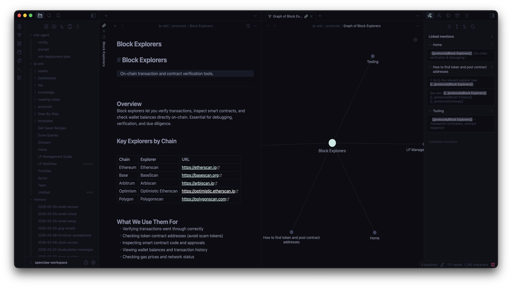
GithubApathy — Obsidian Theme
A dark, sophisticated theme with deep purple-black backgrounds and vibrant neon-like accents. Part of the Apathy theme family.
Features
- Deep dark background — Rich purple-black tones (
#0C0C13) easy on the eyes - Minted accent palette — Soft cyan/mint highlights (
#D1F1EC) for interactive elements - Carefully tuned callouts — Every callout type has a distinct, harmonious color
- Code block styling — Syntax-aware colors matching the full Apathy palette
- Metadata & UI polish — Tabs, nav, titlebar, inputs all themed consistently
Color Palette
| Element | Color | Hex |
|---|---|---|
| Background | 🟣 | #0C0C13 |
| Editor BG | ⚫ | #0B0B11 |
| Text | 🔵 | #8B8FA7 |
| Accent | 🟢 | #D1F1EC |
| Muted | 🔷 | #3A4159 |
| Error | 🔴 | #CB3F75 |
| Warning | 🟠 | #FFDECC |
| Success | 🟩 | #A1CEC5 |
Installation
From Community Themes
- Open Settings → Appearance → Themes
- Click Manage and search for Apathy
- Click Install and use
Manual
- Download
theme.cssandmanifest.jsonfrom this repo - Create a folder called
Apathyinside your vault's.obsidian/themes/directory - Place both files inside that folder
- Go to Settings → Appearance and select Apathy
Related
License
MIT