
README file from
GithubBorozdov Agenda
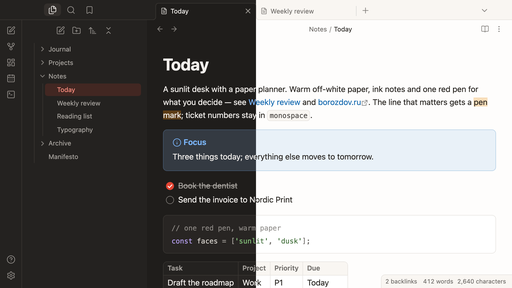
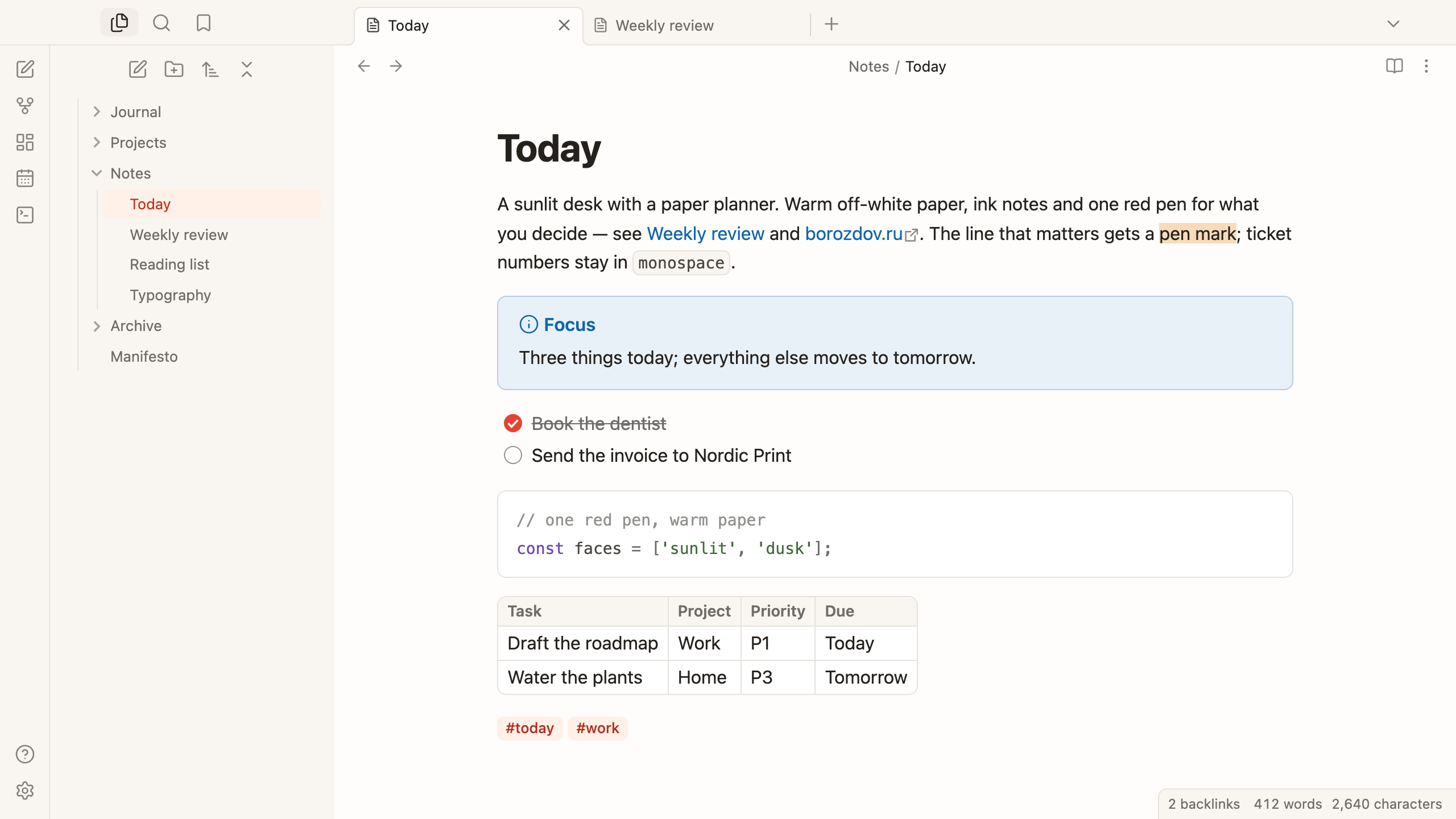
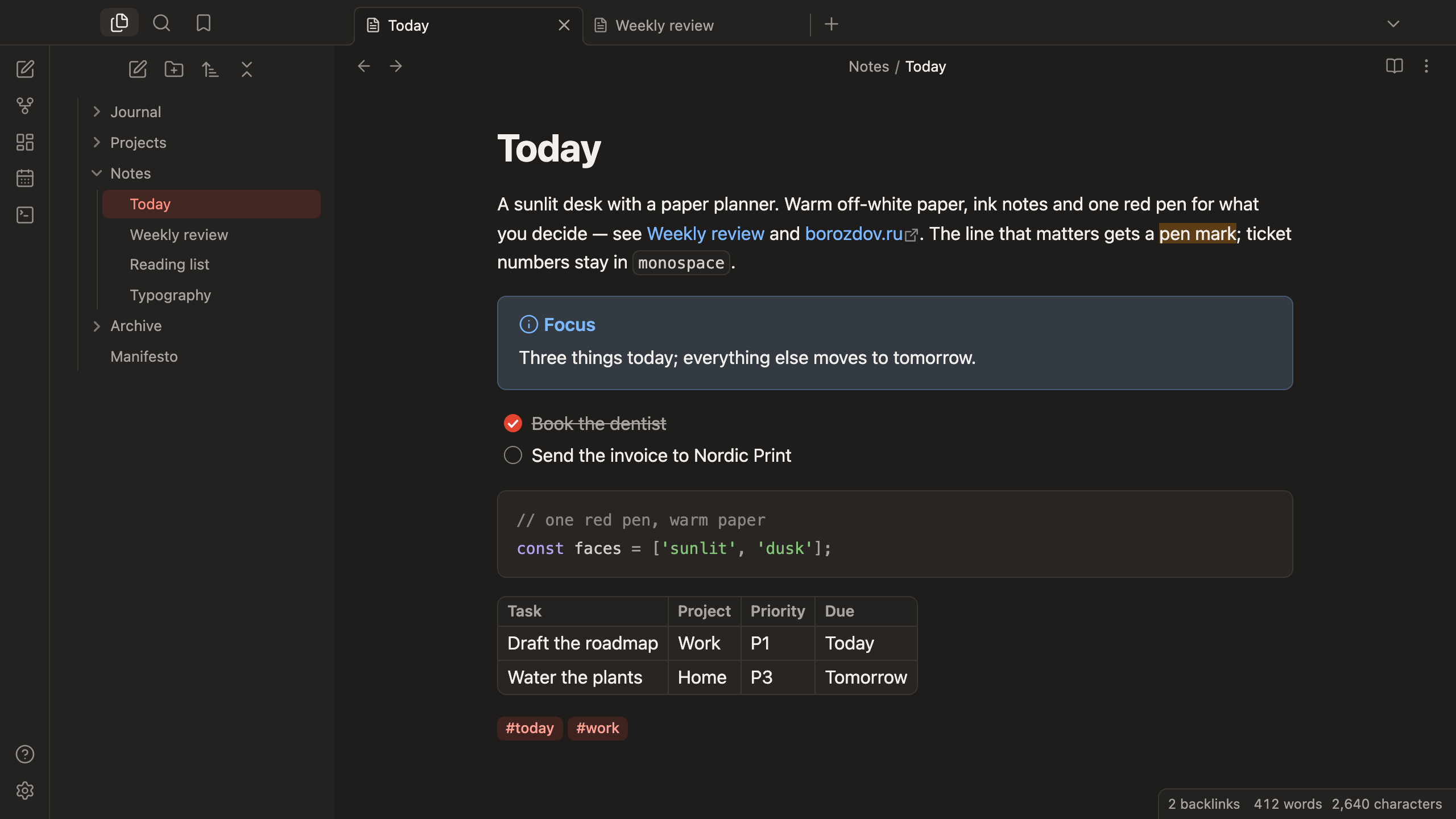
A theme from the Borozdov collection. Two faces — light Sunlit, a desk with a paper planner in daylight, and dark Dusk, the same desk in the evening. Warm off-white paper, ink notes, round task checkboxes and one red pen for what you decide.
Principles
- A planner, not a dashboard. Warm paper, ink text, hairline edges, one 8px radius for everything you touch.
- One red pen. Red marks what you act on — a ticked task, an enabled toggle, the main button, the caret, the selected file. Links are cobalt, done things are green.
- Round checkboxes. Tasks are circles that fill in red, the way a planner's are.
- Quiet type. The platform's own sans; 400 for text, 600 for labels and headings, 700 only for the title. Quotes switch to a serif with generous leading.
Features
- Light and dark modes, following Settings → Appearance → Base color scheme
- Callouts as planner cards: a pale wash of the type's colour with a hairline edge
- Tags as cream badges with deep-red text; the selected file gets the same tint
- Code on a white card; tables with a rounded hairline frame and grid
- Quiet editing: no focus ring around the note, its title or form fields while you type; property names read as labels, not boxed fields
- Text colours meet WCAG contrast on both faces
- The phone layout keeps the same colours and shapes
- No fonts embedded and no
!important: about 13 KB, every rule overridable with a CSS snippet
Installation
From the community directory: Settings → Appearance → Themes → Manage, search for Borozdov Agenda, then Install and use.
By hand: download manifest.json and theme.css from the
latest release into
<vault>/.obsidian/themes/Borozdov Agenda/, then choose Borozdov Agenda under
Settings → Appearance → Themes.
License
MIT — see LICENSE.
По-русски. Тема из коллекции Borozdov. Два лика: светлый «День» — стол с бумажным планировщиком при дневном свете, и тёмный «Сумерки» — тот же стол вечером. Тёплая бумага, чернильный текст, круглые чекбоксы задач и одна красная ручка для того, что вы решили. Устанавливается из каталога: Настройки → Оформление → Темы → Настроить → Borozdov Agenda → Установить и применить.