
README file from
GithubYue
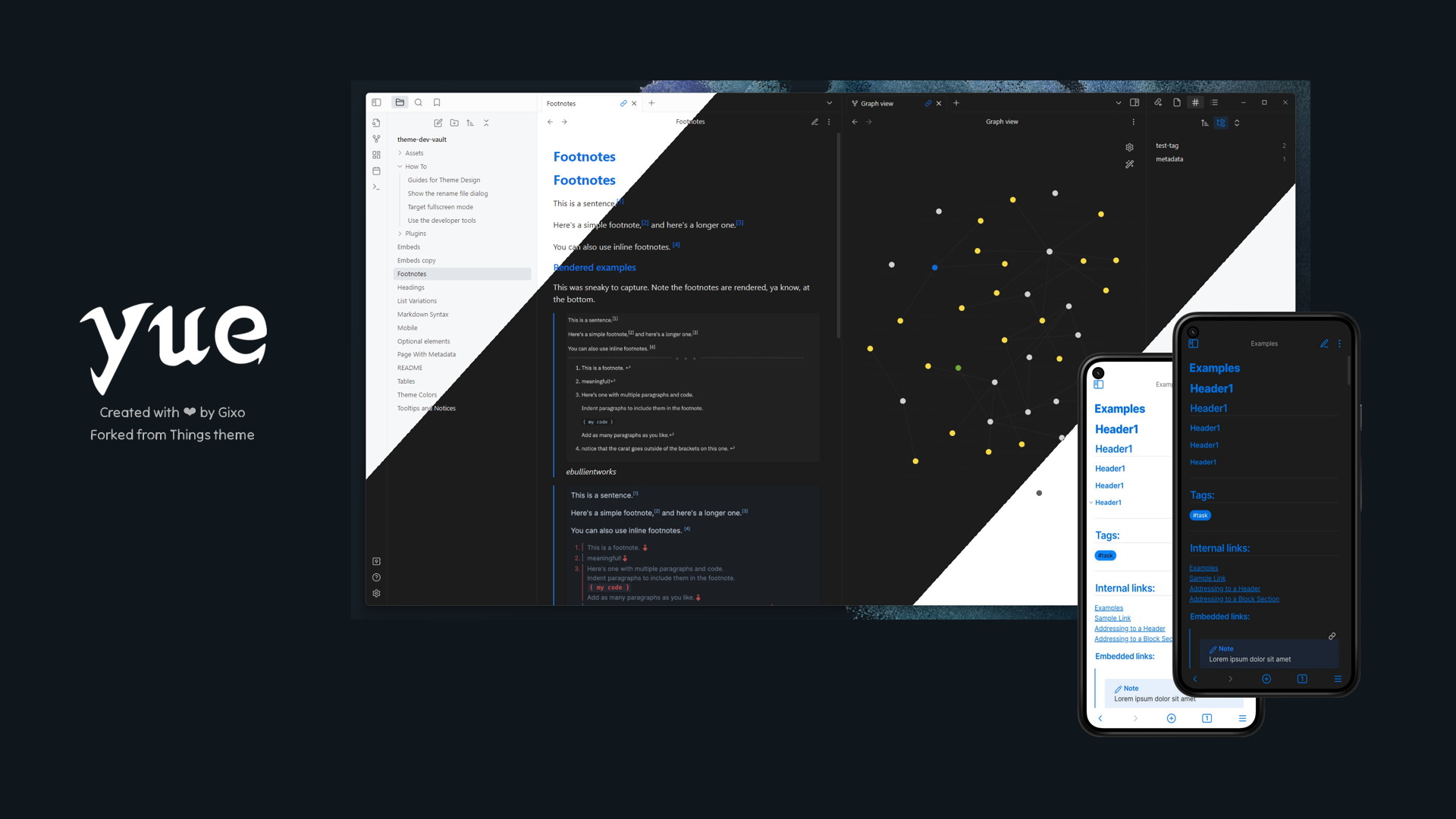
This theme is a fork of Things Theme by Colin Eckert.
Color scheme of this theme is from my Yue theme family.
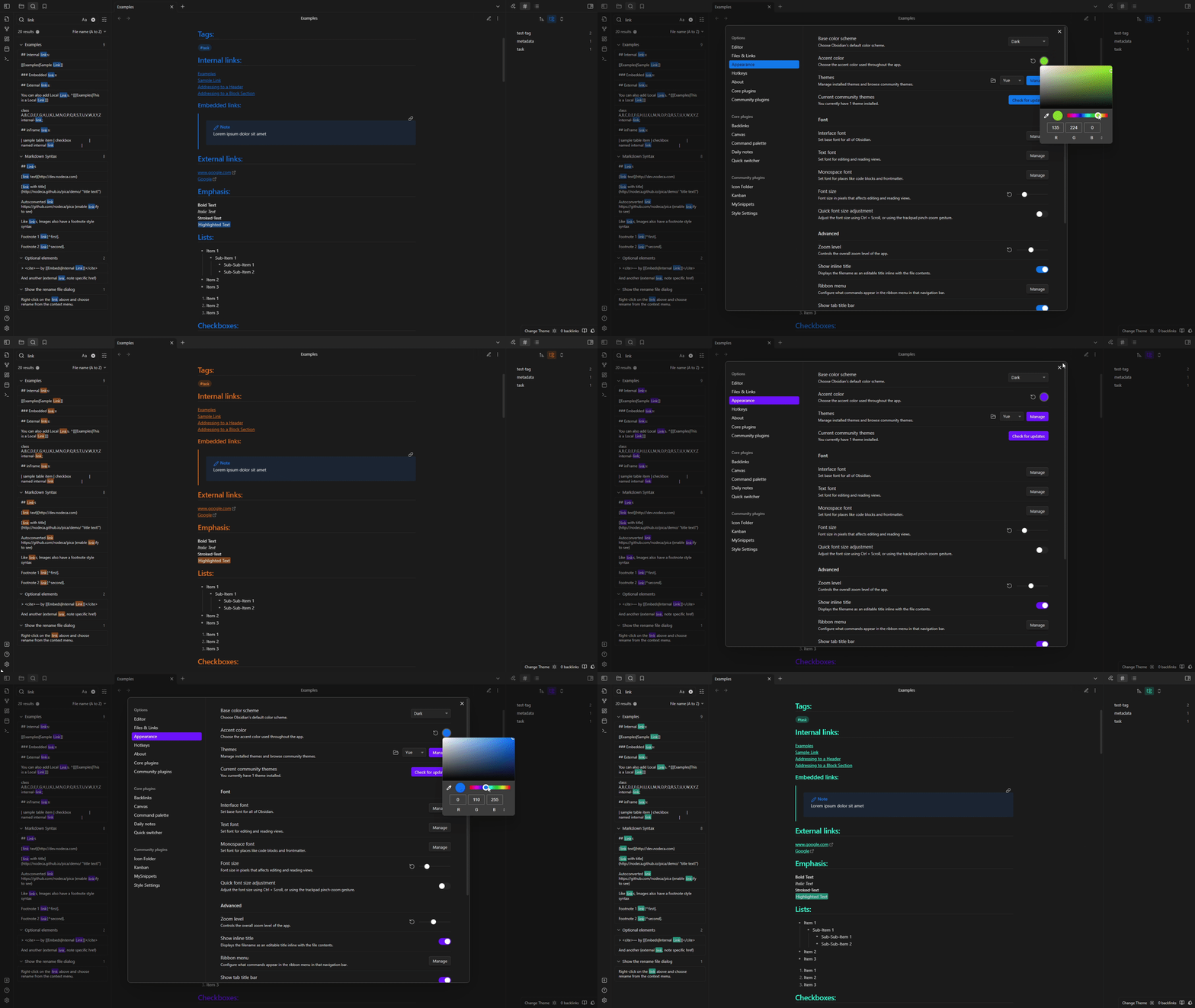
Screenshots:
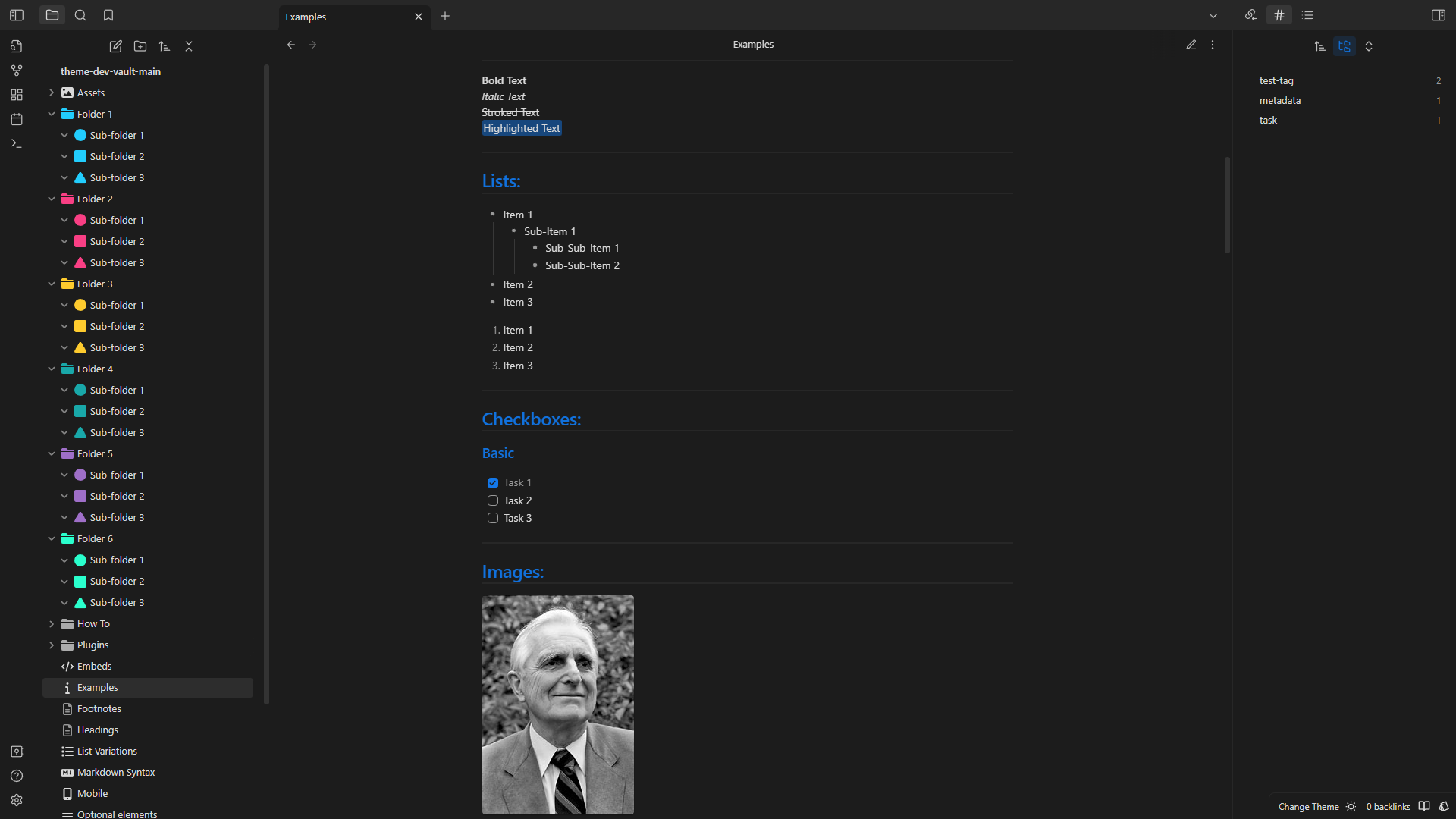
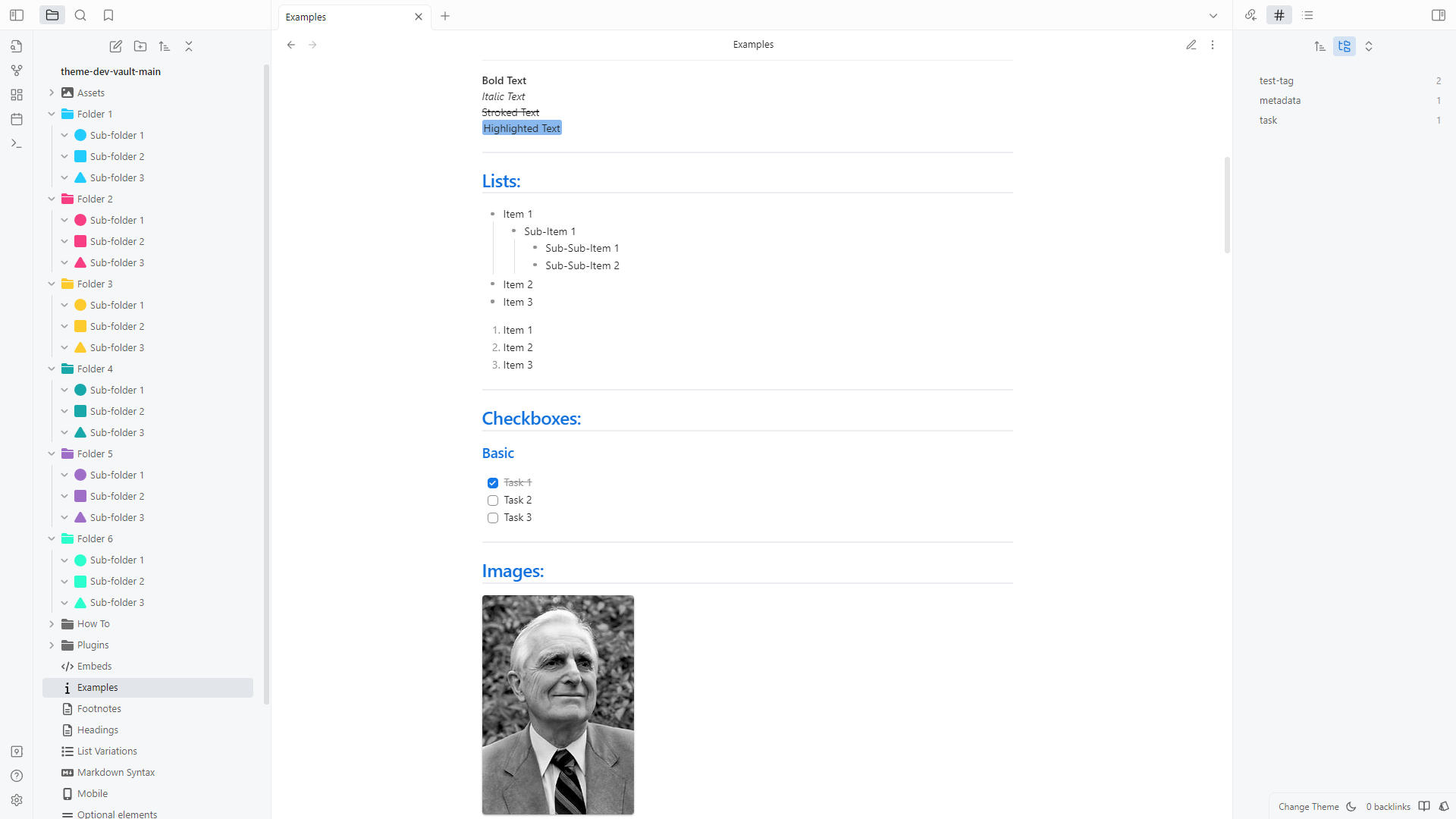
Colorful icons in the screenshots are my Obsidian Yue Icons which you can set by Icon Folder plugin.
Features
- Subtle UI colors with vibrant syntax highlight colors
- Light and dark theme
- Quick preview/edit floating action button on mobile
- Customizable colors for bold, italic, highlighters, and block-quotes via the Style Settings community plugin
- Enhanced code blocks with line numbers
- Tag pills for readability
- Checkbox styling and icons
- Better designed image cards
- JetBrains Mono font and ligatures for code
Supported Plugins
This theme has support for the following Obsidian community plugins (Things V1):
Checkbox Styling
Things supports a wide number of alternate checkbox types. These allow you to call out tasks that are incomplete, canceled, rescheduled, etc. See below for availale checkbox types.
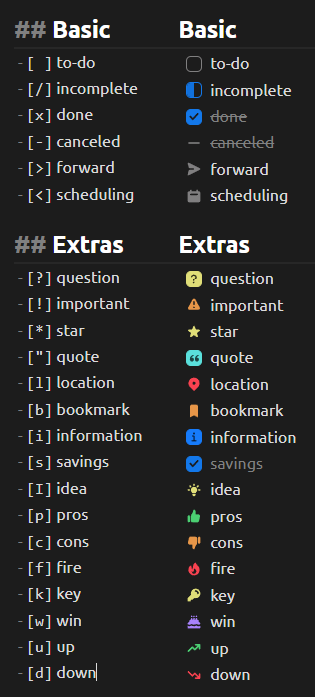
## Basic
- [ ] to-do
- [/] incomplete
- [x] done
- [-] canceled
- [>] forwarded
- [<] scheduling

## Extras
- [?] question
- [!] important
- [*] star
- ["] quote
- [l] location
- [b] bookmark
- [i] information
- [S] savings
- [I] idea
- [p] pros
- [c] cons
- [f] fire
- [k] key
- [w] win
- [u] up
- [d] down
Installation
Obsidian Marketplace (Recommended)
- Open the Settings in Obsidian
- Navigate to Appearances tab under Options
- Under the Themes section, click on the
Managebutton across from Themes - Search for
Yuein the Filter text input - Click
Useand then you're done! 🎉
Manual
- Download this repo
- Copy the
theme.cssfile into your vault's/.obsidian/themesdirectory - Rename the file to
Yue.cssso it will have a unique name in the theme selection dropdown - Open the Settings in Obsidian
- Navigate to Appearances tab under Options
- Under the Themes section, click on the dropdown menu next to Theme heading
- Select
Yueand then you're done! 🎉
Feedback
If you have any issues and/or suggestions, please submit an issue or raise a PR. I will try my best to answer as quickly as possible!
Credits
This theme is a fork of Things Theme by Colin Eckert. According to Colin Eckert Things theme is based on @kepano work and inspired by @chetachiezikeuzor.
Support
You can help me keep making things like this by checking out my other stuff like Yue for VSCode and Yue for Visual Studio or by checking my Gumroad.