
README file from
GithubSAzure Glass
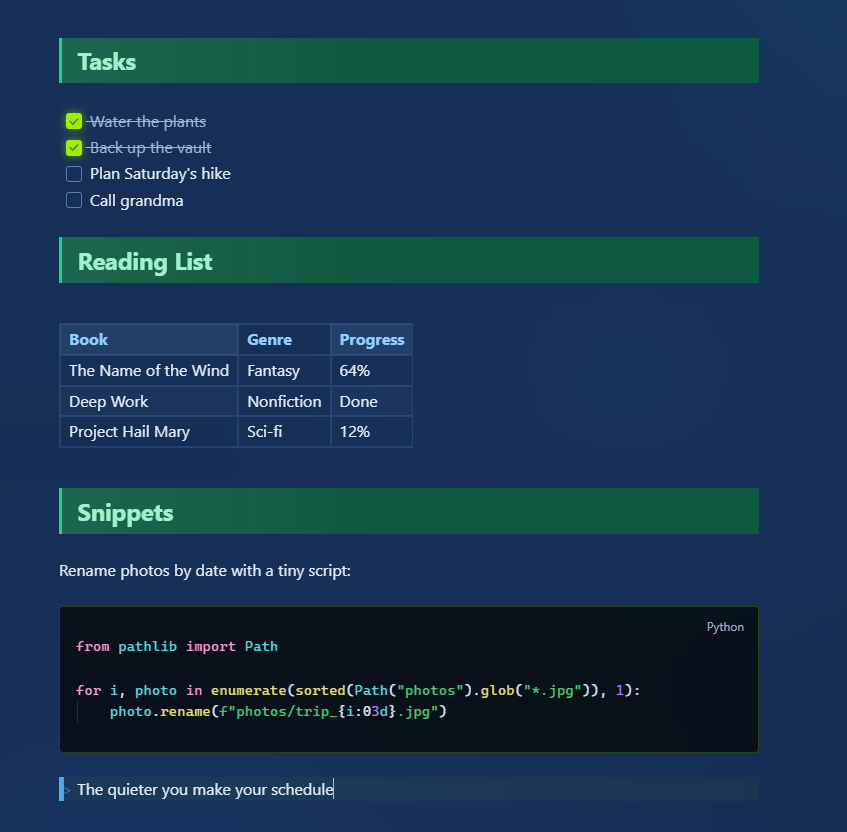
A blue-ish theme for Obsidian inspired by multiple existing themes, namely:
Features
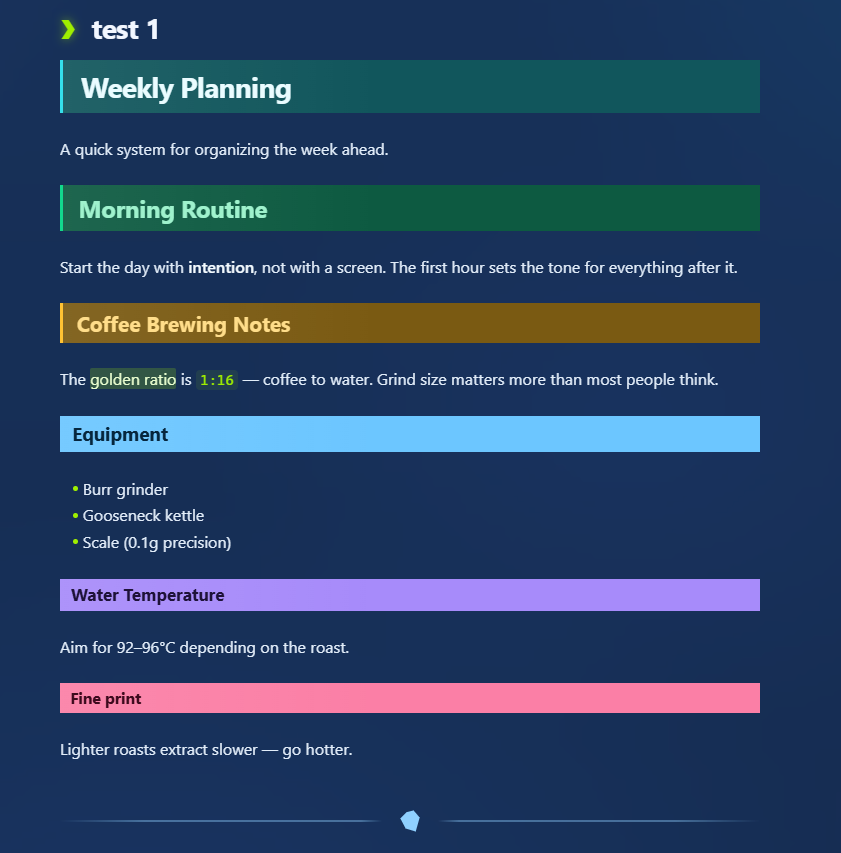
- Big, bold headings (Willemstadt style)
- HackTheBox-inspired green accents + navy/neon note pane
- Clean blue-ish color palette
Installation
Recommended
- Open Obsidian
- Go to Settings → Appearance → Themes → Manage
- Search for "SAzure Glass" and install
Manual Installation
- Download the latest release assets (
manifest.json+theme.css) - Create folder:
.obsidian/themes/SAzure-Glass/ - Place both files inside that folder
- Reload Obsidian and enable the theme in Settings → Appearance
Screenshots
Credits
- Heading bars and callout styling inspired by the look of the Willemstadt theme
- The note pane's navy-and-neon palette is a nod to the Hack The Box colors. This theme is not affiliated with or endorsed by Hack The Box.
- The blue-ish colors were inspired by the Encore theme
License
MIT — see LICENSE