
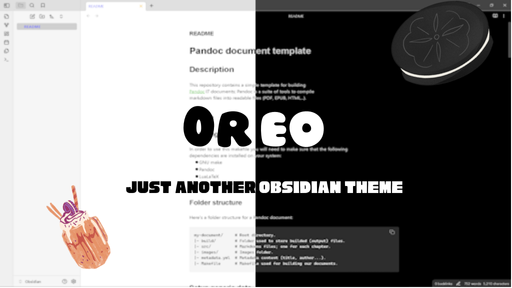
README file from
GithubTable of contents
- Features
- Installation
- Customization
- Author
- Screen shots
- Unique Features
- Contributing
- Bugs and reports
- License
Features
- Dark Mode : Black and dark gray colors with white text, inspired by the Oreo cookie.
- Light Mode : White and light gray colors with black text, inspired by the Oreo cream filling.
- Custom Icons and Navigation : Enhanced iconography and navigation styling for a cohesive look.
Installation
To install the Oreo theme in Obsidian, follow these steps:
- Download the theme :
- Theme will be available for download in Obsidian app, or download the whole Oreo file and place it in themes file which is seen on Help theme.
- Copy files to Obsidian themes folder :
- Place
manifest.jsonandtheme.cssinto your Obsidian themes directory. The directory can be found atVaultFolder/.obsidian/themes/.
- Activate the theme :
- Open Obsidian, go to
Settings>Appearance>Themes. - Find "Oreo" in the list of available themes and activate it.
Customization
The Oreo theme comes with a variety of customization options available through plugin style settings and we provide a lot of customization options, users can try to make a contribution by upload your personal configuration file.
How to upload a customization
- Fork this repo
- Put your file here
- Click here to open a pull request
- Wait for the admin to test and approve your json file
Author
This theme was created by carols12352.
Screen shots
Unique features
Check box
Thanks to @kepano and @colineckert, we have custom check-boxes.
- [ ] Default Checkbox
- [!] Important Task
- [*] Star Task
- [-] Strikethrough Task
- [<] Pending Task
- [>] Completed Task
- [I] Information Task
- [b] Bookmark Task
- [c] Critical Task
- [d] Declined Task
- [f] Failed Task
- [k] Key Task
- [l] Location Task
- [p] Progress Task
- [u] Upvoted Task
- [w] Watched Task
- [P] Open Pull Request Task
- [M] Merged Pull Request Task
- [D] Draft Pull Request Task
- ["] Quoted Task
- [“] Quoted Task (Double Quote)
- [?] Question Task
- [/] Slash Task
- [S] Success Task
Tab styles
Thanks to AnubisNekhet, we can have custom tab bars(note that this is still a experimental feature, no promise for full function on devices other than windows and IOS, IpadOS), users can enable it using style settings plugin, by navigating to plugin-style settings - oreo theme - experimental features - tab style then you can enjoy the brand new tab styles!
Contributing
If you'd like to contribute to the Oreo theme, feel free to fork the repository and submit a pull request on GitHub.
Bugs and reports
If you experience a bug or you want to leave feedback, feel free to contact us at [email protected], we will respond to you ASAP!
License
This theme is licensed under the GNU GPL 3.0 License. See the LICENSE file for more information.
Enjoy your new deliciously themed Obsidian experience!