
README file from
GithubHyperion
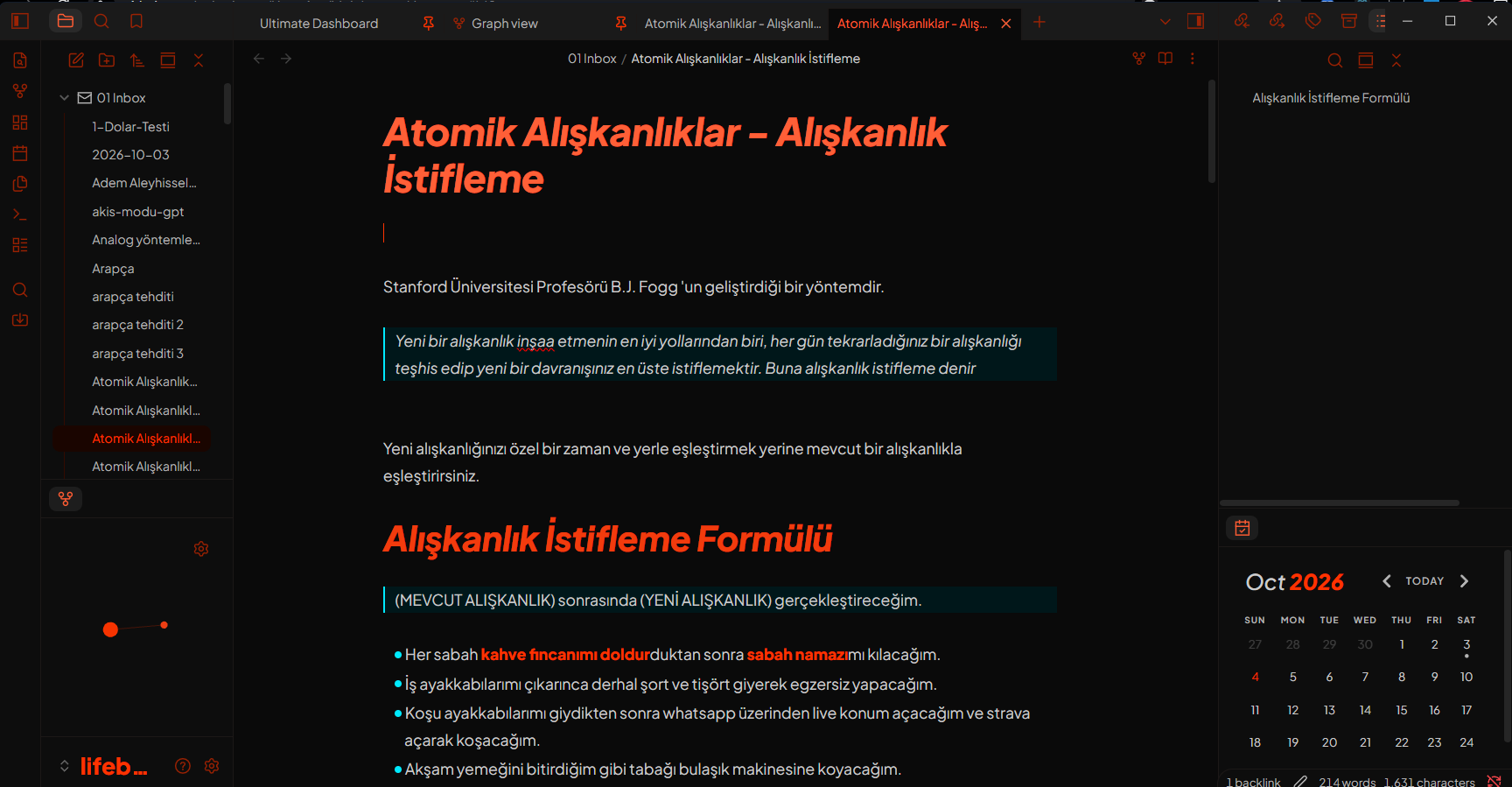
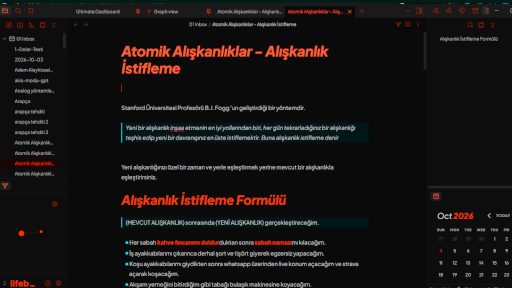
A sharp, high-contrast dark theme for Obsidian, built around a bold orange-red accent, an electric cyan secondary color, and a zero-radius "brutalist" design language.

Design Philosophy
Hyperion takes Obsidian's default CSS variables and rebuilds them into a dark theme that is:
- Brutalist — all corners are square by default (radii are set to
0px), with crispmiterjoins and square line caps on all icons. - High-contrast — near-black backgrounds (
#0a0a0a–#1a1a1a) paired with vivid accent colors. - Dual-accent — orange-red (
hsl(12 100% 50%)) as the primary accent and cyan (hsl(185 100% 50%)) as the secondary accent for links, lists, and quotes. - Typographic — generous line heights, italic heavy headings, and bold orange text formatting.
Features
Typography
- UI & text font: Plus Jakarta Sans (weights 200–800)
- Monospace font: Share Tech Mono
- Base text size of 18px in dark mode with a 1.75 normal line height
- Heavy, italic headings (
h1–h6) in a descending orange ramp - Bold text rendered in bright orange at weight 800
Colors
| Element | Color |
|---|---|
| Primary accent (orange-red) | hsl(12 100% 50%) |
| Secondary accent (cyan) | hsl(185 100% 50%) |
| Highlight background | hsl(185 100% 17.5%) (deep teal) |
| Backgrounds | #0a0a0a → #1a1a1a |
| Text | hsl(12 0% 80%) (warm gray) |
Customization Highlights
- Code blocks with a custom syntax palette: orange functions, amber keywords/values, muted teal properties, and a unique tag color
- Tags with cyan-on-dark chips that flip to orange on hover
- Blockquotes with a thick cyan border, deep teal background, and italic muted text
- Tables with dark orange headers and matching borders
- Graph view recolored: orange nodes and lines, cyan for tags
- Checkboxes in orange that switch to cyan on hover
- Nav items — cyan hover, orange active states
- Pill-shaped buttons (
--button-radius: 40px) as the sole round element - Squared-off toggles, sliders, inputs, and small radii applied selectively per component
Installation
From Obsidian
- Open Settings → Appearance → Manage
- Search for "Hyperion"
- Click Install, then Use
Manual
- Download
theme.cssinto your vault's.obsidian/themes/Hyperion/folder - Open Settings → Appearance → Theme and select Hyperion
Note: Hyperion is a dark theme; keep Obsidian's base color scheme set to Dark for the intended experience.
Customizing
Hyperion is built entirely on Obsidian's CSS variables and grouped by component (headings, code, tags, tables, graph, checkboxes, etc.), so it's easy to tweak:
- Change
--color-accent(and thehsl(12 ...)values) to shift the primary accent - Change
--color-link/--list-marker-color(and thehsl(185 ...)values) to shift the secondary accent - Adjust the radii block at the top of
bodyto soften or harden the look - Reference: Obsidian CSS variables documentation
Compatibility
Requires Obsidian 1.0+ (CSS variables based theming).