
README file from
GithubEngineering




A multidisciplinary Obsidian theme built around seven engineering disciplines, each with its own visual language, atmosphere, and design system.
Engineering transforms your vault into a structured technical environment — where notes become documentation, links become system connections, properties become specifications, tables become engineering schedules, and knowledge grows as an interconnected system.
Designed for engineers, architects, developers, researchers, scientists, students, technical writers, makers, planners, and anyone who works with complex information, structured ideas, systems, and processes.
Preview
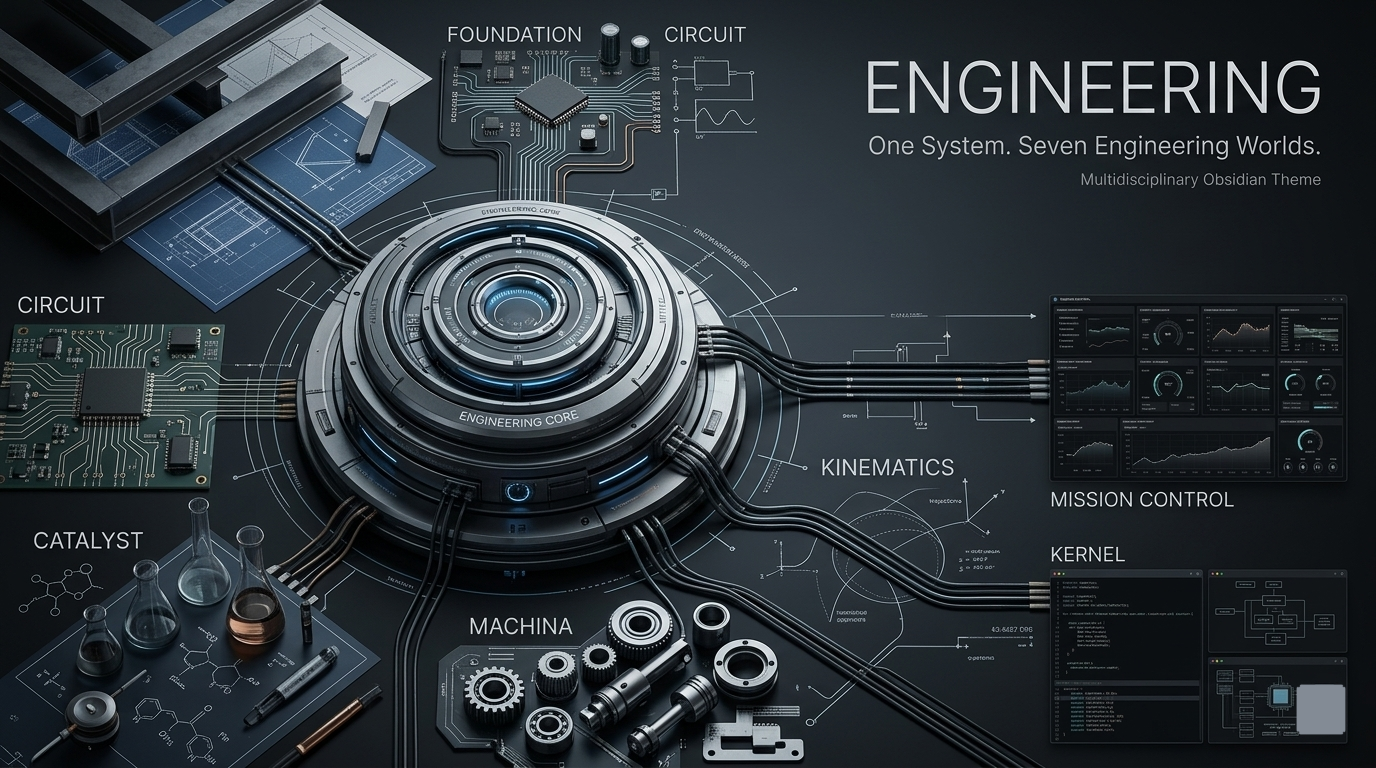
One system. Seven disciplines. A workspace built for structured thinking.
Engineering Disciplines
Engineering contains seven distinct disciplines.
They are not simply colour presets. Each discipline represents a different engineering environment and can change the overall visual design of the workspace.
| Discipline | Colour | Engineering Focus |
|---|---|---|
| 🏗️ Foundation | Steel Blue | Structure, architecture, documentation |
| ⚡ Circuit | Teal Green | Electronics, signals, connectivity |
| 🧪 Catalyst | Copper Amber | Chemistry, experiments, materials |
| ⚙️ Machina | Graphite Steel | Mechanical systems, machines, manufacturing |
| 📐 Kinematics | Industrial Blue | Motion, geometry, dynamics |
| 🛰️ Mission Control | Slate Blue | Operations, monitoring, coordination |
| 💻 Kernel | Charcoal Blue | Software, systems, terminals |
Each discipline shares the same Engineering foundation while creating a different technical environment for your vault.
Screenshots
Engineering — Dark Mode
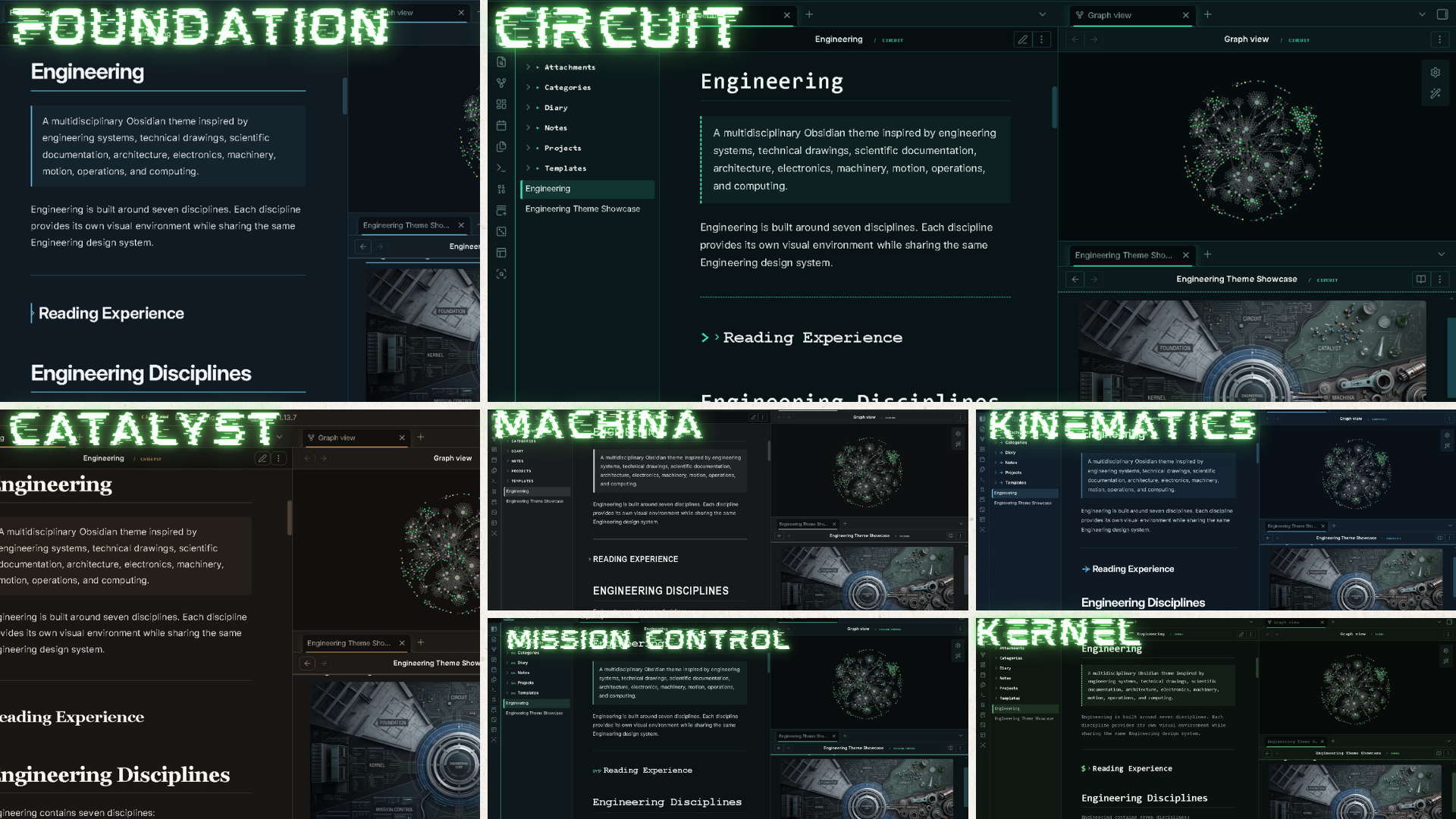
A dark technical environment showcasing all seven Engineering disciplines.
Engineering — Light Mode
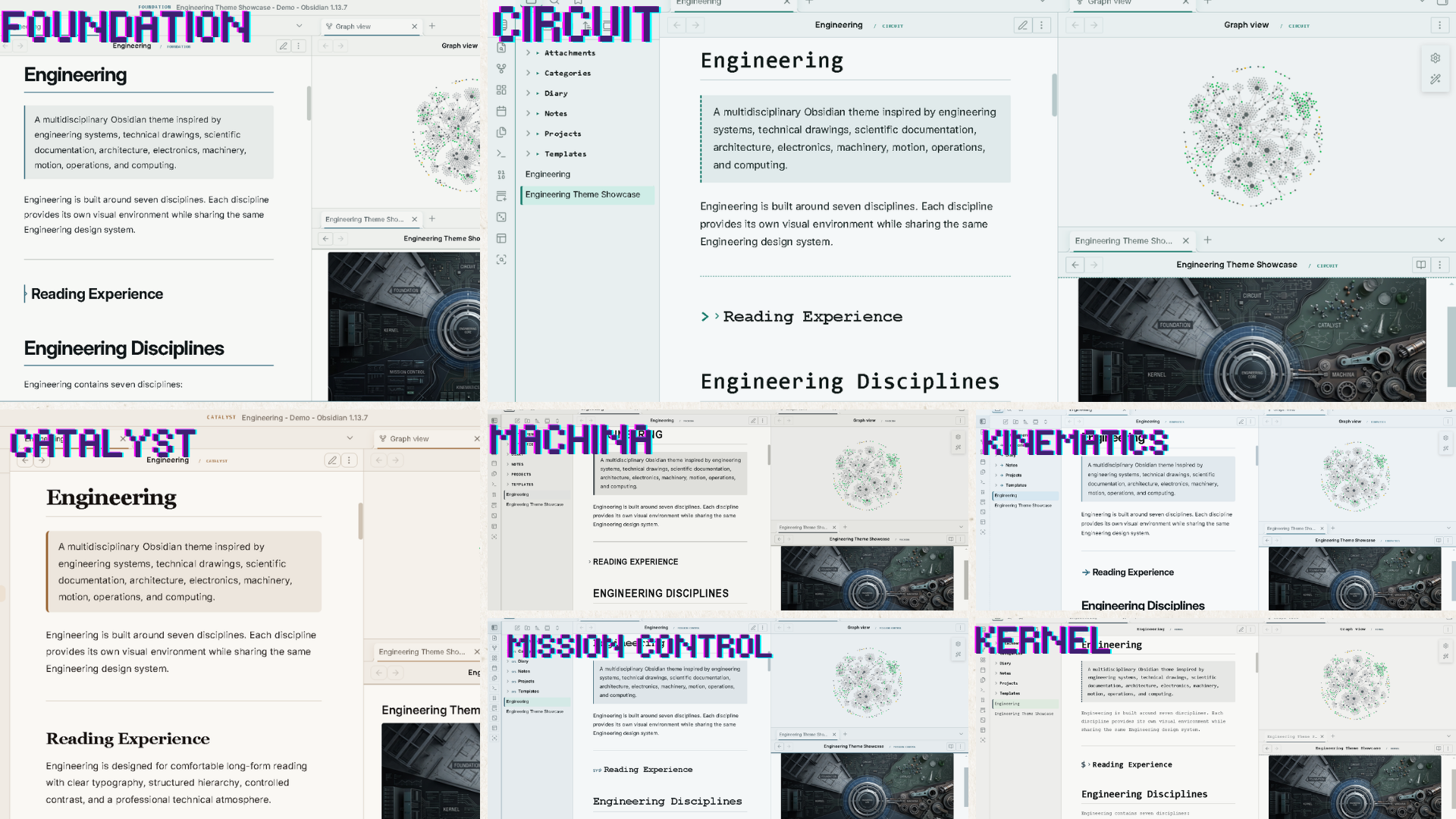
A clean light environment showcasing all seven Engineering disciplines.
Callouts
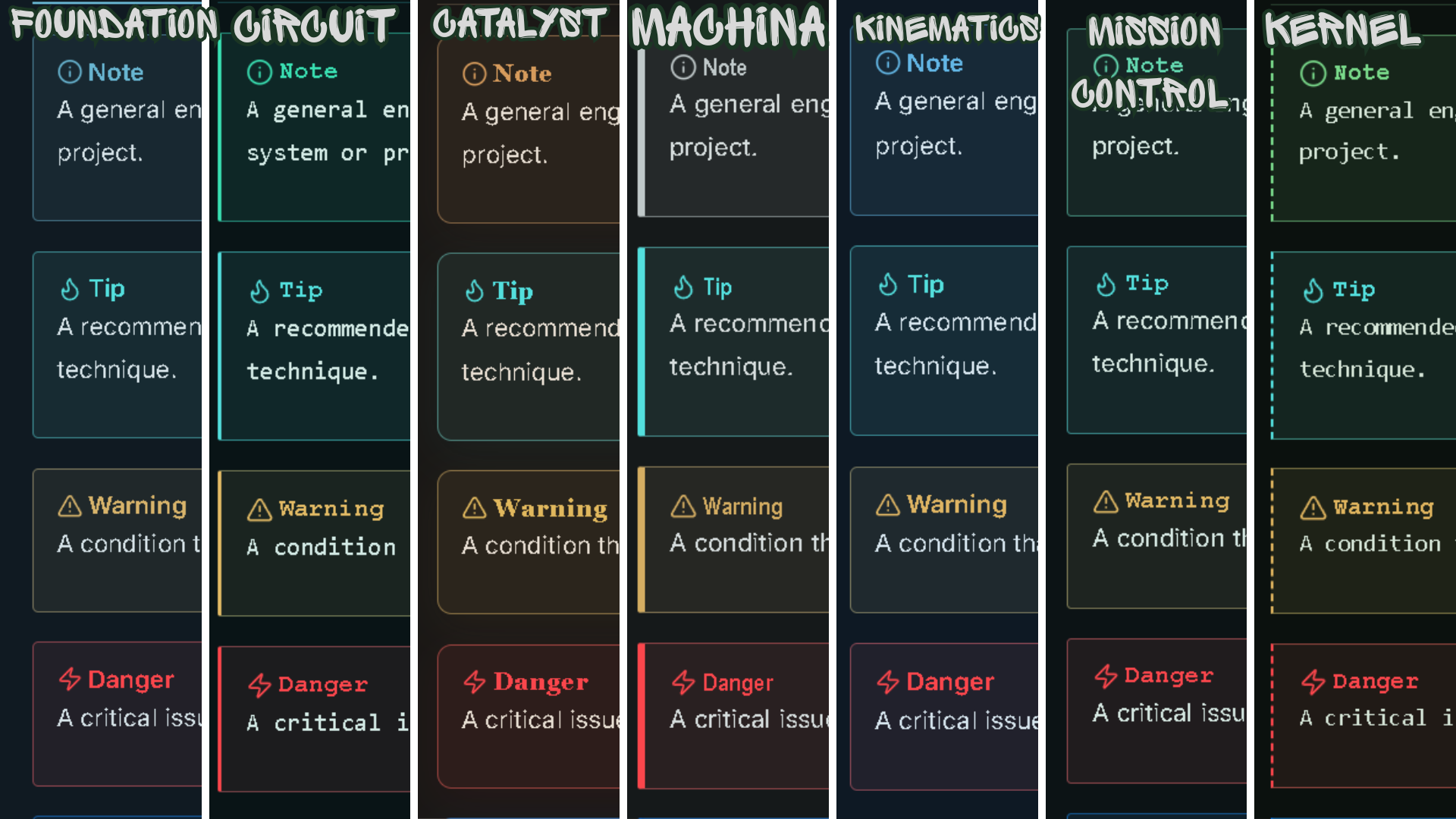
Engineering-style panels for notes, warnings, specifications, references, and important information.
Features
| Feature | Description |
|---|---|
| 🏗️ Seven Disciplines | Foundation, Circuit, Catalyst, Machina, Kinematics, Mission Control, and Kernel |
| 🎨 Complete Discipline Systems | Each discipline creates its own engineering atmosphere |
| 🌑 Dark Mode | Technical dark workspace |
| ☀️ Light Mode | Dedicated light-mode environment |
| 🔗 System Links | Links represent relationships between ideas |
| 📊 Engineering Tables | Structured presentation for technical data |
| 💻 Code Blocks | Technical documentation and programming surfaces |
| 🗂️ Properties | Specification-style metadata |
| 🏷️ Tags | Compact technical classification |
| ☑️ Tasks | Clear work-order and project states |
| 📋 Callouts | Engineering documentation panels |
| 📐 Canvas | Technical workspace for diagrams and planning |
| 📱 Mobile | Responsive mobile interface |
Engineering Is More Than a Colour Theme
The seven disciplines are not seven different colour schemes.
Each discipline represents a different engineering environment.
Changing the discipline can affect:
- Interface colours
- Background and panel surfaces
- Typography
- Spacing and visual density
- Borders and separators
- Buttons and interactive elements
- Tables and data presentation
- Code surfaces
- Callouts
- Properties
- Navigation
- Overall visual hierarchy
Choose the engineering environment that fits the way you work.
The Seven Engineering Worlds
| Discipline | Colour | Focus |
|---|---|---|
| 🏗️ Foundation | Steel Blue | Architecture, structure, documentation |
| ⚡ Circuit | Teal Green | Electronics, signals, connectivity |
| 🧪 Catalyst | Copper Amber | Chemistry, materials, experiments |
| ⚙️ Machina | Graphite Steel | Machines, mechanics, manufacturing |
| 📐 Kinematics | Industrial Blue | Motion, geometry, dynamics |
| 🛰️ Mission Control | Slate Blue | Operations, monitoring, coordination |
| 💻 Kernel | Charcoal Blue | Software, terminals, systems |
Seven disciplines. One engineering system.
Changing the Engineering Discipline
Engineering uses the Style Settings community plugin to control its discipline system.
The Style Settings plugin is required to switch between the seven Engineering disciplines or customize the theme.
Install Style Settings
- Open Obsidian.
- Open Settings.
- Select Community plugins.
- Click Browse.
- Search for Style Settings.
- Select Style Settings.
- Click Install.
- Click Enable.
Style Settings is a separate Obsidian community plugin. It is not included with the Engineering theme.
Select a Discipline
- Open Settings.
- Go to Style Settings.
- Find the Engineering section.
- Locate Engineering Discipline.
- Select your preferred discipline.
The Engineering theme will apply the selected discipline.
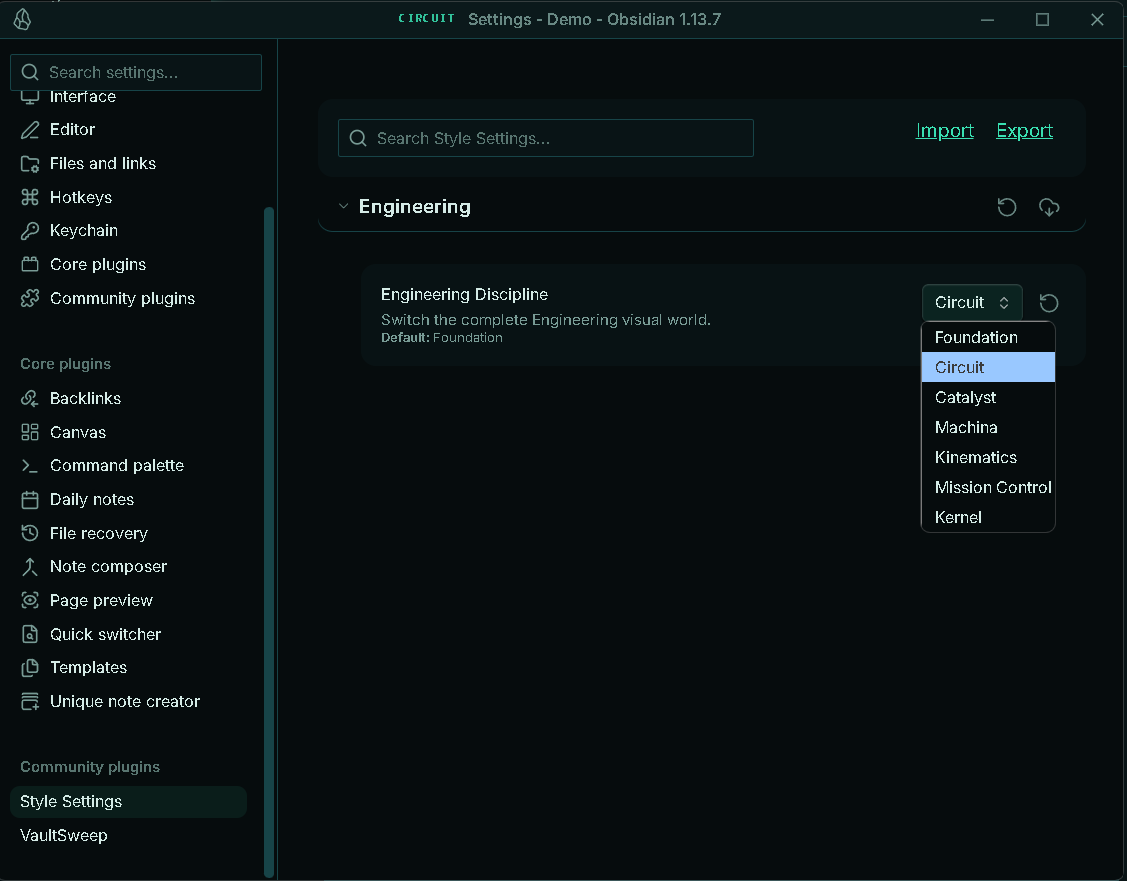
Changing the discipline changes the overall Engineering environment, not just its colour.
Your notes, files, content, and vault structure remain unchanged.
Built for Structured Thinkers
Engineering is suited for:
- 🏗️ Civil & Structural Engineers
- 📐 Architects & Designers
- ⚡ Electrical & Electronics Engineers
- ⚙️ Mechanical Engineers
- 💻 Software Engineers
- 🧪 Chemical & Materials Scientists
- 📐 Physicists & Researchers
- 🛰️ Systems & Operations Engineers
- 🔬 Researchers & Scientists
- 🧑💻 Developers
- 📚 Technical Writers
- 🎓 Engineering Students
- 📋 Project Planners
- 🧠 Knowledge Managers
- 🛠️ Makers & System Designers
Designed for anyone who thinks in systems, structures, relationships, processes, hierarchy, dependencies, and organized information.
Design Philosophy
Engineering is built around a simple idea:
A knowledge vault is a system.
Different parts of the vault represent different parts of an engineered environment.
- Notes become technical documents.
- Folders become systems and modules.
- Links become system connections.
- Tags become classifications.
- Properties become specifications.
- Tasks become work orders.
- Tables become engineering schedules.
- Canvas becomes a technical design board.
- Code becomes the computational layer.
- Callouts become engineering annotations.
- Disciplines become different engineering environments.
Structure before decoration.
Engineering System
                         ENGINEERING
                              │
             ┌────────────────┼────────────────┐
             │                │                │
        FOUNDATION         CIRCUIT          CATALYST
         Structure       Connectivity      Transformation
             │                │                │
             └────────────────┼────────────────┘
                              │
             ┌────────────────┼────────────────┐
             │                │                │
          MACHINA        KINEMATICS      MISSION CONTROL
         Mechanics          Motion           Operations
             │                │                │
             └────────────────┼────────────────┘
                              │
                           KERNEL
                          Computing
Each discipline has its own identity while remaining part of the same Engineering design system.
Technical Design Language
Engineering takes subtle inspiration from:
- Technical drawings
- Engineering schematics
- Architectural documentation
- Laboratory notes
- Mechanical diagrams
- System architecture
- Control rooms
- Computer terminals
- Technical specifications
- Scientific documentation
The goal is professional technical atmosphere, not decoration.
Typography
- Body: IBM Plex Sans
- Headings: IBM Plex Sans
- Technical: IBM Plex Mono
Typography is designed to feel precise, professional, technical, and highly readable.
Installation
- Download the Engineering theme.
- Copy the theme folder to:
YourVault/.obsidian/themes/
- Open Obsidian → Settings → Appearance.
- Select Engineering.
- Install and enable Style Settings if you want to change the Engineering discipline.
Compatibility
| Feature | Status |
|---|---|
| Desktop | ✅ |
| Mobile | ✅ |
| Dark Mode | ✅ |
| Light Mode | ✅ |
| Live Preview | ✅ |
| Properties | ✅ |
| Tables | ✅ |
| Callouts | ✅ |
| Code Blocks | ✅ |
| Dataview | ✅ |
| Tasks | ✅ |
| Canvas | ✅ |
| Excalidraw | ✅ |
Screenshots
screenshots/
├── dark.png
├── light.png
└── callouts.png
The Dark and Light screenshots showcase all seven Engineering disciplines. The Callouts screenshot demonstrates the theme's technical information panels.
Support ☕
If you enjoy Engineering and want to support development:
Credits
Fonts
- IBM Plex Sans
- IBM Plex Mono
Inspired by engineering disciplines, technical documentation, architectural drawings, scientific systems, mechanical design, electronics, computing, operations, and structured knowledge systems.
Made for the Obsidian community.
License
MIT License
Engineering — One system. Seven disciplines.