
README file from
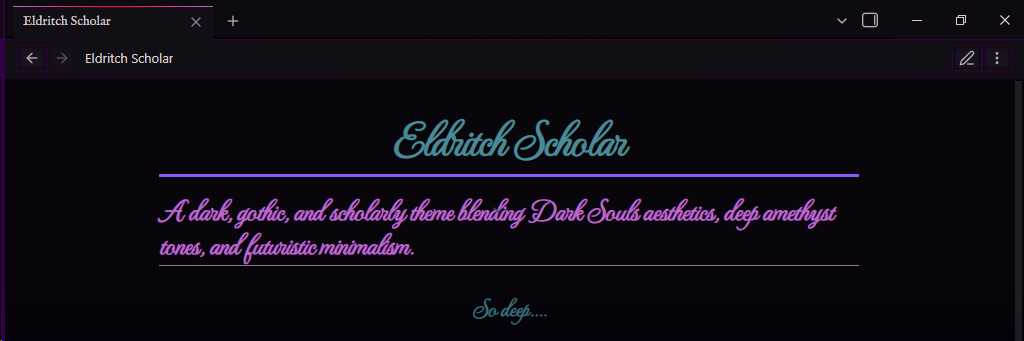
GithubA dark, gothic, and scholarly theme blending Dark Souls aesthetics, deep amethyst tones, and futuristic minimalism.
A blend of the 'Renaissance Scholar' and 'Black Amethyst' themes.
✨ Features
-
Gothic Dark Palette: Immersive deep amethyst, obsidian black, and rich parchment ink tones (
#120e16,#0d0a10,#c792ea). -
Scholar Typography: Custom typography integration featuring IM FELL English for headers/editors and EB Garamond for clean reading views.
-
Futuristic Neon Accents: Subtle 1px gradient borders and glowing metallic highlights replacing standard harsh borders.
-
Zero Clutter: Aggressive border and line removal for a seamless, distraction-free writing environment.
-
Custom Scrollbars & UI Elements: Fully styled settings menus, modals, and file explorers matching the dark arcane aesthetic.
📥 Installation
Method 1: Inside Obsidian (Recommended)
-
Open Obsidian and go to Settings > Appearance > Themes.
-
Click on Manage.
-
Search for "Eldritch Scholar".
-
Click Install and Use.
Method 2: Manual Installation
-
Download the latest release zip file from the [suspicious link removed].
-
Extract the folder into your vault's
.obsidian/themes/directory. -
Reload Obsidian and select Eldritch Scholar from your Appearance settings.