
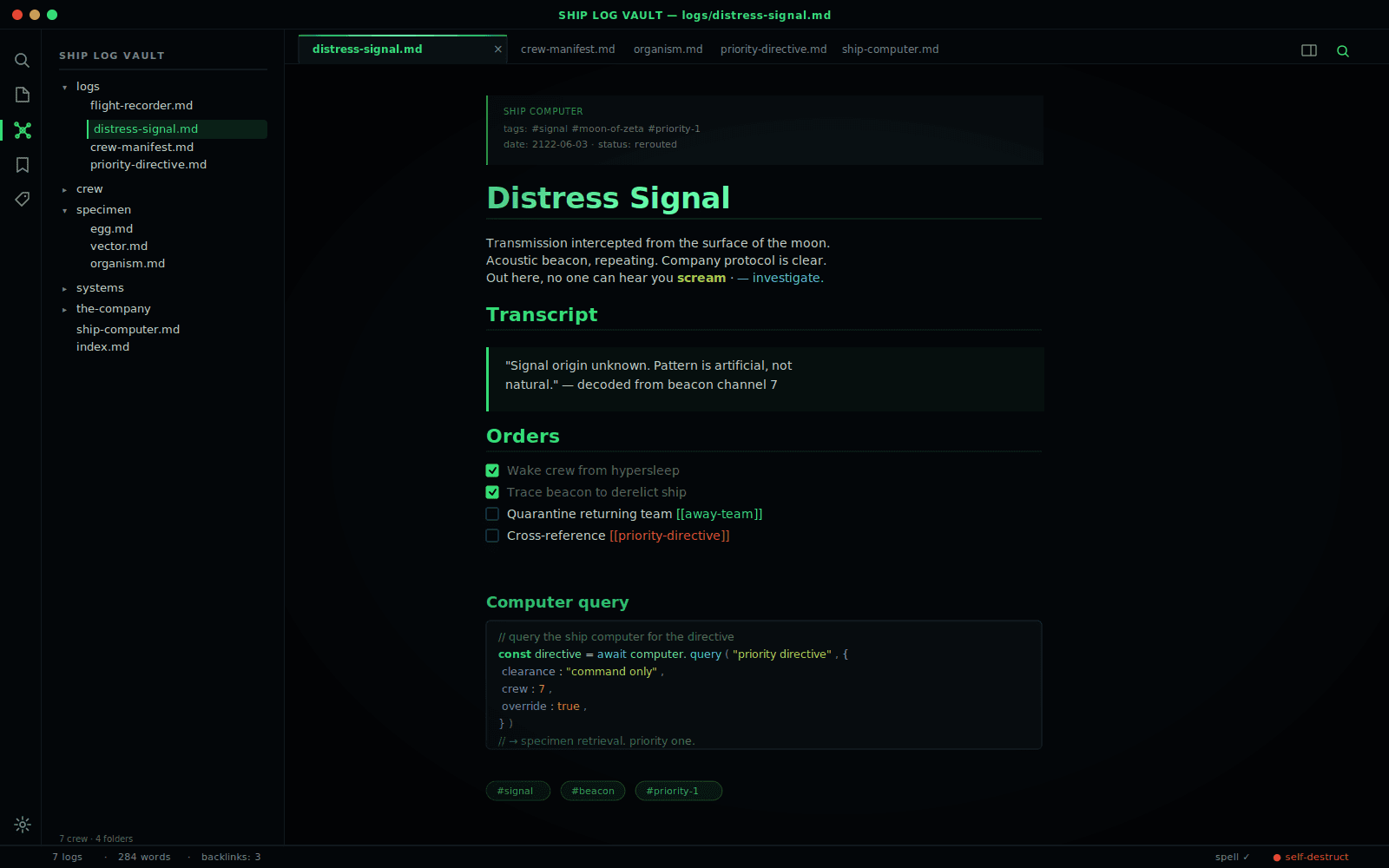
README file from
GithubAlien — an Obsidian theme
A deep-space terminal theme for Obsidian. The black of deep space, the green phosphor glow of an old CRT ship-computer, acid lime, and hazard amber — with a red alert held back for errors and unresolved links.
Palette
| Token | Hex | Used for |
|---|---|---|
| Void Black | #04070a |
Primary background |
| Hull | #0a1014 |
Secondary surfaces, modals, tab strip |
| Bulkhead | #111a1f |
Inputs, buttons, embedded blocks |
| Conduit | #1d2a30 |
Borders, dividers |
| Phosphor Green | #36e07a |
Accent, headings, links, active states |
| Acid Lime | #b6d957 |
Bold text, code strings |
| Scanner Cyan | #45cfe0 |
Secondary accent, italic, external links |
| Hazard Amber | #ff9d2f |
Highlights, numbers, warnings |
| Red Alert | #e8473a |
Errors, unresolved links, danger |
H1–H3 carry the phosphor-green glow; H4–H6 fall back to scanner cyan and vapor grey so heading hierarchy stays legible at a glance.
Install
Manually
- Copy this folder into your vault at
<vault>/.obsidian/themes/Alien/— the folder must containmanifest.jsonandtheme.css. - In Obsidian: Settings → Appearance → Themes → Alien.
From the community directory
Not yet listed. PRs welcome.
Compatible with
- Obsidian 1.4+
- Default core plugins (Graph, Outline, Tags, Search, Bookmarks)
- Light mode included (powered down — softened green + amber daylight)
Notes
- Headings, links, tags, and the active tab glow in CRT phosphor green.
- Code blocks use a near-black terminal background with green keywords, acid-lime strings, and amber numbers.
- Blockquotes get a green left bar and a faint glow — the terminal "signal" motif.
- Highlights (
==text==) use hazard amber, like a warning strip. - Red alert is reserved for unresolved links and destructive actions, so it stays meaningful when you see it.