
There are 5 new plugins and 50 plugin updates during the week 2026-04-05 to 2026-04-11.
⭐ New Plugins
The WPM Reading Time plugin calculates how long selected text will take to read based on the speed presets you define. It is aimed at writers, presenters, podcasters and video creators who need better timing instead of rough guesses. You can highlight any passage, run a command, and check the estimate in a sidebar that also shows word count and the active words per minute value. Multiple presets make it easy to switch between silent reading, speaking or presentation scenarios without changing settings each time. The plugin also lets you choose a default preset so repeated checks stay quick.

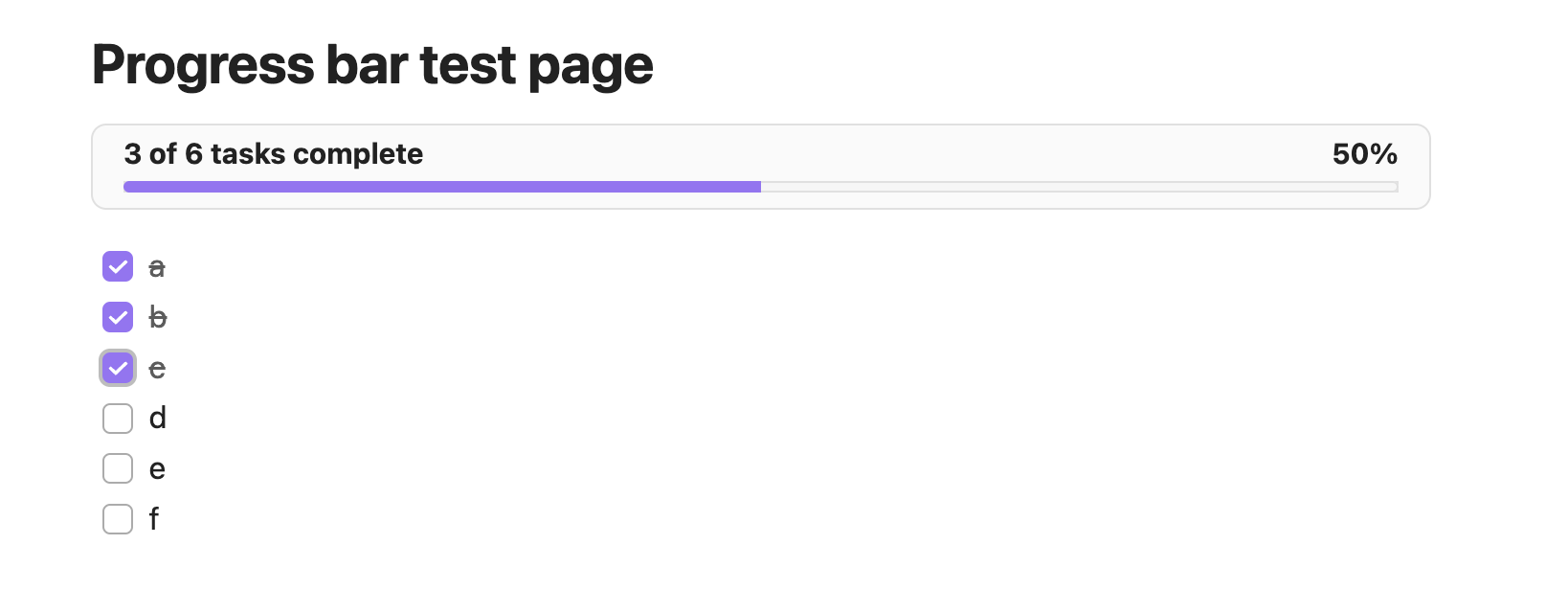
The Note Progressbar plugin adds a small progress bar above the current note so you can see how much of a task list is finished without scanning every checkbox by hand. It reads standard Markdown tasks from the active note and shows the completed count, total count and percentage in a simple bar that matches the current theme. The display updates while you work, so ticking or clearing tasks changes the numbers almost at once. If a note has no tasks, the bar disappears instead of taking up space, and you can toggle it on or off for the vault from the command palette.
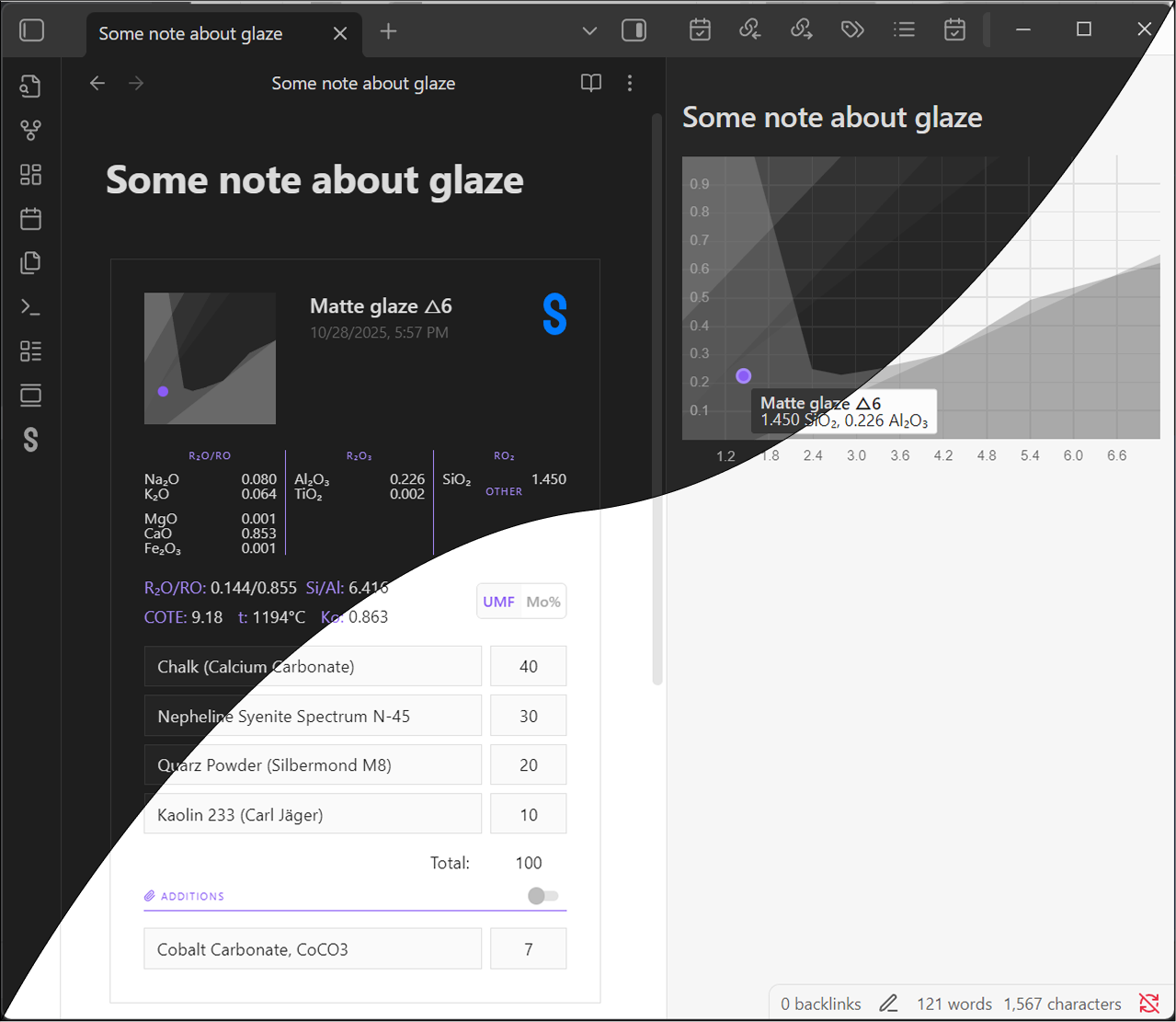
The Segerlab plugin brings glaze calculator views from the Segerlab app into notes so ceramic recipes stay readable and usable after pasting. It renders imported calculator data as an interactive view, can show extra coefficients on demand and includes a Stull chart panel that gathers points found in the current note. The plugin is built for potters and ceramists who work with glaze formulas, compare ingredient balance and want live calculations beside their process notes instead of static screenshots or loose values. It also includes a configurable search template for finding notes that contain imported calculators, which helps when the same recipe or formula needs to be revisited across a vault.
The Expand Selection plugin makes section selection faster when you are editing long notes, especially on mobile where cursor control is awkward and easy to lose. It adds a single command that selects the full section around the cursor, then keeps expanding outward when you trigger it again, moving from the current block to parent sections and finally the whole note. That gives you a cleaner way to grab structured chunks of text without dragging handles around the screen.
The Hide Traffic Lights plugin hides the red, yellow and green window controls on macOS so the app looks cleaner and less busy while you work. During use, it keeps watching focus changes, layout updates and newly opened windows so the controls stay out of sight instead of coming back at random moments. The plugin is limited to macOS. When you turn it off, the default traffic light position is restored.
🔁 Plugin Updates
We got 50 plugin updates in the last one week's time. You can see all the plugin updates on Obsidian Plugin Stats webapp.