
README file from
GithubYT Knowledge Notes


YT Knowledge Notes (ytkn) turns YouTube videos and playlists into structured knowledge notes in Obsidian.
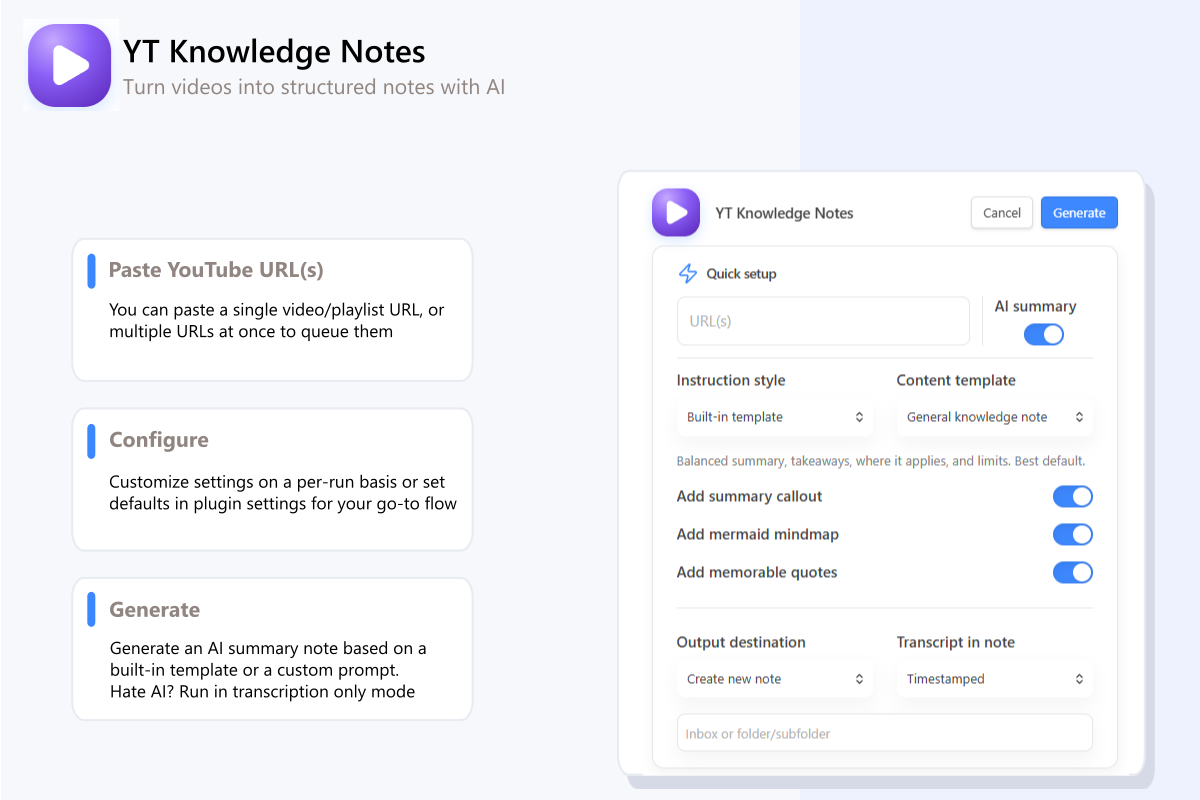
Paste a YouTube URL, and generate a bookmark/transcript-only note or an AI-assisted knowledge note directly in your vault.
Why use it
- Capture videos as structured Markdown with source metadata, frontmatter, and transcript appendices predictable.
- Pick built-in note shapes for study, research, implementation, deep dives, and full extracts. Or, provide a custom AI prompt to match the output to your needs.
- Generate notes for a single video, multiple URLs, or an entire playlist.
- Use OpenAI, Anthropic, Gemini, or local OpenAI-compatible models.
Pick the note shape you need
YT Knowledge Notes includes built-in templates for:
- General knowledge note - balanced summary and takeaways
- Study notes - review-friendly notes with concepts and self-test
- Implementation note - steps, tools, gotchas, and action items
- Deep dive - durable reference notes for important ideas
- Full extract - detailed capture of claims, examples, numbers, and quotes
- Research dossier - evidence-aware notes for investigation
See Templates for the full guide and runtime controls.
Installation
Requires Obsidian 1.11.4 or newer.
- Community Plugins: install it there like any other plugin.
- BRAT or Manual add
aawhb/ytknto BRAT or install the latest GitHub release manually.
Full setup steps: Getting started
Create your first note
- Set default settings in Obsidian Settings → YT Knowledge Notes including optional AI provider and model.
- Open a note if you want to insert at the caret or append to the active note
- Run YT Knowledge Notes: Generate knowledge note from Obsidian command panel
- Provide a YouTube video or playlist URL
- Choose a template, transcript mode, and destination
- Click Generate.
If you want batching, playlists, local models, or run reports, jump to Workflows and Providers.
Documentation
- Documentation hub
- Getting started
- Workflows
- Configuration
- Templates
- Providers and local models
- Troubleshooting
Privacy and external services
- The plugin does not collect telemetry and does not proxy requests through a separate service.
- Transcript and playlist metadata requests go directly from Obsidian to YouTube.
- AI requests go directly from Obsidian to the provider or local endpoint you configure.
- API keys are stored in Obsidian SecretStorage. The plugin data file stores only secret IDs.
- AI-generated content is written into your notes as returned. Review it if accuracy matters.
See SECURITY.md for the security policy and reporting guidance.
Contributing
If you want to help improve the plugin, start with CONTRIBUTING.md.
License
GNU GPL v3 or later - see LICENSE.