
README file from
GithubObsidian Year in Pixels
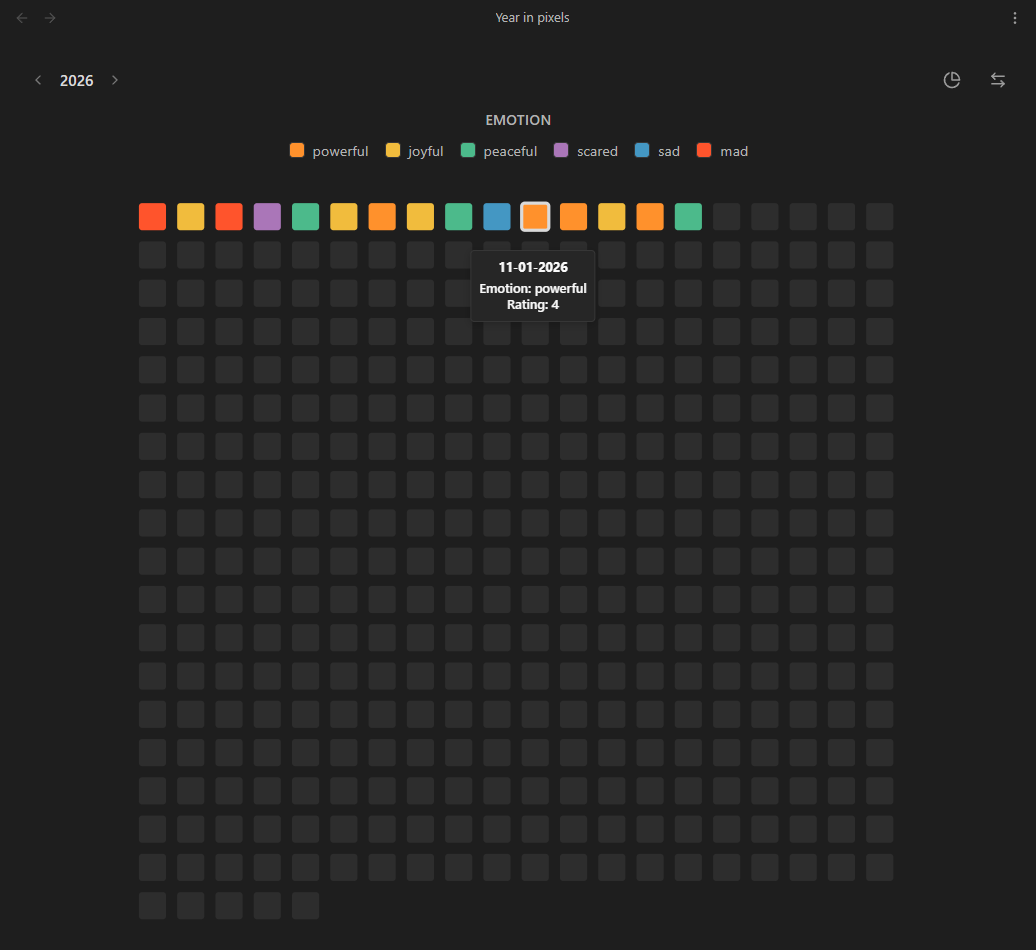
A visual tracking plugin for Obsidian. Year in Pixels reads the frontmatter of your daily notes and generates grid and circular charts to visualize your tracked variables throughout the year.
Features
- Chart layouts: View your records as a standard horizontal grid or alternative circular layouts
- Custom variables tracking: Tracks user-defined properties from your daily notes frontmatter
- Custom date formats: Supports notes formatted as
YYYY-MM-DD,DD-MM-YYYYand other standard layouts in titles or frontmatter - Color configuration: Maps frontmatter values to user-defined hex colors
- Dual view modes: Available as a main workspace tab or a compact sidebar view
- Interactive interactions: Hover to view the exact date and logged variables, or click to open the corresponding note
How it Works
The plugin looks for notes in a specified target folder (e.g., Journal/2026). It expects the note titles or a date property to contain a valid date according to your chosen format.
To track data, add the variables to your YAML frontmatter:
---
date: 2026-05-14
emotion: joyful
rating: 5
energy: high
---
Usage
- Use the grid icon in the left ribbon to open the main Year in Pixels view
- Open the Command Palette (
Ctrl/Cmd + P) to access:Open Year in Pixels: Opens the main visualization tabOpen Year in Pixels (Sidebar): Opens the compact visualization in the right sidebar
Settings
- Target folder: The folder containing your daily notes or journal entries
- Date format: The format used in your note titles or frontmatter dates
- Years: The specific years to visualize
- Data & examples: Generates sample notes to automatically configure and preview the charts
- Custom variables: Defines the frontmatter keys to track, their display names, and the specific color mapping for each possible value