
README file from
GithubWorkspace Clock
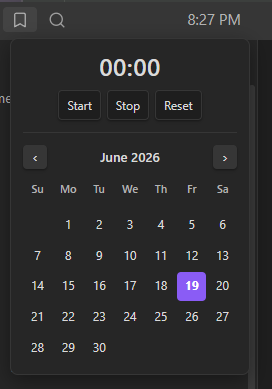
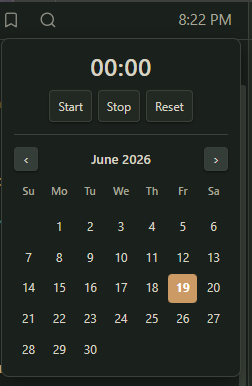
A small clock that lives in Obsidian's left-sidebar header. Click it to open a stopwatch and a monthly calendar.
It's styled with Obsidian's own CSS variables, no hardcoded colors, so it adopts whatever theme you're using (light or dark, sharp or rounded) and looks native on any theme.
Features
- Clock in the sidebar header (
H:MM AM/PM), updates every minute - Click → popup with:
- a stopwatch — Start / Stop / Reset, timestamp-based so it never drifts
- a monthly calendar — today highlighted
- Closes on outside-click or
Esc - Theme-adaptive: colors, accent, and corner radius all follow your active theme.
- Lightweight: one once-per-second timer that only redraws when the minute changes. The stopwatch ticks only while it's running and the popup is open.
Install (manual)
- Download
main.js,manifest.json, andstyles.cssfrom the latest release. - Copy them into
<your-vault>/.obsidian/plugins/workspace-clock/. - In Obsidian: Settings → Community plugins → Installed plugins enable Workspace Clock.
License
MIT © toyotathief