
README file from
GithubVault Pulse
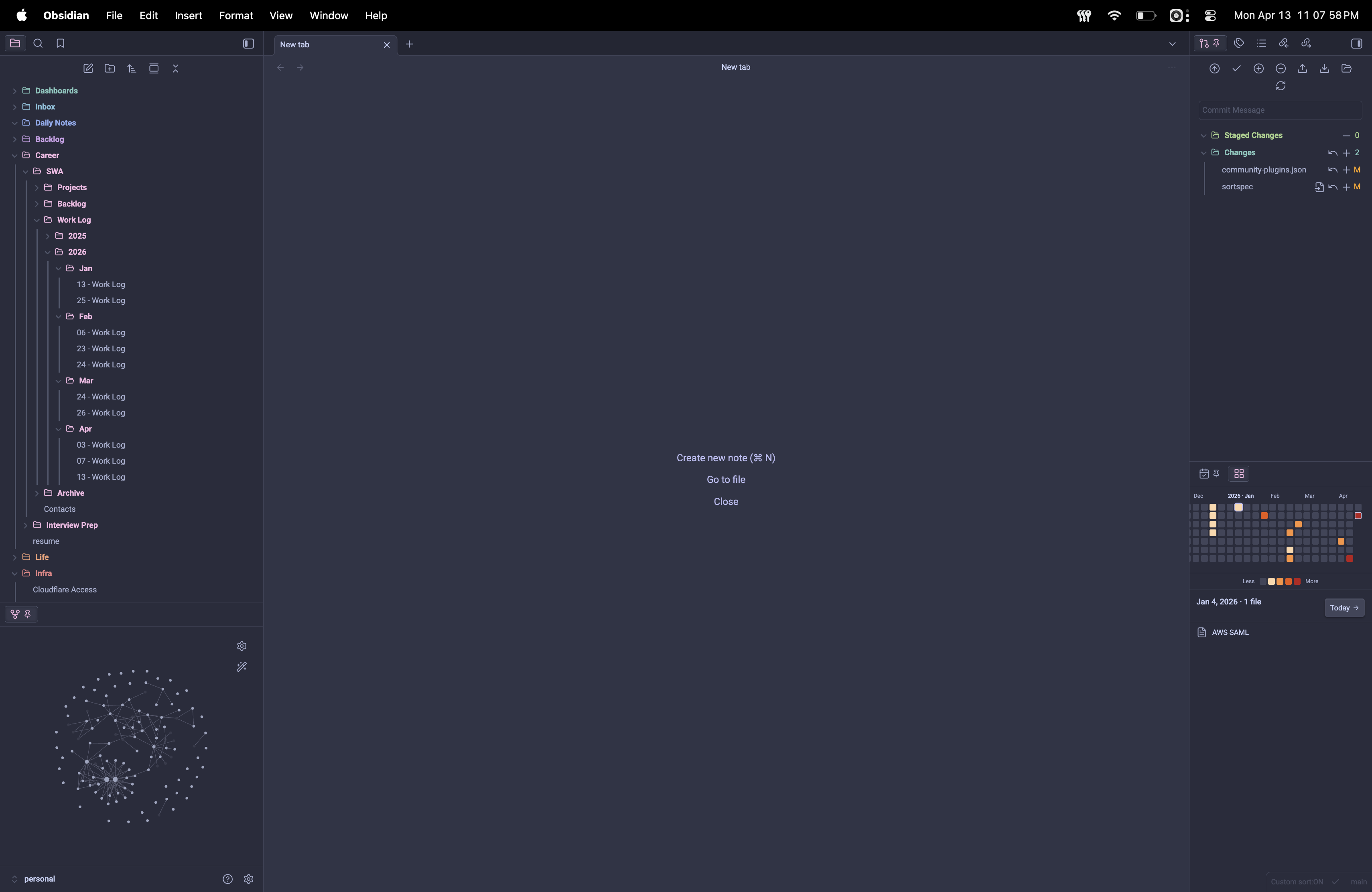
A GitHub-style activity heatmap for Obsidian. Renders a 53×7 grid of the last 365 days in a sidebar pane, so you can see your writing cadence at a glance — then click any day to see the exact files you touched.
| Green | Heat | Sunset |
|---|---|---|
 |
 |
 |
 |
 |
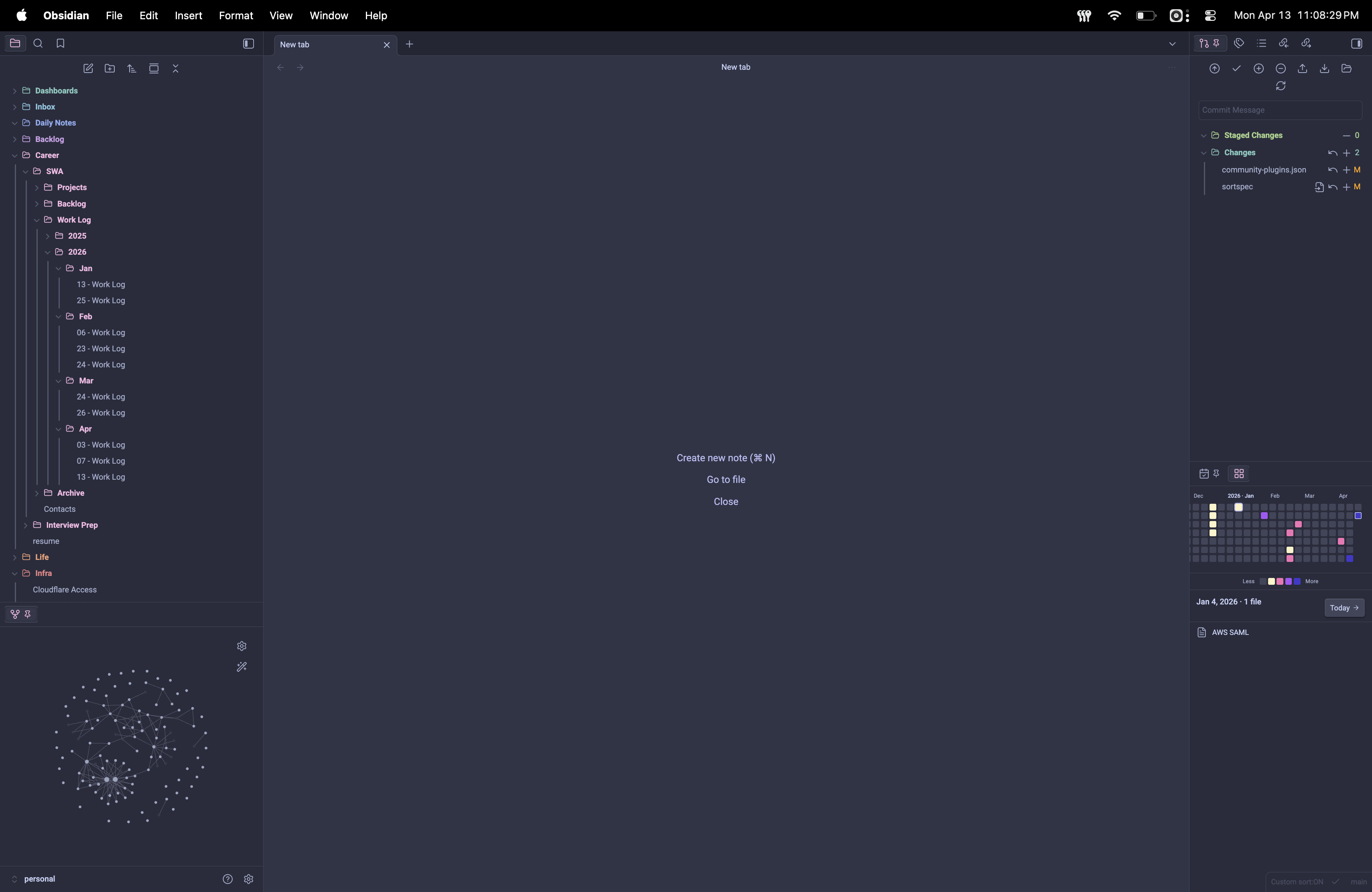 |
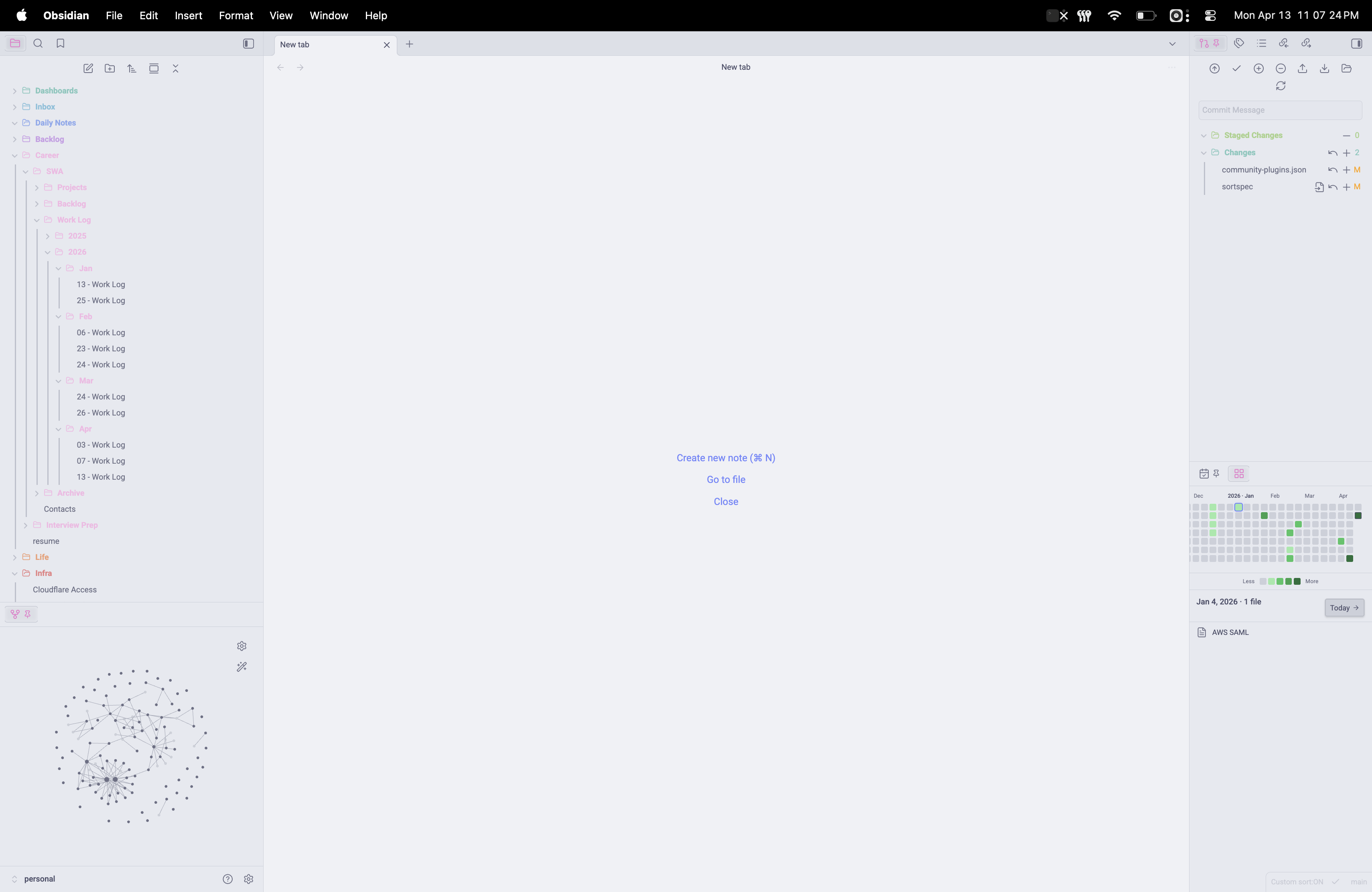
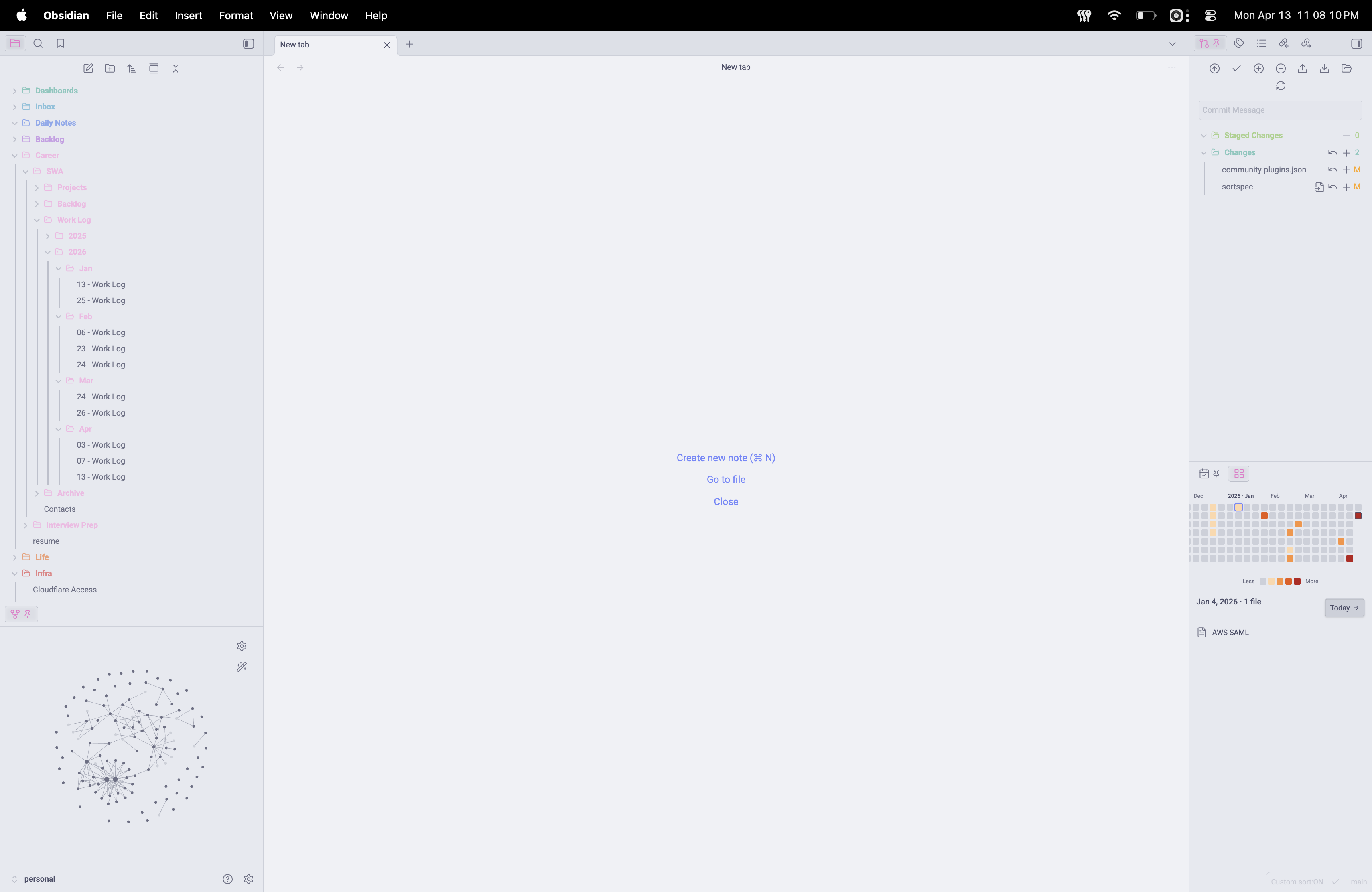
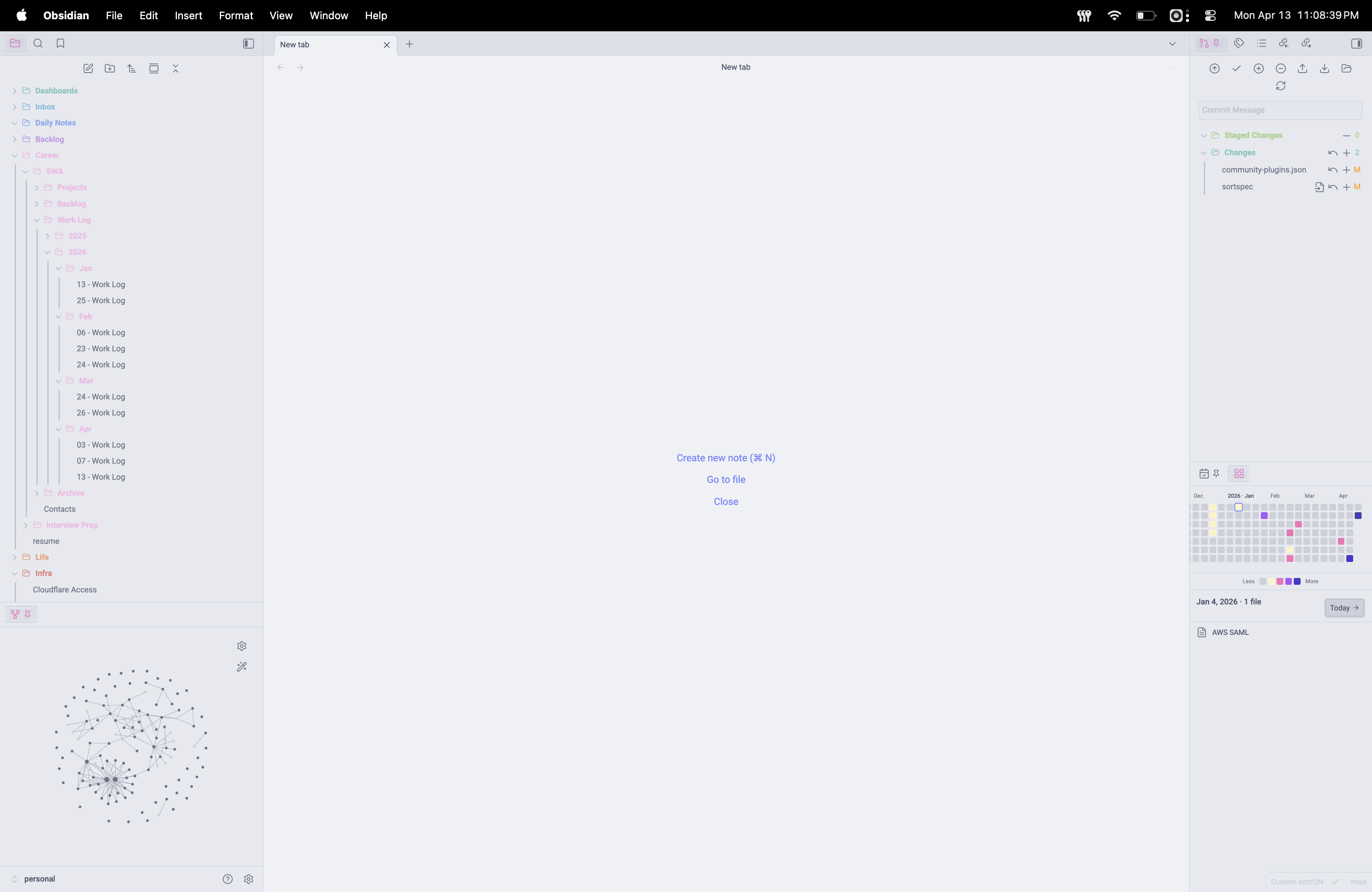
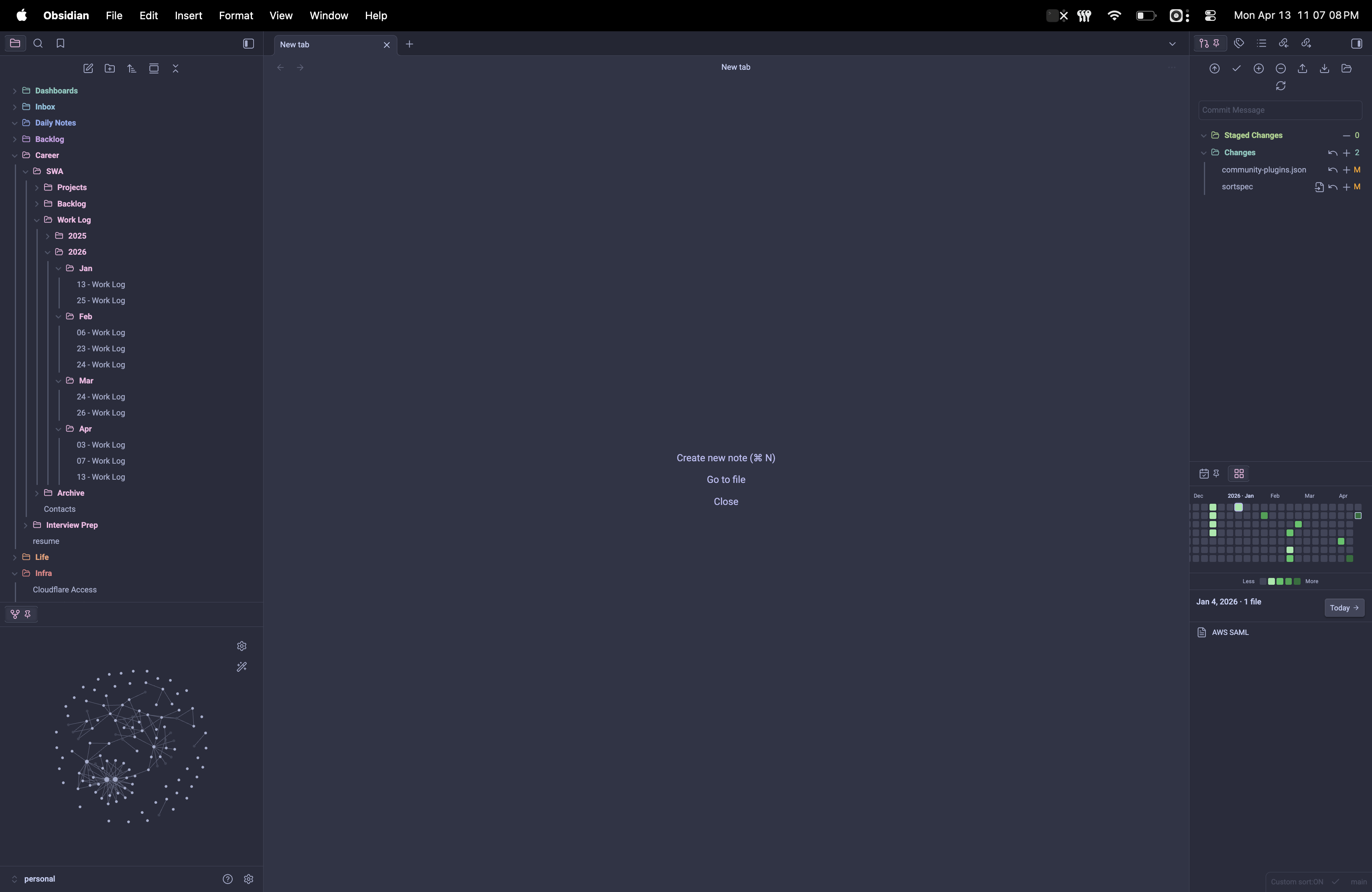
Three of the built-in palettes, in light and dark themes. Auto (theme accent) and Custom (any hex) round out the five options.
Features
- Sidebar pane — lives in the right sidebar, collapses like any other panel.
- Configurable window — 90 / 180 / 365 day heatmap; today anchored bottom-right, today's cell always outlined.
- Quantile-based colors — buckets adapt to your vault size; no hardcoded thresholds.
- Five color palettes — Auto (theme accent), Green (GitHub-style), Heat (orange → red), Sunset (gold → indigo), or Custom hex.
- Recent-30 sparkline — compact bar chart above the legend showing the last 30 days, independent of how far you've scrolled the main grid.
- Detail panel — click any day and the panel below lists the files for that day, each clickable, each ⌘-hover previewable.
- Folder / tag filters — exclude noisy folders (e.g.
Archive) or restrict to files carrying specific tags. - Streak milestones — lucide 🔥 flame icons at 7 / 30 / 100 days, plus a 🏆 trophy at the 1-year mark. Click the trophy to see the year-1 date.
- Lifetime best — remembers your longest-ever streak so you can chase it after a break; flashes gold when you tie or beat it.
- Visibility toggles — turn the sparkline and streak counter on or off independently.
- Style Settings support — exposes the flame and trophy colors as editable variables when the Style Settings plugin is installed.
- Localized — all user-facing strings route through
src/i18n/with English shipping today and community-contributed locales welcome. - Jump to today — command palette entry, plus a "Today →" button in the detail header when you've scrolled away.
- Keyboard navigation — Tab into the grid, then ←/→ = ±week, ↑/↓ = ±day; the detail panel updates as you move.
- Apple-style scroll bounce — mass-spring-damper physics tuned to SwiftUI's default feel (
response=0.55s,dampingFraction=0.825). - Theme-aware — colors follow your Obsidian theme and re-render on theme switch.
- Auto-updates — edits, creates, deletes, and renames re-render within ~200ms (debounced).
- Mobile-compatible — no Node / Electron APIs;
isDesktopOnly: false. - Reduced-motion friendly — every animation and the scroll bounce disable when the OS has Reduce Motion enabled.
Install
From the community plugin store
Install from Settings → Community plugins → Browse → search "Vault Pulse".
Manual install
- Download
main.js,manifest.json, andstyles.cssfrom the latest release. - Copy them into
<YourVault>/.obsidian/plugins/vault-pulse/(create the folder if it doesn't exist). - In Obsidian: Settings → Community plugins, enable Vault Pulse.
Build from source
git clone https://github.com/stefmf/vault-pulse.git
cd vault-pulse
npm install
npm run build
Copy main.js, manifest.json, and styles.css into <YourVault>/.obsidian/plugins/vault-pulse/, or use npm run seed (see Development) which sets up a throwaway vault with the plugin pre-installed.
Usage
Open the heatmap via the grid ribbon icon (left sidebar) or the command palette entry Vault Pulse: Open heatmap.
- Hover a cell → tooltip:
Mon DD · N files. - Click a cell → detail panel shows the file list for that day; click a file row to open it.
- ⌘-hover (macOS) / Ctrl-hover (Windows/Linux) a file row → Obsidian's native note preview popover.
- Tab into the grid, then arrow keys to move: ←/→ = prev/next week, ↑/↓ = prev/next day.
- Esc or click outside the pane closes nothing — the detail panel is always visible.
- Run Vault Pulse: Jump to today (⌘P) or click the Today → button in the detail header to scroll back and re-select today.
Settings
| Setting | Options | Notes |
|---|---|---|
| Activity source | Combined / Modified / Created | Default: Combined. A file counts for a day if either created OR updated matches that day. |
| Color palette | Auto · Green · Heat · Sunset · Custom hex | Auto follows --interactive-accent. Named palettes use discrete hex values tuned for both light and dark themes. |
| Custom hex color | #RRGGBB |
Only visible when palette is "Custom". |
| Window length | 90 / 180 / 365 days | Default: 365. Shorter windows narrow the grid but bring recent activity into sharper view. |
| Week starts on | Sunday / Monday | Default: Sunday (matches GitHub). |
| Exclude folders | Comma-separated path prefixes | e.g. Archive, _templates. Prefix matching: Archive excludes Archive/... but not My-Archive/.... Empty = include all. |
| Include tags | Comma-separated tag names (leading # optional) |
e.g. project, journal. If set, files must have AT LEAST ONE of these tags. Empty = include all. Reads both frontmatter tags: and inline #tags. |
| Show sparkline | On / Off | Default: On. Toggles the 30-day bar chart above the legend. |
| Show streak counter | On / Off | Default: On. Toggles the flame / trophy milestone row in the detail header. |
| Show mini stats | On / Off | Default: On. Toggles the week / month / year file counts under the streak row. |
| Show status bar widget | On / Off | Default: On. Toggles the streak + today's-files summary in Obsidian's status bar. |
Streaks
Vault Pulse tracks consecutive active days across your whole vault (not capped to the window) and rewards consistency with a small milestone ladder:
| Day | Milestone |
|---|---|
| 7 | 🔥 first flame |
| 30 | 🔥🔥 second flame |
| 100 | 🔥🔥🔥 third flame |
| 365 | 🔥🔥🔥 🏆 trophy (grand celebration — gold confetti + bigger ripple) |
Additional:
- Lifetime best —
· best Nrenders next to the current streak and persists across broken streaks. Flashes gold on ties / new records. - Window pager —
◀ [range] ▶above the heatmap steps backward through history one window at a time. Disabled when no older activity remains or when the grid ends on today. Reusing the existing Today → button returns you home in one click and resets the offset. - Status bar widget —
🔥 N · [file] Min Obsidian's status bar shows the current streak (once it's ≥ 7 days) and today's file count. Clicking it opens the pane. - Mini stats — under the streak row,
N WEEK · M MONTH · K YEARgives at-a-glance velocity (last 7 days / calendar month / calendar year). - Tier crossings fire a short ripple + CSS confetti burst; the year-trophy crossover uses a gold-weighted palette with extra pieces and a larger ripple. Everything respects
prefers-reduced-motion.
Frontmatter dates
Vault Pulse reads created and updated from each note's frontmatter when present. Supported formats: ISO 8601 (2026-04-13, 2026-04-13T12:34:56), SQL (2026-04-13 12:34:56), JS Date objects, and Unix millisecond epochs. Missing frontmatter falls back to the file's filesystem stat (ctime / mtime).
Permissions & data access
Vault Pulse runs entirely on your device. It does not make network requests, send telemetry, or transmit your notes anywhere.
To render the heatmap and detail panel, the plugin reads:
- All markdown file paths in your vault via
app.vault.getMarkdownFiles()— required to discover which days had writing activity. - Each note's frontmatter (
created,updated, andtags/tag) via Obsidian's metadata cache — used for accurate date detection and the optional Include tags filter. - Each note's inline tags via the metadata cache — also used for the tag filter.
- Filesystem
ctime/mtimeas fallbacks when frontmatter dates are absent.
The plugin does not read note bodies. Files inside folders listed under Exclude folders are skipped entirely.
All state — settings, lifetime-best streak, recent windows — is stored locally in <vault>/.obsidian/plugins/vault-pulse/data.json.
How the colors work
Activity levels use quantile bucketing over the non-zero days in the 365-day window:
| Level | Condition |
|---|---|
| 0 | count = 0 (theme border color) |
| 1 | count ≤ p25 |
| 2 | p25 < count ≤ p50 |
| 3 | p50 < count ≤ p75 |
| 4 | count > p75 |
This adapts automatically: a light vault with ~1 note/day and a heavy vault with dozens/day both end up with meaningful bucketing. For the Auto and Custom palettes the colors are computed as alpha-blends of your base color, so empty days show through the theme background. For Green, Heat, and Sunset, the four levels are pre-tuned discrete hex values.
Contributing
- Local development, test vault setup, seeding flags, lint/test/build commands — see
tests/README.md. - Module responsibilities, file-level conventions — see
AGENTS.md. - Translations — copy
src/i18n/en.jsonto<lang>.json, translate values (don't rename keys or change{placeholder}tokens), register insrc/i18n/index.ts, open a PR. Obsidian'smoment.locale()auto-picks the right bundle.
License
MIT © 2026 Stefmf