
README file from
GithubURL Enricher


Non-destructive link previews for Obsidian.
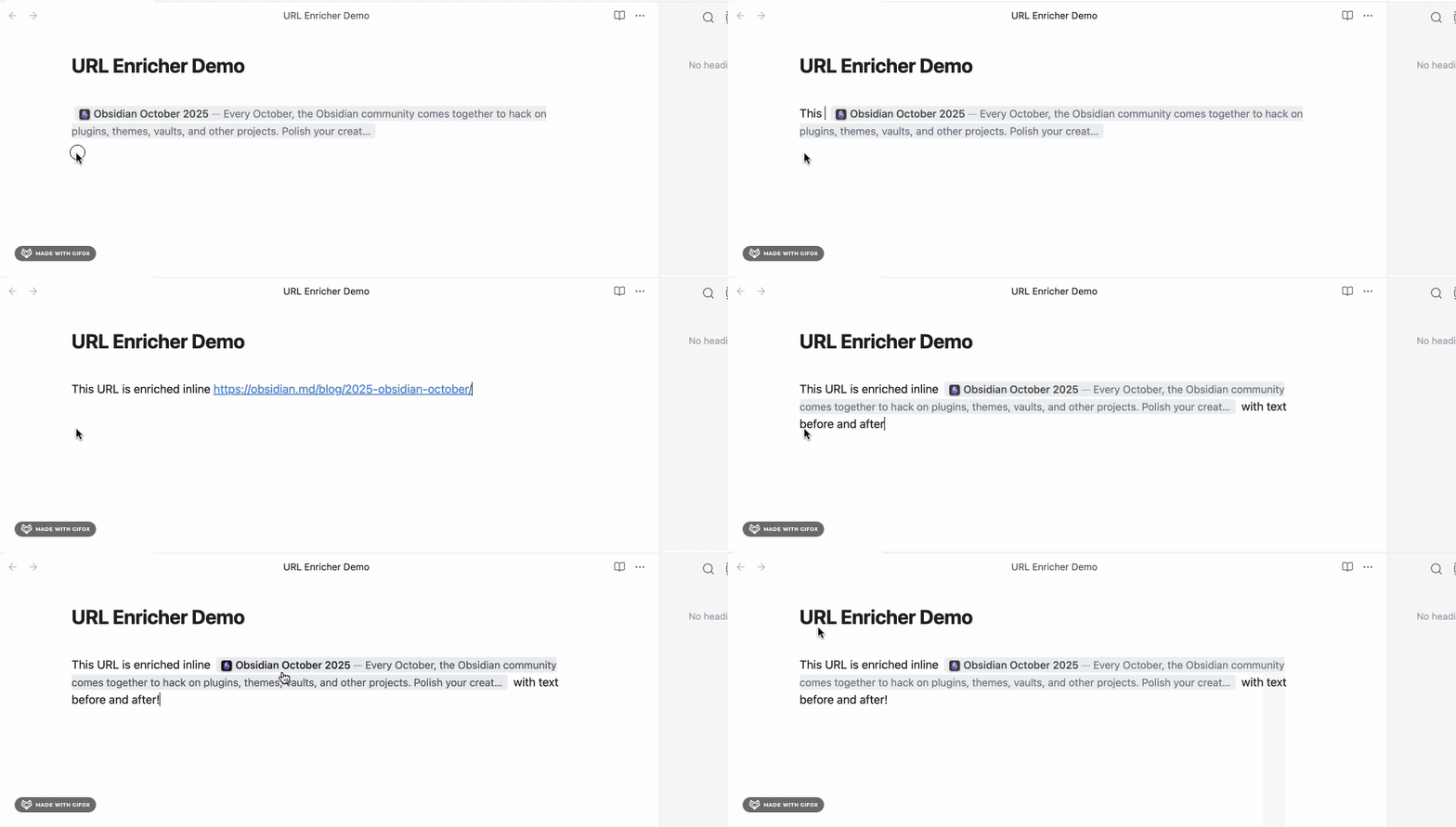
URL Enricher shows the title, description, and favicon for URLs in your notes without changing the markdown underneath. The source file keeps the plain URL; only the rendered view changes.
Requirements
- Obsidian 1.13.0 or later
- Live Preview mode. The plugin does not render in Source mode or Reading view.
Quick start
Install the plugin, then open a note in Live Preview and paste a URL. Previews appear once the page metadata loads.
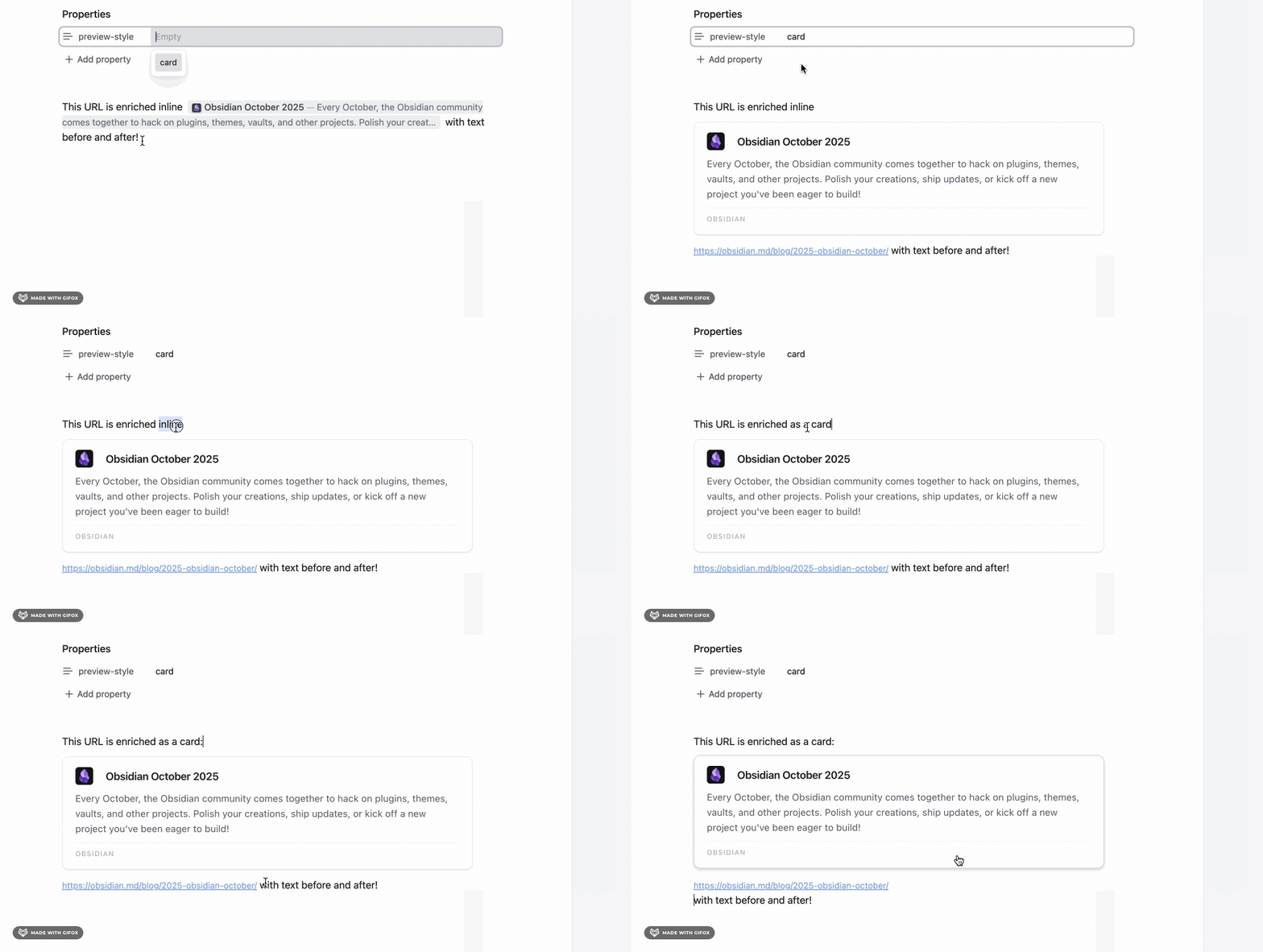
Global settings live under Settings > URL Enricher. Any note can override them with frontmatter, which must start on line 1:
---
preview-style: card                   # inline | card
max-card-length: 400                  # 1-5000 (recommended: 100+)
max-inline-length: 200                # 1-5000 (recommended: 50+)
show-favicon: true                    # true | false
include-description: true             # true | false
inline-color-mode: subtle             # none | subtle
card-color-mode: subtle               # none | subtle
---
Preview styles
Inline (compact)
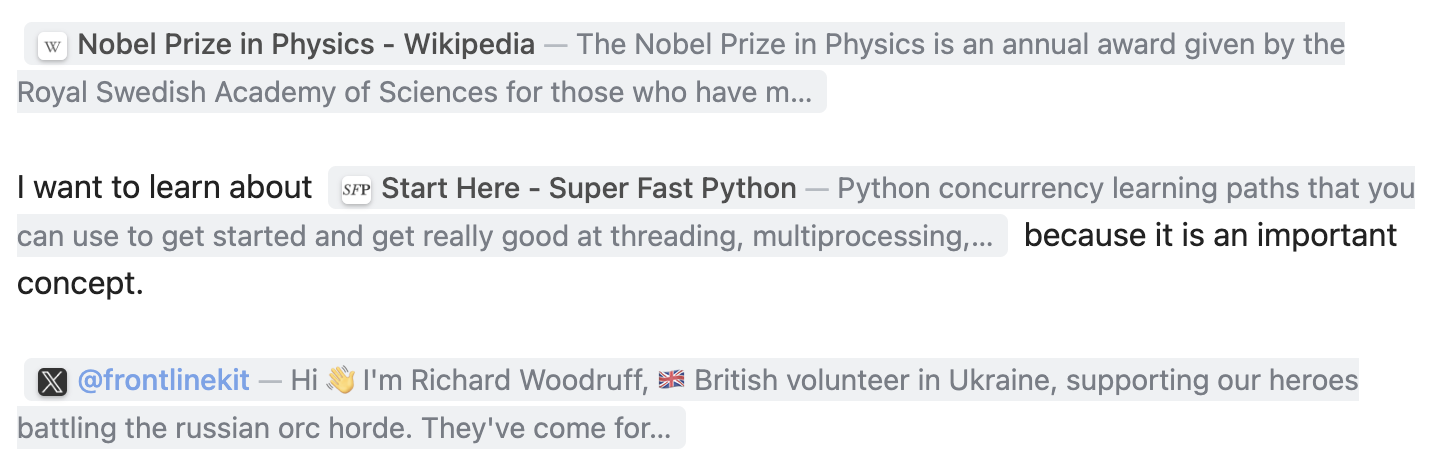
Flows with the surrounding text and hides the raw URL. Best for reading.
Card (detailed)
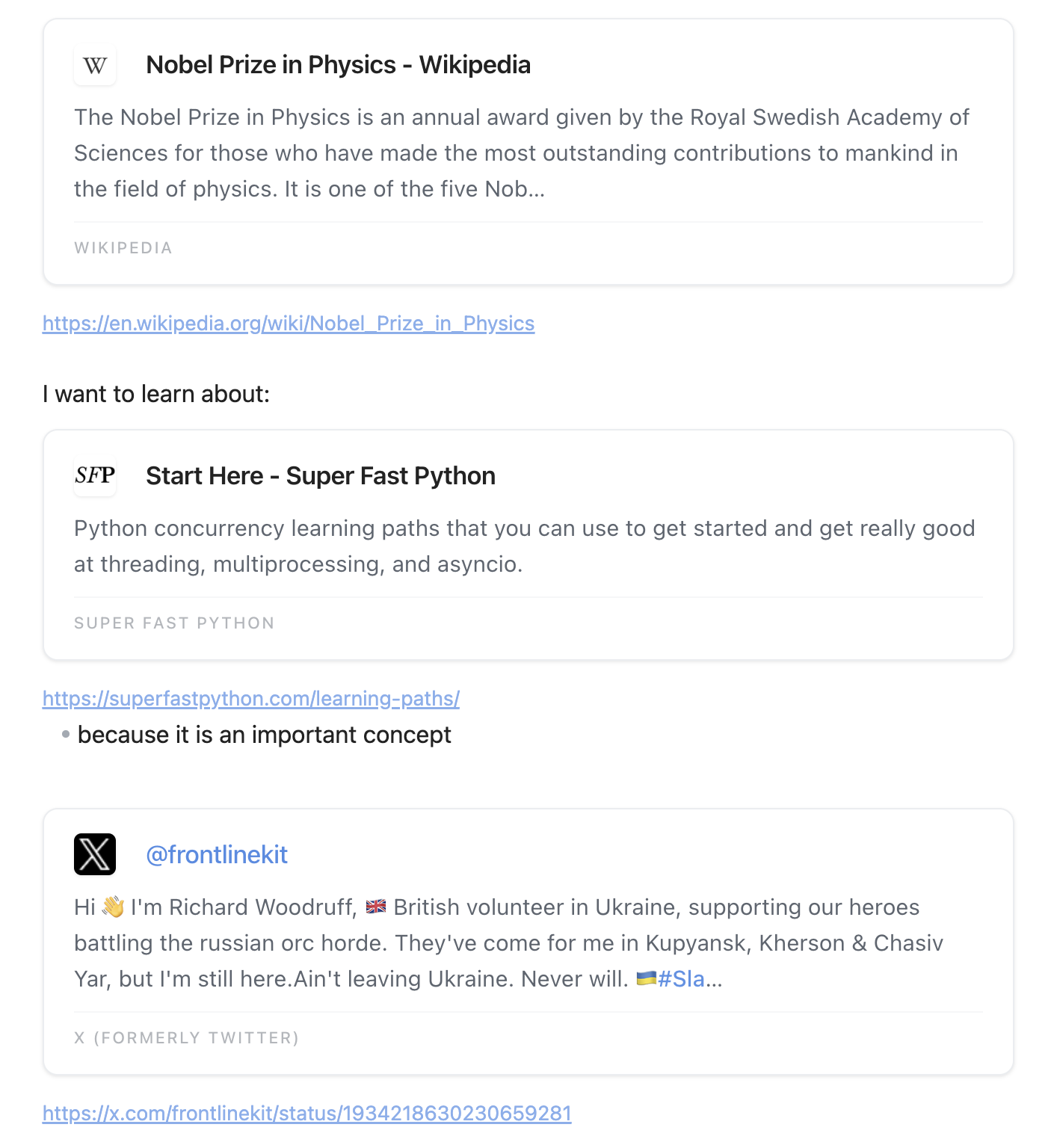
A block layout showing the description and site name. Best for bookmarks and research notes.
What it does
- Never modifies your markdown source
- Reveals the raw URL while the cursor is inside it, so you can still edit
- Fetches title, description, and favicon automatically
- Accepts per-note overrides through frontmatter
- Applies site-specific handling for Wikipedia, Reddit, Twitter/X, LinkedIn, and Google Search
- Applies settings changes immediately, with no reload
Customization
To set your own preview colors, use an Obsidian CSS snippet.
- Go to Settings > Appearance > CSS snippets and click the folder icon.
- Create
url-enricher-colors.css:
/* Inline preview background */
.url-preview--inline {
  background: #4a90e2 !important;
}

/* Card preview background */
.url-preview--card {
  background: #50c878 !important;
}
- Return to Settings > Appearance > CSS snippets and enable it.
Supported URL formats
https://github.com                            # Bare URL
[custom text](https://github.com)             # Markdown link
[](https://github.com)                        # Empty link text
[[https://github.com]]                        # Wikilink (URLs only)
Not supported: image embeds , URLs inside code blocks, and non-HTTP protocols.
Common issues
Previews not showing
- Confirm the note is in Live Preview mode, not Source mode.
- Confirm the URL includes the scheme, for example
https://example.com. - Try Settings > URL Enricher > Clear cache.
Frontmatter not applying
- The block must start on line 1 with
---. - Check the key spelling, for example
preview-stylerather thanpreviewstyle.
Stale or incorrect previews
- Use Settings > URL Enricher > Clear cache.
Slow performance
- Turn off descriptions, or reduce the maximum description length, in Settings.
Warning icon next to a URL
Some sites block automated requests and return an HTTP error. To hide these warnings, set Settings > URL Enricher > HTTP error warnings to off.
For anything else, see TROUBLESHOOTING.md.
Site-specific handling
Some sites need extra work to produce a useful preview:
- Wikipedia: fetches the article introduction and reports Wikipedia as the site name.
- Reddit: fetches through
old.reddit.com, because the main site serves a bot challenge page instead of metadata to non-browser clients. - Twitter/X: fetches tweet content through the public oEmbed endpoint.
- Google Search: extracts the search query for the title.
- LinkedIn: strips leading hashtags and comment counts from titles.
Privacy and network usage
The plugin makes network requests to build previews:
- Page metadata: fetches HTML from the URLs in your notes to read titles, descriptions, and favicons.
- Wikipedia API: queries article summaries for Wikipedia links.
- Twitter oEmbed API: fetches tweet content for Twitter/X links.
- Google favicon service: requests higher-resolution favicons for display.
It does not collect telemetry, analytics, or any user data. Requests are only made for public pages you have linked to, results are cached locally in your vault's plugin folder, and you control which URLs are processed.
Development
npm install                 # Install dependencies
npm run dev                 # Watch mode
npm run build               # Production build
npm run lint                # Run ESLint (enforces Obsidian plugin guidelines)
npm test                    # Run the test suite
See CONTRIBUTING.md for the full development guide, including the release process.
Contributing
Contributions are welcome. CONTRIBUTING.md covers development setup, code standards, the release checklist, and common pitfalls.
License
MIT. See LICENSE.