
README file from
GithubTrouble Tags in Obsidian
An Obsidian plugin that scans the active file for inline tags (#TODO, #FIXME, #BUG, #NOTE, #WARN) and lists them in a sidebar panel. Click any entry to jump to that line.
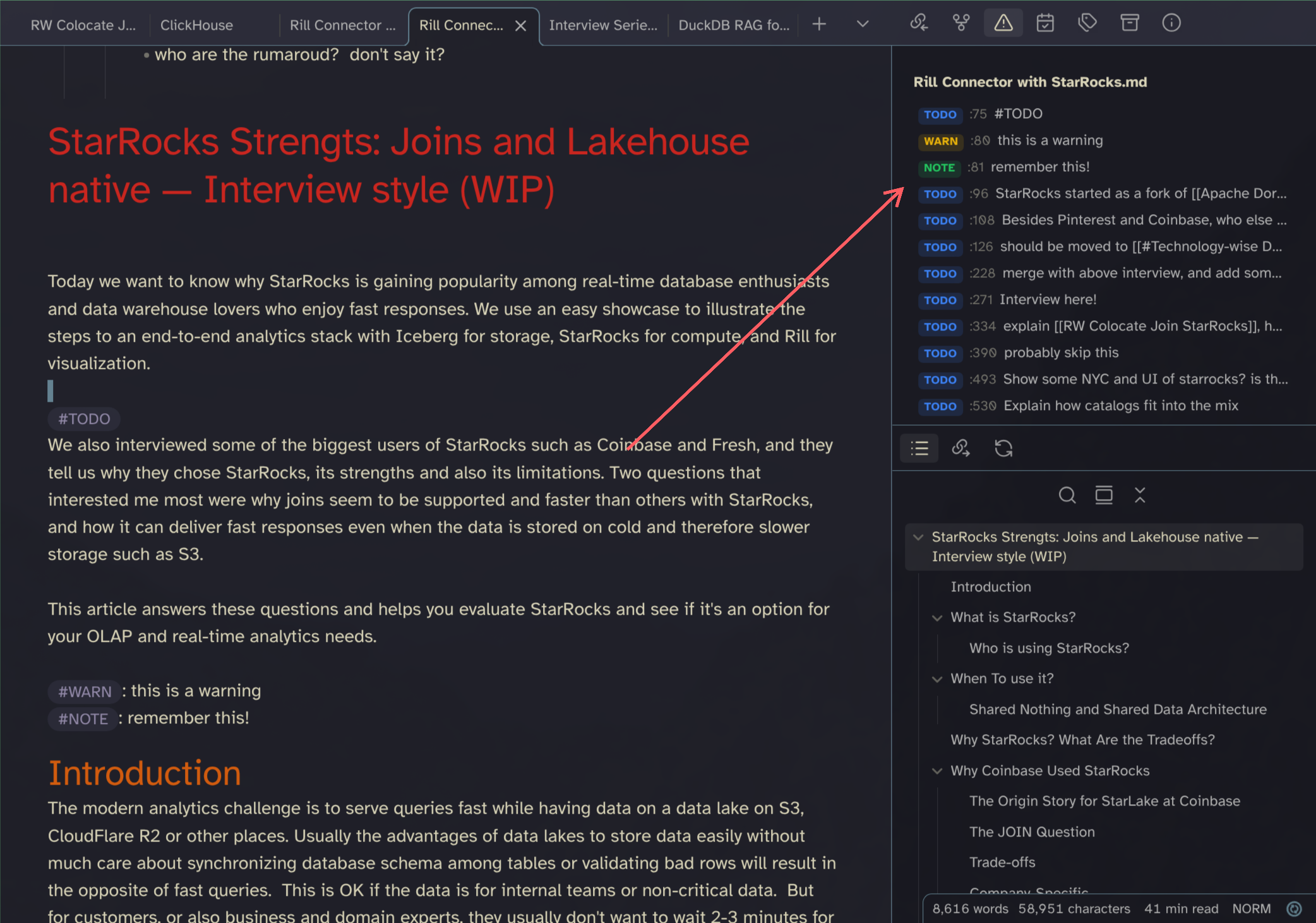
Inspired by trouble.nvim.
Usage
- Toggle panel: Click the ribbon icon or run "Toggle Trouble Tags panel" from the command palette.
- Click a row to jump to the corresponding line in the editor.
- The panel rescans automatically when you edit or switch files.
Install
Copy or symlink this folder into .obsidian/plugins/obsidian-trouble-tags/, then enable it in Settings → Community plugins.
Activate
Via command palette, search for Trouble.
Also check out my other Plugin: Obsidian Open Specific File