
README file from
GithubTrietment Kanban
English | Nederlands
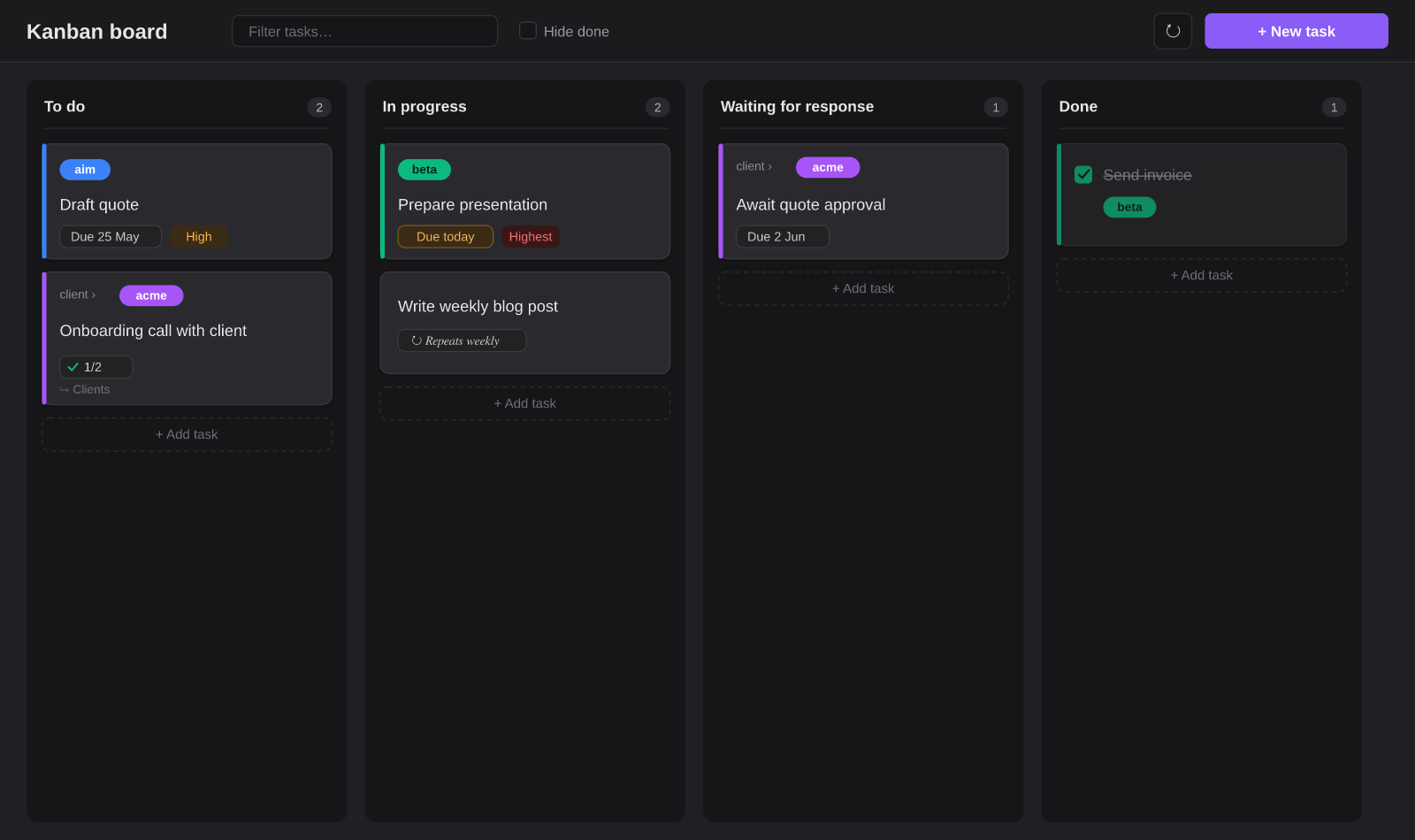
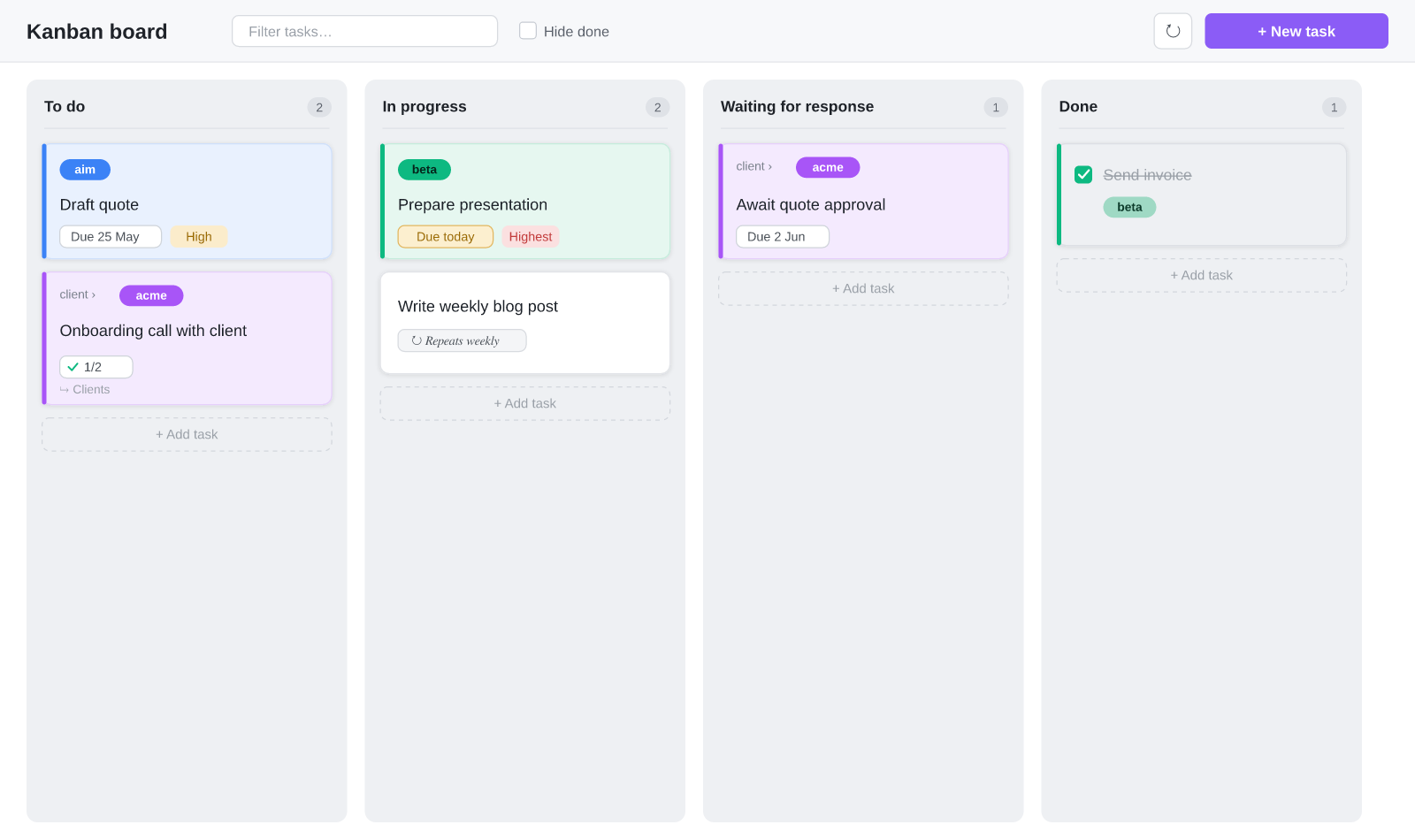
A Kanban board for Obsidian that collects tasks from every note in your vault. Tasks are plain markdown checkboxes with optional metadata; the plugin shows them as draggable cards in columns. Works on desktop and mobile.
Features
- Tasks from your whole vault — every
- [ ]checkbox with a#kanban/tag appears on the board. - Dynamic columns — defaults: To do / In progress / Waiting for response / Done. Add, rename, reorder or remove columns in the settings. Drag cards between columns (desktop) or change the column in the edit modal (mobile).
- Bilingual (EN/NL) — the whole interface is available in English and Dutch. By default the plugin follows the Obsidian language; you can also choose manually.
- Projects with colors — group with
#project/name, each with its own color and optional label. Subprojects (#project/client/acme) are supported. - Due dates & recurrence —
📅 2026-05-28and🔁 every week. Completed recurring tasks automatically create the next instance. - Priorities —
🔺 ⏫ 🔼 🔽 ⏬. - Subtasks — indented checkboxes under a task. The board shows a
☑ 2/5progress badge; add and check them in the edit modal. - Linked note per card — use the 📄 button to create a dedicated note for a task from a template (a
[[wikilink]]in the task line). If it already exists, the button opens it. - Click = edit — click a card for the edit modal: status/column, due date, project, recurrence, subtasks and note in one place.
- Automatic moving — tasks due today (or overdue) move automatically to the In-progress column.
- Inbox — quick entry of new tasks into a configurable inbox note.
Installation
From Obsidian's community plugins (recommended)
- Open Settings → Community plugins and make sure community plugins are enabled.
- Click Browse and search for Trietment Kanban.
- Click Install, then Enable.
Works the same on desktop and mobile. Obsidian offers updates automatically.
Manually
- Create the folder
<vault>/.obsidian/plugins/trietment-kanban/. - Copy
main.js,manifest.jsonandstyles.cssfrom the latest release into it. - Restart Obsidian and enable the plugin under Settings → Community plugins.
Task syntax
A task is a plain markdown checkbox with optional metadata:
- [ ] Draft quote 📅 2026-05-25 #project/aim #kanban/doing ⏫
    - [ ] Request figures
    - [x] Pick template
- [ ] Onboarding call [[Acme onboarding]] #project/client/acme #kanban/todo
- [x] Mail sent #project/client/beta #kanban/done
| Part | Meaning |
|---|---|
#kanban/<column> |
Which column the task is in (e.g. #kanban/doing) |
#project/<name> |
Project; use / for subprojects (#project/client/acme) |
📅 YYYY-MM-DD |
Due date |
🔁 every week |
Recurrence (every day/week/month/year, also every 2 weeks) |
🔺 ⏫ 🔼 🔽 ⏬ |
Priority (highest → lowest) |
[[Note]] |
Linked note |
indented - [ ] |
Subtask of the task above it |
You can put tasks in any note in your vault — they are picked up automatically.
Usage
- + New task (or the
+under a column) adds a task, by default in the inbox note. - Click a card → edit modal with column/status, due date, project, recurrence, subtasks and the linked note.
- 📄 creates/opens the linked note; ☑ 2/5 shows subtask progress.
- Drag a card to another column (desktop) to update the
#kanban/tag. - Click a project badge to filter on that project.
Settings
- Add/rename/remove/reorder columns, default column, done column, inbox note, show inbox column.
- Automatic moving (today → In progress, optionally also overdue).
- Language (automatic / Dutch / English).
- Projects & colors, with a button to scan the vault (or only specific scan folders) for
#project/tags. - Linked notes: note folder and template file (empty = built-in template).
Files
main.js— the pluginmanifest.json— plugin metadatastyles.css— stylingversions.json— version ↔ minimum Obsidian version
data.json(your personal settings and project colors) belongs to your vault and is deliberately not in this repo.
License
MIT.
Nederlands
English | Nederlands
Een Kanban-bord voor Obsidian dat taken verzamelt uit alle notes in je vault. Taken zijn gewone markdown-checkboxes met optionele metadata; de plugin toont ze als sleepbare kaarten in kolommen. Werkt op desktop én mobiel.
Functies
- Taken uit je hele vault — elke
- [ ]checkbox met een#kanban/-tag verschijnt op het bord. - Dynamische kolommen — standaard: Te doen / Bezig / Wacht op reactie / Klaar. Voeg in de instellingen zelf kolommen toe, hernoem ze, wijzig de volgorde of verwijder ze. Sleep kaarten tussen kolommen (desktop) of wijzig de kolom in de edit-modal (mobiel).
- Tweetalig (NL/EN) — de hele interface is beschikbaar in het Nederlands en het Engels. Standaard volgt de plugin de taal van Obsidian; je kunt ook handmatig kiezen.
- Projecten met kleuren — groepeer met
#project/naam, elk met eigen kleur en optioneel label. Subprojecten (#project/klant/acme) worden ondersteund. - Due dates & herhaling —
📅 2026-05-28en🔁 every week. Afgevinkte herhalende taken maken automatisch de volgende instance aan. - Prioriteiten —
🔺 ⏫ 🔼 🔽 ⏬. - Subtaken — ingesprongen checkboxes onder een taak. Het bord toont een
☑ 2/5-voortgangsbadge; toevoegen en afvinken doe je in de edit-modal. - Gekoppelde notitie per kaart — met de 📄-knop maak je uit een template een eigen notitie voor een taak (een
[[wikilink]]in de taakregel). Bestaat hij al, dan opent de knop hem. - Klik = bewerken — klik op een kaart voor de edit-modal: status/kolom, due date, project, herhaling, subtaken en notitie op één plek.
- Automatisch verplaatsen — taken die vandaag (of overdue) due zijn schuiven automatisch naar de Bezig-kolom.
- Inbox — snelle invoer van nieuwe taken in een instelbare inbox-note.
Installatie
Via de community-plugins (aanbevolen)
- Open Instellingen → Community-plugins en zorg dat community-plugins aan staan.
- Klik op Bladeren en zoek Trietment Kanban.
- Klik op Installeren en daarna Inschakelen.
Werkt hetzelfde op desktop en mobiel. Obsidian biedt updates automatisch aan.
Handmatig
- Maak de map
<vault>/.obsidian/plugins/trietment-kanban/. - Kopieer daarin
main.js,manifest.jsonenstyles.cssuit de laatste release. - Herstart Obsidian en zet de plugin aan bij Instellingen → Community-plugins.
Taaksyntaxis
Een taak is een gewone markdown-checkbox met optionele metadata:
- [ ] Offerte uitwerken 📅 2026-05-25 #project/aim #kanban/doing ⏫
    - [ ] Cijfers opvragen
    - [x] Template kiezen
- [ ] Onboarding-call [[Acme onboarding]] #project/klant/acme #kanban/todo
- [x] Mail verstuurd #project/klant/beta #kanban/done
| Onderdeel | Betekenis |
|---|---|
#kanban/<kolom> |
In welke kolom de taak staat (bv. #kanban/doing) |
#project/<naam> |
Project; gebruik / voor subprojecten (#project/klant/acme) |
📅 JJJJ-MM-DD |
Due date |
🔁 every week |
Herhaling (every day/week/month/year, ook every 2 weeks) |
🔺 ⏫ 🔼 🔽 ⏬ |
Prioriteit (hoogst → laagst) |
[[Notitie]] |
Gekoppelde notitie |
ingesprongen - [ ] |
Subtaak van de taak erboven |
Je kunt taken in elke note van je vault zetten — ze worden vanzelf opgepikt.
Gebruik
- + Nieuwe taak (of het
+onder een kolom) voegt een taak toe, standaard in de inbox-note. - Klik op een kaart → edit-modal met kolom/status, due date, project, herhaling, subtaken en de gekoppelde notitie.
- 📄 maakt/opent de gekoppelde notitie; ☑ 2/5 toont de subtaak-voortgang.
- Sleep een kaart naar een andere kolom (desktop) om de
#kanban/-tag bij te werken. - Klik op een project-badge om op dat project te filteren.
Instellingen
- Kolommen toevoegen/hernoemen/verwijderen/herordenen, standaardkolom, klaar-kolom, inbox-note, inbox-kolom tonen.
- Automatisch verplaatsen (vandaag → Bezig, optioneel ook overdue).
- Taal (automatisch / Nederlands / Engels).
- Projecten & kleuren, met een knop om de vault (of alleen bepaalde scan-mappen) te scannen op
#project/-tags. - Gekoppelde notities: notitie-map en template-bestand (leeg = ingebouwde template).
Bestanden
main.js— de pluginmanifest.json— plugin-metadatastyles.css— stylingversions.json— versie ↔ minimale Obsidian-versie
data.json(je persoonlijke instellingen en projectkleuren) hoort bij je vault en zit bewust niet in deze repo.
Licentie
MIT.