
README file from
GithubTrack Changes
Review CriticMarkup suggestions in an Obsidian side panel. Accept, reject, or reply.
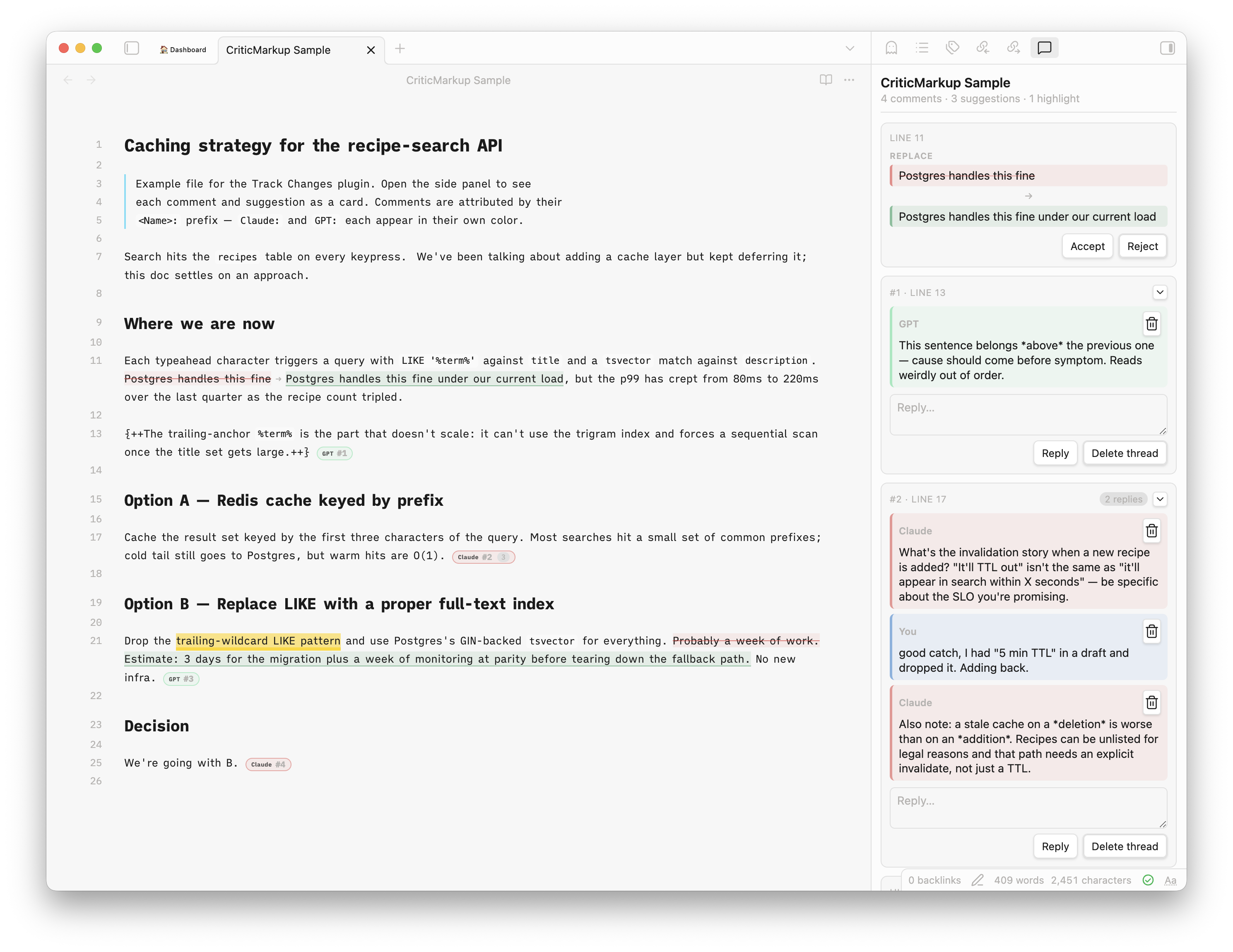
About
Every CriticMarkup mark in the active note becomes a card in a side panel (and is also styled inline). Accept, reject, reply, or delete the whole thread, all changes are written straight back into the markdown as {++…++}, {--…--}, {~~old~>new~~}, {>>comment<<}, {==highlight==}. No sidecar state.
For authoring CriticMarkup inside Obsidian yourself, use Fevol/obsidian-criticmarkup. It's a full-featured general-purpose plugin.
Usage with AI
The intended usecase: AI agents review and comment essays and texts. This plugin is for the human side: reviewing, applying, denying, replying.
docs/SKILL.md is a starting-point reviewer prompt, adapt it to your own reviewing needs. It explicitly forbids the AI from writing any kind of text. All text is human-written. The AI just finds issues, errors and challenges arguments.
Features
- All five CriticMarkup forms:
{++add++},{--del--},{~~old~>new~~},{>>comment<<},{==highlight==} - Threaded comments — adjacent
{>>...<<}blocks with no blank line between them group into one thread - Multi-author support — each
<Name>:prefix gets its own color; well-known AI names get brand-ish hues - Accept / reject per suggestion; delete per message or per thread; reply inline
- Finalize for publish — resolves all remaining markup in one pass
- Reading mode renders either the accepted preview or raw side-by-side
- Markup inside code blocks is left alone
Commands
| Command | What it does |
|---|---|
| Open review panel | Opens the side panel for the active note |
| Finalize for publish | Accepts all insertions, removes all deletions and comments |
Install
Community Plugins → search "Track Changes", or install from community.obsidian.md/plugins/track-changes.
Manual: drop main.js, manifest.json, styles.css into <vault>/.obsidian/plugins/track-changes/ and enable in settings.
Build
npm install && npm run build
License
MIT.