
README file from
GithubTimeflow
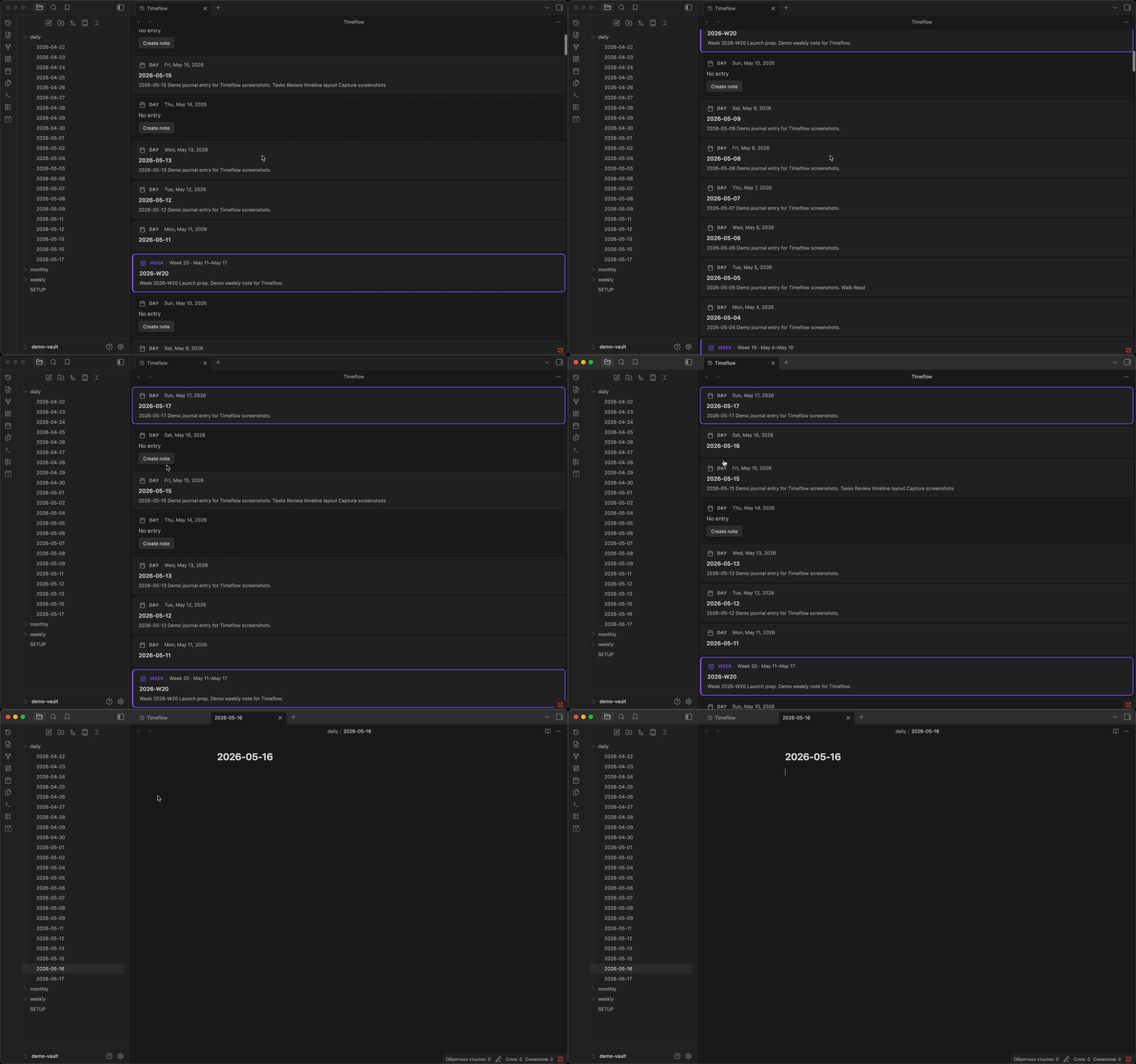
An Obsidian community plugin that turns your daily Periodic Notes into an infinite vertical temporal feed — time as the main way to browse your journal.
Install
- Open Settings -> Community plugins.
- Turn on community plugins and select Browse.
- Search for Timeflow Periodic, install, and enable.
For local development, see dev.md.
Features
- Continuous timeline — daily entries in one scrollable view (newest at the top, no future dates)
- Mixed stream — daily, weekly, and monthly note cards; section markers when those periods are off
- Note cards — existing notes show a title and plain-text excerpt; click to open
- Gap placeholders — missing days appear as interactive cards with Create note
- Infinite scroll — scroll down to load older days automatically
- Live updates — vault changes (create, modify, rename, delete) refresh the feed
Requirements
- Obsidian 1.5.0 or newer
- Periodic Notes or core Daily notes, with folder and date format configured
- Optional: Weekly and Monthly notes in Periodic Notes — full cards at period boundaries
- Optional: Dataview — TABLE queries in a note can appear as plain-text row summaries on the card (no rendered table in the feed)
Privacy
Timeflow runs entirely offline in your vault. It does not send note contents elsewhere or collect analytics.
Usage
- Enable Timeflow Periodic in Settings -> Community plugins.
- Open the timeline:
- Click the history ribbon icon, or
- Command palette -> Open timeline
- Jump to today from the command palette when needed.
- Click a card to open a note, or Create note on a gap day.
Configure the initial date range and markers in Settings -> Timeflow Periodic.
Development
See dev.md for local setup (make local-dev, make sync-demo for the demo vault).
make install
make local-dev
make test
make lint
make build
Project layout
src/
  domain/       # Pure timeline logic (tested without Obsidian)
  ports/        # Interfaces (repository, renderer, clock)
  adapters/     # Obsidian and DOM implementations
  presenters/   # Feed orchestration
  views/        # Timeflow ItemView
  commands/     # Plugin commands
tests/          # Vitest unit tests
demo-vault/     # Seed vault for screenshots
Architecture follows ports/adapters with a thin main.ts composition root. See AGENTS.md for plugin conventions.
Releasing
See RELEASE.md and CHANGELOG.md.
License
0-BSD (see LICENSE).