
README file from
GithubTasks Timeline
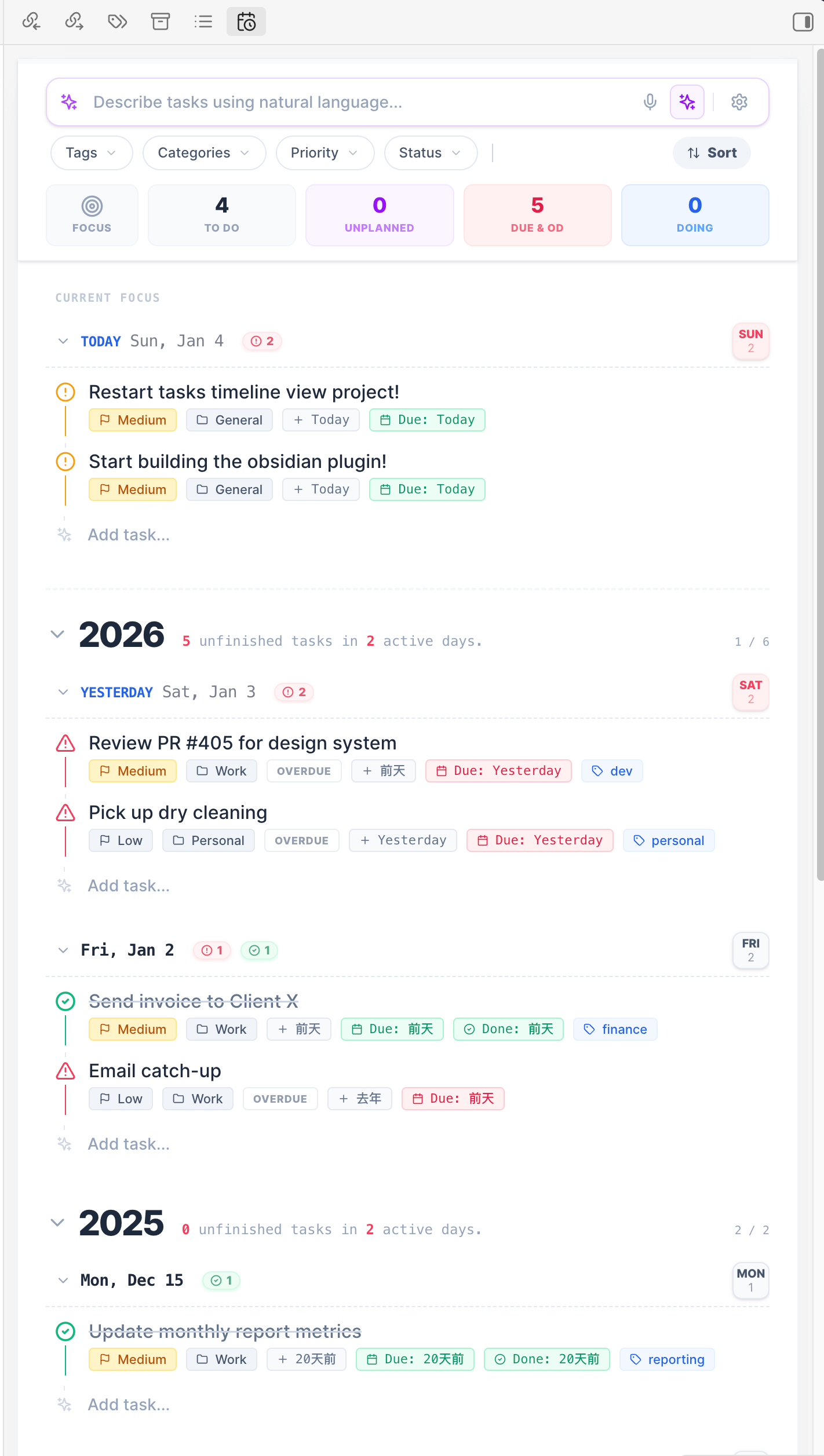
Tasks Timeline shows and manages task items in an Obsidian vault. It is a continuation of obsidian-tasks-calendar-wrapper, based on tasks-timeline-components.
MCP server
The plugin includes a built-in Model Context Protocol (MCP) server that lets AI agents read and write tasks in your vault.
Setup
- Open Settings > Tasks Timeline > MCP server
- Toggle Enable MCP server on
- The server starts on
http://127.0.0.1:27182/mcp(port is configurable)
Connecting AI clients
Add the following to your MCP client configuration (e.g. Claude Desktop, Claude Code, Cursor):
{
  "mcpServers": {
    "tasks-timeline": {
      "url": "http://127.0.0.1:27182/mcp"
    }
  }
}
Bearer-token auth is enabled by default. Copy the token from Settings > Tasks Timeline > MCP server and configure it as an Authorization: Bearer <token> header in clients that support HTTP MCP headers.
Available Tools
| Tool | Description |
|---|---|
query_tasks |
Search and filter tasks by status, category, tags, date range, and free-text |
create_task |
Create a new task with title, priority, dates, tags, and recurrence |
update_task |
Update an existing task by ID (partial updates supported) |
delete_task |
Delete a task by ID |
complete_task |
Mark a task as done (handles recurring tasks) |
cancel_task |
Cancel a task or recurring series |
batch_update_tasks |
Update multiple tasks matching a filter |
get_task_stats |
Get aggregate statistics (counts by status, priority, category) |
get_today_plan |
Get tasks due today and overdue tasks sorted by priority |
Available Resources
| Resource | URI | Description |
|---|---|---|
| All Tasks | tasks://all |
List of all tasks |
| Task by ID | tasks://task |
Retrieve a single task |
| Overdue | tasks://overdue |
Tasks that are past due |
| Today | tasks://today |
Tasks due or starting today |
| Upcoming | tasks://upcoming |
Tasks due in the next 7 days |
| Stats | tasks://stats |
Aggregate task statistics |
Available Prompts
| Prompt | Description |
|---|---|
plan_my_day |
Review today's tasks and create a prioritized daily plan |
weekly_review |
Review task progress and suggest priorities for next week |
task_triage |
Identify stale tasks and suggest actions |