
README file from
GithubTagline
An Obsidian plugin that lets you create notes from inline text using tag-driven templates. Write a line with a tag, add inline fields, and convert it to a linked note with proper frontmatter.
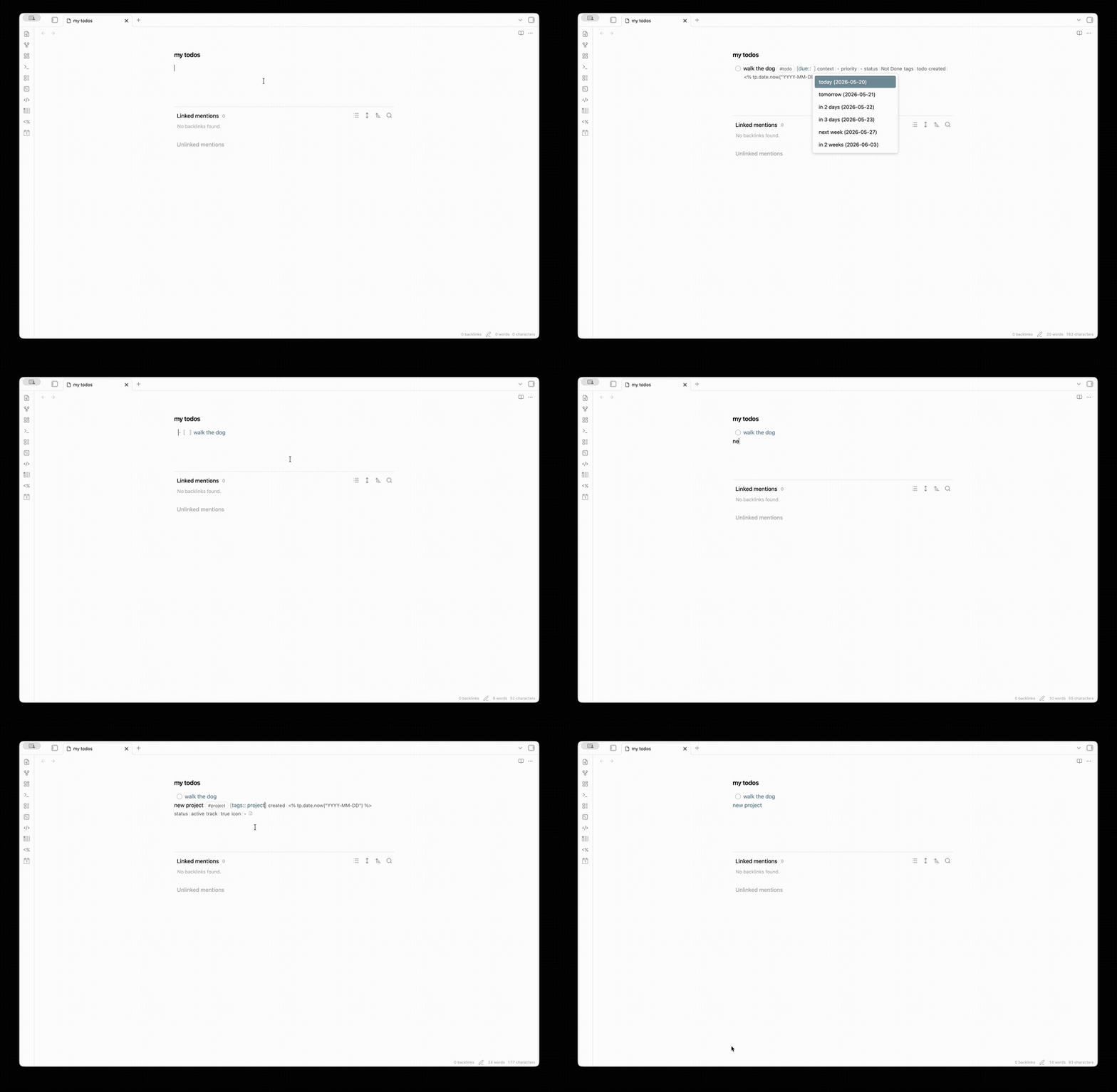
Features
- Tag-triggered note creation: Configure templates for specific tags (e.g.,
#todo,#meeting,#person) - Inline field editing: Add Dataview-style inline fields
[field:: value]with autocomplete suggestions - Template-based frontmatter: Define field types and sources in your template's frontmatter using
@type:comments - Smart suggestions: Get autocomplete for dates, folder contents, tagged notes, and custom options
- Checkbox sync: Optionally sync checkbox state with a frontmatter status field
- Templater support: Works with Templater syntax in your templates
Quick Start
-
Create a template with typed frontmatter fields:
--- title: "" # @type: text priority: medium # @type: text | options:high,medium,low due: # @type: date assignee: "" # @type: text | tag:person tags: [] # @type: list --- -
Configure a tag in plugin settings:
- Tag:
todo - Field source: Parse from template
- Template path:
Templates/Todo.md - Output folder:
Tasks/
- Tag:
-
Write a line with the tag:
Review the PR #todo -
Press
Spaceafter the tag to insert fields, then fill them in:Review the PR #todo [priority:: high] [due:: 2026-05-10] [assignee:: [[John]]] -
Click the "Create Note" button (or use the command) to convert to:
[[Tasks/Review the PR|Review the PR]]The new note will have proper frontmatter with your field values.
Field Types
Define field types in your template frontmatter using @type: comments:
| Type | Syntax | Description |
|---|---|---|
text |
field: "" # @type: text |
Plain text |
date |
field: # @type: date |
Date picker suggestions |
number |
field: 0 # @type: number |
Numeric value |
boolean |
field: false # @type: boolean |
true/false |
list |
field: [] # @type: list |
YAML array (comma-separated inline) |
Suggestion Sources
Add a source after the type to get autocomplete suggestions:
| Source | Syntax | Suggests |
|---|---|---|
options |
# @type: text | options:high,medium,low |
Fixed list of options |
folder |
# @type: text | folder:People/ |
Notes in a folder |
tag |
# @type: text | tag:person |
Notes with a specific tag |
field |
# @type: text | field:status |
Values used in a frontmatter field |
Keyboard Navigation
Tab/Shift+Tab: Navigate between inline fields- Standard autocomplete keys work in suggestion popups
Settings
- Open note after creation: Automatically open newly created notes
- Link format: Wiki links
[[note]]or Markdown links[note](note.md) - Field styling: Visual styling for inline fields
- Checkbox sync: Sync checkbox state with frontmatter (per-tag configuration)
Installation
From Obsidian Community Plugins
- Open Settings → Community plugins
- Search for "Tagline"
- Install and enable
Manual Installation
- Download
main.js,manifest.json, andstyles.cssfrom the latest release - Create a folder
taglinein your vault's.obsidian/plugins/directory - Copy the files into that folder
- Reload Obsidian and enable the plugin
Development
# Install dependencies
npm install

# Development build (watch mode)
npm run dev

# Production build
npm run build

# Run tests
npm test