
README file from
GithubTablite
A fast, feature-rich CSV/TSV editor for Obsidian. Edit tabular data directly in your vault with an Excel-like experience.
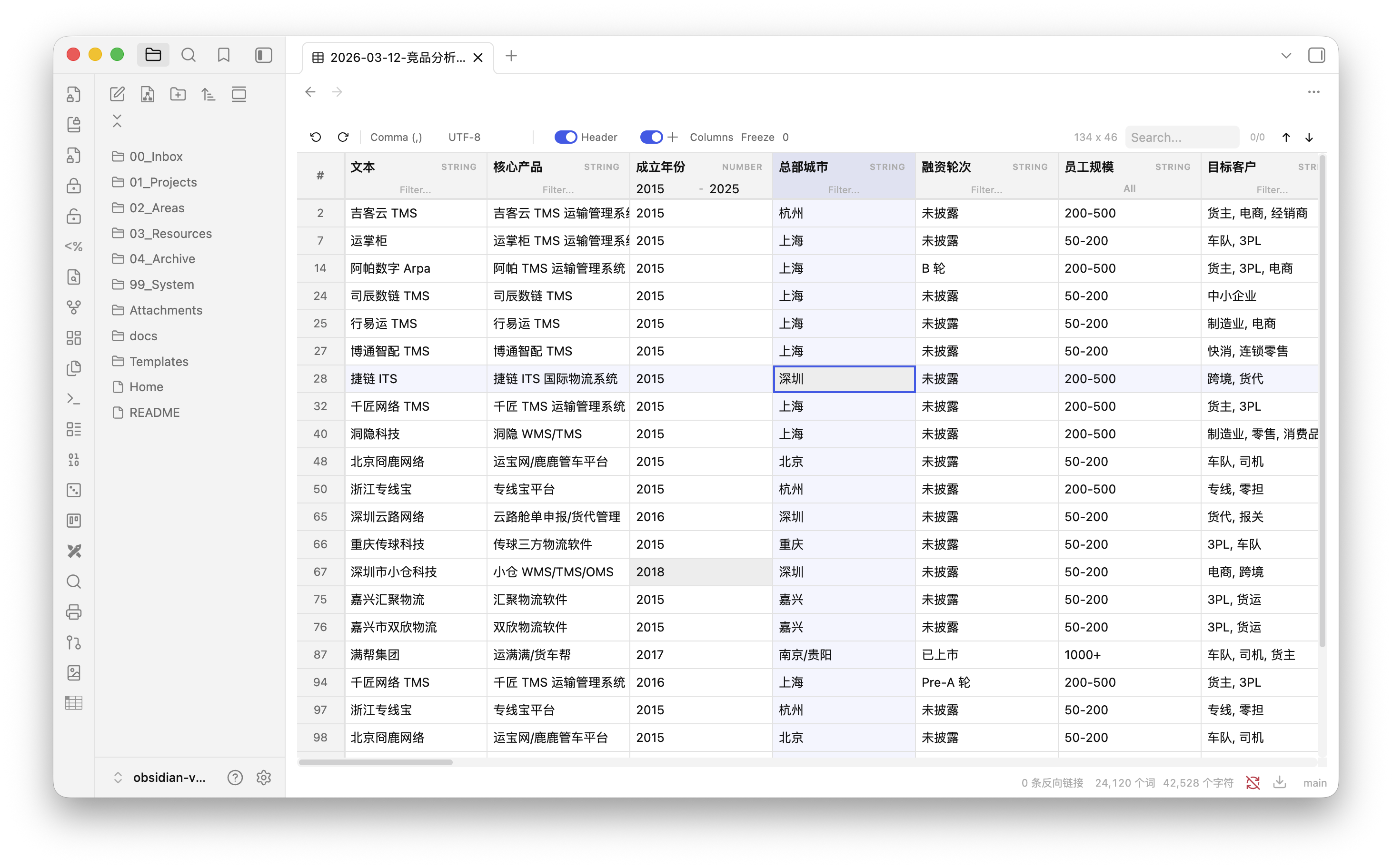
Features
- Virtual scrolling & progressive loading — handles large files smoothly with chunked rendering
- Inline editing — double-click any cell to edit
- Cell selection & cross highlight — single-click to select, with row/column cross highlight (toggleable)
- Column type detection — auto-detects STRING, NUMBER, DATE types per column
- Column sorting — click header to sort (multi-column supported)
- Smart column filtering
- Text columns: free-text filter
- Enum columns (< 12 unique values): multi-select dropdown with checkboxes
- Number columns: min/max range filter
- Date columns: date range picker
- Global search — search across all cells with highlight and navigation
- Auto delimiter detection — comma, semicolon, tab, pipe
- Excel export compatibility — auto-trims trailing empty columns from bloated spreadsheet exports
- Auto encoding detection — UTF-8, GBK, Windows-1252, Shift-JIS
- Header detection — auto-detects whether first row is a header, with manual toggle
- Column management — hide/show, reorder via drag & drop, freeze columns
- Column resizing — drag column borders to resize
- Persistent column config — column widths, order, visibility, and freeze state are saved per file
- Context menu — right-click to insert/delete rows and columns
- Undo/Redo — full edit history (up to 50 steps)
- Obsidian-native styling — respects your theme colors and dark/light mode
Installation
From Community Plugins (coming soon)
Search for Tablite in Obsidian Settings → Community Plugins → Browse.
Via BRAT
- Install BRAT plugin
- In BRAT settings, select Add Beta Plugin
- Enter
laofahai/obsidian-tablite
Manual Installation
- Download
tablite-x.x.x.zipfrom the latest release - Extract the zip into
<vault>/.obsidian/plugins/ - Restart Obsidian and enable Tablite in Settings → Community Plugins
Usage
Open any .csv or .tsv file in your vault — Tablite automatically opens it as an editable table.
| Action | How |
|---|---|
| Edit a cell | Double-click |
| Select a cell | Single-click |
| Sort column | Click header name (multi-sort with Shift+click) |
| Rename header | Double-click header name |
| Filter column | Use the filter input below header (type varies by column) |
| Resize column | Drag the right edge of header |
| Reorder columns | Drag & drop column headers |
| Hide/show columns | Use the Columns panel in toolbar |
| Freeze columns | Set freeze count in toolbar |
| Insert/delete row or column | Right-click → context menu |
| Undo / Redo | Ctrl/Cmd+Z / Ctrl/Cmd+Shift+Z |
| Search | Ctrl/Cmd+F or search box in toolbar |
Tech Stack
- Preact — lightweight UI
- TanStack Table — headless table logic (sorting, filtering)
- TanStack Virtual — row virtualization
- PapaParse — CSV parsing/serialization
- jschardet — encoding detection
Development
git clone https://github.com/laofahai/obsidian-tablite.git
cd obsidian-tablite
npm install
npm run dev    # watch mode
npm run build  # production build
License
MIT