
README file from
GithubStyle Tags in Search Results
An Obsidian plugin that decorates tags in search results with a CSS class to allow customizing them.
The use case that lead to this was to declutter search results when using tags to categorize notes' headings. With this plugin, in search results instead of seeing "My Heading #project #important" you will just see "My Heading".
Install
- In Obsidian, open Settings -> Community plugins -> Browse, search for "Style Tags in Search Results", install and enable.
- Or view it on the Obsidian community site: https://community.obsidian.md/plugins/style-tags-in-search-results.
Features
-
Adds a CSS class to tags in search results (customizable, by default the class
.search-tag) to enable styling/modifying them visually with custom CSS. -
Exposes a toggle in Settings to hide tags from search results
Usage and examples
The main use case for this is to declutter the search result pane if you use tags right after text in your notes. Then, when searching for them (for example by clicking on tag), it's a lot cleaner to just see the text itself instead of it suffixed with all its tags.
Example:
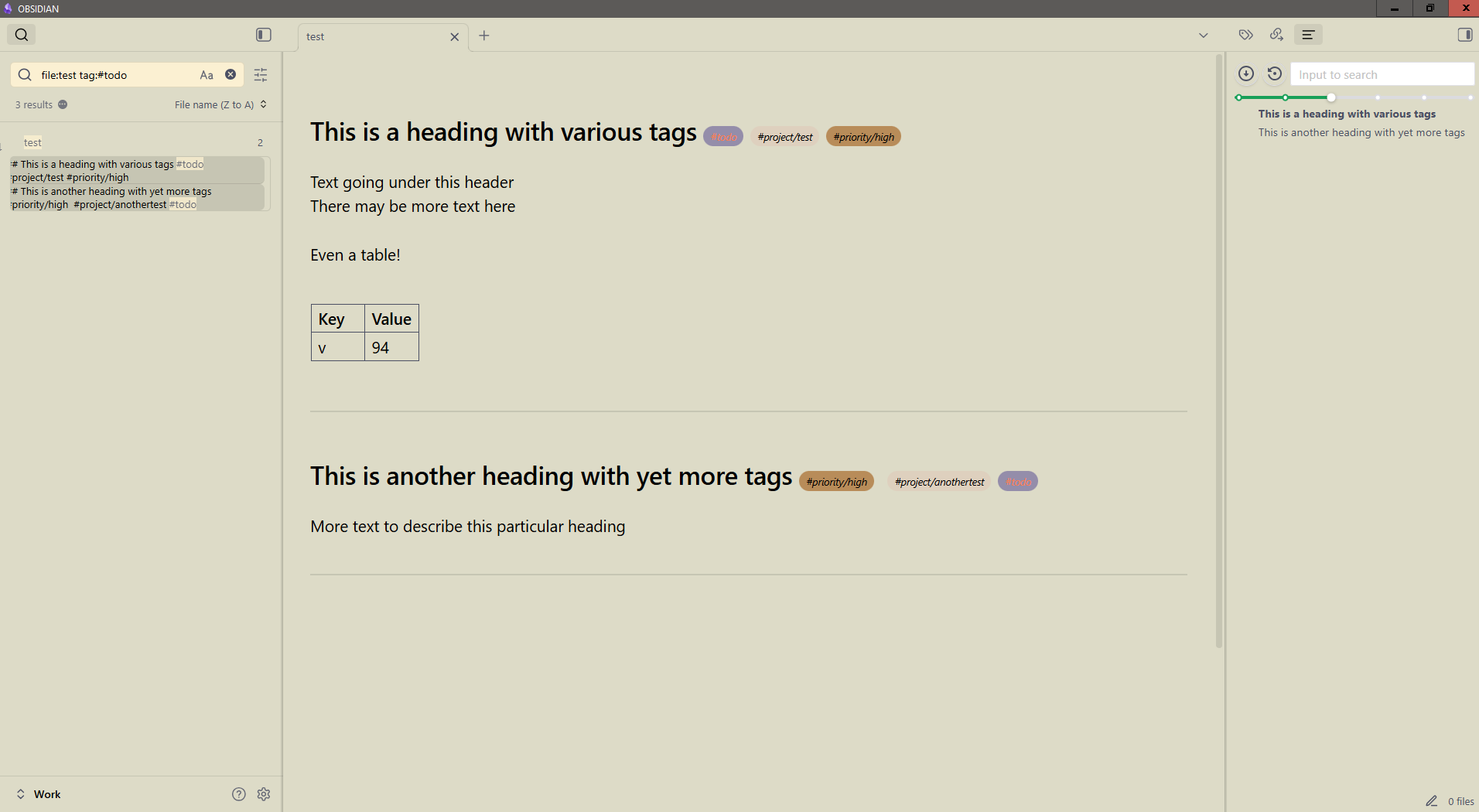
Normally the search pane shows all the tags in the searched line, making that line long and thus reducing readability:
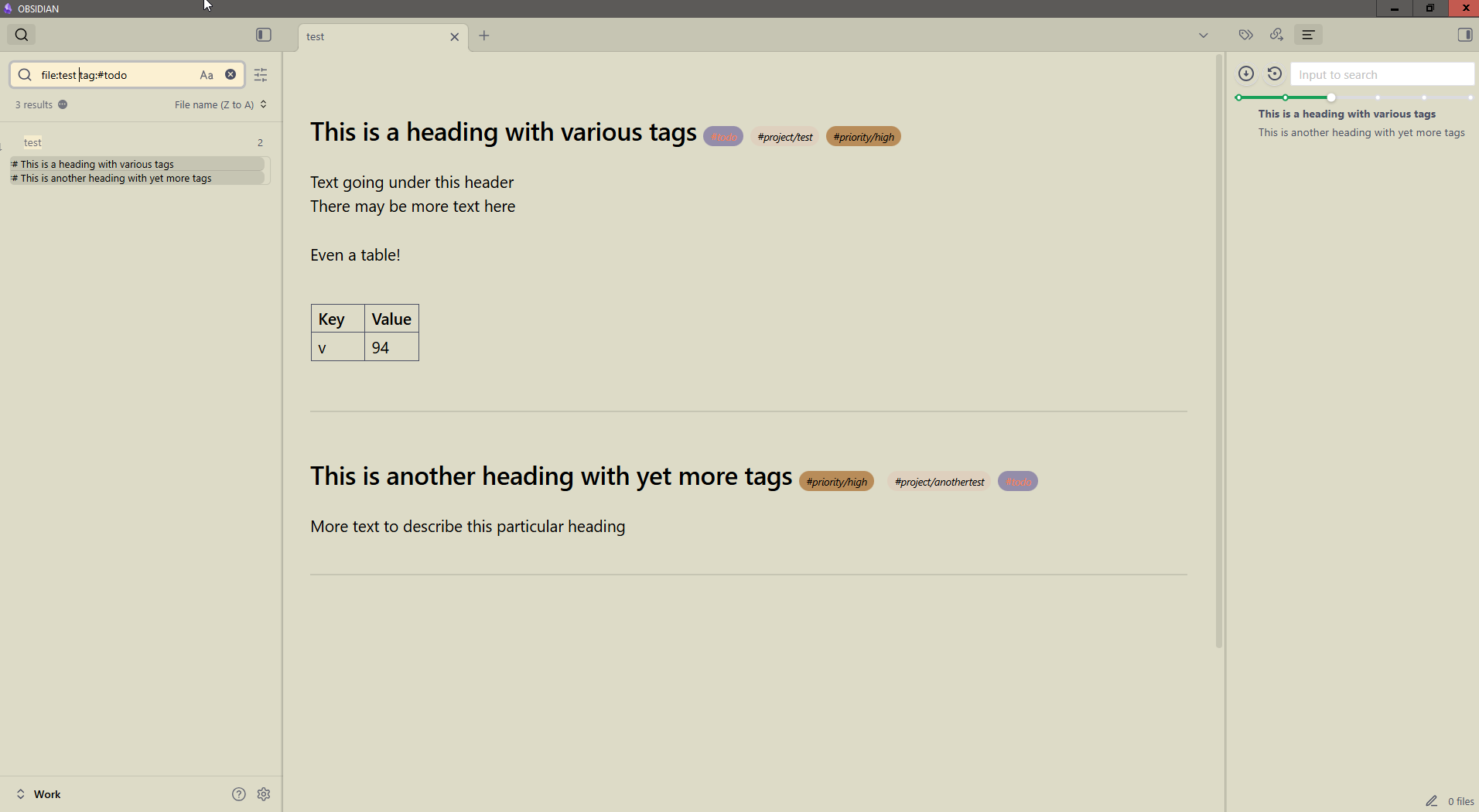
After enabling the plugin the tags in search results are hidden for a cleaner display:
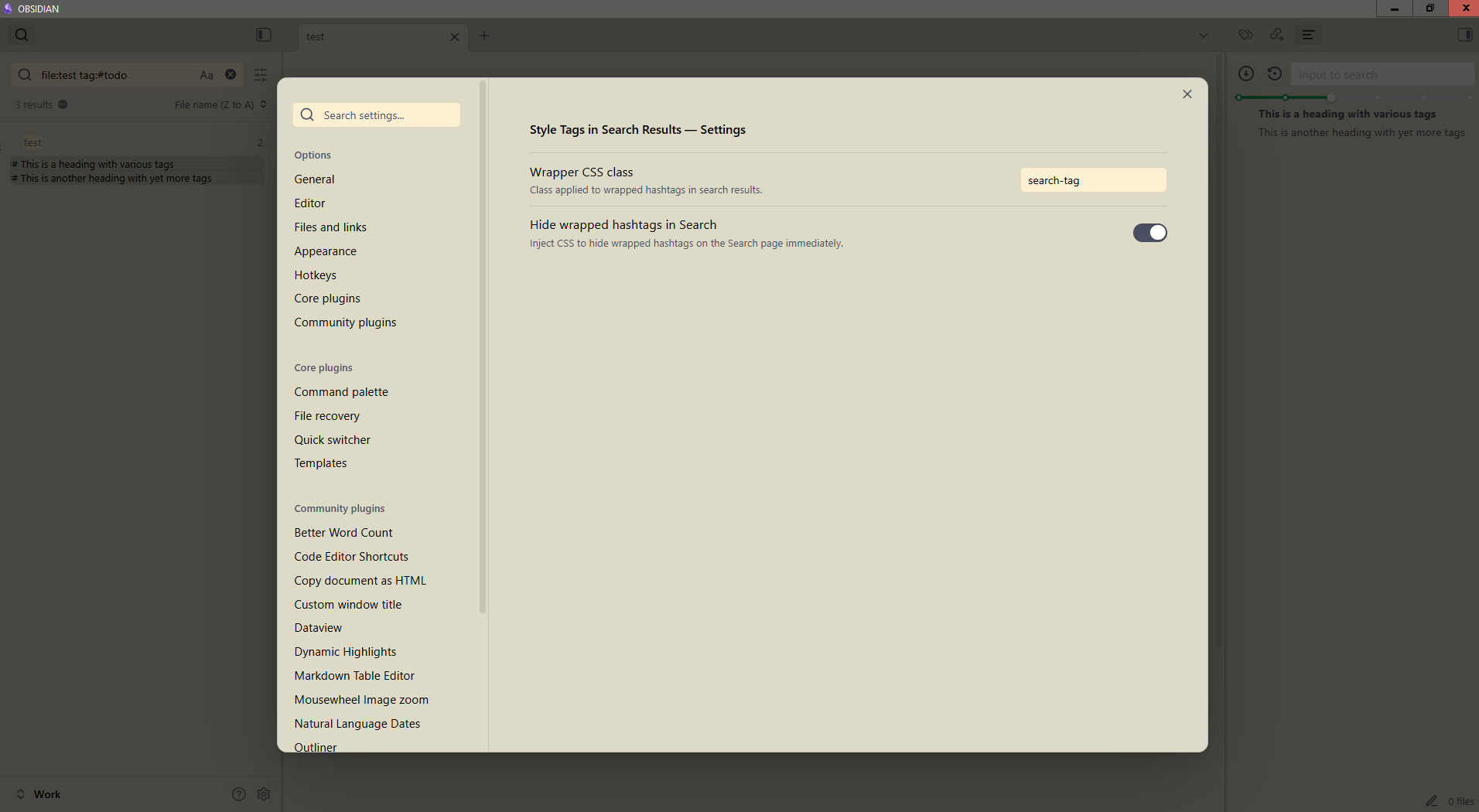
The settings dialog allows editing the CSS class being used and toggling the automatic tag hiding.
Provenance
This plugin was authored by Fanis Hatzidakis with assistance from large-language-model tooling (ChatGPT). All code was reviewed, tested, and adapted by Fanis.