
README file from
GithubObsidian Spoiler Plugin
An Obsidian plugin that lets you hide and reveal sensitive text in your notes with a single click. Select some text, press the ribbon button, and the selection is wrapped in a collapsible spoiler callout. Press it again on a spoiler and it gets unwrapped back to plain text.
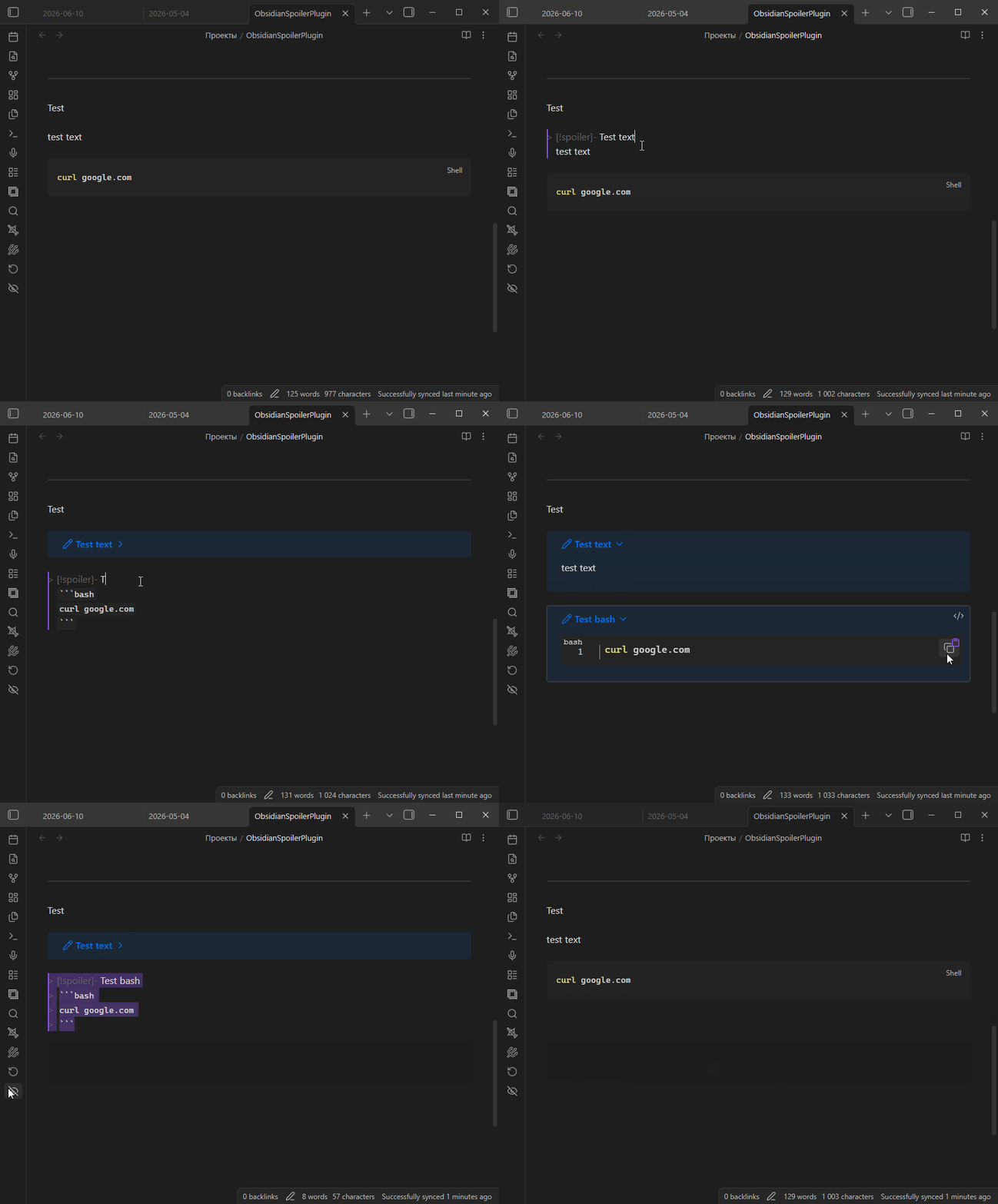
Features
- Adds a button to the left ribbon (near Open daily note).
- Wraps the currently selected text in a collapsible spoiler callout.
- Toggling: if the selection already is a spoiler, it is unwrapped back to plain text.
Spoiler format
The plugin wraps your selection in a collapsible spoiler callout, preserving
any markdown inside it:
> [!spoiler]-
> super_secret_key
In reading view this renders as a collapsed callout; click it to reveal the contents.
Usage
- Open a note and select the text you want to hide.
- Click the spoiler button in the left ribbon.
- The selected text is replaced with a spoiler callout.
- To reveal it permanently, select the spoiler and click the button again to unwrap it.
Installation
From a release (recommended)
- Download
main.jsandmanifest.jsonfrom the latest release. - Put both files in your vault at
<vault>/.obsidian/plugins/spoiler/. - Reload Obsidian and enable Spoiler in Settings → Community plugins (you may need to turn off Restricted mode first).
Building from source
npm install
npm run build
This produces main.js. Copy it together with manifest.json into
<vault>/.obsidian/plugins/spoiler/, then reload Obsidian and
enable the plugin as above.
License
MIT